AI 이미지 텍스트 추출 OCR: 스크린샷, 스캔 문서, 영수증, 사진
스크린샷, 스캔 문서, 영수증, 메모, 사진에서 AI OCR로 텍스트를 추출해 편집 가능한 텍스트로 바꾸세요
JPG, PNG, WEBP 및 스캔 이미지 파일을 AI OCR로 깔끔한 일반 텍스트로 변환하세요. 자연스러운 줄바꿈을 유지하고, 인식 결과를 즉시 검토하며, 몇 초 안에 텍스트를 복사하거나 다운로드할 수 있습니다.
What is AI 이미지 텍스트 추출 OCR: 스크린샷, 스캔 문서, 영수증, 사진?
JPG, PNG, WEBP 및 스캔 이미지 파일을 AI OCR로 깔끔한 일반 텍스트로 변환하세요. 자연스러운 줄바꿈을 유지하고, 인식 결과를 즉시 검토하며, 몇 초 안에 텍스트를 복사하거나 다운로드할 수 있습니다.
스크린샷 텍스트를 손으로 다시 치면 일상 업무가 느려집니다
스크린샷 문자를 일일이 다시 입력하고, 부정확한 OCR 결과를 정리하며, 스캔 이미지 속 텍스트를 꺼내는 작업은 아직도 깔끔하게 편집 가능한 텍스트가 필요한 팀의 속도를 떨어뜩니다.
스크린샷 텍스트를 손으로 다시 치면 일상 업무가 느려집니다
팀은 여전히 스크린샷, 채팅 화면, 관리자 패널, 제품 이미지에서 텍스트를 수동으로 옮깁니다. 이런 이미지 텍스트 추출 흐름은 시간을 낭비하고 집중을 끊으며, 피할 수 있는 입력 오류를 만듭니다.
This workflow bottleneck impacts team productivity, increases operational costs, and creates data quality issues that affect business decisions.
스캔 문서와 사진에 중요한 텍스트가 갇혀 있습니다
인쇄 페이지, 스캔 파일, 영수증, 청구서, 촬영 메모에는 유용한 정보가 편집 가능한 텍스트가 아니라 픽셀로 남아 있습니다. 신뢰할 수 있는 OCR이 없으면 검색, 재사용, 문서화가 어렵습니다.
Manual processes lead to inconsistent results, higher error rates, and frustrated team members who spend time on repetitive low-value tasks.
약한 OCR 결과는 구조와 정확도를 무너뜨립니다
많은 기본 OCR 도구는 지저분한 텍스트를 반환하고 줄바꿈을 없애거나, 손글씨와 저대비 스캔의 중요한 문구를 놓칩니다. 그 결과 수작업 정리가 늘고 결과에 대한 신뢰가 떨어집니다.
Without automation, scaling operations becomes difficult, team efficiency suffers, and valuable time is lost on tasks that could be automated.
스크린샷, 스캔 파일, 영수증, 메모, 문서 사진을 위한 이미지 OCR 워크플로
AI OCR로 실제 이미지 소스에서 텍스트를 추출하고, 즉시 결과를 검토한 뒤, 깔끔한 편집 가능한 텍스트를 조사, 운영, 지원, 문서화 워크플로로 연결하세요.
스크린샷에서 텍스트 추출
웹 화면, 관리자 패널, 채팅 캡처, 제품 UI 텍스트를 다시 타이핑하지 않고 편집 가능한 텍스트로 변환합니다.
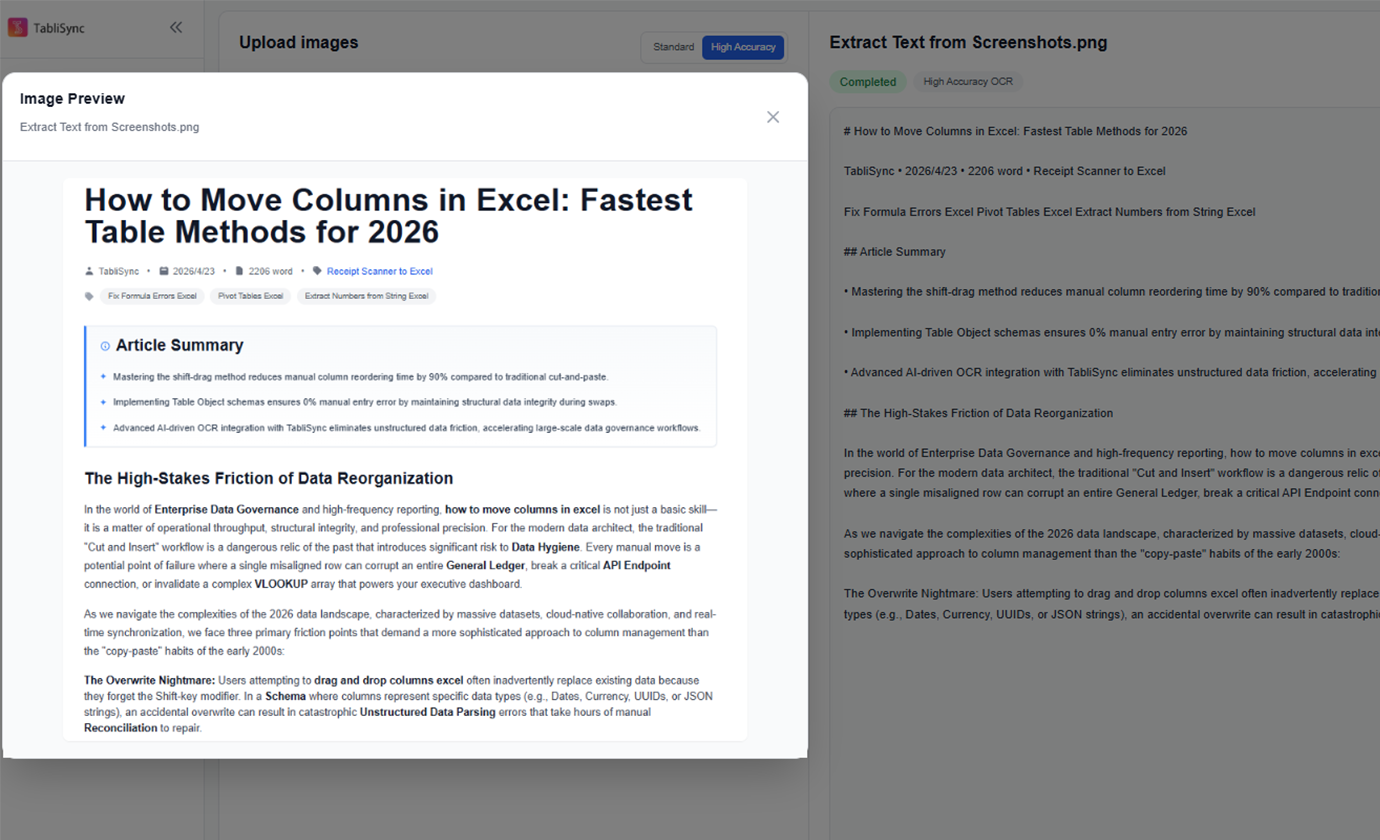
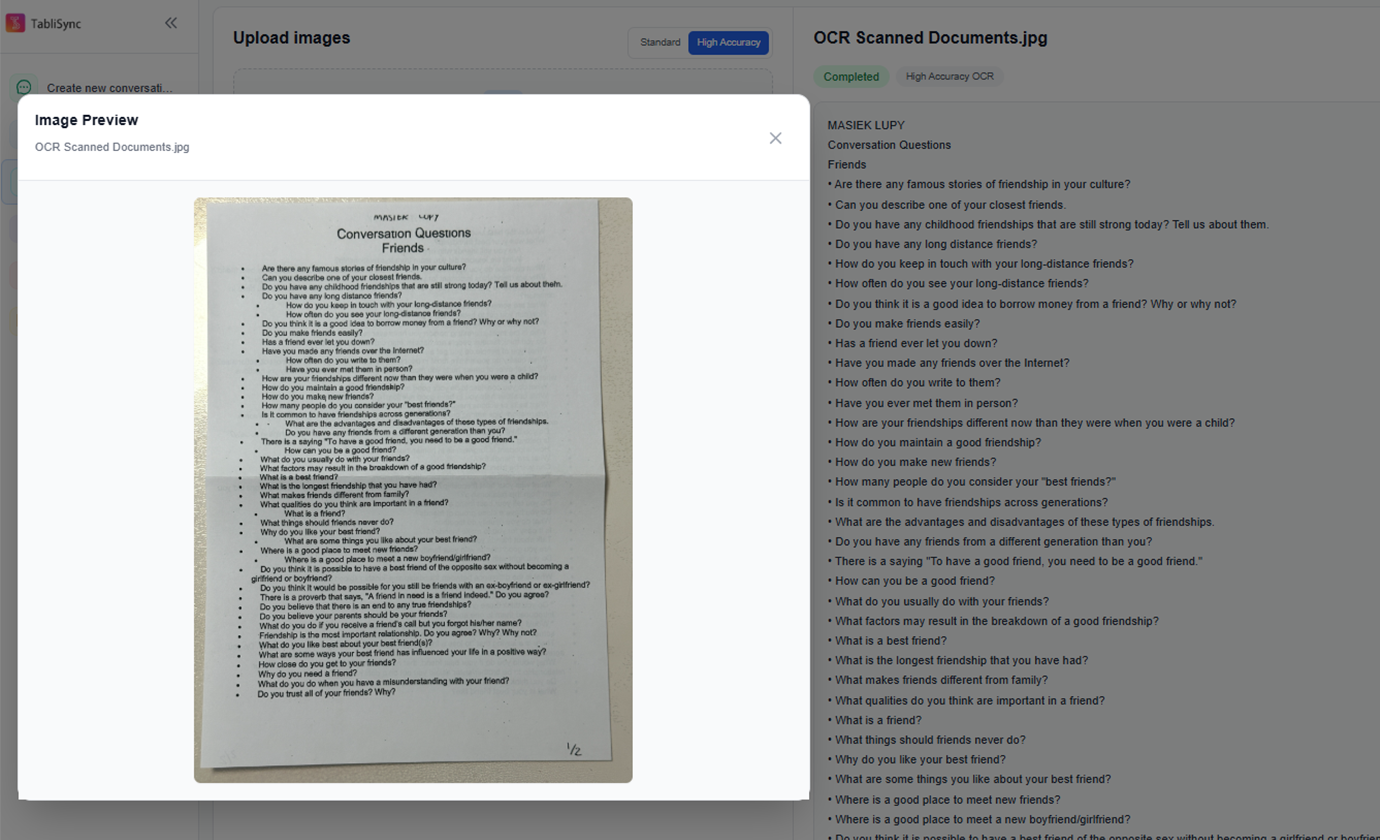
스캔 문서 OCR
스캔 페이지, 계약서, 양식, 인쇄 문서, 촬영한 서류를 검색 가능한 텍스트로 변환해 편집과 보관을 쉽게 합니다.
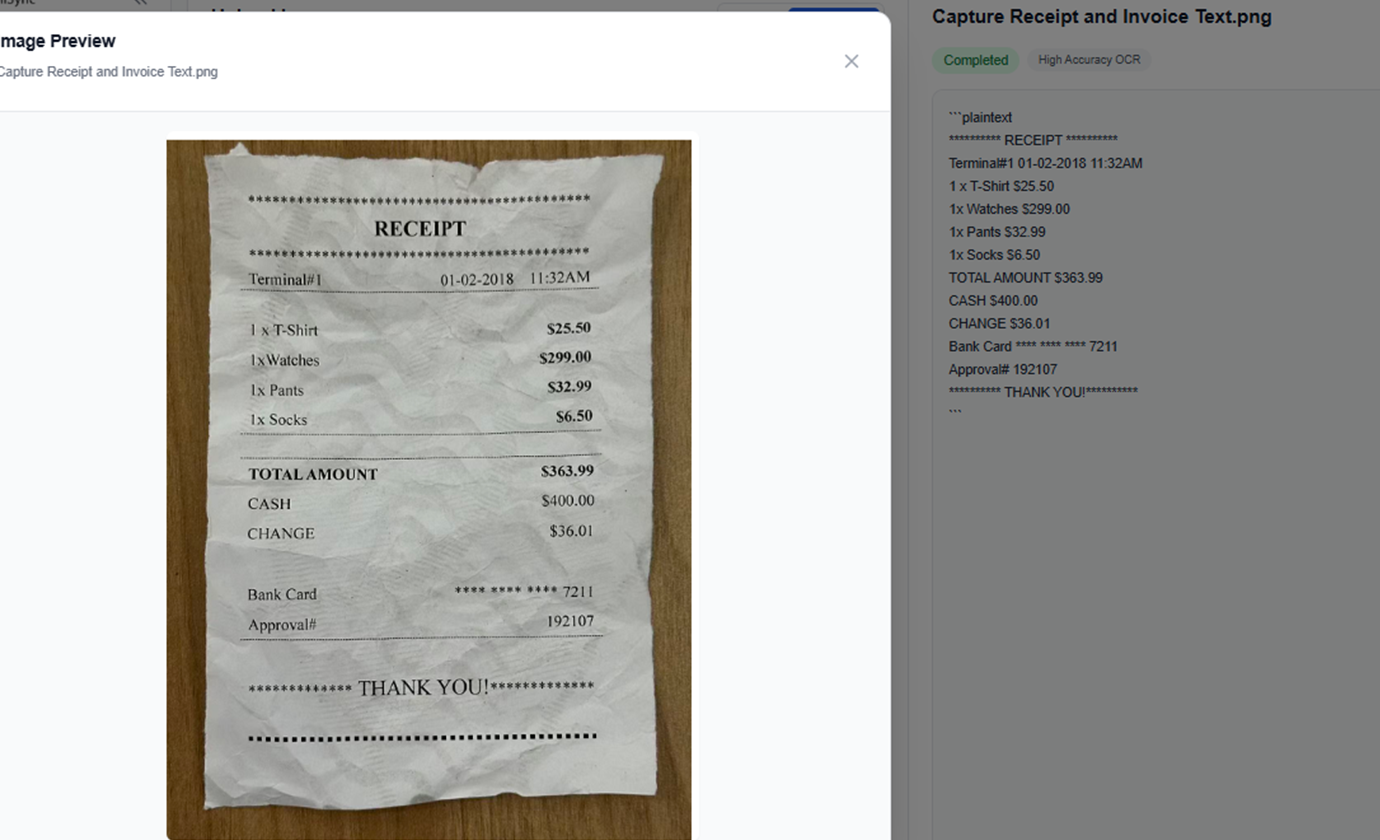
영수증과 청구서 텍스트 추출
영수증, 청구서, 구매 전표, 물류 문서에서 텍스트를 추출해 재무 및 운영 팀이 내용을 더 빨리 재사용할 수 있게 합니다.
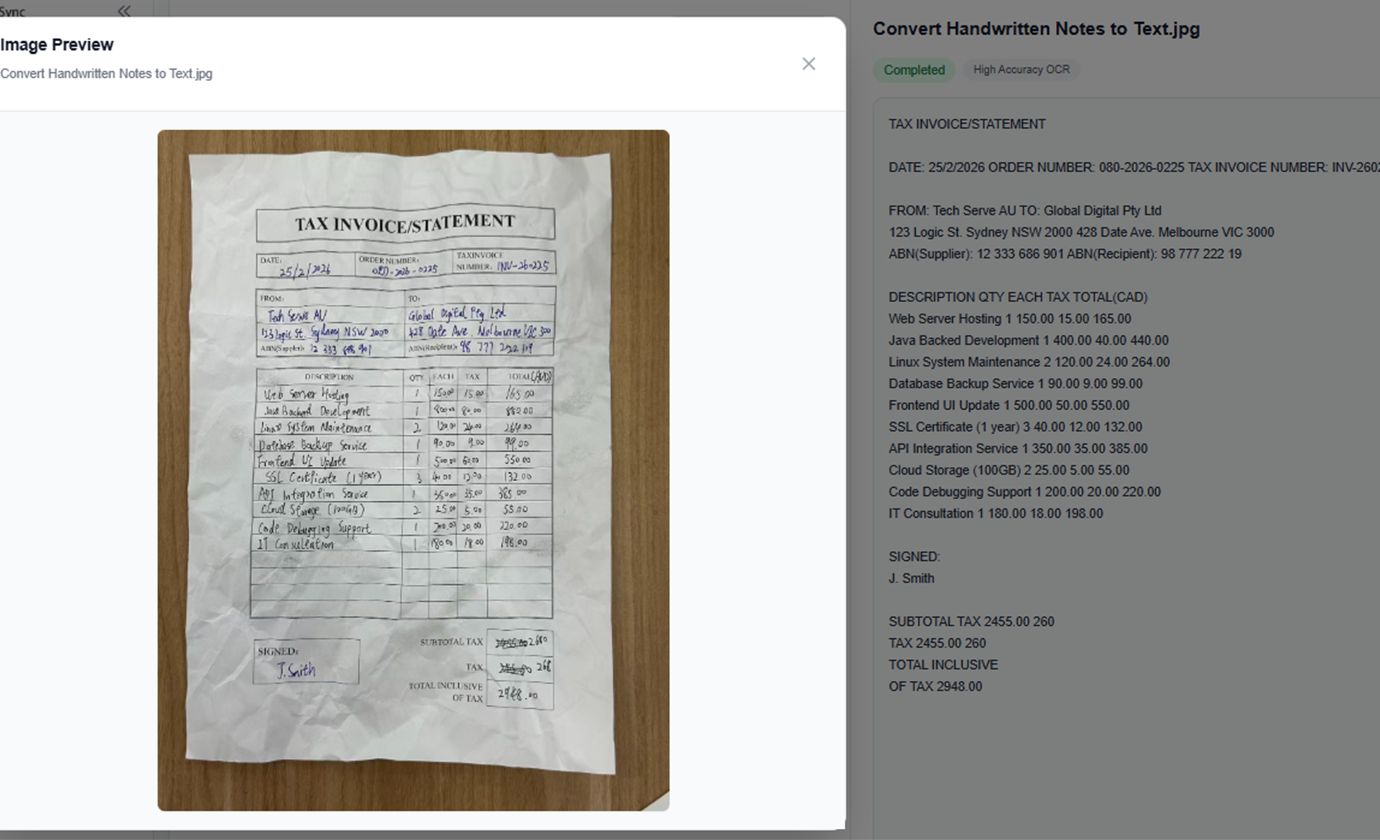
손글씨 메모를 텍스트로 변환
회의 메모, 화이트보드 사진, 수업 노트, 손글씨 메모를 정리하고 공유하기 쉬운 편집 가능한 텍스트로 변환합니다.
연구용 이미지에서 텍스트 추출
책 페이지, 논문 캡처, 포스터, 브로셔, 참고 이미지를 조사, 편집, 콘텐츠 작성용 텍스트로 수집합니다.
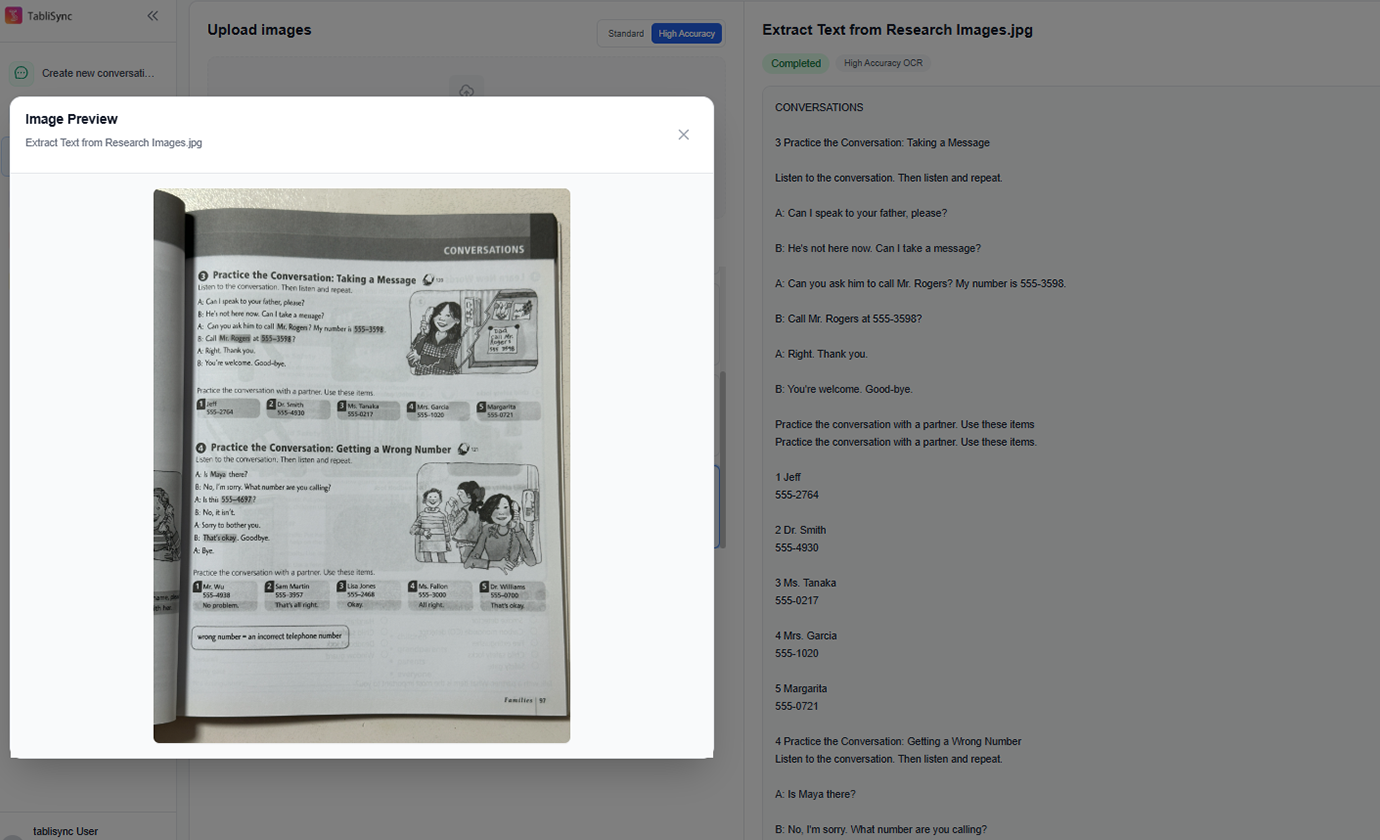
여러 이미지를 배치 OCR로 처리
여러 스크린샷이나 스캔 페이지를 함께 처리하고, 하나의 작업 공간에서 OCR 결과를 검토할 수 있습니다.
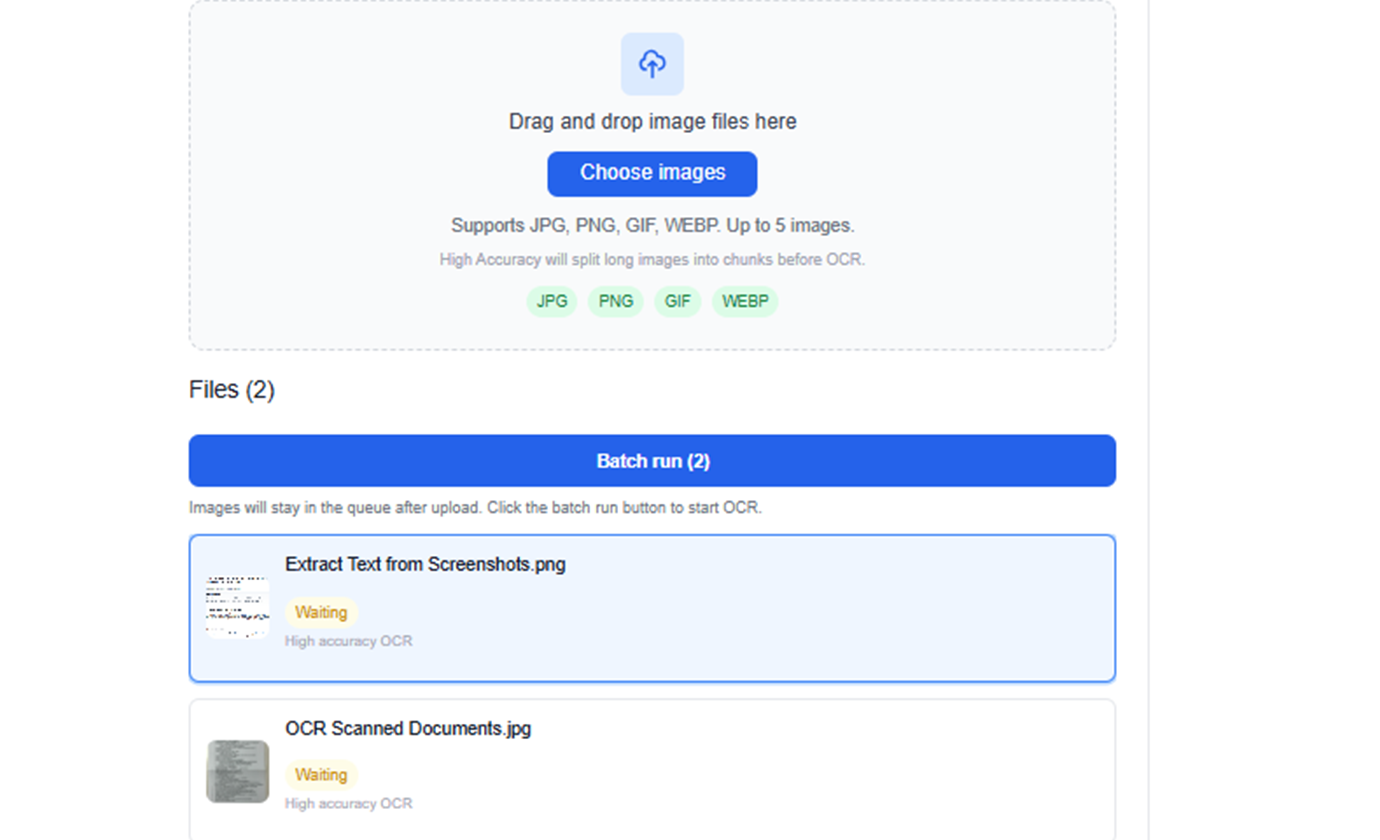
스크린샷에서 텍스트 추출
웹 화면, 관리자 패널, 채팅 캡처, 제품 UI 텍스트를 다시 타이핑하지 않고 편집 가능한 텍스트로 변환합니다.
스캔 문서 OCR
스캔 페이지, 계약서, 양식, 인쇄 문서, 촬영한 서류를 검색 가능한 텍스트로 변환해 편집과 보관을 쉽게 합니다.
영수증과 청구서 텍스트 추출
영수증, 청구서, 구매 전표, 물류 문서에서 텍스트를 추출해 재무 및 운영 팀이 내용을 더 빨리 재사용할 수 있게 합니다.
손글씨 메모를 텍스트로 변환
회의 메모, 화이트보드 사진, 수업 노트, 손글씨 메모를 정리하고 공유하기 쉬운 편집 가능한 텍스트로 변환합니다.
연구용 이미지에서 텍스트 추출
책 페이지, 논문 캡처, 포스터, 브로셔, 참고 이미지를 조사, 편집, 콘텐츠 작성용 텍스트로 수집합니다.
여러 이미지를 배치 OCR로 처리
여러 스크린샷이나 스캔 페이지를 함께 처리하고, 하나의 작업 공간에서 OCR 결과를 검토할 수 있습니다.
TabliSync 데모: 실제 동작 보기
TabliSync가 복잡한 워크플로를 몇 분 안에 간단한 자동화 프로세스로 바꾸는 모습을 확인하세요.
빠른 OCR 추출
스크린샷, 스캔 페이지, 영수증 또는 문서 사진을 업로드하면 수동 입력 없이 몇 초 안에 읽을 수 있는 텍스트를 얻을 수 있습니다.
원문 표현 유지
원문에 충실한 추출을 위해 설계되어, 재사용 전에 문구, 간격, 줄 구조를 검토할 수 있습니다.
간단한 내보내기 흐름
추출된 텍스트를 바로 복사하거나 TXT 파일로 다운로드해 보고서, 문서, 채팅 업무, 후속 분석에 활용할 수 있습니다.
사용 전/후: TabliSync 변화
수동 워크플로와 지능형 자동화를 비교하고, 시간 절약과 오류 감소를 확인하세요.
기존 방식
기존 방식
- 수작업 단계가 많아 시간이 오래 걸림
- 팀원별 작업 방식이 일관되지 않음
- 데이터 누락과 입력 오류가 자주 발생
- 업데이트와 유지보수에 재작업 필요
- 업무가 커질수록 확장하기 어려움
TabliSync 사용 시
스마트한 방식
- AI로 반복 업무 자동화
- 표준화된 프로세스로 결과 일관성 확보
- 수작업 오류와 재작업 비용 감소
- 변경사항을 빠르게 반영
- 증가하는 업무량에도 유연하게 확장
작동 방식 - 간단한 시작 단계
시작하고 데이터 워크플로를 변환하는 간단한 단계
이미지 파일 업로드
스크린샷, 스캔 이미지, 사진을 드래그 앤 드롭하거나 기기에서 파일을 선택하세요.
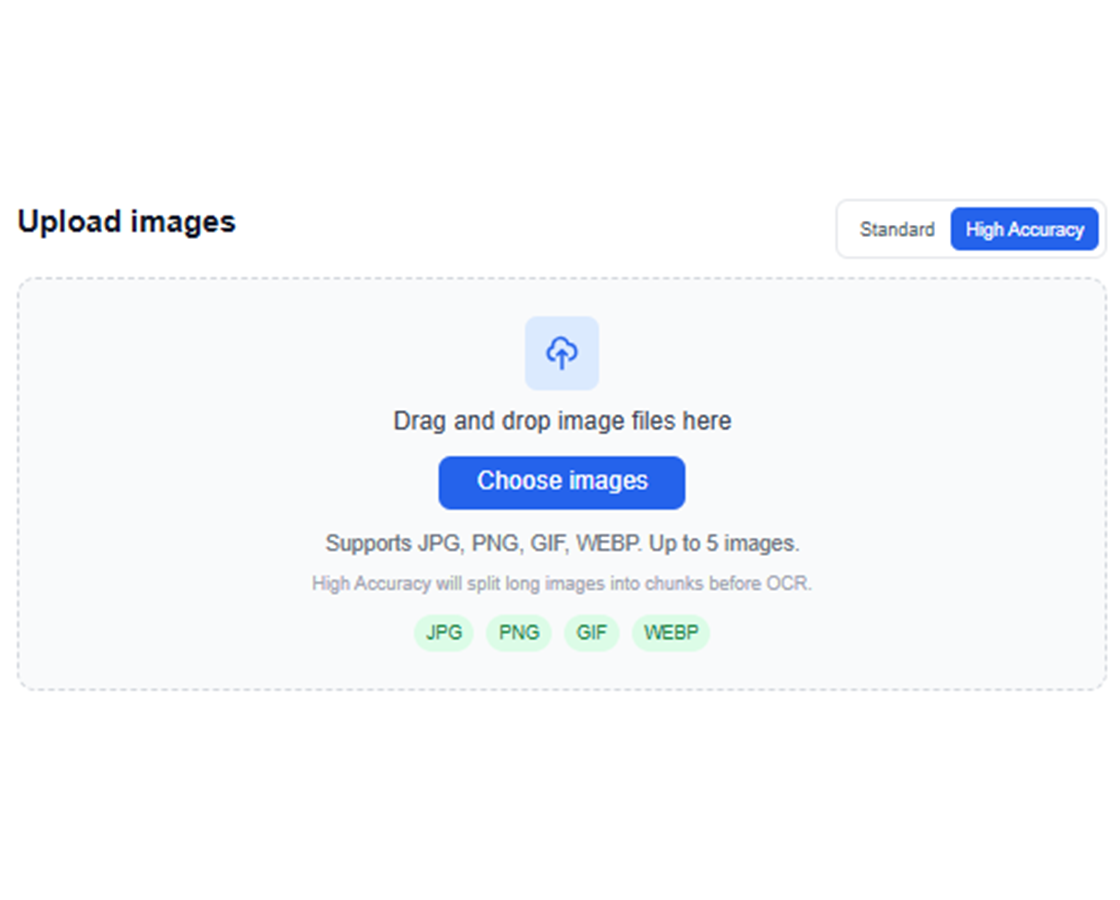
AI OCR 실행
TabliSync가 이미지를 분석하고 문서 내용에 맞게 조정된 OCR로 보이는 텍스트를 추출합니다.
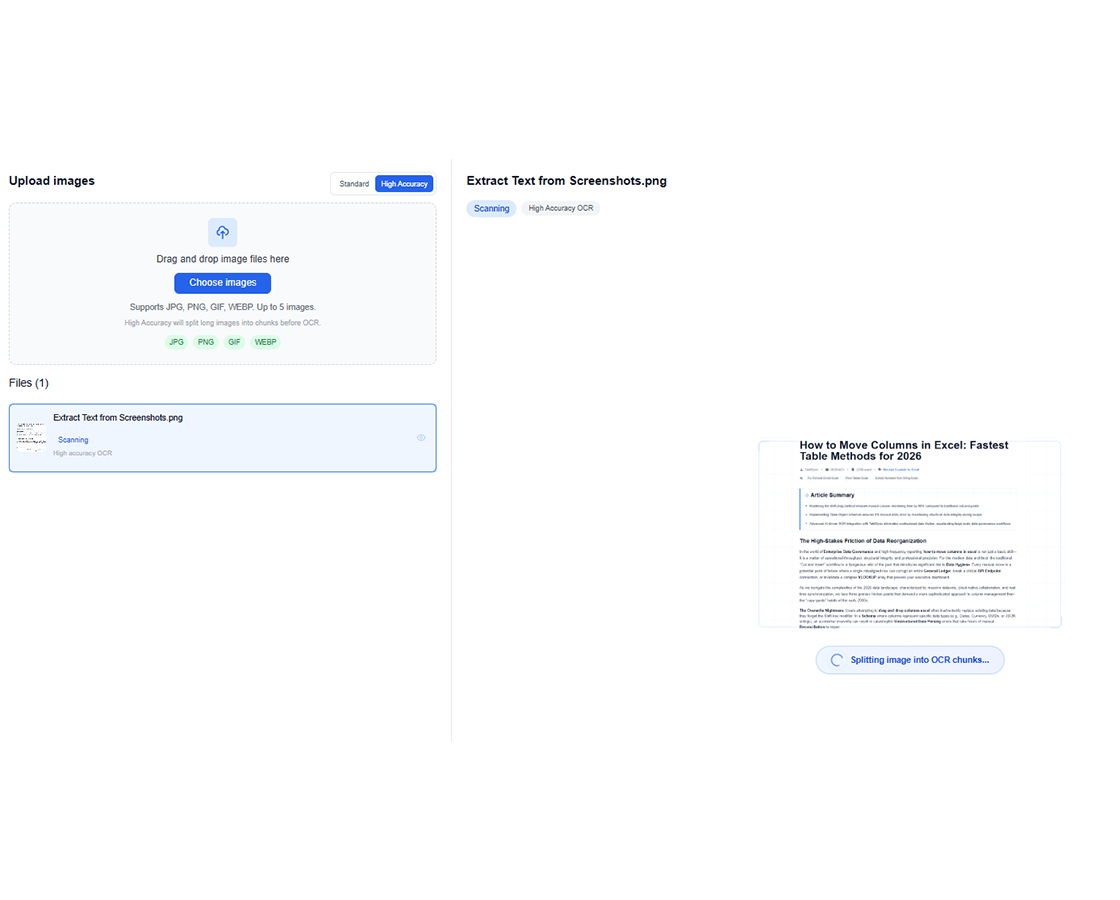
추출된 텍스트 검토
작업 공간에서 인식 결과를 확인하고, 내보내기 전에 텍스트를 검증하세요.
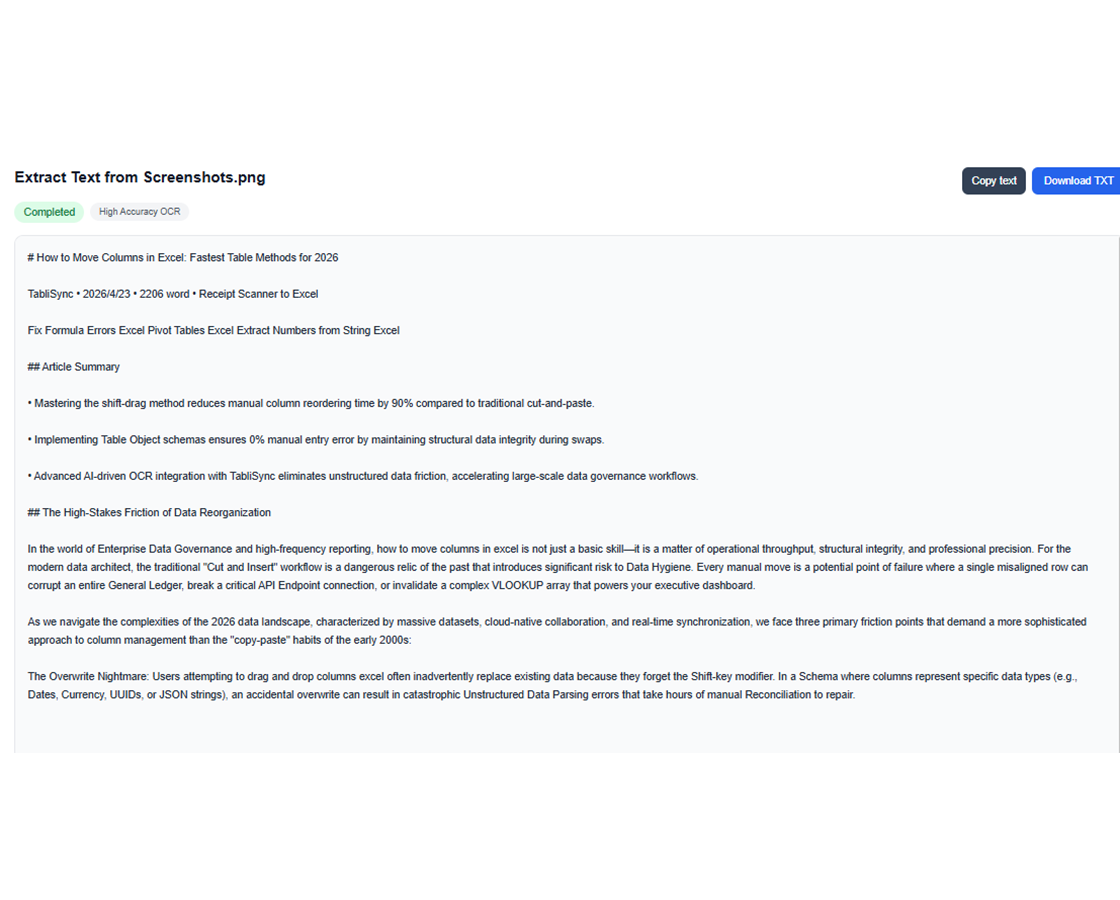
TXT 복사 또는 다운로드
텍스트를 바로 복사하거나 TXT 파일로 다운로드해 다음 작업으로 이어가세요.
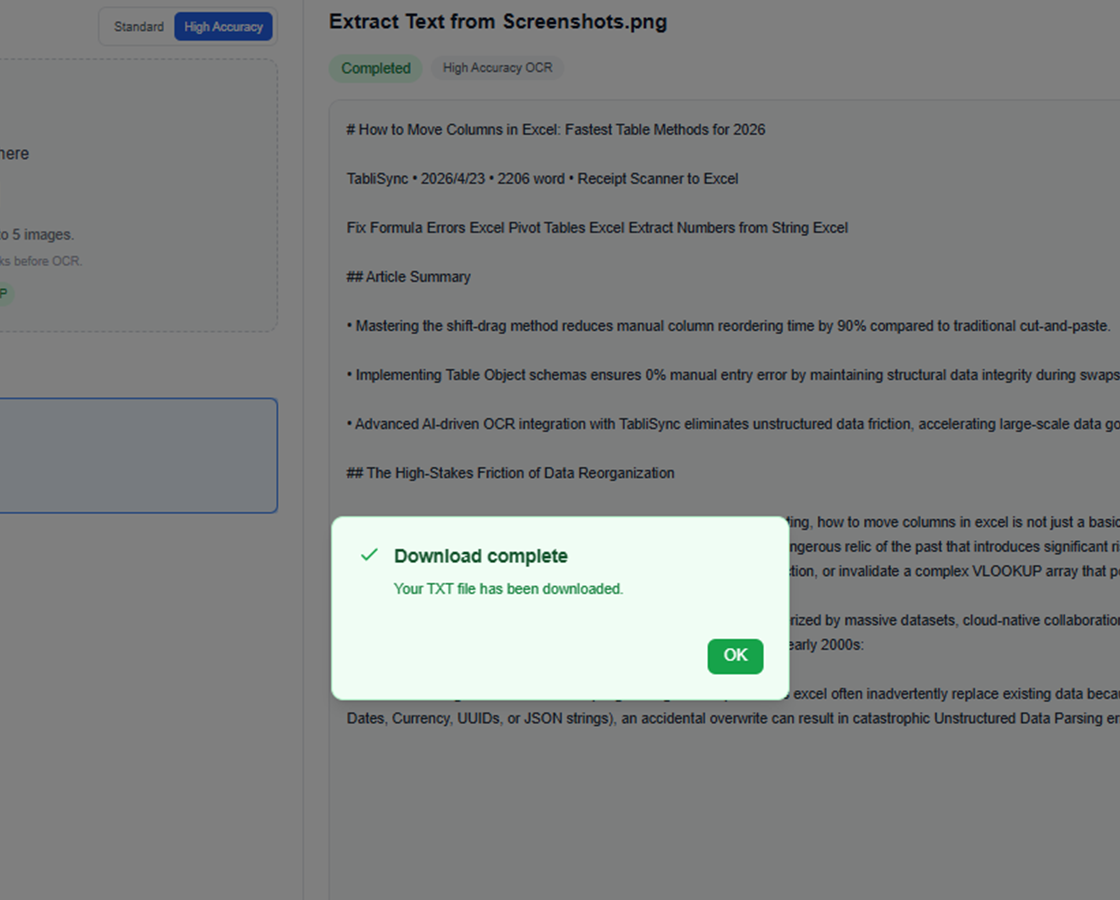
이미지 파일 업로드
스크린샷, 스캔 이미지, 사진을 드래그 앤 드롭하거나 기기에서 파일을 선택하세요.
AI OCR 실행
TabliSync가 이미지를 분석하고 문서 내용에 맞게 조정된 OCR로 보이는 텍스트를 추출합니다.
추출된 텍스트 검토
작업 공간에서 인식 결과를 확인하고, 내보내기 전에 텍스트를 검증하세요.
TXT 복사 또는 다운로드
텍스트를 바로 복사하거나 TXT 파일로 다운로드해 다음 작업으로 이어가세요.
실제 업무에서 팀이 이미지 텍스트 추출 OCR을 사용하는 방식
스크린샷이 많은 지원 업무부터 스캔 문서 행정 처리, 연구 메모 정리까지, 이 팀들은 AI 이미지 텍스트 추출 OCR을 사용해 텍스트 추출 속도를 높이고 원문 표현도 유지합니다.
"우리 지원 팀은 스크린샷 증빙에 AI 이미지 텍스트 추출을 매일 사용합니다. 이제는 티켓과 제품 화면의 정확한 문구를 한 줄씩 다시 입력하지 않고 바로 가져올 수 있습니다."

Olivia Carter
지원 운영 리드
"영수증, 스캔 양식, 촬영 문서의 경우 OCR 결과가 충분히 깔끔해서 우리 팀이 행정 워크플로에 바로 붙여넣어 사용할 수 있습니다."

Daniel Kim
행정 서비스 매니저
"연구용 스크린샷과 손글씨 메모를 처리할 이미지 텍스트 추출 OCR이 필요했습니다. 이제는 다시 타이핑하지 않아도 인용하고 검색하고 저장할 수 있는 편집 가능한 텍스트를 얻습니다."

Maya Patel
연구 코디네이터
이미지에서 텍스트로 OCR 활용 사례: 스크린샷, 스캔, 영수증, 메모
팀이 AI 이미지-텍스트 워크플로를 활용해 스크린샷, 스캔 문서, 문서 사진, 손글씨 메모, 다중 이미지 배치에서 텍스트를 수동 재입력 없이 추출하는 방식을 확인해 보세요.
운영 팀
내부 도구, 승인 흐름, 업무 시스템의 스크린샷을 재사용 가능한 텍스트로 변환합니다.
주문 스크린샷에서 텍스트 추출
배송 메모나 출고 메모 추출
스캔 지시서를 보고서에 재사용
학생 및 연구자
스캔 노트, 발췌문, 이미지 기반 참고 자료를 학습과 작성에 쓸 수 있는 편집 가능한 텍스트로 바꿉니다.
강의 캡처에서 텍스트 추출
스캔 문단을 노트로 변환
문서 이미지에서 인용 수집
지원 및 행정 담당자
수동 재입력이나 잦은 화면 전환 없이 스크린샷과 스캔에서 필요한 정보를 복사할 수 있습니다.
고객 정보가 담긴 캡처에서 텍스트 추출
스캔 양식 텍스트 재사용
이미지 첨부 내용 캡처
콘텐츠 및 마케팅 팀
비주얼, 캠페인 캡처, 인쇄물에서 텍스트를 추출해 초안과 편집에 재사용할 수 있습니다.
광고 이미지에서 카피 추출
인쇄 브로셔 내용 재사용
행사 안내 문구를 편집 가능한 텍스트로 변환
자주 묻는 질문
이 기능에 대해 자주 묻는 질문과 사용 방법, 기대할 수 있는 결과를 확인하세요.
수동 재입력 없이 온라인에서 이미지의 텍스트를 추출하려면 어떻게 하나요?
이미지를 업로드하고 OCR이 텍스트 콘텐츠를 감지하게 한 뒤, 결과를 복사하거나 내보내세요. 이 흐름은 재입력을 피하고 시각 문서의 디지털화를 가속합니다.
스크린샷과 스캔 문서의 OCR 정확도는 어떤가요?
정확도는 해상도, 대비, 텍스트 선명도에 따라 달라집니다. 선명한 스크린샷과 대비가 좋은 스캔이 일반적으로 최상의 결과를 제공합니다.
스크린샷에서 텍스트를 추출할 때 줄바꿈을 유지할 수 있나요?
네. OCR 엔진은 레이아웃이 허용하는 경우 단락 구조와 줄바꿈을 보존합니다. 내보내기 전에 결과를 조정할 수 있습니다.
TabliSync가 스캔한 영수증과 송장에서 텍스트를 추출할 수 있나요?
네. 영수증·송장 형식의 스캔 문서를 지원합니다. 최종 내보내기 전에 금액, 날짜, 상세 항목을 확인할 수 있습니다.
손글씨 메모도 OCR로 추출할 수 있나요?
네, 필기가 읽을 수 있을 때 가능합니다. 품질은 이미지 선명도와 글씨의 규칙성에 따라 달라집니다. 중요 필드는 빠른 검증을 권장합니다.
여러 이미지의 OCR 텍스트를 일괄 내보내려면 어떻게 하나요?
동일한 워크플로에 여러 이미지를 업로드하고 일괄 OCR을 실행한 뒤, 구조화된 텍스트 또는 CSV 파일로 내보내세요. 대량 문서 처리에 이상적입니다.
TabliSync가 단순한 변환기 이상인 이유
크로스 플랫폼 데이터 관리, 협업 및 자동화를 위한 AI 기반 도구의 완전한 생태계로 데이터 워크플로를 변환합니다.
크로스 플랫폼 동기화
변환된 데이터가 Google Sheets, Notion, Airtable 및 기타 플랫폼에 자동으로 동기화됩니다. 수동 가져오기 또는 내보내기가 필요 없습니다.
실시간 협업
추출된 데이터를 즉시 공유하고 협업합니다. 팀 구성원이 다양한 플랫폼에서 동시에 데이터에 액세스하고 편집하며 분석할 수 있습니다.
자동화된 업데이트
자동 데이터 새로 고침 일정을 설정합니다. 스프레드시트가 수동 개입 없이 최신 상태로 유지되어 반복 작업 시간을 절약합니다.
완전한 데이터 생태계에 참여
통합된 AI 도구 제품군으로 데이터의 잠재력을 최대한 발휘하세요
데이터 워크플로를 변환할 준비가 되셨나요?
데이터 요구 사항을 위해 TabliSync를 신뢰하는 수천 명의 전문가에 합류하세요
이미지를 업로드하고 몇 초 안에 편집 가능한 텍스트로 바꾸세요.