AI Image to Text OCR for Screenshots, Scanned Documents, Receipts, and Photos
Extract text from screenshots, scanned documents, receipts, notes, and photos into clean editable text with AI OCR
Turn JPG, PNG, WEBP, and scanned image files into clean plain text with AI OCR. Preserve natural line breaks, review recognized content instantly, and copy or download text in seconds for research, operations, documentation, and daily productivity work.
Manual Retyping from Screenshots Slows Down Daily Work
Manual screenshot retyping, weak OCR cleanup, and scanned text trapped inside image files still slow down teams that need clean editable text.
Manual Retyping from Screenshots Slows Down Daily Work
Teams still copy text manually from screenshots, chat captures, admin panels, and product images. This image to text workflow wastes time, breaks concentration, and creates avoidable typing errors when users only need fast OCR image to text extraction.
This workflow bottleneck impacts team productivity, increases operational costs, and creates data quality issues that affect business decisions.
Scanned Documents and Photos Lock Important Text Away
Printed pages, scanned files, receipts, invoices, and photographed notes often store useful content as pixels instead of editable text. Without reliable image to text OCR, teams cannot quickly extract text from image files for search, reuse, or downstream documentation.
Manual processes lead to inconsistent results, higher error rates, and frustrated team members who spend time on repetitive low-value tasks.
Weak OCR Output Breaks Line Structure and Accuracy
Many basic OCR tools return messy text, flatten line breaks, and miss important wording in handwriting, screenshots, or low-contrast scans. Poor AI image to text quality creates extra cleanup work and makes users hesitate to trust the extracted result.
Without automation, scaling operations becomes difficult, team efficiency suffers, and valuable time is lost on tasks that could be automated.
Image OCR workflows for screenshots, scanned files, receipts, notes, and document photos
Use AI-powered OCR to capture text from real-world image sources, review the result instantly, and move clean editable text into research, operations, support, and documentation workflows.
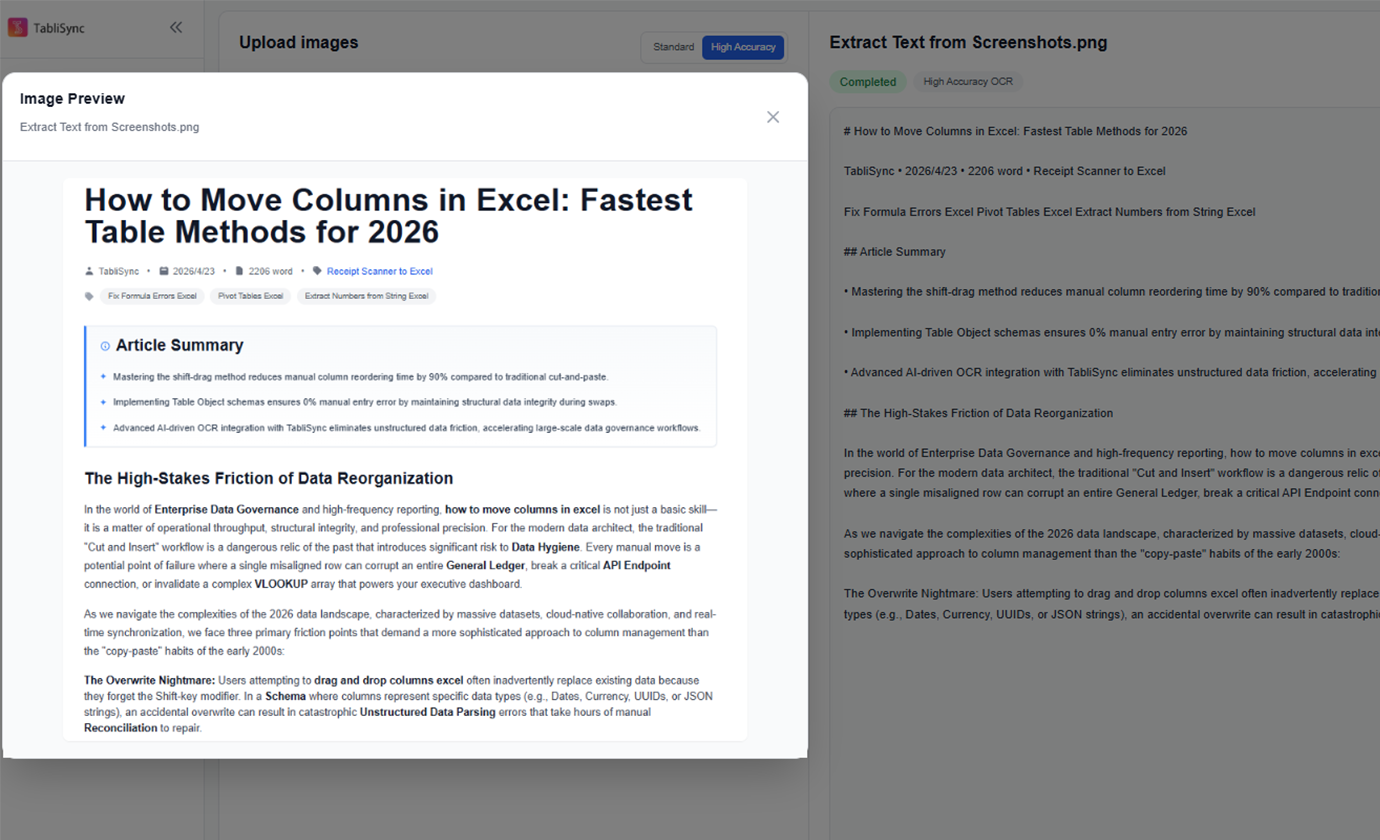
Extract Text from Screenshots
Turn website captures, admin panel screenshots, chat screenshots, and in-product UI text into editable plain text without retyping.
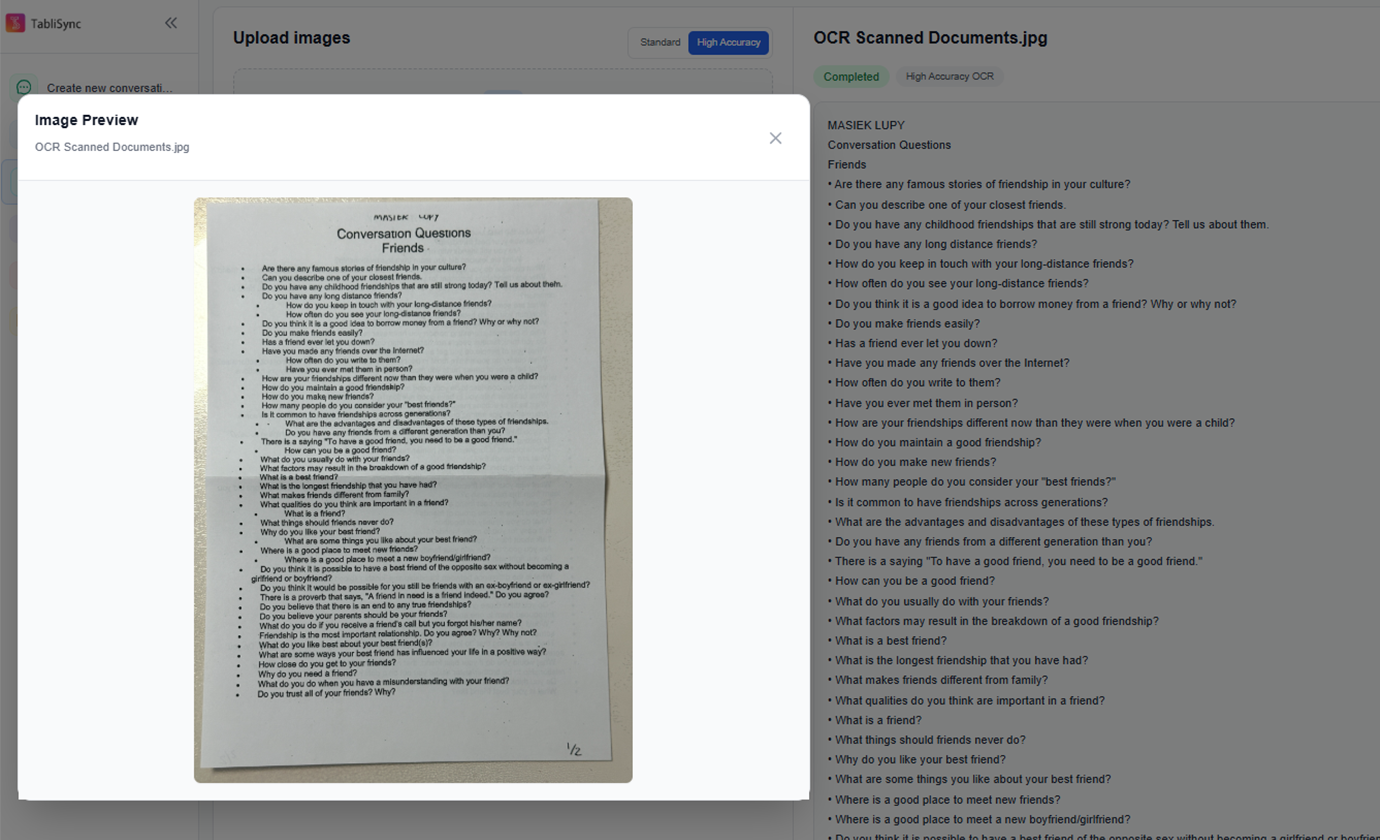
OCR Scanned Documents
Convert scanned pages, contracts, forms, printed documents, and photographed paperwork into searchable text for editing and archiving.
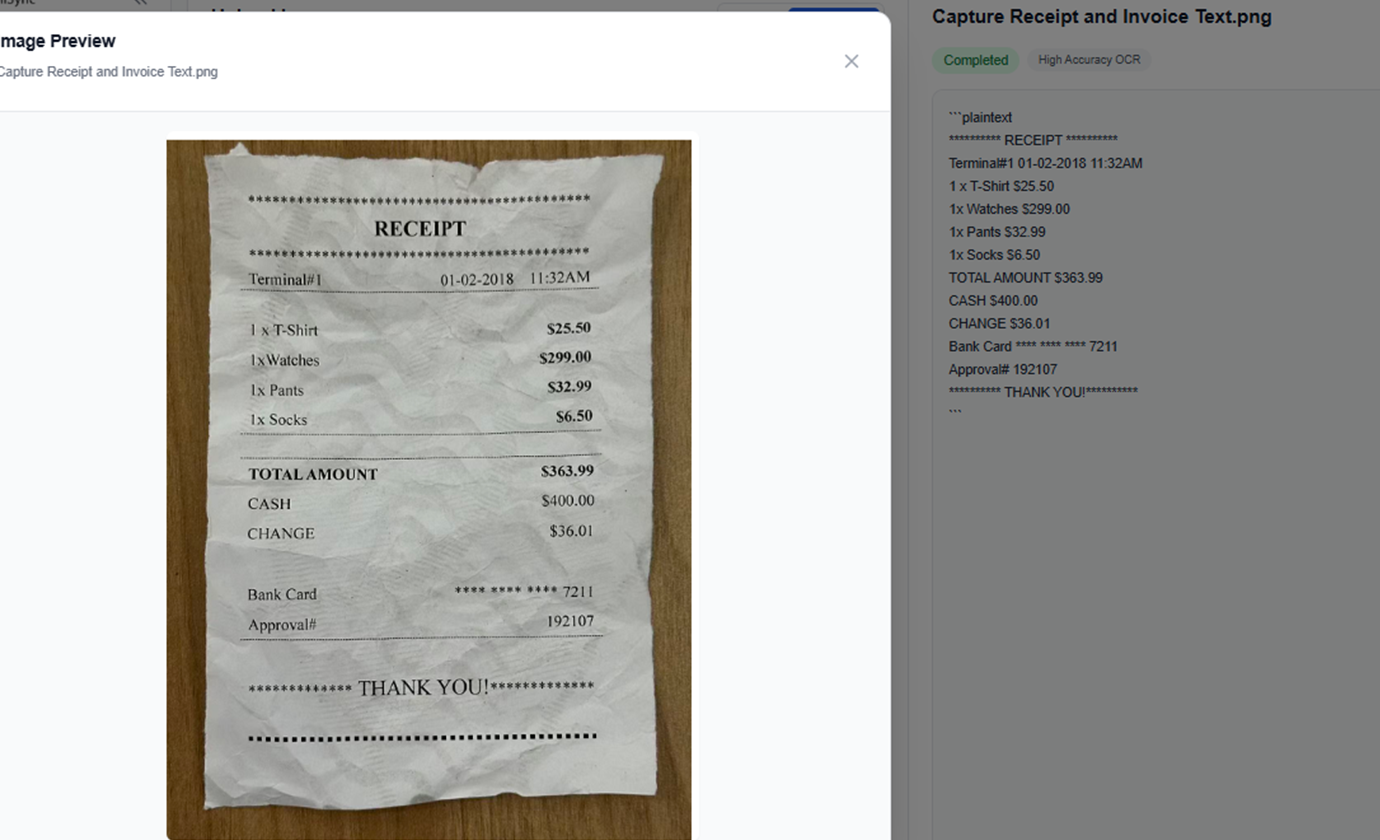
Capture Receipt and Invoice Text
Pull text from receipts, invoices, purchase slips, and logistics documents so finance and operations teams can reuse the content faster.
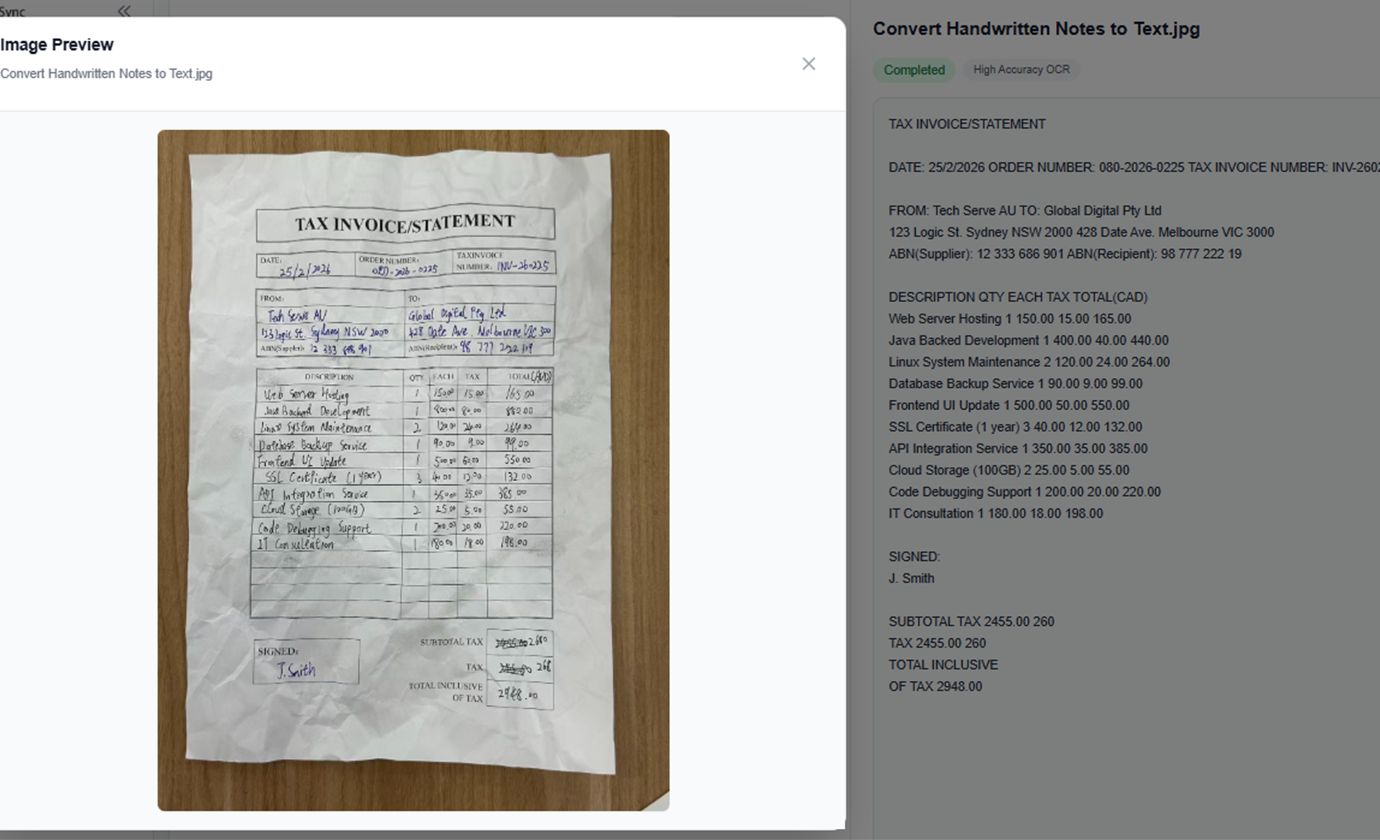
Convert Handwritten Notes to Text
Digitize meeting notes, whiteboard photos, class notes, and handwritten reminders into editable text you can organize and share.
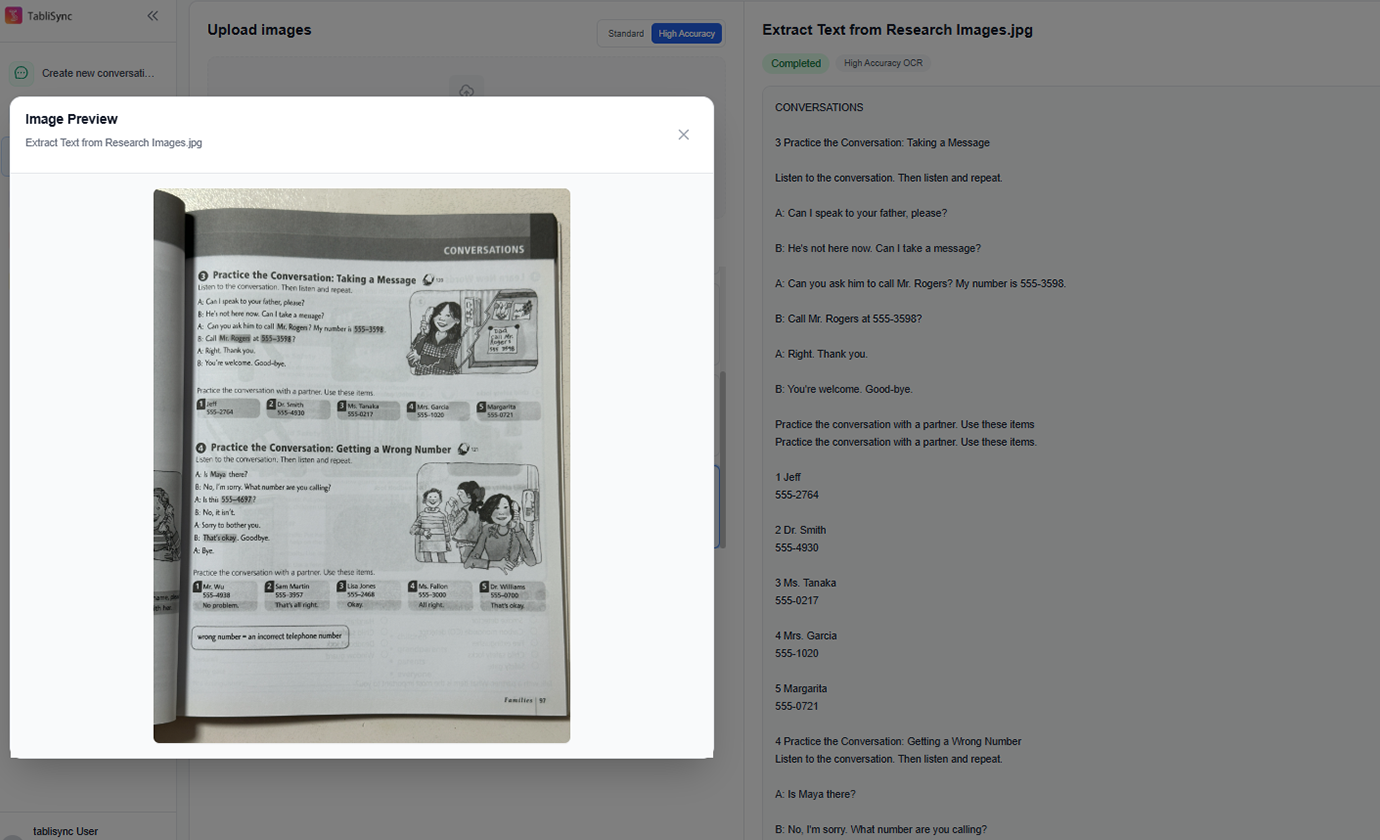
Extract Text from Research Images
Collect text from book pages, article screenshots, posters, brochures, and reference images for research, editing, or content drafting.
Batch OCR Multiple Images
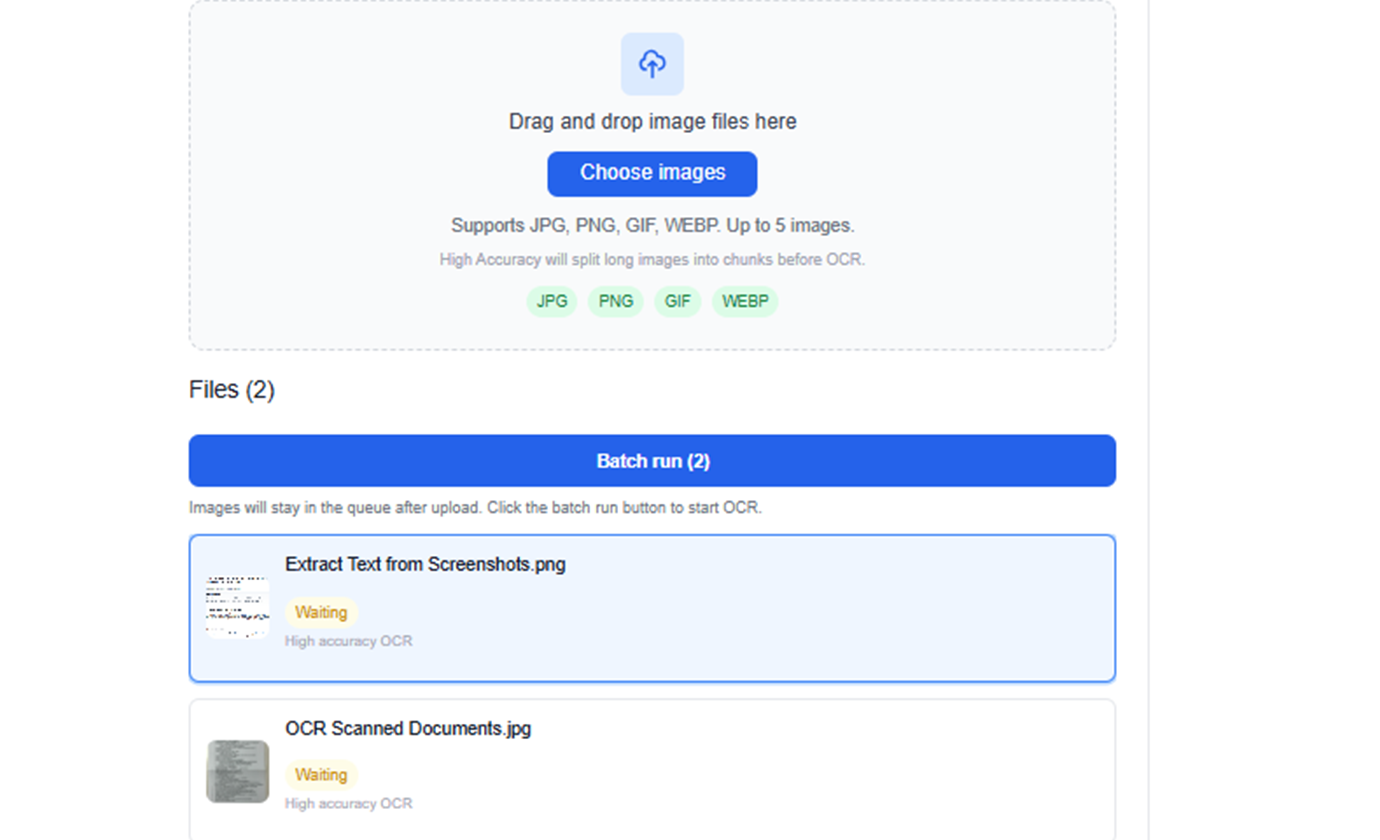
Process multiple screenshots or scanned pages together and review OCR output from one workspace instead of handling files one by one.
Extract Text from Screenshots
Turn website captures, admin panel screenshots, chat screenshots, and in-product UI text into editable plain text without retyping.
OCR Scanned Documents
Convert scanned pages, contracts, forms, printed documents, and photographed paperwork into searchable text for editing and archiving.
Capture Receipt and Invoice Text
Pull text from receipts, invoices, purchase slips, and logistics documents so finance and operations teams can reuse the content faster.
Convert Handwritten Notes to Text
Digitize meeting notes, whiteboard photos, class notes, and handwritten reminders into editable text you can organize and share.
Extract Text from Research Images
Collect text from book pages, article screenshots, posters, brochures, and reference images for research, editing, or content drafting.
Batch OCR Multiple Images
Process multiple screenshots or scanned pages together and review OCR output from one workspace instead of handling files one by one.
See TabliSync In Action: Live Product Demo
Watch how TabliSync transforms complex spreadsheet workflows into simple, automated processes in just minutes. See real-world examples of data extraction, automation, and intelligent processing that save teams hours every week.
Fast OCR extraction
Upload screenshots, scanned pages, receipts, or document photos and get readable text in seconds without manual typing.
Keeps the original wording
Designed for verbatim text extraction so you can review the original wording, spacing, and line structure before reusing the result.
Simple export workflow
Copy the extracted text directly or download it as a TXT file for reuse in reports, documents, chat workflows, and downstream analysis.
Before vs After: The TabliSync Transformation
Compare traditional manual workflows with TabliSync's intelligent automation. See how teams eliminate hours of repetitive work, reduce errors, and accelerate their data processing with AI-powered spreadsheet tools that actually work.
Traditional Way
The old way of working
- Retype text from screenshots by hand
- Switch constantly between image and document windows
- Lose line breaks and original wording
- Struggle with scanned pages, receipts, and notes
- Handle multiple images one file at a time
With TabliSync
The smart way forward
- Run AI image to text OCR in seconds
- Extract text from screenshots, scans, and photos
- Keep readable structure and natural line flow
- Copy text instantly or download TXT output
- Process repeated OCR tasks in one workspace
How It Works - Simple Steps to Get Started
Simple steps to get started and transform your data workflow
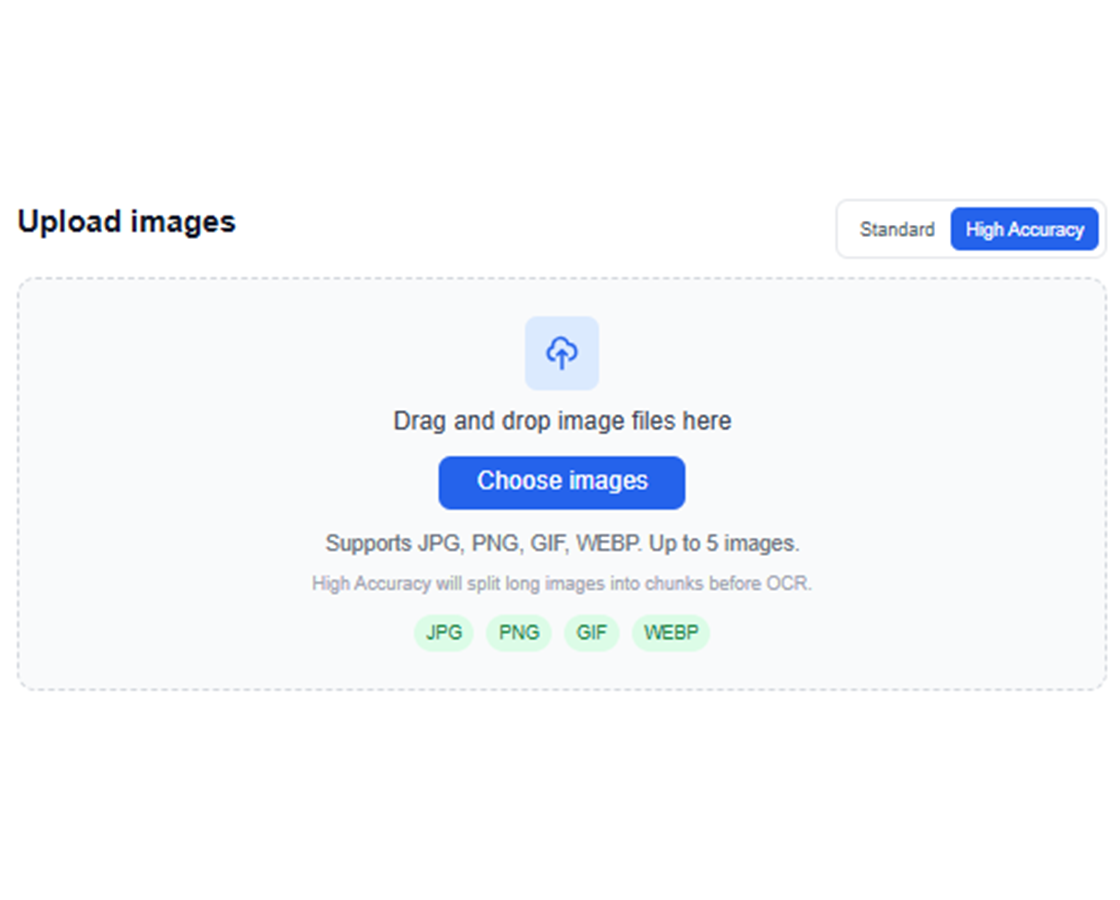
Upload image files
Drag and drop screenshots, scans, or photos, or choose files from your device.
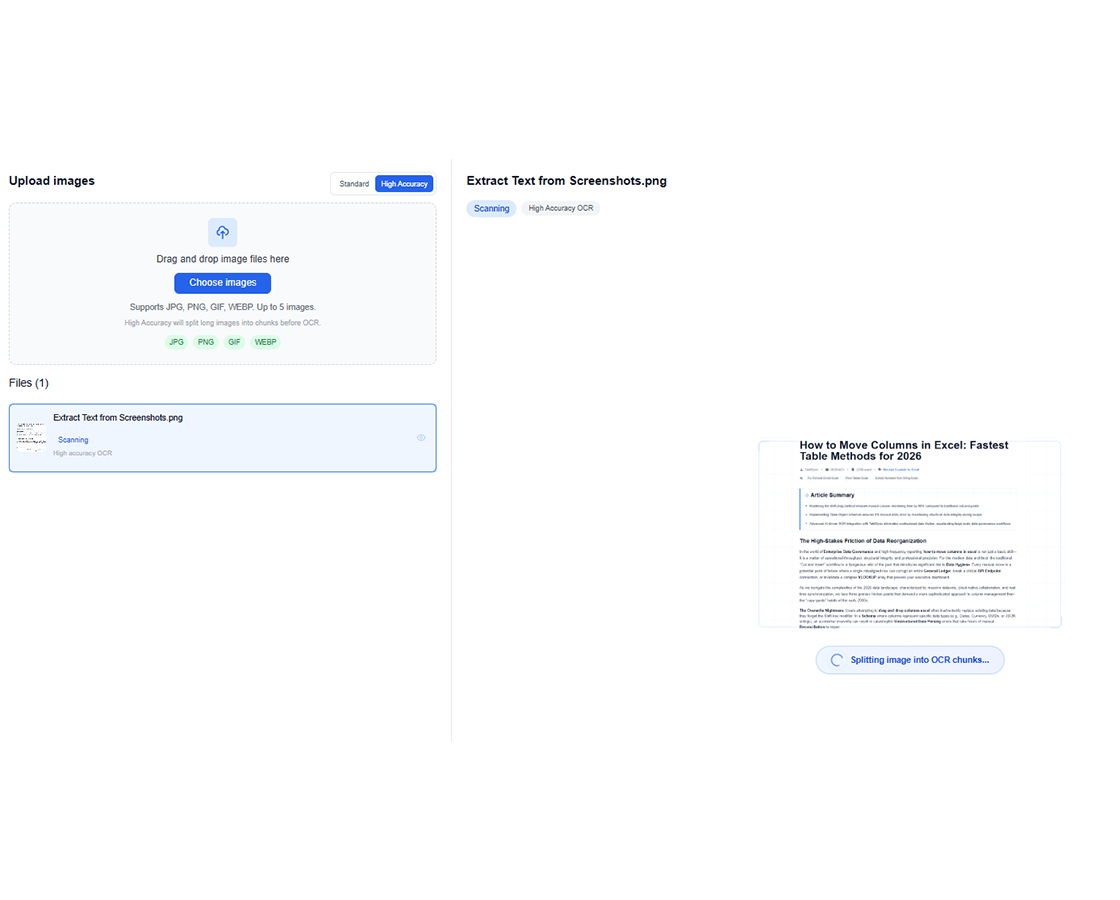
Run AI OCR
TabliSync analyzes the image and extracts visible text using OCR tuned for document content.
Review the extracted text
Check the recognized output in the workspace and verify the text before exporting.
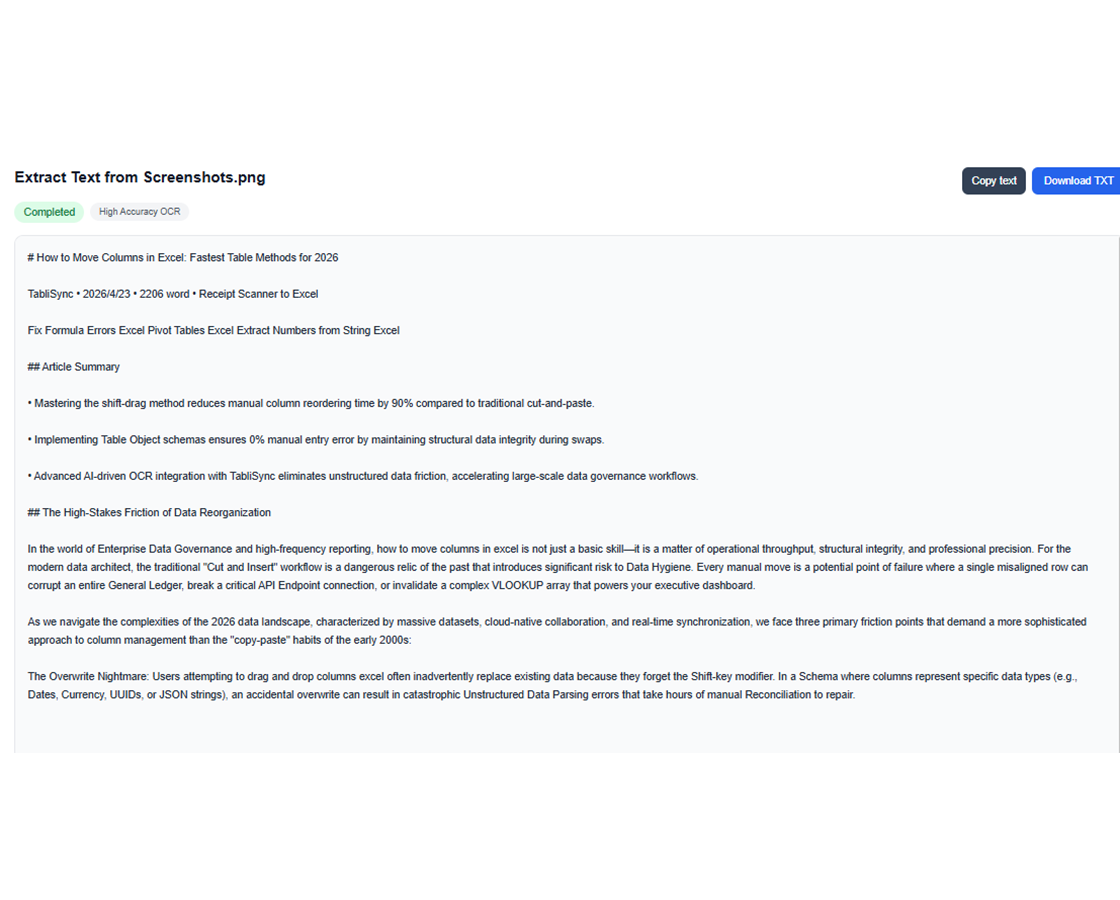
Copy or download TXT
Copy text for immediate use or download a TXT file to continue your workflow elsewhere.
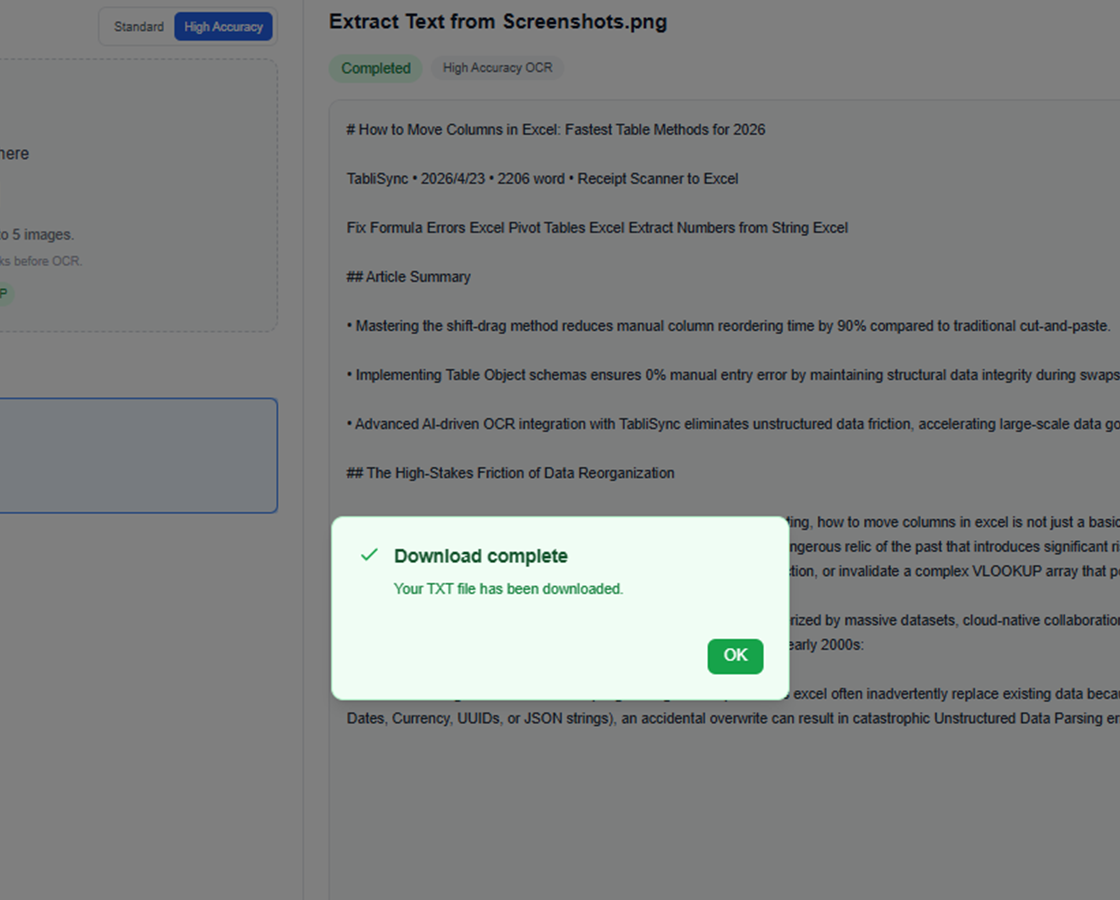
Upload image files
Drag and drop screenshots, scans, or photos, or choose files from your device.
Run AI OCR
TabliSync analyzes the image and extracts visible text using OCR tuned for document content.
Review the extracted text
Check the recognized output in the workspace and verify the text before exporting.
Copy or download TXT
Copy text for immediate use or download a TXT file to continue your workflow elsewhere.
How teams use image to text OCR in real work
From screenshot-heavy support queues to scanned document admin work and research note capture, these teams use AI image to text OCR to extract text faster and keep the original wording usable.
"Our support team uses AI image to text on screenshot evidence every day. We can pull exact wording from tickets and product captures without retyping line by line."

Olivia Carter
Customer Support Operations Lead
"For receipts, scanned forms, and photographed paperwork, the OCR output is clean enough that my team can copy the text straight into our admin workflow."

Daniel Kim
Administrative Services Manager
"I needed image to text OCR for research screenshots and handwritten notes. Now I get editable text I can quote, search, and save instead of typing everything again."

Maya Patel
Research Coordinator
Image to text OCR use cases for screenshots, scans, receipts, and notes
See how teams use AI image to text workflows to extract text from screenshots, scanned documents, document photos, handwritten notes, and multi-image batches without manual retyping.
Operations teams
Convert screenshots from internal tools, approvals, and workflow systems into reusable text.
Capture text from order screenshots
Extract shipping or delivery notes
Reuse scanned instructions in reports
Students and researchers
Turn scanned notes, snippets, and image-based references into editable text for study and drafting.
Extract text from lecture screenshots
Convert scanned passages into notes
Collect citations from document images
Support and admin staff
Copy details from screenshots and scans without manual retyping or repeated context switching.
Extract customer details from screenshots
Reuse text from scanned forms
Capture content from image attachments
Content and marketing teams
Pull text from visuals, campaign screenshots, and scanned print material for reuse in drafts.
Extract ad copy from image captures
Reuse printed brochure content
Turn event signage into editable text
Frequently Asked Questions: Everything You Need to Know
Get answers to common questions about this TabliSync feature, including how to use it effectively, what results to expect, and how it integrates with your existing workflows. Find the information you need to get started with confidence.
What is the best way to extract text from image files online without retyping?
Upload a screenshot, scan, or photo, run AI image to text OCR, then review the extracted result before copying or downloading it. This is usually faster and more accurate than manually retyping visible text from the image.
How accurate is image to text OCR for screenshots, scanned documents, and photos?
Accuracy depends on image clarity, contrast, language, and layout complexity. Clean screenshots and sharp scanned documents usually perform best, while low-light photos or dense handwriting may still need a quick review after OCR extraction.
Can I extract text from screenshots and UI captures while keeping line breaks readable?
Yes. The image to text workflow is designed to return readable plain text with natural line flow so copied content from screenshots, chat captures, and admin pages is easier to reuse in documents or support workflows.
Does AI OCR work for scanned receipts, invoices, and printed documents?
Yes. You can use OCR image to text extraction for receipts, invoices, scanned forms, and photographed paperwork, then copy the result or download it as TXT for finance, operations, or archiving tasks.
Can handwritten notes be converted with AI image to text OCR?
Handwritten note OCR can work well when writing is clear and the photo is sharp. For messy handwriting or low-contrast whiteboard images, the best practice is to review the output before sharing or storing it.
Can I run batch image OCR and export the text for later use?
Yes. Batch image OCR is useful when you need to process multiple screenshots or scanned pages in one workflow. After extraction, you can copy the text directly or download TXT output for downstream systems and editing.
Why TabliSync is More Than Just a Converter
Transform your data workflow with our complete ecosystem of AI-powered tools for cross-platform data management, collaboration, and automation.
Cross-Platform Sync
Your converted data automatically syncs across Google Sheets, Notion, Airtable, and other platforms. No manual importing or exporting needed.
Real-Time Collaboration
Share and collaborate on your extracted data instantly. Team members can access, edit, and analyze data across different platforms simultaneously.
Automated Updates
Set up automatic data refresh schedules. Your spreadsheets stay up-to-date without manual intervention, saving hours of repetitive work.
Join the Complete Data Ecosystem
Unlock the full potential of your data with our integrated suite of AI tools
Ready to Transform Your Data Workflow?
Join thousands of professionals who trust TabliSync for their data needs
Upload an image and turn it into editable text in seconds.