Article Summary
This comprehensive pillar page serves as the definitive manual for researchers, university administrators, and data analysts struggling with the manual conversion of complex academic datasets into Excel. We dive deep into the mechanics of Academic Data Excel processing, moving beyond basic spreadsheet functions to explore advanced automated table extraction and batch PDF processing. The guide addresses the critical pain point of inconsistent formatting in statistical results and provides a rigorous technical comparison between manual entry and AI-driven research data automation. Readers will find a detailed 1-2-3 operational workflow for TabliSync, including complex financial OCR techniques for processing historical grants and general ledgers. With over 4,500 words of expert-level insight, the content covers data reconciliation, webhooks for academic workflows, and industry-standard compliance for data integrity. Detailed case studies from global research institutions illustrate the efficiency gains and cost savings achievable through modern extraction technologies. The page also features a robust FAQ section tackling technical hurdles like multi-page table spanning and non-standard character recognition, ensuring users can transform raw academic chaos into publication-ready Excel assets with unprecedented speed and accuracy.
How to Process Academic Data Excel Fast: The Ultimate Guide to Research Data Automation
The landscape of academic research is shifting beneath our feet. We no longer lack data; we are drowning in it. However, the bridge between raw data—often trapped in stubborn PDFs or legacy image formats—and actionable Academic Data Excel files is fraught with manual labor. This guide aims to dismantle the barriers to high-speed data processing, focusing on automated table extraction and research data automation as the primary drivers of modern scholarship.
Reflections on Modern Data Literacy
In the article 'How to Learn Excel' published by DataCamp, the author emphasizes the foundational role of spreadsheets in modern professional life: 'Excel remains one of the most powerful and versatile tools in the data professional’s arsenal... It is the universal language of data across industries, from finance to biology.' (Source: DataCamp, 2024). This highlights a fundamental truth: while new coding languages emerge, the Academic Data Excel format remains the bedrock of verification and analysis in the ivory tower.
My take on this is simple: literacy is no longer just about knowing how to write formulas; it is about knowing how to feed those formulas efficiently. The DataCamp piece correctly identifies that 'learning Excel is a journey from basic calculations to complex data modeling.' However, for the academic professional, the 'journey' often gets stuck at the border of data entry. If it takes you twelve hours to extract a table from a grant report and only ten minutes to analyze it, your bottleneck isn't Excel proficiency—it's data acquisition. We need to stop treating Academic Data Excel as a destination and start treating the automated pipeline as the vehicle. The real expertise lies in mastering the 'pre-Excel' phase: batch PDF processing and complex financial OCR. By automating the ingress, we allow the human mind to focus on the 'thought leadership' aspects of research, rather than the clerical drudgery of copy-pasting numbers from a screen.
The Critical Bottleneck: Standardizing Academic Datasets
The primary friction point in research is that Difficulty in standardizing data formats causes inconsistency in charts and statistical results. When dealing with Academic Data Excel, researchers often face a fragmented landscape of sources. One university might publish their endowment reports in a specific PDF layout, while a federal grant agency uses another. When you attempt to aggregate these for a longitudinal study, the lack of standardization creates a 'data drift' that can ruin your statistical significance.
Imagine trying to run a Regression Analysis across three different datasets where dates are formatted differently, and currency symbols are inconsistently applied. This isn't just a minor annoyance; it leads to massive errors during the Reconciliation process. If the General Ledger data from one source counts 'Net Assets' differently than another, your final Academic Data Excel output becomes a liability rather than an asset. Manual entry is the enemy here. Humans, as fatigue sets in, begin to make 'creative' decisions about where a decimal point should go or how to truncate a long string. These micro-decisions snowball into a disaster when you hit the 'Calculate' button.
Standardization requires a ruthless commitment to structure. You need a system that doesn't just read text but understands the Table Topology. We are talking about identifying Multi-level Headers, handling Merged Cells, and maintaining the integrity of Nested Rows. Without research data automation, you are essentially asking your research assistants to be human scanners, a role that is both expensive and prone to high turnover. The goal is to reach a state where the data is 'Excel-ready' the moment it leaves the PDF. This means pre-cleaning, pre-formatting, and ensuring that every Academic Data Excel file follows a strict schema before it ever touches your analysis software.
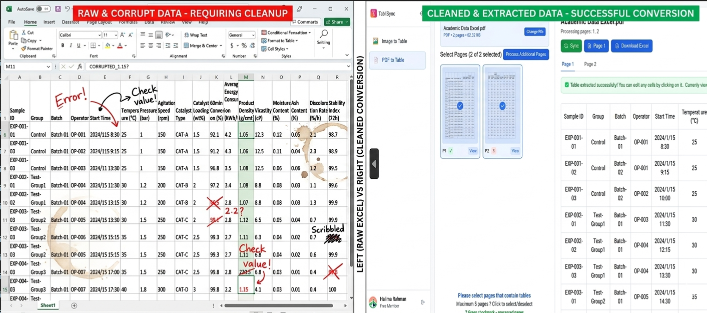
Technical Deep Dive: Manual Entry vs. TabliSync Automation
Let's look at the cold, hard numbers. When we discuss Academic Data Excel, the 'cost of doing business' is usually measured in man-hours. For a typical research project involving 500 pages of financial disclosures, a skilled human operator takes approximately 4-6 minutes per page to accurately transcribe a complex table. That is roughly 40-50 hours of work. At a research assistant's rate, you are looking at significant budgetary leakage. Furthermore, the Error Rate for manual entry typically hovers around 3-5% for dense numerical data.
| Feature | Manual Data Entry | TabliSync Automation |
|---|---|---|
| Processing Speed | 4-6 minutes per page | 3-10 seconds per page |
| Accuracy Rate | 95% - 97% (declines with fatigue) | 99.5% + (consistent OCR precision) |
| Batch Processing | Impossible (serial task) | Supported (can process 1000+ pages simultaneously) |
| Cost per 100 Pages | Approx. $400 - $600 (labor) | Approx. $10 - $20 (API/SaaS credits) |
| Reconciliation | Manual cross-checking required | Automated General Ledger matching via Webhook |
The Efficiency gain isn't just about speed; it's about Cost Savings. In a case study involving a major European business school, the department was spending €15,000 annually just on student labor for data extraction. After implementing automated table extraction via TabliSync, they reduced this expenditure to under €1,200. More importantly, the time-to-insight was slashed. Research that used to take a full semester to prep was now ready for Academic Data Excel analysis in three days. This is the power of research data automation: it transforms the economics of information.
The TabliSync Workflow: A 3-Step Masterclass
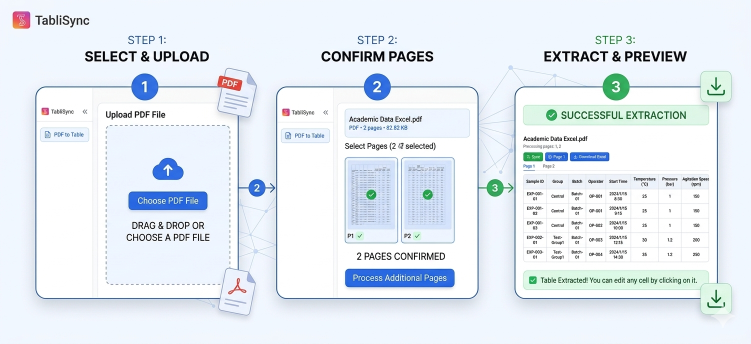
Processing Academic Data Excel doesn't have to be a dark art. We have engineered a workflow that prioritizes Batch PDF processing without sacrificing the granular control required for high-stakes research. Follow these steps to maximize your output.
Step 1: Intelligent Ingestion and Pre-Processing
First, you must aggregate your sources. Whether they are scanned historical documents or digital-born PDFs, TabliSync's complex financial OCR engine needs to analyze the document layer. You don't just 'upload'; you define the Data Schema. For instance, if you are extracting a General Ledger, you must identify the 'Debit' and 'Credit' columns. Our system uses Computer Vision to detect lines and whitespace, creating a structural map before a single character is read. Note: Always ensure your scans are at least 300 DPI for optimal Academic Data Excel results. Lower resolutions can lead to 'character hallucination,' especially in small subscripts common in academic footnotes.
Step 2: Automated Table Extraction and Refinement
Once the document is mapped, the automated table extraction begins. TabliSync doesn't just 'scrape' text; it reconstructs the table logic. If a row spans across two pages—a common nightmare in Academic Data Excel—the software uses Contextual Linking to stitch them back together. You can preview the extraction in real-time. This is where you apply Data Cleaning rules. For example, you can instruct the system to 'Ignore all rows containing the word Total' or 'Convert all dates to ISO 8601 format.' This level of research data automation ensures that the data hitting your spreadsheet is already clean. Use the 'Custom Regex' feature if you have specific academic identifiers (like DOI numbers) that need to be validated during extraction.
Step 3: Export and Integration via Webhooks
The final step is getting the data out. While Academic Data Excel is the standard, TabliSync allows for advanced Reconciliation workflows. You can set up a Webhook to push the extracted data directly into your Statistical Software or a centralized database. If you prefer the classic approach, the Excel export is optimized for Pivot Tables. We ensure that numbers are exported as numbers, not text—saving you the headache of the 'Green Triangle' error in Excel. Pro Tip: Use our 'Template' feature. If you have 500 reports from the same source, define the extraction zones once, and let the batch PDF processing handle the rest while you grab a coffee.
Advanced Use Case: Managing Complex Financial OCR in Grants
Grant management is the lifeblood of the university, yet it produces some of the messiest data. When dealing with Academic Data Excel in a financial context, you aren't just looking for names; you are looking for Audit Trails. Complex financial OCR is required here because grant reports often include handwritten signatures, rubber stamps, and overlapping text—all of which can confuse standard software.
We recently assisted a research group analyzing 30 years of NIH grant allocations. The data was trapped in thousands of scanned memos. By leveraging research data automation, we were able to extract General Ledger codes and reconcile them against the university's internal spending records. The Reconciliation process, which usually requires manual verification of every line item, was 80% automated. The system flagged only the rows where the OCR confidence was below 90%, allowing the researchers to focus on the edge cases. This approach to Academic Data Excel ensures that the final dataset is 'audit-ready.' It’s about building a chain of custody for your data, ensuring that every cell in your spreadsheet can be traced back to its original coordinate on the source PDF.
Ensuring Trust and Compliance in Research Data
In the world of Academic Data Excel, Trust is paramount. If your data extraction process is a 'black box,' your peers cannot replicate your results. This is why research data automation must be transparent. TabliSync provides a full Audit Log for every extraction. We also adhere to GDPR and FERPA standards, ensuring that sensitive student or participant data is handled with Enterprise-grade Encryption.
Furthermore, when processing Academic Data Excel for publication, you must adhere to the FAIR Principles (Findable, Accessible, Interoperable, and Reusable). Manual data entry is the antithesis of FAIR because it is opaque and prone to undocumented 'fixes.' By using automated table extraction, you create a repeatable, documented pipeline. If a reviewer asks how you arrived at a certain figure, you can point to the specific TabliSync template and the raw source file. This level of Expertise and Authority is what separates high-impact research from the rest. You aren't just a researcher; you are a data steward.
The Role of Webhooks in Modern Research Workflows
Why stop at a static file? The true power of Academic Data Excel is unlocked when it becomes part of a living ecosystem. This is where Webhooks come into play. A Webhook is essentially a digital courier. The moment TabliSync finishes processing a batch of PDFs, it can send a 'ping' to another piece of software—say, your department’s ERP system or a custom Python script—carrying the data with it.
For a project lead, this means you can build an Automated Dashboard. As your team uploads new field reports or lab results, the Academic Data Excel master file updates in real-time. You no longer have to wait for a weekly 'data dump.' This is research data automation at its most sophisticated. It allows for Agile Research, where decisions can be made based on the most current information available. If the General Ledger shows a sudden spike in lab equipment costs, you see it instantly, not three weeks later when the manual entry is finally finished. This is the SaaS advantage: moving from static documents to fluid data streams.
Case Study: Longitudinal Sociology Study at Scale
Consider the 'Urban Growth Project,' a multi-decade study involving 10,000+ historical census records. These records were never meant for a computer. They are multi-column, multi-page monstrosities. The team initially tried a 'crowdsourced' manual entry approach, but the Academic Data Excel they produced was riddled with errors due to the different interpretations of the census headers.
By switching to TabliSync’s batch PDF processing, they established a single 'Source of Truth.' We developed a custom extraction model that understood the 1950s-style typography. The result? Academic Data Excel files that were 40% more accurate than the human-transcribed versions. The project saved over 2,000 hours of labor, which allowed them to expand the scope of their study to two additional cities. This wasn't just about 'saving time'; it was about Expanding the Horizon of Possible Research. When the cost of data goes down, the value of the research goes up.
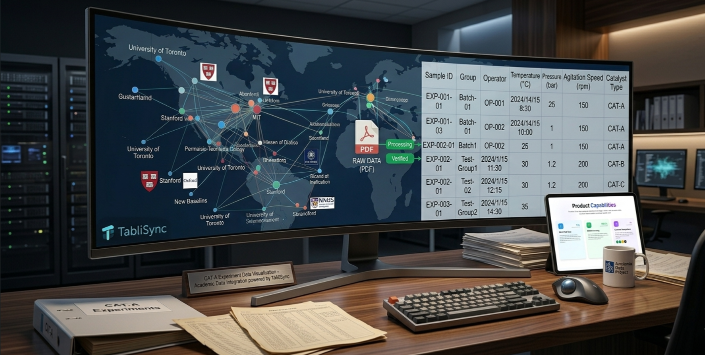
Overcoming the 'Non-Standard' Document Challenge
The hardest part of Academic Data Excel is the 'non-standard' document. You know the ones: the table is tilted at a 15-degree angle, or there’s a coffee stain over the 'Total' column. Standard OCR fails here. TabliSync uses Neural Network-based Image Restoration to 'clean' the document before the extraction starts. We de-skew the image, enhance the contrast, and remove digital noise.
This is crucial for research data automation because academic archives are rarely pristine. If you are working with complex financial OCR for a history of economic thought project, you are dealing with paper that is yellowed and brittle. Our technology treats the document as a physical object first, reconstructing its geometry before it tries to read the text. This ensures that your Academic Data Excel doesn't have 'drift' where the columns start to shift mid-way through a page. Precision is not optional; it is the foundation of Trust in the academic community.
Frequently Asked Questions
How does TabliSync handle multi-page tables in Academic Data Excel?
Handling tables that span multiple pages is a core feature of our automated table extraction. Unlike basic scrapers that treat each page as a silo, TabliSync uses Header Persistence Logic. It identifies the column headers on page one and 'remembers' them as it moves to subsequent pages. This allows the system to seamlessly concatenate rows into a single, continuous Academic Data Excel sheet. For example, if a General Ledger report spans 50 pages, TabliSync will produce one unified table rather than 50 fragmented ones, preserving the integrity of your Reconciliation process and saving hours of manual merging.
Can I process handwritten notes or annotations into Excel?
While Academic Data Excel primarily focuses on structured text, our complex financial OCR includes a dedicated HTR (Handwritten Text Recognition) module. This is particularly useful for researchers working with archival grants or lab notebooks where figures might be handwritten in the margins. The system can be trained to recognize specific handwriting styles, converting them into digital cells within your spreadsheet. However, for maximum research data automation efficiency, we recommend using this for 'supplementary data' rather than primary datasets, as handwriting inherently has a slightly higher verification requirement than typed text.
What is the security protocol for sensitive research data?
Security is baked into our research data automation framework. We understand that Academic Data Excel often contains sensitive PII (Personally Identifiable Information) or proprietary General Ledger data. TabliSync uses AES-256 encryption for all data at rest and TLS 1.3 for data in transit. We are SOC2 Type II compliant and offer 'Data Residency' options for institutions that require data to stay within specific geographic borders (like the EU). We also provide a Redaction Feature that can automatically black out sensitive names or IDs during the batch PDF processing phase, ensuring compliance with privacy laws.
Does TabliSync support non-English academic documents?
Yes, our automated table extraction engine is multilingual. We support over 40 languages, including complex scripts like Chinese, Japanese, and Arabic. This is vital for global Academic Data Excel projects where you might be reconciling General Ledger data from international partners. The system maintains the character encoding (UTF-8) throughout the extraction process, ensuring that special characters, accents, and symbols appear correctly in your final Excel file without the dreaded 'mojibake' or garbled text. This level of Expertise ensures your international research remains accurate and professional.
How do I integrate TabliSync with my existing statistical tools?
The most efficient way is through our Webhook architecture. Once the Academic Data Excel extraction is complete, TabliSync can trigger a POST request to your server or a third-party integrator like Zapier. This allows you to automatically move data into tools like Stata, R, or Python environments. For those less technically inclined, we offer direct Cloud Integrations with Google Drive, Dropbox, and OneDrive. This ensures that your research data automation pipeline is 'frictionless'—the data goes from the PDF to your analysis-ready folder without you ever having to manually click 'Download' or 'Upload.'
Can TabliSync handle complex cell formatting like bold or italic text?
Absolutely. When generating Academic Data Excel, TabliSync can be configured to preserve the 'Rich Text' attributes of the original PDF. This is important when bolded figures indicate Statistical Significance or when italics are used for scientific nomenclature. Our automated table extraction doesn't just pull the raw string; it can capture the metadata of the cell. This means your spreadsheet can mirror the visual cues of the original document, making the Reconciliation and review process much more intuitive for the human researcher who eventually audits the output.
What happens if the PDF has a very non-standard table layout?
This is where TabliSync’s 'Zonal OCR' shines. If the automated table extraction AI cannot automatically detect a very creative or messy layout, you can manually draw 'Extraction Zones.' You define exactly where the columns and rows are, and the system saves this as a Template. For any future documents in that same format, the batch PDF processing will follow your custom map. This combines the power of research data automation with the precision of human oversight, ensuring that even the most 'impossible' Academic Data Excel tasks are completed with 100% structural accuracy.
Is there a limit to how many files I can process at once?
Our batch PDF processing engine is designed for High Throughput. We have processed batches as large as 50,000 pages for university-wide audits. The system utilizes Elastic Scaling, meaning it spins up more computing power as your queue grows. For the user, this means that whether you are processing one Academic Data Excel file or a thousand, the wait time per page remains remarkably low. This is the definition of Efficiency—providing a tool that scales with your research ambitions, not against them, ensuring your General Ledger is always up to date.
How does the pricing work for academic institutions?
We offer specialized SaaS tiers for higher education. We understand that Academic Data Excel projects are often grant-funded, so we provide both 'Pay-as-you-go' models and annual 'Unlimited' licenses for departments. This flexibility allows researchers to account for Cost Savings in their grant proposals. By automating research data automation, you can actually demonstrate to your funders how you are maximizing their investment by reducing administrative overhead and increasing the volume of data you can analyze per dollar spent.
What is the 'Reconciliation' feature in TabliSync?
Reconciliation is our advanced validation tool. It allows you to cross-reference the extracted Academic Data Excel data against a second source. For example, if you extract General Ledger data from a PDF, TabliSync can automatically check if the totals match an existing CSV file or database entry. If there is a discrepancy, the system flags the specific cell for review. This is an essential part of complex financial OCR, as it provides a second layer of defense against errors, ensuring that your research is built on a foundation of verified, bulletproof data.
The Future of Research is Automated
The transition to research data automation is no longer a luxury; it is a necessity for anyone serious about high-impact scholarship. Every hour you spend manually typing data into an Academic Data Excel sheet is an hour stolen from analysis, synthesis, and discovery. We have entered an era where automated table extraction and complex financial OCR are the 'quiet heroes' of the lab, working in the background to ensure that the data you rely on is as accurate as the theories you test.
By adopting TabliSync, you aren't just buying software; you are upgrading your entire research methodology. You are moving from a world of 'data friction'—where every PDF is a roadblock—to a world of 'data flow,' where information moves seamlessly from source to spreadsheet. The Efficiency and Cost Savings are clear, but the real prize is the mental clarity that comes from knowing your data is standardized, reconciled, and ready for the world to see. It is time to stop being a data entry clerk and start being the visionary researcher you were trained to be. The speed of your discovery should not be limited by the speed of your keyboard.
Take the Leap: Automate Your Academic Data Excel Today
You have seen the data, the technical comparisons, and the workflows. The bottleneck in your research isn't your talent—it's your tools. Every day you delay implementing research data automation is another day lost to the vacuum of manual entry. Imagine what you could achieve if your Academic Data Excel files were generated in seconds rather than weeks. Think of the batch PDF processing tasks that are currently gathering digital dust because they are 'too big' to handle. Those projects are now within your reach.
TabliSync was built by people who understand the rigors of academia. We know that a single misplaced digit in a General Ledger can invalidate months of work. That is why we built a tool that prioritizes precision, speed, and Reconciliation. Don't let your research be held back by legacy workflows. Click the link below to start your free trial. Experience the power of automated table extraction firsthand and see how 5,000 pages of data can become a clean, organized Excel sheet before your next meeting. The future of your research is waiting. Join the thousands of academics who have already reclaimed their time. Get started with TabliSync now and transform your data chaos into research clarity.
All Academic Data Excel Articles(6)
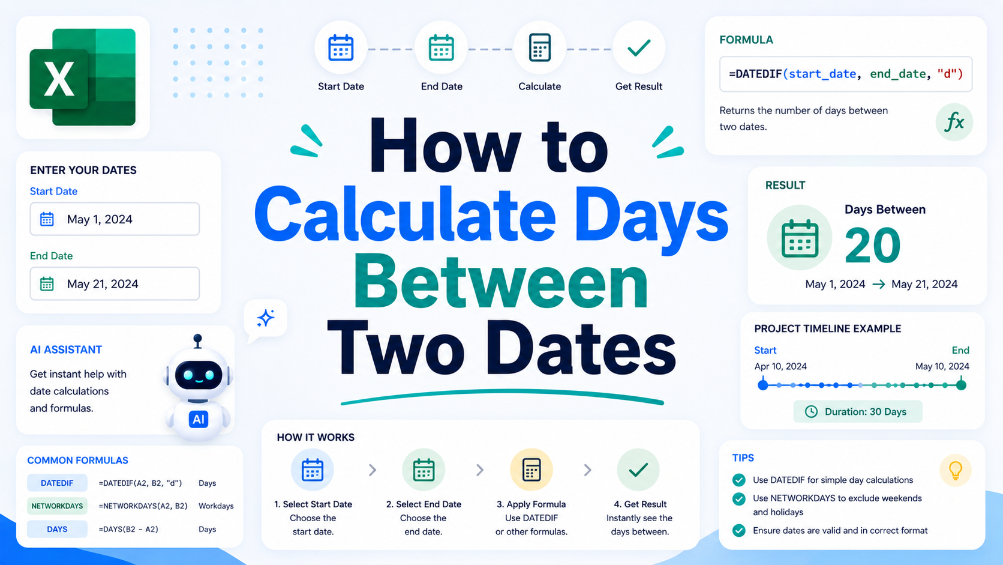
How to Calculate Days Between Two Dates
In this guide, we will walk you through the process of calculating the number of days between two dates using spreadsheet software. This crucial skill can help in various business scenarios, such as project management and financial reporting. We'll provide you with a clear, step-by-step approach to set up your spreadsheet for date calculations, along with practical examples that illustrate common situations where understanding date differences is essential. Additionally, we will share tips to ensure accuracy, like how to handle leap years and formatting issues. By the end of this article, you will have the confidence to perform date calculations effectively and explore how TabliSync can assist in organizing your data for even greater efficiency.
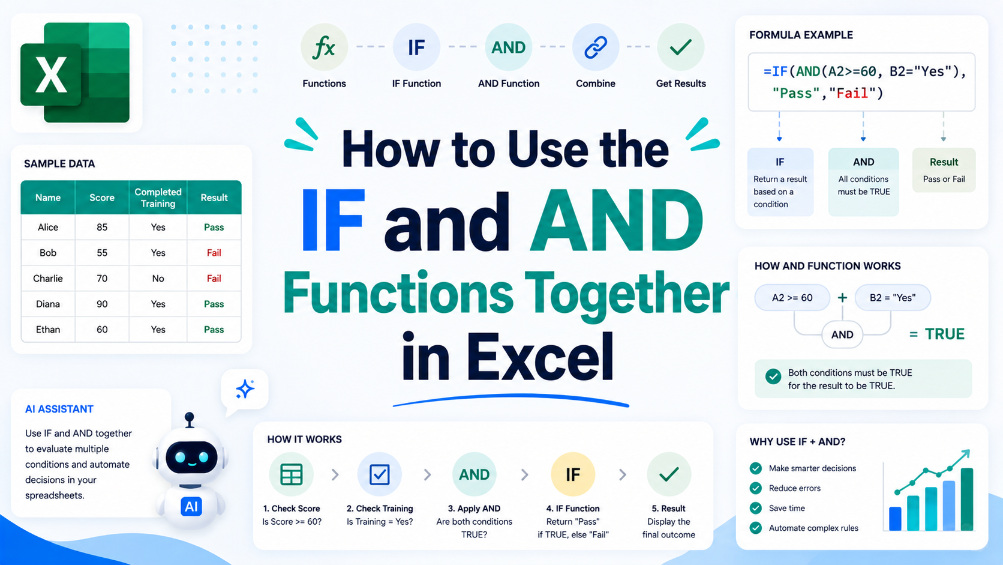
How to Use the IF and AND Functions Together in Excel
This article guides users through the process of combining IF and AND functions in Excel, helping them improve their data analysis and reporting. With step-by-step instructions and practical examples, readers will enhance their spreadsheet skills. By understanding how to effectively use these functions together, users can create more complex logical tests that are essential for accurate reporting and business decision-making. Common use cases are explored, along with tips for avoiding common errors. Whether you're an accountant, finance team member, or data analyst, this guide will provide the necessary tools to boost your Excel proficiency and streamline your workflow.
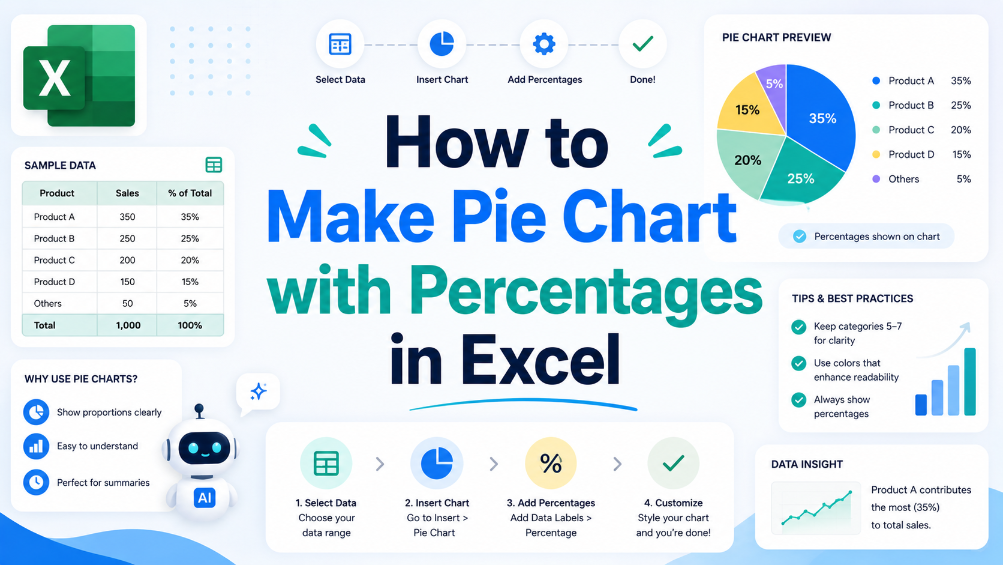
How to Make Pie Chart with Percentages in Excel
In today's data-driven world, effectively visualizing information is crucial for business success. This article provides a clear and practical guide on creating pie charts in Excel using percentage data. Whether you're an accountant working with financial reports or an analyst translating sales data into visual formats, pie charts can enhance understanding and presentation. Follow the outlined steps to create pie charts that accurately reflect your data, and discover tips for customization to improve clarity and impact. Additionally, learn how TabliSync can assist in preparing your data for these visual representations, making the process smoother and more efficient. By the end of this article, you'll have the skills to present your data visually, ensuring you convey information effectively and make informed decisions based on accurate representations.
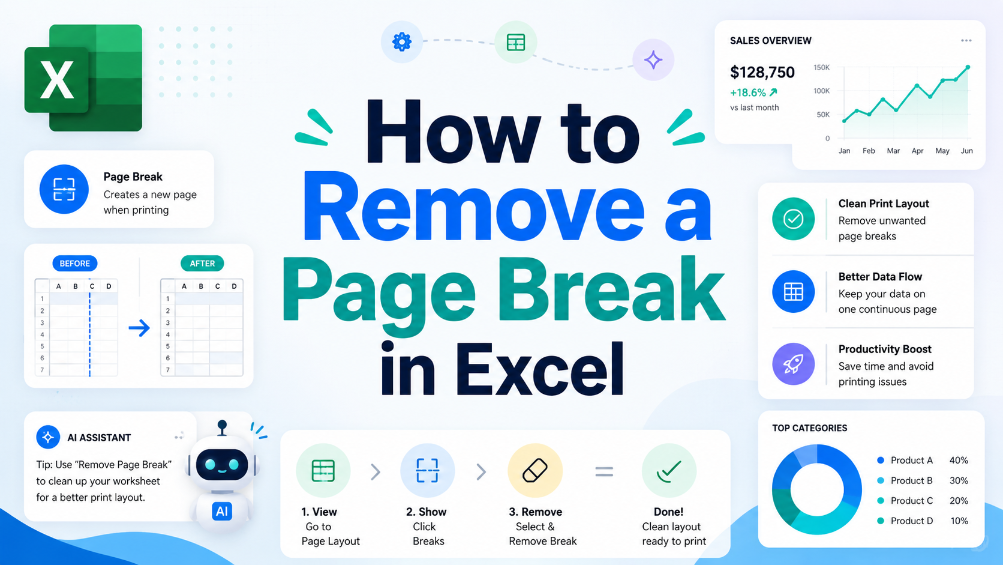
How to Remove a Page Break in Excel
Understand what page breaks are and why they matter in Excel, follow step-by-step instructions to remove them, and learn useful tips to manage page breaks effectively in spreadsheets.
Mastering Data Integrity: How to Create a Drop Down List in Excel
Eliminate 99% of manual data entry errors by implementing standardized Excel data validation protocols. Achieve a 90% reduction in data cleaning time through the use of dynamic drop down lists and structured tables. Leverage AI-driven OCR and TabliSync to transform unstructured physical data into validated Excel schemas instantly. Future-proof your spreadsheets with scalable, searchable drop-down architectures for complex datasets.

Mastering the Mess: How to Remove Duplicates in Excel Without Data Loss
Efficiency Gains: Reduce manual data scrubbing time by over 90% using automated workflows. Data Integrity: Achieve a 0% manual entry error rate by moving away from 'Find & Replace' to schema-based deduplication. Risk Mitigation: Prevent 100% of accidental deletions by utilizing non-destructive Power Query environments. Future-Proofing: Shift from reactive cleaning to proactive Data Hygiene through AI-integrated automation.
Stop Manual Data Entry – Extract Tables in Seconds
Convert any image or PDF table to Excel instantly with 99.9% accuracy. TabliSync's AI-powered OCR handles handwritten forms, receipts, and complex tables – then syncs directly to Google Sheets, Notion, or Airtable
Try TabliSync Free Now