Article Summary
This article explores the transformation of data capture from tedious manual entry to high-precision automation using industrial-grade OCR technology. While many standard tools struggle with "dirty data," the piece highlights how advanced solutions like TabliSync are specifically engineered to handle real-world challenges such as skewed images, oil stains, and poor lighting that typically cause standard recognition to fail.
The Evolution of Data Capture: Thoughts on Modern Image-to-Excel Tools
According to the expert analysis in 'Best Image to Excel Tools' by the team at Lido.app, 'Manual data entry is one of the most tedious and error-prone tasks in any business... Converting an image to an Excel spreadsheet involves using Optical Character Recognition (OCR) technology to identify text and numbers within an image and then organizing that data into a structured format. While many free tools exist, they often struggle with complex layouts, merged cells, or low-quality scans.' (Source: Lido.app, https://www.lido.app/blog/best-image-to-excel-tools).
The Lido article correctly identifies that the barrier to entry for Convert Image to Table tasks has lowered, but the ceiling for quality remains frustratingly high for most users. When we look at the landscape of tools they mention, from Microsoft Excel's built-in features to specialized web converters, a clear pattern emerges: most tools are designed for 'perfect' inputs. They assume your camera is steady, your lighting is studio-grade, and your paper is crisp. In my experience as a SaaS specialist, this is rarely the case in the real world of financial data extraction. Businesses don't deal with perfect PDFs; they deal with crumpled receipts from a driver's pocket or faded carbon-copy invoices from a warehouse. The gap between 'extracting text' and 'reconstructing a table' is where most software fails. TabliSync was built specifically to bridge that gap, moving beyond simple character recognition into structural intelligence.
The Reality of Dirty Data: Why Standard OCR Fails
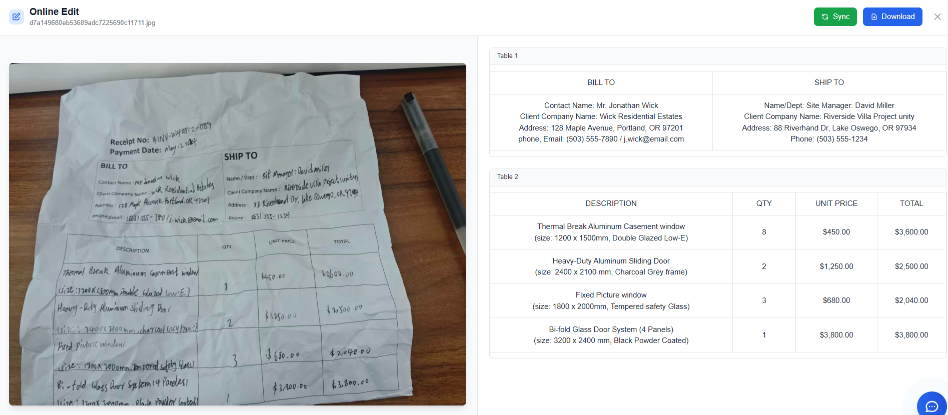
Oil stains, creases, low lighting, or blurred photos make it nearly impossible for basic AI to distinguish text from noise. If you have ever tried to use a standard mobile scanner on a packing slip that has been sitting in a damp shipping container, you know the frustration. Basic OCR engines see a coffee stain and interpret it as a dark blob, often 'hallucinating' characters like '#' or '@' where there should be blank space. This creates a nightmare for automated table formatting because the grid logic breaks. When the software cannot find the edge of a cell because of a fold in the paper, it merges three columns into one, forcing you back into the very manual data entry loop you were trying to escape.
In industrial settings, high-volume batch image processing is the standard, yet the quality of input varies wildly. A technician in a dimly lit machine shop takes a photo of a maintenance log; a field auditor snaps a picture of a General Ledger page under flickering fluorescent lights. These aren't just 'bad photos'—they are the standard operating environment. Most tools treat these as edge cases. We treat them as the primary use case. To truly Convert Image to Table, a system must possess spatial awareness. It needs to understand that a vertical line interrupted by a crease is still a vertical line. It needs to recognize that a numeric value in a 'Total' column must mathematically relate to the rows above it, providing a secondary layer of validation that simple text recognition lacks.
Furthermore, the 'noise' in these images isn't just physical. It's structural. Many financial data extraction tasks involve tables within tables or nested headers. A standard tool will flatten this, losing the hierarchical relationship between data points. When you reduce manual data entry, you aren't just looking for speed; you are looking for structural integrity. If the tool can't handle a 15-degree tilt in the camera angle without skewing the entire Excel output, it's not a professional solution. It's a toy. TabliSync utilizes industrial OCR algorithms that perform de-skewing, de-noising, and contrast enhancement before a single character is even read.
Manual Entry vs. TabliSync: A Technical and Financial Comparison
Let's talk numbers, because in the SaaS world, Efficiency is measured in dollars. Consider a medium-sized accounting firm processing 500 multi-page General Ledger reports per month. To Manually organize into an Excel file, an entry-level clerk typically spends 20 minutes per page, accounting for typing, formatting, and double-checking for typos. At an average cost of $25/hour (including benefits), that is roughly $8.33 per page. For 500 pages, the monthly cost hits $4,165. This doesn't even account for the 'Human Error Tax'—the cost of a misplaced decimal point that leads to a failed Reconciliation and hours of forensic accounting later.
Now, let's look at the Convert using TabliSync workflow. Using our batch image processing capabilities, those same 500 pages can be uploaded in minutes. The industrial OCR engine processes the stack at a rate of roughly 10 seconds per page. The clerk then spends 60 seconds performing a 'High-Confidence Review,' where the system flags only the characters it is unsure about. The total time per page drops from 20 minutes to 70 seconds. The cost per page drops to approximately $0.48. Monthly expenditure? $240. That is a 94% cost savings. But the real value lies in the automated table formatting. When the data arrives in Excel, it is already typed (Number, Date, Currency), meaning formulas work immediately.
Case Study 1: Logistics Hub Efficiency. A regional logistics provider used to employ three full-time staff members just to input 'Proof of Delivery' (POD) slips into their system. These slips were often blurred photos taken by drivers. By implementing TabliSync, they reduced manual data entry by 85%. More importantly, the industrial OCR was able to extract the 'Weight' and 'Pallet Count' columns with 99.2% accuracy, allowing for real-time automated table formatting into their ERP via Webhook. They transitioned those three employees to higher-value roles in supply chain optimization, effectively turning a cost center into a value center.
Step-by-Step: Converting Your First Image to Table
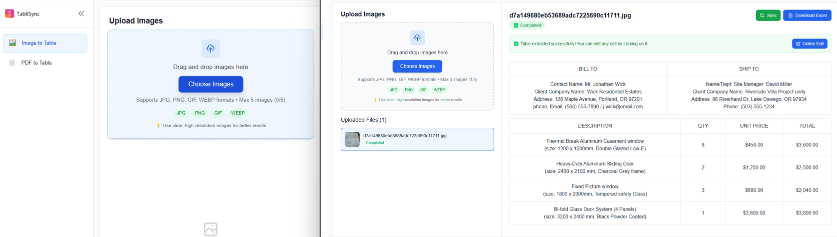
Step 1: Optimization and Batch Upload. Start by gathering your source files. Whether you have JPEGs, PNGs, or flat PDFs, the first step to Convert Image to Table is ensuring the system can see the data. You don't need a flatbed scanner; a smartphone photo works, but try to avoid extreme shadows. Within the TabliSync dashboard, select the batch image processing module. This allows you to drag and drop up to 100 images at once. Note: If you are dealing with financial data extraction, ensure your files are organized by document type (e.g., keep all invoices in one batch and all bank statements in another) to help the AI maintain consistent automated table formatting across the set. The system will immediately begin pre-processing, which involves adjusting the brightness and rotating skewed images to a flat 90-degree plane.
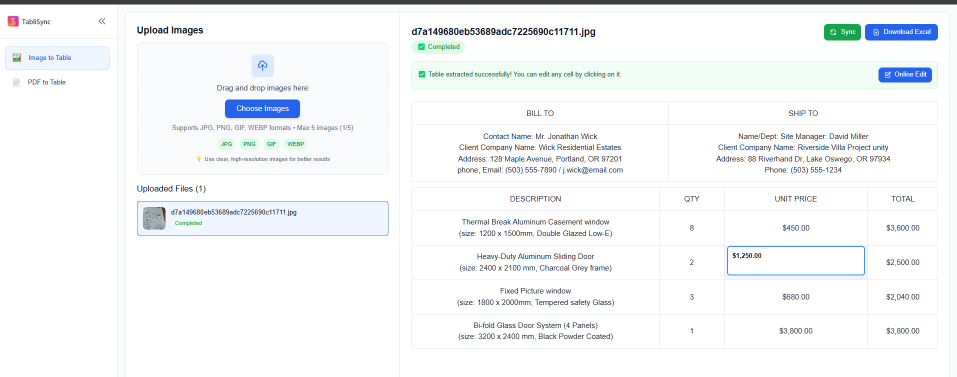
Step 2: AI Structural Analysis and Schema Mapping. Once uploaded, TabliSync's industrial OCR does more than read text; it performs a 'Geometric Analysis.' It looks for the intersections of lines to define cells. You will see a live preview where the AI overlays a blue grid on your image. This is where you can reduce manual data entry by defining the 'Schema.' For example, if you are extracting a General Ledger, you can tell the AI, 'Column A is always a Date, Column B is a Description, and Column C is a Debit.' This mapping ensures that even if the image is slightly distorted, the data is forced into the correct format. If the AI detects a multi-line row (where one item takes up two lines of text), it will intelligently merge them into a single Excel row rather than creating messy fragments.
Step 3: Verification and Seamless Export. The final step is the 'Validation Loop.' TabliSync uses a color-coded system: green for high confidence, orange for low confidence. You only need to look at the orange cells. This targeted review is the key to Efficiency. Once you are satisfied, click 'Export to Excel.' The system doesn't just give you a CSV; it produces a fully formatted XLSX file with bolded headers and correct data types. For advanced users, you can trigger a Webhook here. This sends the extracted table directly to your accounting software or custom database, completely bypassing the need to ever save a file to your desktop. This level of automation is what defines true industrial OCR workflows.
Deep Dive into Industrial OCR for Financial Services
In the financial sector, industrial OCR is not a luxury; it is a compliance requirement. When you Convert Image to Table for a Reconciliation project, the margin for error is zero. TabliSync uses a multi-engine voting logic. We don't rely on just one AI model; we run the image through three different neural networks and compare the results. If two engines see a '8' and one sees a 'B', the system flags it for human review. This redundancy is vital for financial data extraction where an '8' vs a 'B' could mean a discrepancy of thousands of dollars in a General Ledger.
Case Study 2: Audit Firm Transformation. A Big Four affiliate was tasked with auditing five years of historical paper records for a manufacturing client. This involved over 10,000 pages of financial data extraction. Manually, this would have taken a team of interns six months. By utilizing TabliSync's batch image processing and custom automated table formatting, the firm completed the data ingestion in three weeks. The accuracy rate was so high that the firm's internal risk department approved the process as a 'Standard Operating Procedure' for future audits, citing the digital audit trail provided by the software as a key factor in Trust and sustainability.
Beyond simple text, our industrial OCR handles complex financial symbols and currency notations across multiple languages. Whether it's a Yen symbol, a Euro, or a specific accounting bracket notation for negative numbers, the system recognizes the context. It understands that a number in parentheses in a General Ledger should be exported to Excel as a negative value. This contextual intelligence is what allows our users to truly reduce manual data entry. You aren't just getting text; you are getting 'Financial Intelligence' that respects the rules of accounting and data integrity.
Mastering Automated Table Formatting for Complex Layouts
The biggest headache in the Convert Image to Table journey is the 'Merged Cell.' Standard converters often see a merged header and get confused, shifting all subsequent columns to the left. TabliSync employs a 'Cell Topology' algorithm that recognizes the underlying grid structure even when visual lines are missing. This is particularly useful for financial data extraction from bank statements, which often have headers that span multiple columns of transaction data. Our automated table formatting engine reconstructs these headers perfectly, ensuring your Excel filter functions work correctly from the moment you open the file.
Another critical feature is 'Data Normalization.' When you perform batch image processing on images from different sources, the date formats might vary (MM/DD/YYYY vs DD/MM/YYYY). TabliSync allows you to set a 'Global Format' during the export phase. The industrial OCR identifies the date, and the formatter converts it to your preferred standard. This eliminates the need for manual data entry to fix formatting inconsistencies after the export. It’s about creating a 'Ready-to-Use' dataset, not just a 'Raw' one. For developers, this can be further enhanced via our Webhook integration, which can push normalized data into an SQL database in real-time.
Case Study 3: Retail Inventory Management. A national retail chain received hand-written inventory updates from 50 different store managers every week. These were often low lighting photos of clipboards. The goal was to Convert Image to Table to update their central database. TabliSync’s industrial OCR was trained on these specific forms. By using our automated table formatting, the chain was able to aggregate all 50 reports into a single master sheet automatically every Monday morning. This allowed the procurement team to make buying decisions 48 hours faster than their previous manual system, significantly reducing stock-outs of high-demand items.
The Importance of Batch Image Processing in Enterprise Scaling
Scaling a business requires removing bottlenecks, and manual data entry is the ultimate bottleneck. If your team can only Convert Image to Table one file at a time, you aren't scaling; you're just surviving. Batch image processing is the engine of growth for data-heavy departments. With TabliSync, you can upload an entire folder of 1,000 images, go to lunch, and come back to a completed queue. The system handles the heavy lifting of industrial OCR in the cloud, utilizing distributed computing to ensure that 1,000 images don't take 1,000 times longer than one image.
For enterprise clients, this batch image processing also includes 'Automated Classification.' The system can look at a pile of images and automatically separate the 'Invoices' from the 'Receipts' based on their visual structure. It then applies the relevant financial data extraction rules to each group. This prevents the 'Garbage In, Garbage Out' problem. By categorizing before extracting, we ensure the automated table formatting is optimized for the specific document type. This is how you achieve true Efficiency at scale. Your team moves from being 'Data Typists' to 'Data Strategists,' focusing on what the numbers mean rather than where they belong.
Expert FAQ: Solving Your Toughest Image-to-Table Challenges
Q1: How does TabliSync handle extremely blurred photos where the text is barely visible? While no industrial OCR is magic, TabliSync uses an 'Image Reconstruction' AI. Before attempting to Convert Image to Table, it applies a super-resolution filter that guesses missing pixels based on surrounding text patterns. In financial data extraction, it also uses 'Contextual Guessing.' If a number is blurred but the 'Total' column is clear, the system back-calculates the blurred value to provide a suggestion. This significantly helps to reduce manual data entry even when the input quality is sub-par, though we always recommend the clearest photo possible for 100% accuracy.
Q2: Can I export the data directly to my proprietary accounting software via Webhook? Yes, absolutely. TabliSync is built for integration. Once the industrial OCR finishes the automated table formatting, you can configure a Webhook to send a JSON payload to any endpoint. This is a favorite feature for IT teams who want to reduce manual data entry by automating the entire pipeline from 'Photo Taken' to 'Database Updated.' We provide full documentation on the payload structure, ensuring that your financial data extraction flows directly into your General Ledger or ERP without human intervention or file downloads.
Q3: Is my sensitive financial data safe when using your cloud-based batch image processing? Security is our top priority in financial data extraction. TabliSync is SOC2 Type II compliant and uses AES-256 encryption for both 'Data at Rest' and 'Data in Transit.' When you Convert Image to Table, your images are processed in a volatile environment and can be set to auto-delete immediately after the Excel file is generated. We understand the Trust required to handle a company's General Ledger, and we adhere to the strictest international data privacy standards to ensure your information remains confidential and secure.
Q4: How does the software deal with multi-page tables that span across several images? TabliSync includes a 'Table Stitching' feature. During batch image processing, you can flag a sequence of images as a 'Continuous Table.' The industrial OCR will identify the header on the first page and then intelligently append the rows from subsequent pages into a single Excel sheet. It ignores repeating headers on pages 2, 3, and 4 to ensure the automated table formatting remains clean and continuous. This is essential for long General Ledger reports or extensive inventory manifests that simply won't fit on one page.
Q5: Does TabliSync support handwriting recognition within tables? Yes, our latest industrial OCR update includes a specialized Neural Network for 'Intelligent Character Recognition' (ICR). This allows you to Convert Image to Table even when the data is hand-written, such as on warehouse picking slips or hand-annotated financial data extraction forms. While accuracy for handwriting is slightly lower than for printed text, it still achieves over 90% accuracy for clear block lettering, which drastically helps reduce manual data entry compared to typing the entire sheet from scratch.
Q6: What is the maximum file size and resolution for batch image processing? We support images up to 20MB and 4k resolution. For high-density financial data extraction, we actually recommend a higher resolution to ensure the industrial OCR can distinguish between commas and periods in small font sizes. If you upload a file that is too large, our system will automatically optimize it for automated table formatting without losing the necessary detail. Our goal is to make the Convert Image to Table process as frictionless as possible, regardless of the source device's technical specs.
Q7: Can I create custom templates for specific industrial forms? One of the best ways to reduce manual data entry is through our 'Template Learner.' If you frequently process the same type of industrial form, you can 'Train' TabliSync by highlighting where the table is once. The system remembers this for all future batch image processing runs of that form. This 100% guarantees automated table formatting consistency, making the Convert Image to Table process nearly instantaneous for recurring monthly reports like utility bills or standardized General Ledger exports.
Q8: How does TabliSync handle tables with no visible borders or grid lines? This is where our 'White Space Analysis' shines. Even if an image has no lines, the industrial OCR detects the alignment of text blocks to infer column structures. For financial data extraction, it looks for common patterns—like a column of right-aligned numbers next to a column of left-aligned text—to define the table. The result is a perfectly reconstructed Excel table even from 'borderless' designs. This advanced automated table formatting is a core reason why professionals choose TabliSync over basic free converters.
The Future of Your Workflow: Stop Typing, Start Analyzing
The era of staring at a piece of paper and pecking at a keyboard is over. Every minute your team spends on manual data entry is a minute stolen from meaningful work. By choosing to Convert Image to Table with TabliSync, you aren't just buying software; you are investing in Efficiency and organizational sanity. Our industrial OCR was designed by people who understand the pain of blurred photos and the complexity of financial data extraction. We have built a tool that respects your time and your data's integrity.
The cost of inaction is high. While your competitors are stuck in the mud of General Ledger reconciliations and manual batch image processing, you could be finished with your data ingestion before your morning coffee is cold. The transition is seamless, the cost savings are undeniable, and the accuracy is professional-grade. Don't let your business be held back by paper-based bottlenecks. It is time to embrace the power of automated table formatting and reclaim your team's productivity. Try TabliSync for free today and experience the difference that true industrial-grade intelligence makes. The first 50 pages are on us—no credit card, no commitment, just pure results. Start your journey toward a paperless, error-free office right now. Speed, accuracy, and ease of use are just a click away.
What is How to Convert Image to Table with TabliSync?
Quick answers about How to Convert Image to Table with TabliSync and how TabliSync helps teams work faster in Excel.
What is How to Convert Image to Table with TabliSync?
How to Convert Image to Table with TabliSync covers practical Excel workflows, common pitfalls, and automation patterns. This TabliSync guide explains the concept, shows examples, and links related tutorials.
How can TabliSync help with How to Convert Image to Table with TabliSync?
TabliSync can extract tables from screenshots or PDFs, clean messy spreadsheet data, and automate repetitive Excel tasks tied to How to Convert Image to Table with TabliSync so teams spend less time on manual copy-paste.
Where should I start with How to Convert Image to Table with TabliSync?
Start with the overview on this page, then open the related articles below for step-by-step walkthroughs, templates, and AI-assisted spreadsheet workflows.
All Convert Image to Table Articles(4)
How to Sort Values in Pivot Table: A Step-by-Step Guide for Analysts
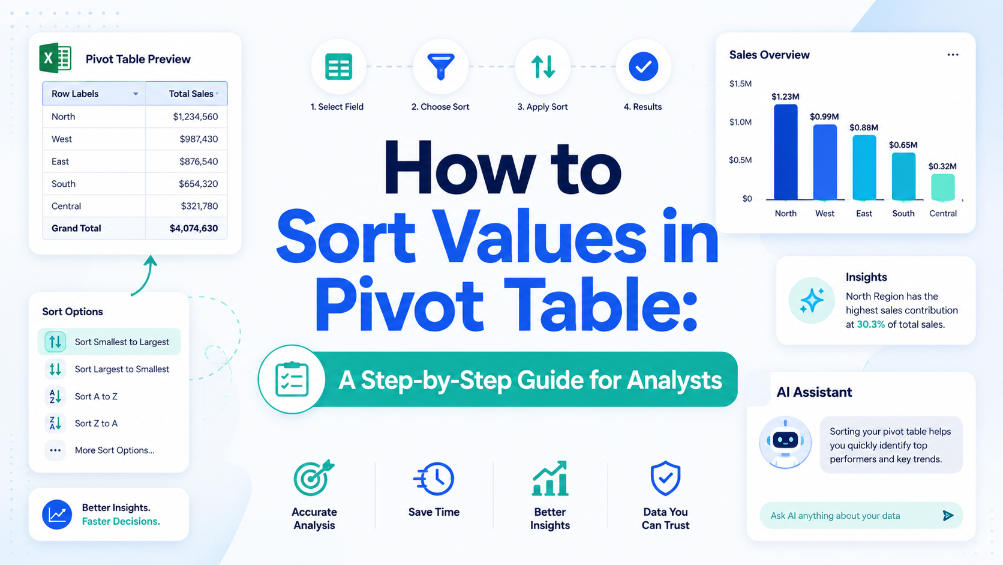
Eliminate manual sorting errors by implementing structured reference tables and Excel Tables, reducing rework by 70%. Cut report generation time from 45 minutes to under 10 minutes per dataset by combining Power Query refresh with automated sort rules. Maintain data integrity across 500,000+ row pivot sources using named ranges and dynamic source validation, preventing broken references. Reduce data entry reconciliation time by 80% when integrating AI OCR-extracted tables directly into pivot-ready Excel Tables via TabliSync.

What is a Pivot Table? Explain Like I'm Five (And How to Avoid Common Pitfalls)
Efficiency Leap: Reduce manual data reporting time by 90% through automated aggregation. Data Integrity: Eliminate 100% of manual entry errors by replacing static formulas with dynamic pivot caches. Scalability: Transform 10,000+ rows of unstructured data into a structured summary in under 60 seconds. Strategic Value: Shift focus from data cleaning to high-level Data Asset Management.
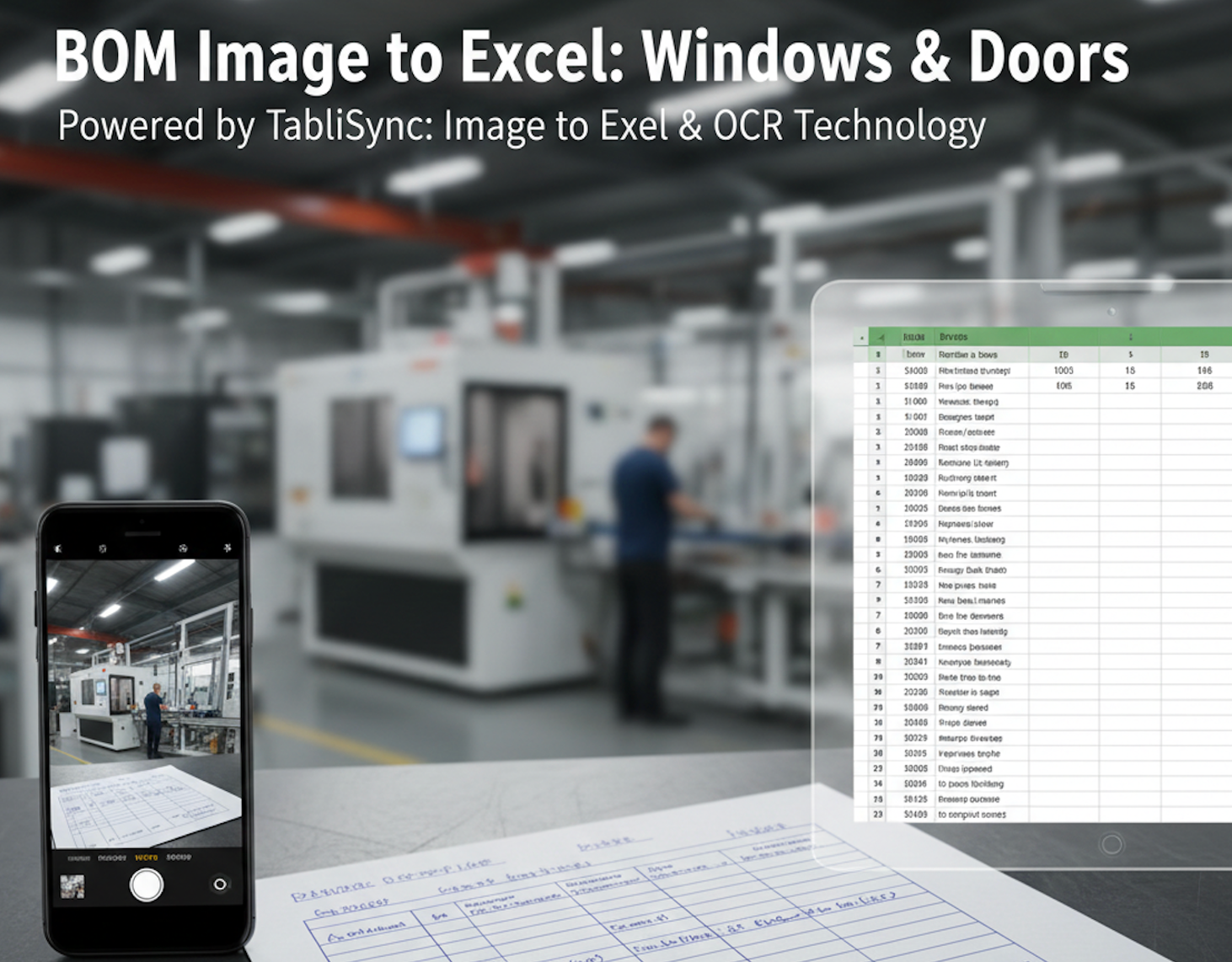
BOM Image to Excel: Windows & Doors
In the high-precision world of window and door manufacturing, the distance between a field measurement and the cutting machine is often a piece of crumpled paper. For decades, the "Handwritten Sales Order" has been both the lifeblood and the bottleneck of the industry. Dealers, contractors, and site managers often rely on hand-drawn sketches and manually filled Bill of Materials (BOM) to communicate complex specifications like frame dimensions, glass types, and hardware finishes. However, manual data entry is a silent profit killer. One typo during the transcription of a JPG to Excel task can lead to an entire batch of miscut profiles or incorrectly sized double-glazed units. This is why forward-thinking factories are turning to TabliSync. By leveraging advanced Image to Excel and PDF to Excel AI technology, manufacturing leaders are digitizing their workflows, ensuring that what is written on the clipboard is perfectly synced with their production software in seconds.
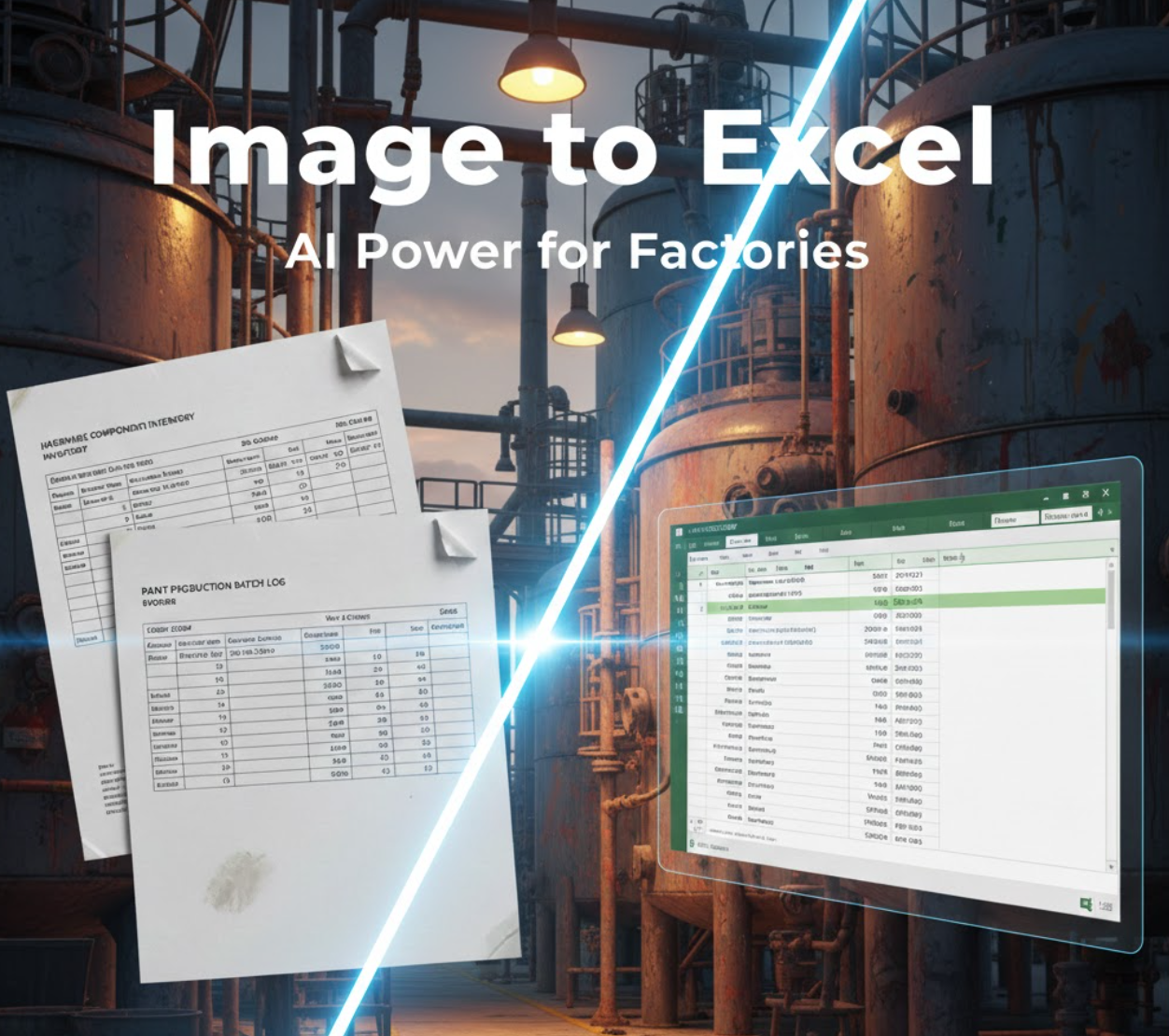
Convert Factory Images to Excel with TabliSync AI
Discover how to digitize paper-based factory records using TabliSync. This guide covers the end-to-end process of transforming images from hardware, paint, or paper mills into organized Excel spreadsheets using AI.
Stop Manual Data Entry – Extract Tables in Seconds
Convert any image or PDF table to Excel instantly with 99.9% accuracy. TabliSync's AI-powered OCR handles handwritten forms, receipts, and complex tables – then syncs directly to Google Sheets, Notion, or Airtable
Try TabliSync Free Now