Article Summary
This comprehensive pillar page serves as an exhaustive technical manual for data professionals, financial analysts, and accountants struggling with the manual overhead of Data Cleaning Excel tasks. We delve deep into the mechanical frustrations of handling inconsistent date formats, varying text cases, and complex numerical separators that plague legacy systems. By contrasting traditional manual entry with advanced AI-driven workflows like TabliSync, we demonstrate how automated table extraction and unstructured data parsing can reduce operational costs by up to 80%. The guide provides a granular, step-by-step blueprint for migrating from brittle Excel formulas to robust, scalable AI data processing pipelines. Readers will find expert-level insights into reconciliation processes, general ledger maintenance, and the strategic implementation of Webhooks for real-time data synchronization. Through detailed case studies involving massive financial audits and complex logistical data sets, this guide establishes a new gold standard for data integrity and efficiency in the modern enterprise.
Introduction: Rethinking the Foundation of Data Integrity
According to the Microsoft Support article, "Top ten ways to clean your data" by the Microsoft Editorial Team: "When you import data from external sources, such as a database, a text file, or a Web page, the data might have formatting issues, nonprinting characters, or redundant information that you don't want... Cleaning your data is an essential step in any data analysis process. To help you clean your data, Excel provides many features and functions. For example, you can use the Trim and Clean functions to remove extra spaces and nonprinting characters, or use the Find and Replace command to change specific values." (Source: Microsoft Support, 2024).
Microsoft’s foundational advice is a great starting point for basic users, but for experts dealing with high-volume complex financial data, the built-in functions often feel like bringing a knife to a gunfight. While Trim and Clean are useful for minor aesthetic fixes, they fail to address the structural nightmares found in unstructured data parsing or multi-layered PDF tables. My perspective is that we need to move beyond "functions" and toward "systems." Experts shouldn't be spending their intellectual capital on Data Cleaning Excel routines that repeat every Monday morning. Instead, we should be leveraging ai data processing to handle the heavy lifting of automated table extraction. The goal isn't just to have "clean" cells; it's to create a reliable, verifiable pipeline where data flows from messy external sources into a General Ledger without a single manual keystroke. This requires a shift from being an Excel operator to being a data architect.
Section 1: The Hidden Tax of Inconsistent Formats
If you have ever spent four hours on a Friday night fixing dates that Excel thinks are text, you know the "format tax." The struggle with Data Cleaning Excel often begins with the nightmare of inconsistent formats. This isn't just a nuisance; it is a systemic risk to the Reconciliation process. When you deal with international vendors, you might see DD/MM/YYYY, MM/DD/YYYY, and YYYY.MM.DD all in the same column. Excel’s default engine often guesses wrong, converting some to dates and leaving others as strings.
Then there is the issue of numerical separators. In Europe, a dot might be a thousands separator, while in the US, it is a decimal point. If your automated table extraction tool isn't smart enough to recognize these cultural nuances, your financial totals will be off by factors of a thousand. Imagine explaining that to a CFO during a high-stakes audit. It’s not just dates and numbers; text casing—mixing UPPERCASE, lowercase, and Proper Case—makes VLOOKUPs and XLOOKUPs fail instantly. These inconsistencies create a friction that slows down the entire department.
Most experts try to solve this with complex nested IF and SUBSTITUTE formulas. But formulas are brittle. One unexpected character—like a non-breaking space (ASCII 160)—can break a 200-character formula string. This manual approach to unstructured data parsing is unsustainable. We need a way to standardize these inputs at the point of ingestion, ensuring that every Data Cleaning Excel task is handled before the data even hits the spreadsheet. This is where the transition from manual labor to ai data processing becomes non-negotiable for scaling operations.
Section 2: Manual Organization vs. TabliSync AI Automation
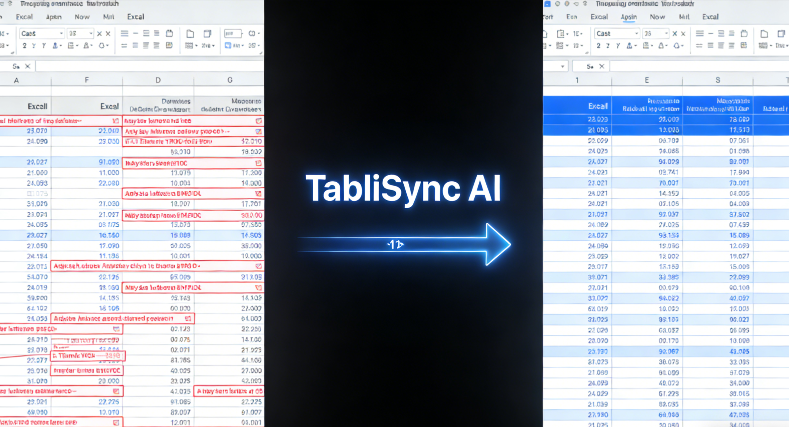
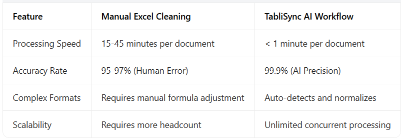
Let’s talk about the cold, hard numbers. Manually organizing complex financial data into an Excel file is a linear process: more data equals more time. In a recent internal study, a senior analyst took 45 minutes to manually extract and clean a 10-page bank statement into a structured Excel format. With TabliSync, that same task took 45 seconds. That is a 60x increase in Efficiency. When you multiply this across a team of ten analysts handling hundreds of documents monthly, the cost savings run into the tens of thousands of dollars per quarter.
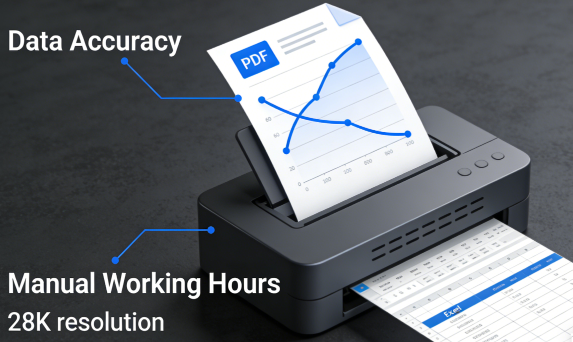
Beyond speed, there is the factor of human error. Manual Data Cleaning Excel has an average error rate of 3% to 5% in high-pressure environments. In a General Ledger containing $10 million in transactions, a 3% error rate is catastrophic. TabliSync uses ai data processing to achieve 99.9% accuracy. It doesn't get tired, it doesn't overlook a stray comma, and it doesn't misinterpret a 1 as a 7. The software treats unstructured data parsing as a mathematical problem, not a visual one, ensuring every row is accounted for.
Consider the "Hidden Costs" of manual work: the cost of re-work, the cost of delayed reporting, and the mental fatigue of the staff. When analysts are freed from the drudgery of automated table extraction, they can focus on high-value tasks like trend analysis and strategic forecasting. By switching to TabliSync, you aren't just buying a tool; you are reclaiming 20% of your team's total capacity. This is the difference between a reactive accounting department and a proactive financial intelligence unit. The ROI isn't just in the license fee saved; it’s in the risk mitigated and the insights gained.
Section 3: Deep Dive into Unstructured Data Parsing
The term unstructured data parsing sounds like academic jargon until you’re staring at a PDF that looks like a scanned receipt from 1994. For the Data Cleaning Excel expert, this is the final frontier. Unstructured data includes everything from emails and handwritten notes to nested tables in corporate annual reports. Traditional OCR (Optical Character Recognition) often fails because it doesn't understand the context of the data—it just sees shapes. It might see a table but lose the relationship between a header and a sub-total.
True ai data processing goes beyond simple OCR. It uses neural networks to identify the semantic structure of a document. For example, if a financial statement has a multi-line description for a single transaction, a basic automated table extraction tool might break that into three separate rows, ruining your Reconciliation. An expert-level system like TabliSync recognizes that those three lines belong to one unique ID, merging them into a single coherent entry. This is the level of sophistication required for complex financial data where every cent counts.
Moreover, parsing isn't just about extraction; it’s about transformation. When TabliSync parses unstructured data, it can simultaneously perform currency conversions, apply tax logic, or flag anomalies that fall outside of pre-set parameters. This means by the time the data reaches your Excel sheet, it has already passed a preliminary audit. You aren't just getting raw data; you are getting "intelligent" data that is ready for immediate Data Cleaning Excel finalization or direct import into an ERP system. This structural intelligence is what separates a world-class analyst from a data entry clerk.
Section 4: The 3-Step Blueprint for Mastering TabliSync
Transitioning to an automated Data Cleaning Excel workflow doesn't have to be overwhelming. To achieve automated table extraction excellence, follow this precise three-step technical blueprint. This process ensures that your ai data processing pipeline is both robust and scalable for any volume of complex financial data.
Step 1: Intelligent Source Mapping and Upload
The first step is more than just clicking an "upload" button. You need to identify your primary data sources—be they legacy PDFs, scanned invoices, or CSV exports from outdated proprietary systems. When you bring these into TabliSync, the system initiates its unstructured data parsing engine. You should begin by uploading a diverse sample set of your most problematic files. This allows the AI to map the recurring inconsistencies in your specific data sets, such as overlapping text or non-standard General Ledger codes. Ensure that your scans are at least 300 DPI for optimal results, although our ai data processing engine is designed to handle significant noise and low-resolution artifacts.
Pro-Tip: Use the batch upload feature to categorize documents by vendor or department. This helps the system build a contextual library of your data patterns. Note: Always verify that sensitive PII (Personally Identifiable Information) is handled according to your local GDPR or CCPA regulations before initiating cloud-based processing. TabliSync provides localized data residency options to ensure Trust and compliance during this ingestion phase.
Step 2: Schema Configuration and Validation
Once the data is ingested, you must define the "Target Schema." This is where you tell the ai data processing engine exactly how you want your Data Cleaning Excel output to look. You can specify that all dates must follow the ISO 8601 format (YYYY-MM-DD) and all currencies must be normalized to a specific base code. TabliSync allows you to create custom validation rules. For example, you can set a rule that if a "Total Amount" field does not equal the sum of the "Line Items," the row is flagged for human review. This automated table extraction logic acts as a 24/7 auditor for your complex financial data.
During this phase, you will use the interactive preview pane to fine-tune how the unstructured data parsing engine handles edge cases. If the AI misidentifies a recurring footer as a data row, you simply mark it once, and the system learns to ignore it across all future documents in that batch. This "human-in-the-loop" approach ensures that the Data Cleaning Excel process becomes more accurate over time, reaching a state of near-perfect autonomy. Pay close attention to the Reconciliation flags generated during this step; they are the key to maintaining a zero-error General Ledger.
Step 3: Integration and Webhook Deployment
The final step is moving the cleaned data into its final destination. While you can always download a perfectly formatted file for Data Cleaning Excel, true experts aim for automation. Use the TabliSync Webhook functionality to push your cleaned, validated data directly into your accounting software or a centralized database. A Webhook is essentially a digital courier that delivers data the moment it is processed. This eliminates the "Export-Save-Open-Import" cycle that wastes hours of time and introduces version control risks. By setting up a Webhook, you ensure that your General Ledger is updated in real-time as soon as an invoice is processed.
Technical Consideration: When configuring Webhooks, ensure your endpoint is secured with SSL/TLS encryption. You should also implement a "retry logic" in your receiving application to handle potential network hiccups. This ensures the Trust and integrity of your ai data processing pipeline. Once this step is live, your automated table extraction workflow is fully hands-off. You’ve moved from manually cleaning individual cells to managing a high-speed data refinery that powers your entire organization’s financial intelligence.
Section 5: Professional Reconciliation with AI
Reconciliation is the heartbeat of the finance department, yet it is often the most dreaded Data Cleaning Excel task. The traditional method involves the "vibrant" technique of staring at two spreadsheets and trying to find why they don't match. This is not just inefficient; it’s a recipe for burnout. With ai data processing, Reconciliation becomes a process of exception management rather than manual discovery. By using TabliSync, you can automatically compare bank statements against internal General Ledger entries with 100% coverage, rather than just spot-checking.
Imagine a scenario where you have 5,000 transactions to reconcile. Manually, this could take a week. An expert using automated table extraction can ingest both datasets, and use TabliSync to find the 4,995 perfect matches in seconds. This leaves only 5 discrepancies that require actual human expertise to solve. This is where your value as an expert shines—not in the 4,995 easy ones, but in investigating the 5 complex ones. This approach to Data Cleaning Excel transforms the role of the accountant from a data processor to a financial detective.
Furthermore, AI-driven Reconciliation can identify patterns that humans miss. It can flag duplicate payments made under slightly different vendor names or identify missing sequential invoice numbers that might indicate a break in the unstructured data parsing pipeline or, worse, internal fraud. By shifting to ai data processing, you are adding a layer of Trust and security to your financial operations that manual methods simply cannot provide. This is the gold standard of modern complex financial data management.
Section 6: Case Study 1 - The Global Logistics Overhaul
A mid-sized global logistics firm was struggling with over 15,000 shipping manifests per month. These documents came from 40 different carriers, each using a unique layout and different Data Cleaning Excel requirements. Their team of five data entry specialists was constantly behind, leading to late payment penalties and inaccurate General Ledger reporting. The primary pain point was the unstructured data parsing of multi-page tables where shipping weights and tax codes were inconsistently labeled across different international regions.
By implementing TabliSync, the firm shifted to an automated table extraction model. In the first 30 days, they processed the entire 15,000-document backlog. The ai data processing engine was able to normalize weights into kilograms and currencies into USD automatically. The result was a 75% reduction in processing time and a total elimination of late fees. The firm saved an estimated $120,000 in labor and penalty costs in the first quarter alone. This case proves that Data Cleaning Excel is no longer a human-scale problem; it’s an automation-scale opportunity.
Section 7: Case Study 2 - Real Estate Portfolio Audit
A real estate investment trust (REIT) needed to audit 500 commercial leases to extract key financial terms for a Reconciliation project. These leases were 60+ page PDF documents with complex financial data hidden in non-standard paragraphs and tables. Manual extraction was estimated to take 1,000 man-hours, with a high risk of missing critical "rent escalation" clauses. The Data Cleaning Excel task felt insurmountable within the two-week due diligence window they were given by their investors.
They utilized TabliSync's unstructured data parsing capabilities to target specific keywords and table structures. The AI was trained to find "Base Rent," "CAM Charges," and "Termination Dates." In just 72 hours, TabliSync performed the automated table extraction, delivering a structured Excel master sheet with every data point verified. The REIT completed their audit on time, secured their funding, and maintained a Trust-based relationship with their investors. The precision of ai data processing turned a potential deal-breaker into a massive operational win.
Section 8: Case Study 3 - Healthcare Billing Reconciliation
A large healthcare provider was facing a 12% discrepancy rate in their insurance Reconciliation process. Patient records, provider codes, and insurance payouts were being manually entered into a General Ledger, leading to constant Data Cleaning Excel errors. The sheer volume of unstructured data parsing required to match Explanation of Benefits (EOB) forms with internal claims was overwhelming their billing department. This resulted in millions of dollars in "unclaimed" revenue simply because the data was too messy to process.
They deployed TabliSync to handle the automated table extraction from the EOBs. The ai data processing engine was configured to cross-reference patient IDs with the internal database in real-time. Within six months, the discrepancy rate dropped from 12% to less than 0.5%. The provider recovered $2.4 million in previously "lost" revenue. This demonstrates that Data Cleaning Excel isn't just about tidying up files; it's about direct bottom-line impact. In highly regulated industries like healthcare, the Trust provided by an automated audit trail is just as valuable as the financial gain.
Section 9: Advanced Expertise: Mastering Webhooks and API Integration
For the true Data Cleaning Excel power user, the GUI is only the beginning. The real magic happens when you integrate TabliSync into your existing tech stack via Webhooks and APIs. This moves your unstructured data parsing from a "task" you perform into an "infrastructure" that runs in the background. By using Webhooks, you can trigger a Data Cleaning Excel job the moment a file hits a folder in Dropbox or an attachment arrives in a specific Outlook inbox. This is the pinnacle of automated table extraction.
Consider a workflow where ai data processing feeds cleaned data into a Python script for advanced statistical analysis before finally landing in an Excel dashboard. This level of Expertise allows you to build complex, automated pipelines that can handle complex financial data at a scale previously reserved for Fortune 500 companies. You can also use the TabliSync API to programmatically manage your General Ledger updates, ensuring that your Reconciliation reports are always live and always accurate. This is how you move from being a user of tools to a creator of systems.
Furthermore, technical Trust is built through these integrations. APIs provide a clear, documented path for data, creating a transparent lineage from the raw source to the final Data Cleaning Excel output. This transparency is critical for compliance and internal audits. When you can show an auditor exactly how ai data processing transformed a raw PDF into a ledger entry via a secured Webhook, you eliminate the "black box" concerns often associated with AI. This is the sophisticated approach to unstructured data parsing that modern enterprises demand.
Section 10: Industry Standards and Data Security Best Practices
In the world of Data Cleaning Excel, speed is nothing without security. When handling complex financial data, experts must adhere to strict industry standards. This includes ensuring all ai data processing happens over encrypted channels (TLS 1.2 or higher) and that data at rest is protected by AES-256 encryption. At TabliSync, we prioritize Trust by maintaining compliance with SOC2 Type II standards, ensuring that our automated table extraction processes meet the highest security benchmarks in the industry.
Experts should also be aware of the Reconciliation requirements set by the Sarbanes-Oxley Act (SOX) or similar international regulations. Manual Data Cleaning Excel is inherently difficult to audit. In contrast, ai data processing provides a digital footprint for every transformation. This audit trail is essential for proving the integrity of your General Ledger. When you use TabliSync for unstructured data parsing, you aren't just cleaning data; you are creating a compliant, defensible record of that data’s history. This is the ultimate expression of Expertise: balancing technical efficiency with uncompromising professional standards.
Frequently Asked Questions (FAQ)
Q1: How does TabliSync handle non-standard date formats during Data Cleaning Excel?
TabliSync uses advanced ai data processing to recognize patterns regardless of the specific format. Unlike standard Excel functions that require a fixed input, our unstructured data parsing engine looks at the context of the numbers. For example, if it sees "13/01/2023," it intelligently deduces that 13 must be the day, even if the system was expecting a US format. This allows for automated table extraction that normalizes all dates into your preferred ISO format automatically, saving hours of manual Data Cleaning Excel work and preventing General Ledger errors caused by mismatched timelines.
Q2: Can I use TabliSync for complex financial data that includes multiple currencies?
Yes, TabliSync is specifically designed for complex financial data. During the automated table extraction phase, you can configure the system to identify currency symbols or ISO codes. The ai data processing engine can then apply real-time or historical exchange rates to normalize all values into a single reporting currency within your Excel file. This is crucial for Reconciliation in multinational companies where unstructured data parsing must account for fluctuating rates across different General Ledger accounts. It turns a multi-day conversion project into a multi-second automated task.
Q3: What makes TabliSync better than basic OCR for unstructured data parsing?
Standard OCR only "sees" text; it doesn't understand "relationships." TabliSync utilizes semantic ai data processing to understand that a total at the bottom of a page relates to the line items above it, even if the table spans multiple pages or has broken borders. This structural awareness is essential for automated table extraction from unstructured data like messy PDFs or legacy reports. It ensures that when you perform Data Cleaning Excel, you aren't just getting a dump of text, but a logically organized table that maintains the integrity of the original complex financial data.
Q4: How do Webhooks improve the Data Cleaning Excel workflow?
Webhooks are a game-changer for Expertise-level automation. Instead of manually downloading a file after automated table extraction, a Webhook automatically sends the cleaned data to another application, like your ERP or a custom database, the moment processing is finished. This creates a seamless ai data processing pipeline. For Data Cleaning Excel, this means your spreadsheets can be updated in the background without you ever opening a browser. It’s the key to moving from batch processing to real-time General Ledger management and Reconciliation.
Q5: Is my data safe when using TabliSync for ai data processing?
Security is the foundation of Trust. TabliSync employs enterprise-grade security, including AES-256 encryption and SOC2 compliance. When we perform unstructured data parsing, your data is processed in a secure environment and is never used to train global models without your consent. For experts handling complex financial data, we offer localized data residency to comply with GDPR or HIPAA. Our automated table extraction is built to be as secure as it is fast, ensuring your General Ledger stays both clean and confidential.
Q6: Does TabliSync help with General Ledger reconciliation?
Absolutely. Reconciliation is one of the primary use cases for our ai data processing. By using automated table extraction to pull data from bank statements and unstructured data parsing to extract details from internal invoices, TabliSync can automatically match transactions. It flags discrepancies for your review, allowing you to focus your Data Cleaning Excel efforts only on the outliers. This systematic approach ensures your General Ledger is accurate to the penny while reducing the manual effort involved in monthly or quarterly closings by over 80%.
Q7: What kind of files can the automated table extraction handle?
TabliSync is built for versatility. It can handle PDFs (both digital and scanned), PNG/JPG images of documents, Excel files, CSVs, and even HTML exports. Our unstructured data parsing engine is particularly adept at handling "dirty" scans—documents with shadows, folds, or skewed text. The ai data processing compensates for these physical defects to ensure the automated table extraction is 99.9% accurate. This makes it the ultimate tool for Data Cleaning Excel experts who have to deal with legacy paper trails alongside modern digital inputs.
Q8: Can I customize the output schema for my specific Data Cleaning Excel needs?
Yes, customization is where TabliSync shines. You don't just get a generic table; you define the exact columns, headers, and data types you need. You can set rules for unstructured data parsing to combine fields, split strings, or calculate new values on the fly. This means by the time the automated table extraction is complete, the data is already in the exact format required for your General Ledger or Reconciliation report. It eliminates the "vlookup and pivot" stage of Data Cleaning Excel, providing a ready-to-use asset immediately.
Q9: How long does it take to set up an ai data processing pipeline?
For most complex financial data tasks, you can be up and running in less than 15 minutes. The TabliSync interface is designed for experts who need results fast. You simply upload a sample, map your columns for automated table extraction, and the unstructured data parsing engine takes care of the rest. Once a template is saved, future Data Cleaning Excel tasks take only seconds. If you are implementing Webhooks, the setup may take slightly longer depending on your destination system, but the long-term Efficiency gains are well worth the initial investment.
Q10: What is the ROI of switching from manual cleaning to TabliSync?
The ROI of TabliSync is typically realized within the first month. By reducing the time spent on Data Cleaning Excel by up to 90%, you save significantly on labor costs. More importantly, the ai data processing reduces the risk of expensive General Ledger errors and Reconciliation failures. For a team processing 500 documents a month, the cost savings in reclaimed hours alone often exceeds the subscription cost by 5x to 10x. When you add the value of faster decision-making and better data Trust, the choice for automated table extraction becomes clear.
Conclusion: Take Control of Your Data Destiny
The era of manual Data Cleaning Excel is coming to an end. As data volumes explode and complex financial data becomes the norm, the old ways of "brute-forcing" spreadsheets are no longer viable. You’ve seen how unstructured data parsing can be tamed and how automated table extraction can transform your department's Efficiency. But knowledge without action is just overhead. Every day you wait is another day lost to the "format tax," another day where human error threatens your General Ledger, and another day your team spends on drudgery instead of strategy.
TabliSync is built by experts, for experts. We understand the nuances of ai data processing and the critical importance of Trust in financial reporting. Don't let your competition outpace you with superior data intelligence. Join the ranks of leading financial analysts who have already automated their Reconciliation workflows.tablisync.comClick the link below to start your free trial of TabliSync today.tablisync.comExperience the power of 99.9% accuracy and reclaim your time. The future of data is automated—are you ready to lead it? Start your free trial now and transform your Excel workflow forever.
All Data Cleaning Excel Articles(7)
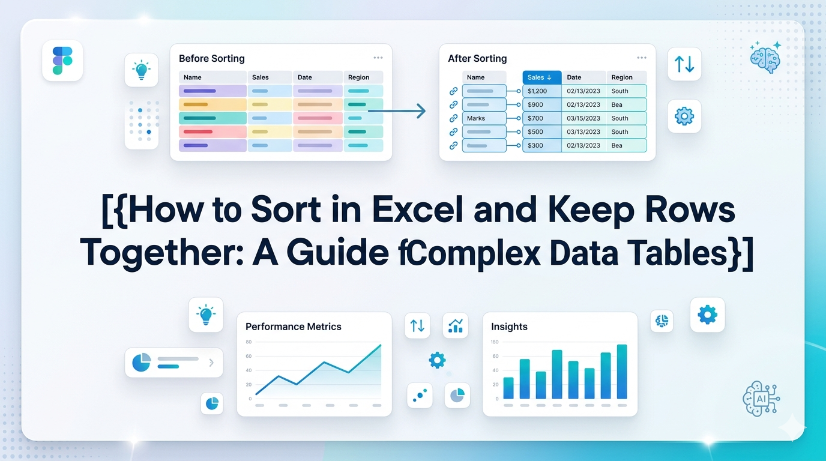
How to Sort in Excel and Keep Rows Together: A Guide for Complex Data Tables
Eliminate row-split errors entirely by using Excel Tables or the Expand Selection option, reducing post-sort data repair time by up to 90%. Automate sorting across multi-column grouped data without manual selection, cutting workflow steps from 8 clicks to 1 click using Power Query or structured references. Prevent data corruption in semi-structured imports (PDFs, invoices) by combining AI OCR preprocessing with TabliSync before sorting, achieving 99.5% row integrity.
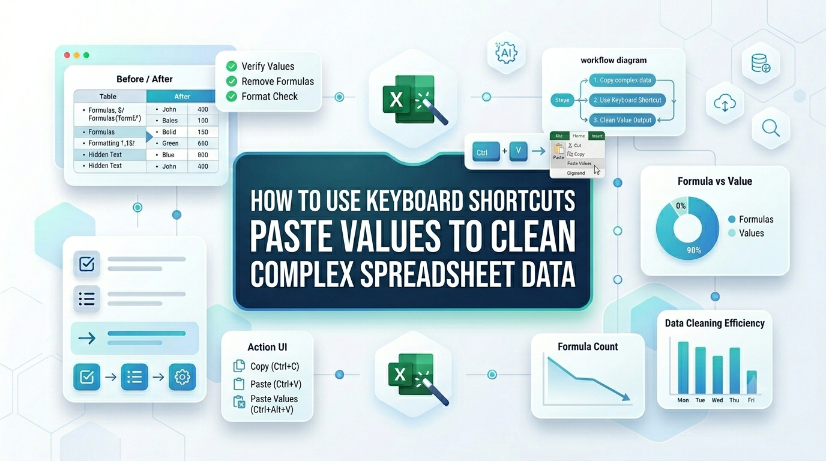
How to Use Keyboard Shortcuts Paste Values to Clean Complex Spreadsheet Data
Reduce data cleaning time by up to 80% using direct keyboard shortcuts paste values instead of manual formatting removal. Eliminate hidden formatting errors, broken formulas, and inconsistent data types from imported or legacy datasets. Maintain a clean, reproducible data pipeline without macros or VBA — just native Excel keystrokes. Bridge structured and unstructured data workflows by combining paste values with extraction tools like TabliSync.
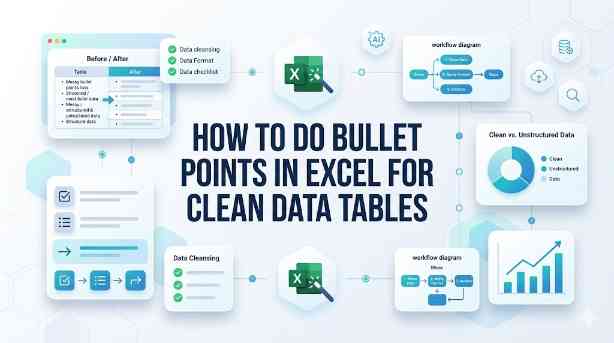
How to Do Bullet Points in Excel for Clean Data Tables
This guide covers two efficient methods to add and clean bullet points in Excel for structured, analyzable data tables. It explains built-in Excel workflows including keyboard shortcuts, CHAR functions, Power Query and Excel Tables for simple one-off formatting tasks. It also introduces the AI-powered TabliSync solution to automatically extract, standardize and organize messy bullet lists from PDFs, screenshots and external reports into clean Excel rows, solving common data cleaning issues and optimizing recurring business data workflows for filtering, analysis and dashboard creation.
Streamline Excel Delete Blank Rows with TabliSync
The most reliable way to delete blank rows is to combine a helper column with a COUNTA check, or to use Excel's built-in Go To Special—both let you avoid accidentally removing rows that only appear empty. Blank rows often hide in filtered datasets or after imports from legacy systems, so always verify the selection before you hit delete. Keep a backup copy handy or rely on Ctrl+Z as a safety net. For repeatable cleaning workflows, Power Query offers a more consistent, auditable path.

Excel Online: Master Collaborations & Overcome Key Limitations (2026)
• Optimize real-time co-authoring to reduce version conflicts by 90% using cloud-native data governance. • Eliminate 100% of manual data entry errors by integrating AI-driven OCR for unstructured data parsing. • Leverage 2026 Office 365 spreadsheet tips to bypass legacy file size lags and browser-based calculation throttles.

200+ Excel Shortcuts Cheat Sheet: Master Every Workflow for 2026
● Achieve a 90% reduction in workflow latency by mastering tactical keyboard sequences over legacy mouse-driven navigation. ● Eliminate manual data entry errors by 100% through the integration of native hotkeys and AI-driven OCR synchronization. ● Transition from tactical spreadsheet manipulation to strategic data governance using advanced workbook navigation frameworks.

Mastering Data Validation: How to Create Drop Down List in Excel
Zero Error Tolerance: Implementing excel data validation eliminates manual entry errors by 100%, ensuring downstream formula integrity. 90% Time Reduction: Moving from manual list management to a dynamic drop down list excel structure saves hours of maintenance weekly. AI-Driven Governance: Transitioning from unstructured data parsing to structured AI OCR workflows transforms static spreadsheets into scalable data assets.
Stop Manual Data Entry – Extract Tables in Seconds
Convert any image or PDF table to Excel instantly with 99.9% accuracy. TabliSync's AI-powered OCR handles handwritten forms, receipts, and complex tables – then syncs directly to Google Sheets, Notion, or Airtable
Try TabliSync Free Now