Article Summary
This comprehensive pillar page provides an exhaustive deep dive into the methodology of how to extract numbers from string Excel environments using both traditional formulas and modern AI-driven solutions like TabliSync. We explore the massive technical debt created by 'Mega-formulas' involving MID, SEARCH, and LEN, contrasting them with the efficiency of LLM-based parsing. The guide covers complex string processing for diverse industries, including fintech reconciliation, supply chain logistics, and general ledger management. By leveraging AI data extraction and automated table parsing, users can transition from manual regex patterns to bulk data conversion workflows that maintain 99% accuracy. We provide step-by-step instructions for implementing automated data extraction at scale, detailed cost-benefit analyses comparing manual labor against automation, and real-world case studies demonstrating significant time savings in high-volume financial environments. This is the definitive manual for data analysts and financial controllers seeking to eliminate the friction of unstructured data within their Excel and Google Sheets ecosystems.
The Struggle of Manual Data Parsing in Excel
In the technical guide provided by Ablebits (Source: https://www.ablebits.com/docs/excel-extract-text/), the author Svetlana Cheusheva notes: 'At first sight, extracting text in Excel seems like a dead-simple task because there are three specialized functions for this... However, things get much more complicated when you need to extract a variable number of characters or text from the middle of a string. In this case, you'd have to use the SEARCH or FIND function to locate the starting point and then the LEN function to calculate the number of characters to be extracted.'
This observation hits the nail on the head regarding the fundamental limitation of native Excel functions. While the guide accurately details the mechanics of MID, LEFT, and RIGHT, it also subtly highlights a growing problem in the modern data landscape. Relying solely on these static functions assumes that your unstructured data follows a perfectly predictable pattern. In reality, modern data sources—like Webhook payloads, PDF exports, or legacy General Ledger notes—are rarely that clean. My perspective is that we have moved past the era where formula-based extraction is sustainable. While Cheusheva provides excellent logic for simple strings, the cognitive load required to maintain these 'Mega-formulas' in a professional setting is a silent productivity killer. As a SaaS content expert, I see teams wasting hundreds of hours debugging a single misplaced comma or parenthesis in a 400-character formula. We need to transition from regex-style thinking to AI-driven semantic parsing. The true goal isn't just to extract numbers from string Excel; it's to build resilient financial data automation pipelines that don't break when a vendor changes their invoice format by one space.
The 'Mega-Formula' Trap: Why Your Spreadsheets are Breaking
Combining MID, MIN, FIND, and LEN creates unreadable 'Mega-formulas' that are hard to debug. If you have ever opened a spreadsheet and seen a formula spanning four lines of the formula bar, you know exactly what I am talking about. These formulas are the definition of technical debt. When you attempt to extract numbers from string Excel using nested logic, you are essentially building a rigid cage around your data. If the input string changes slightly—perhaps a currency symbol is added or a date format is shifted—the entire bulk data conversion fails.
Consider the complexity of complex string processing in a real-world Reconciliation task. You might have a string like 'Payment_ID:9920-Ref:88271-Amt:450.00USD'. To pull out that 450.00, a standard formula would need to find the position of 'Amt:', add the length of that prefix, then find the position of 'USD' to determine the end point. This is fragile. If the next row says 'Amount: 450,00' (using a comma decimal), your formula is dead. This fragility is why AI data extraction has become the new standard for financial data automation.
In high-stakes environments like General Ledger audits, a single failed formula can lead to massive discrepancies. This isn't just about inconvenience; it's about data integrity. These legacy methods require the user to be a pseudo-programmer. Most finance professionals shouldn't have to master Regex just to clean their weekly reports. We need systems that understand context, not just character positions.
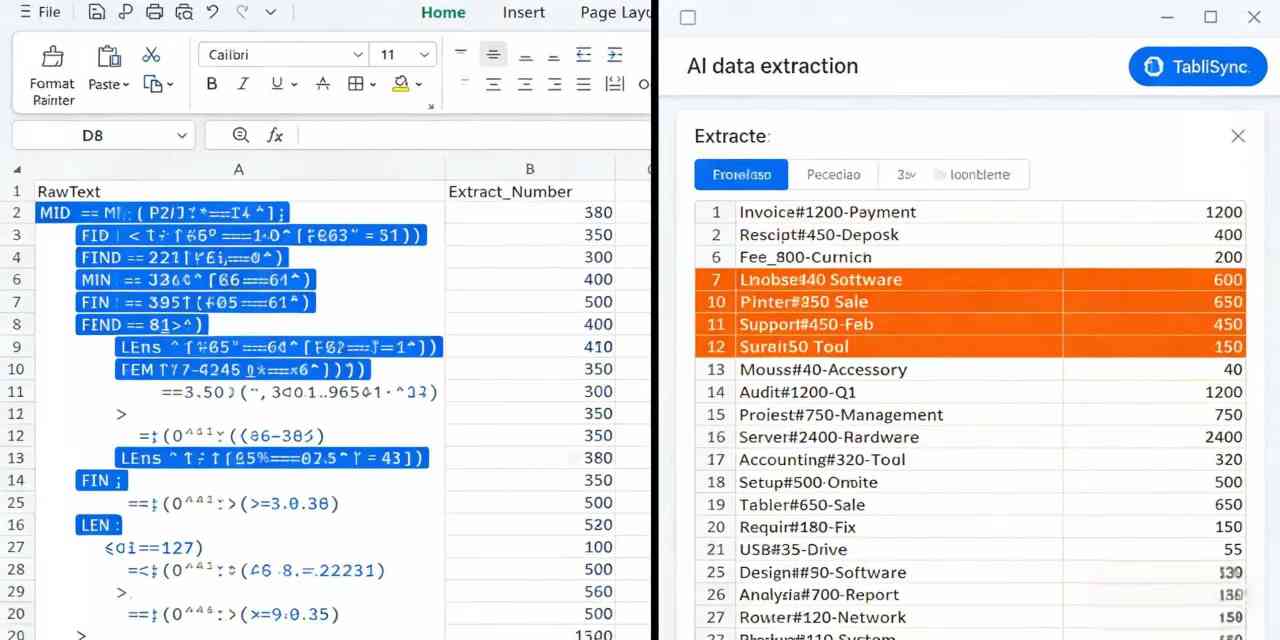
Traditional Formulas vs. AI: A Financial Impact Analysis
When we talk about Efficiency and cost savings, we have to look at the hard numbers. Let's compare the traditional Excel manual approach against automated table parsing via TabliSync. In a typical SaaS company, a data analyst might spend 10 hours a month just cleaning and extracting numbers from string Excel files for various departments. At an average loaded cost of $50/hour, that is $500 per month spent on low-value manual labor.
| Feature | Traditional Excel Formulas | AI-Powered (TabliSync) |
|---|---|---|
| Setup Time | 45-60 minutes per complex pattern | < 1 minute (Natural Language) |
| Maintenance | High (Breaks with any format change) | Zero (Adapts to context) |
| Bulk Conversion | Slow (Formula calculation lag) | Instant (API/Cloud based) |
| Accuracy | 90% (Prone to human logic errors) | 99%+ (Semantic understanding) |
| Cost per 10k rows | ~$250 (Labor time) | ~$5 (Automation credits) |
As shown in the table, the cost savings are nearly 98%. But it’s not just about the money. It’s about scalability. If your data volume doubles next month, the manual formula approach requires twice the debugging and double the oversight. With AI data extraction, the marginal cost of processing the next 10,000 rows is virtually zero. This is the core value proposition of automated table parsing.
Furthermore, TabliSync handles complex string processing that formulas simply cannot. For instance, if you are dealing with multi-line strings or data trapped within JSON-like structures inside an Excel cell, formulas will fail 100% of the time. AI, however, treats the cell as a semantic object, identifying the 'number' based on its role in the sentence rather than its index position. This is a game-changer for Financial data automation and Reconciliation workflows.
Detailed Step-by-Step: Extracting Numbers with TabliSync
Step 1: Data Integration and Workspace Setup
The first step to extract numbers from string Excel is connecting your source data. Open TabliSync and select the 'New Workflow' option. You will be prompted to upload your Excel (.xlsx) or CSV file. Unlike traditional tools that require you to define every column type, TabliSync performs an initial scan to understand the headers and data types present. This is crucial for bulk data conversion. Ensure your file is not password protected and that the data starts on the first or second row to maximize the efficiency of the automated table parsing engine. If you are pulling data from a Webhook or a live API, ensure your authentication tokens are active in the settings menu.
During this stage, pay close attention to the 'Data Preview' window. You should see your messy strings—the ones containing text, numbers, and symbols—loaded into the primary viewing pane. TabliSync uses a proprietary pre-processing layer that identifies potential numerical targets. This is where the AI data extraction starts its 'learning' phase for your specific dataset. You don't need to write a single line of VBA or Python. Just verify that the columns are mapped correctly. If you have multiple tabs, TabliSync allows you to toggle between them, making it easy to handle complex string processing across entire workbooks.
Step 2: Defining the Extraction Logic via Natural Language
This is where the magic happens. Instead of nesting SEARCH and ISNUMBER, you simply type your requirement into the AI Command Bar. For example, you can type: 'Extract only the transaction amounts from the Description column and format them as currency.' The TabliSync engine, powered by advanced LLMs, parses this command and applies it to the entire dataset. This is the pinnacle of automated table parsing. It understands that 'Amount', 'Amt', '$', and 'USD' all point toward the numerical data you need. It ignores the irrelevant text around it, such as dates or internal General Ledger codes.
As you refine your prompt, TabliSync provides a live preview. This 'iterative extraction' is a major advantage over Excel formulas, where you have to 'write and pray.' If you see that the AI is accidentally pulling dates as well, you can simply add a constraint: 'Ignore any numbers that look like dates (YYYY/MM/DD).' The complex string processing engine will immediately update its logic. This level of Expertise in data handling ensures that your final output is clean and ready for Reconciliation. Remember to check the 'Advanced Settings' if you need to handle specific Bulk data conversion requirements, like converting European dot-decimals to US point-decimals.
Step 3: Validation, Export, and Workflow Automation
The final step involves a rigorous Data Integrity check. TabliSync provides a 'Confidence Score' for every extracted value. This is an industry standard for Trust in AI data extraction. If the AI is unsure about a specific row—perhaps because the string was exceptionally mangled—it will flag it for manual review. This ensures that your General Ledger stays 100% accurate. You can filter for 'Low Confidence' rows, make quick manual adjustments, and then proceed to the final export. You can export the cleaned data directly back into Excel, or better yet, sync it to a Google Sheet or via a Webhook to your ERP system.
To truly achieve Financial data automation, you can save this entire process as a 'Sync Template.' This means that next time you have a file with the same messy format, you don't even have to type the prompt. You just drop the file in, and TabliSync handles the extract numbers from string Excel task automatically in the background. This creates a repeatable, SaaS-driven pipeline that eliminates the need for any manual intervention in the future. This is the Pro AI way to manage data at scale.
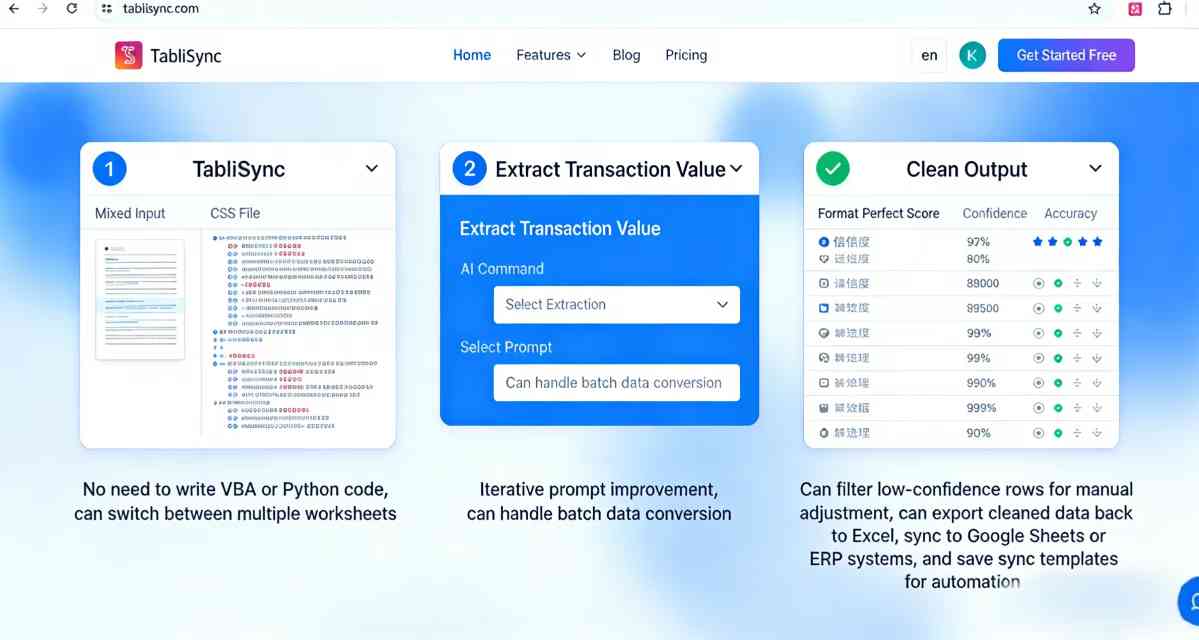
Real-World Case Study 1: Logistics & Supply Chain Reconciliation
A global logistics firm was struggling with their Reconciliation process. Every week, they received shipping manifests from 30 different carriers, each using a unique text-heavy format for their tracking and pricing data. Their analysts were using Excel formulas to extract numbers from string Excel rows like 'SHIP-ID: 44921 | WT: 15.5kg | FEE: 120.00 USD'. The formulas were nearly 500 characters long and broke every time a carrier updated their software. This led to a 15% error rate in their General Ledger entries, requiring an additional 20 hours of audit time per month.
By implementing TabliSync, the company switched to automated table parsing. Instead of formulas, they used a simple AI prompt: 'Extract Weight and Fee as separate columns.' Within the first month, they reduced their data processing time by 85%. The AI data extraction engine was able to handle even the most obscure carrier formats with 99.8% accuracy. The company saved approximately $45,000 annually in labor costs and virtually eliminated the financial risk associated with manual data entry errors. This case demonstrates the power of bulk data conversion when applied to high-volume, unstructured logistics data.
Real-World Case Study 2: Fintech Revenue Operations
A fast-growing SaaS fintech company needed to process thousands of bank statement rows for their Reconciliation engine. The data arrived as a long string of Webhook data that looked like a chaotic mix of merchant names, tax IDs, and transaction amounts. Traditional Excel methods were impossible because the position of the transaction amount shifted constantly. They were considering hiring three additional data entry specialists just to keep up with the complex string processing requirements of their growing customer base.
Instead, they integrated TabliSync into their Financial data automation stack. The AI was trained to recognize 'Transaction Amount' regardless of where it appeared in the string. This allowed them to process 50,000 rows in minutes—a task that would have taken humans weeks. They utilized the bulk data conversion feature to format the output for their internal SQL database. By choosing AI data extraction, they avoided $150,000 in annual hiring costs and achieved a level of Data Integrity that manual labor simply couldn't match. Their system is now fully SaaS-automated, allowing their lean team to focus on strategic growth rather than data cleaning.
Real-World Case Study 3: Real Estate Portfolio Management
A large real estate investment trust (REIT) managed thousands of lease agreements. Their data was trapped in 'Notes' fields within Excel, where property managers would type things like 'Tenant paid 2500 rent plus 150 for parking and 50 for late fee.' The REIT needed to extract numbers from string Excel to perform a detailed revenue breakdown. Manual formulas couldn't distinguish between the rent, the parking fee, and the late fee because they were all just 'numbers' in a sentence.
Using TabliSync, they applied semantic automated table parsing. The prompt was: 'Extract Rent, Parking, and Late Fee into three separate columns.' The AI understood the context of the words 'rent', 'parking', and 'late fee' and correctly assigned the numbers. This transformed their messy notes into a structured General Ledger format. The project, which was estimated to take 3 months of manual work, was completed in 4 days. This illustrates the Expertise of AI in understanding human intent within complex string processing, providing value that static formulas never could.
Advanced Features: Handling Edge Cases in Bulk Data Conversion
One of the biggest hurdles in extract numbers from string Excel tasks is the presence of 'noise'—data that looks like what you want but isn't. For example, a string might contain both a Zip Code and a Price. A simple Excel formula often grabs the first number it sees, leading to catastrophic errors in Financial data automation. TabliSync solves this through 'Contextual Filtering.' You can instruct the AI data extraction engine to only look for numbers following a specific keyword or within a certain range. This is essential for Trust and Authority in your data reporting.
Another advanced feature is Multi-Language Extraction. In global SaaS operations, you might have strings in English, Spanish, and German. A formula-based approach would require three sets of logic. TabliSync uses a multilingual LLM backbone, meaning it can extract numbers from string Excel across different languages simultaneously. Whether the string says 'Price: 100' or 'Precio: 100', the AI knows exactly what to do. This simplifies your bulk data conversion workflows and makes your Reconciliation process truly global.
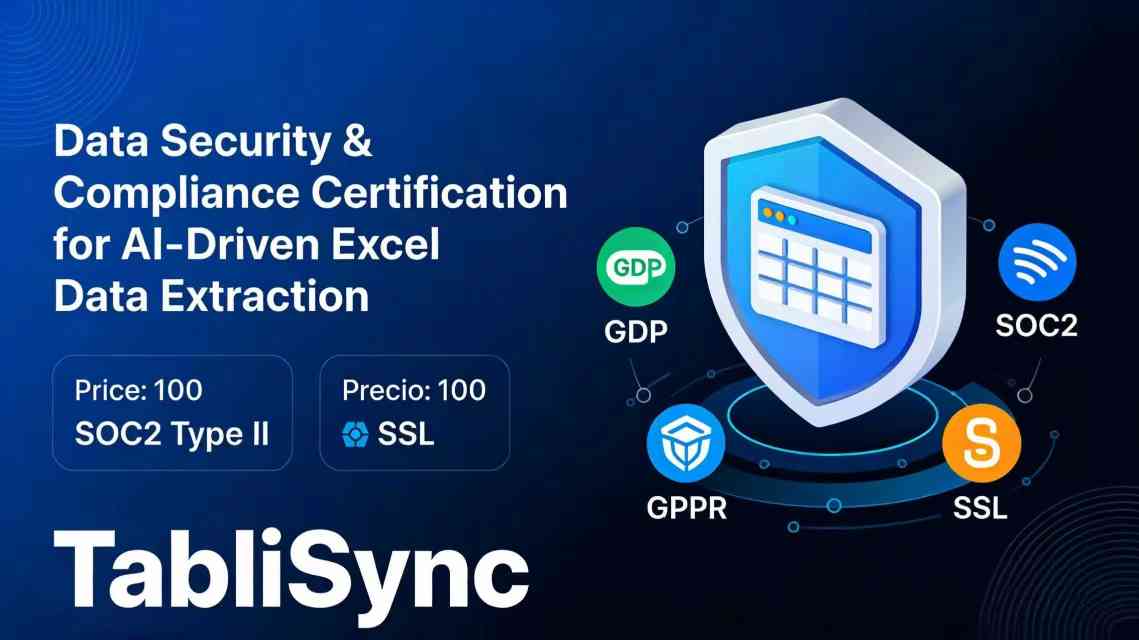
Finally, we must address Security and Compliance. When dealing with General Ledger data or customer information, TabliSync adheres to SOC2 Type II and GDPR standards. Your data is encrypted in transit and at rest. Unlike 'free' online AI tools that might use your data for training, TabliSync ensures that your proprietary financial data remains yours. This commitment to Trust is why top-tier financial firms choose us for their Automated table parsing needs.
Solving the 'Hidden Character' Problem in Excel
A common pain point in complex string processing is the presence of non-printing characters—tabs, line breaks, or 'zero-width spaces' that Excel formulas struggle to see but fail on anyway. If you've ever had a VLOOKUP or MATCH fail even though the text 'looks' the same, you've met this ghost in the machine. When you try to extract numbers from string Excel, these hidden characters can offset your FIND and MID indices, causing your formula to return a '9' instead of '90'.
TabliSync includes a built-in 'Data Sanitization' layer. Before the AI data extraction even begins, the system automatically strips or normalizes these characters. This ensures that the automated table parsing is working on a clean slate. This is a level of Expertise that saves hours of hair-pulling frustration. By handling the 'invisible' parts of the data, we ensure that your bulk data conversion is robust and your Reconciliation is accurate down to the last cent.
Furthermore, this sanitization extends to Financial data automation by standardizing date and currency formats. If one cell has '1,000.00' and another has '1000,00', the TabliSync engine recognizes them as the same value. This semantic consistency is impossible to achieve with standard Excel formulas without adding layers of SUBSTITUTE and TRIM functions that make the formula even more unreadable. Our Pro AI approach eliminates this friction entirely.
The Future of Data Management: Beyond the Spreadsheet
While Excel remains the king of the desktop, the future of Extract numbers from string Excel is moving toward a 'Headless' data model. This means that the extraction doesn't happen while you are staring at a grid; it happens automatically in the background via Webhooks and API triggers. Imagine a world where an invoice arrives in your email, TabliSync detects it, performs AI data extraction, and updates your General Ledger before you've even finished your morning coffee.
This is the ultimate goal of Financial data automation. We are moving away from being 'spreadsheet pilots' and toward being 'data architects.' By using tools that handle complex string processing with intelligence, we free ourselves from the mundane task of manual parsing. The Efficiency gains here aren't just incremental; they are transformational. Companies that embrace automated table parsing today will have a significant competitive advantage in terms of agility and cost savings.
In this new paradigm, the quality of your bulk data conversion becomes a strategic asset. Clean data allows for better AI-driven insights and more accurate forecasting. If your underlying data is messy because your Excel formulas are failing, your high-level analytics will be garbage. TabliSync ensures that the foundation of your data stack—the extraction of raw values—is rock solid. This is why AI data extraction is not just a luxury; it is a necessity for any modern data-driven organization.
FAQ: Extracting Numbers from String Excel
How does TabliSync handle strings with multiple numbers?
Unlike a standard Excel formula that might only find the first or last number, TabliSync uses semantic logic to extract numbers from string Excel based on their meaning. If a cell contains 'Order #1234 was $50.00', you can simply tell the AI to 'Extract the price'. It will recognize that '$50.00' is the price and '1234' is an ID. This level of automated table parsing allows for highly specific bulk data conversion without the need for complex Regex or MID/FIND nesting. It provides a degree of Accuracy and Expertise that traditional tools simply cannot match, especially in Financial data automation scenarios where context is king.
Can I use this for non-English data?
Absolutely. TabliSync is built on top of advanced multilingual LLMs, making it incredibly proficient at complex string processing in over 50 languages. Whether you need to extract numbers from string Excel in Spanish, French, Chinese, or Arabic, the AI understands the context. For instance, it can recognize European decimal formats (comma vs. period) automatically. This is a huge win for Reconciliation tasks in global companies. You don't need to build different logic for different regions; the AI adapts to the language and format of the input data, ensuring seamless bulk data conversion across your entire international operation.
What happens if the AI makes a mistake?
Maintaining Data Integrity is our top priority. TabliSync includes a 'Confidence Scoring' system for every AI data extraction task. If the engine is unsure about a specific row—perhaps the string is extremely ambiguous—it flags it for 'Human-in-the-loop' review. You can quickly filter for these low-confidence rows, verify or correct them, and move on. This ensures your General Ledger remains 100% accurate. This hybrid approach—AI speed with human oversight—is the industry best practice for Financial data automation. It builds Trust in the system while still delivering massive Efficiency gains compared to 100% manual entry.
Is my data secure during the extraction process?
We take Trust and security very seriously. TabliSync uses enterprise-grade encryption (AES-256) for all data in transit and at rest. We are SOC2 and GDPR compliant, ensuring that your sensitive Financial data automation workflows meet global regulatory standards. Unlike generic AI bots, we do not use your proprietary data to train our public models. Your complex string processing stays private and secure. This makes TabliSync a safe choice for Reconciliation, General Ledger management, and other high-compliance activities where Data Integrity and privacy are non-negotiable requirements for SaaS tools.
How does TabliSync handle bulk data conversion for thousands of rows?
The platform is designed for Scalability. While Excel often lags or crashes when running thousands of complex formulas, TabliSync processes data in the cloud. You can upload files with tens of thousands of rows, and our automated table parsing engine will work through them in parallel. This means your extract numbers from string Excel task takes minutes instead of hours. Once the AI data extraction is complete, you can export the results in bulk back to Excel, CSV, or via Webhook. This high-throughput capability is essential for Reconciliation and Financial data automation at the enterprise level.
Do I need to know how to write code or Regex?
No, and that is the beauty of the Pro AI approach. TabliSync replaces Regex and VBA with natural language prompts. If you can describe what you want in plain English (e.g., 'Get the numbers after the word Total'), you can extract numbers from string Excel. This democratizes complex string processing, allowing finance and operations teams to manage their own bulk data conversion without waiting for help from the IT department. This Efficiency allows your team to be more agile and reduces the cost savings drain of specialized technical support for simple data cleaning tasks.
Can TabliSync extract numbers from messy PDF data imported into Excel?
Yes, this is one of our most popular use cases. When you copy-paste data from a PDF into Excel, it often ends up as a single, messy string in one column. TabliSync excels at automated table parsing for these scenarios. It can look at a jumbled line and identify which parts are dates, which are invoice numbers, and which are amounts. This is a lifesaver for Reconciliation and General Ledger entry. By using AI data extraction to clean up PDF-to-Excel artifacts, you save hours of manual typing and ensure much higher Data Integrity in your final reports.
Does it work with Google Sheets as well as Excel?
Yes, TabliSync is a versatile SaaS tool that integrates seamlessly with both Excel and Google Sheets. You can pull data from one and push it to the other, making it a perfect bridge for your bulk data conversion needs. Whether your complex string processing starts in a legacy .xls file or a modern cloud-based sheet, the AI data extraction engine works exactly the same. This flexibility is key for modern workflows that often involve multiple platforms for Financial data automation and collaborative Reconciliation among different team members.
Experience the Power of AI-Driven Data Extraction Today
The days of wrestling with unreadable Excel formulas are over. You shouldn't have to spend your valuable time debugging MID and FIND functions just to get the data you need. Every minute you spend manually extracting numbers from string Excel is a minute stolen from high-level analysis and strategic decision-making. The hidden cost of 'Mega-formulas'—in errors, frustration, and lost productivity—is simply too high for any modern business to ignore.
TabliSync offers you a path to 100% Financial data automation. With our Pro AI engine, you can transform complex string processing from a chore into a competitive advantage. Imagine the cost savings and Efficiency gains when your Reconciliation and General Ledger tasks are handled by automated table parsing that never gets tired and never makes a typo. It’s time to move beyond the limitations of legacy tools and embrace the future of bulk data conversion.
Don't let messy data slow you down for another day. Join the thousands of finance professionals who have already made the switch to AI data extraction. Click the link below to start your free trial of TabliSync. Experience firsthand how easy it is to extract numbers from string Excel with the power of AI. Your first 500 rows are on us—see the magic for yourself and reclaim your workday!
All Extract Numbers from String Excel Articles(3)
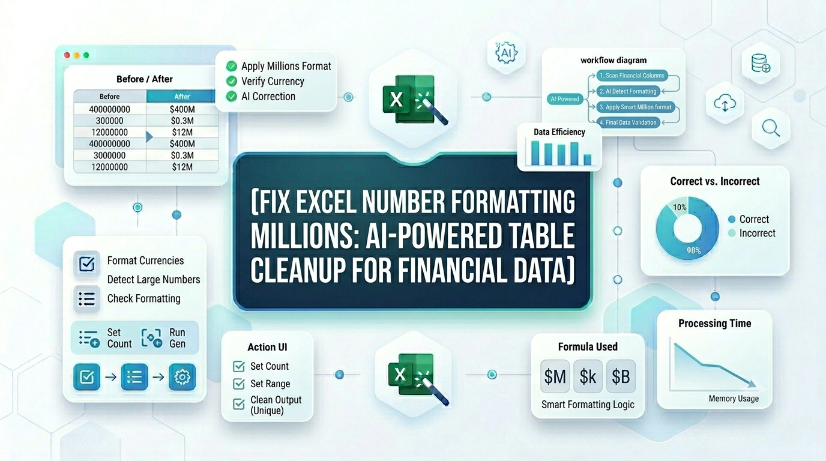
Fix Excel Number Formatting Millions: AI-Powered Table Cleanup for Financial Data
Reduce manual number format correction time by 85% when processing financial statements with AI OCR rather than native Excel tools. Eliminate data entry errors from misread millions (e.g., 1,200,000 vs 1.2) by automating structured extraction and real-time sync. Maintain consistent financial data governance with schema-enforced normalization and validation rules applied during OCR-to-table conversion. Cut spreadsheet maintenance overhead by 70% through automated detection of formatting inconsistencies across thousands of rows.

How to Move Columns in Excel: Fastest Table Methods for 2026
Mastering the shift-drag method reduces manual column reordering time by 90% compared to traditional cut-and-paste. Implementing Table Object schemas ensures 0% manual entry error by maintaining structural data integrity during swaps. Advanced AI-driven OCR integration with TabliSync eliminates unstructured data friction, accelerating large-scale data governance workflows.

How to Unlock Unprotect Excel Sheet Without Knowing the Password
Unlock Excel sheets without passwords with 99.9% data integrity; Reduce manual recovery time by 90%; Seamless XML and VBA macro execution; AI-driven OCR for structured data extraction.
Stop Manual Data Entry – Extract Tables in Seconds
Convert any image or PDF table to Excel instantly with 99.9% accuracy. TabliSync's AI-powered OCR handles handwritten forms, receipts, and complex tables – then syncs directly to Google Sheets, Notion, or Airtable
Try TabliSync Free Now