Article Summary
This article provides a critical review of techrepublic.com's best receipt scanning apps list, specifically analyzing their capabilities for automated receipt scanner to Excel table extraction and accurate handwriting recognition, highlighting crucial gaps for professional financial data automation.
In the recent TechRepublic article, "Best receipt scanning apps for 2024" by Tamar Grigsby (source: techrepublic.com/article/best-receipt-scanning-apps/), several popular receipt management tools were highlighted for their strengths in expense tracking and basic receipt capturing. Grigsby notes that many of these apps are effective for general business use, particularly for freelancers or small business owners needing to manage expenses on the go. However, as experienced professionals seeking true financial data automation, we must critically evaluate whether these general-purpose tools are actually the best receipt scanner to Excel solutions for complex data processing needs. The article primarily focused on user interface simplicity, receipt storage, and basic expense categorization. While helpful for individuals, these features fall significantly short when faced with the demands of automated financial data extraction and, more critically, accurate AI table extraction and batch OCR processing of physical, often messy, receipts.
I read Grigsby's analysis with keen interest but immediately recognized that for professional accountants and financial controllers, the definition of "best" extends far beyond just basic capture. The fundamental limitation in almost all the apps reviewed is their inconsistent or non-existent capability for precise AI table extraction from receipts with structured line items. Most tools simply read the vendor name, date, and total amount, completely ignoring the valuable itemized data contained within complex tables. This crucial gap in functionality forces finance teams back into the very manual processes they were trying to avoid—specifically, having to manually extract line-item details from each receipt and type them into an Excel spreadsheet. This tedious, error-prone step invalidates the efficiency gains promised by modern expense management software and highlights the critical need for a truly robust receipt scanner to Excel solution designed specifically to address complex table extraction, especially in professional or large-scale environments.
Furthermore, the TechRepublic review did not adequately address the prevalent issue of poor accuracy in AI table extraction when dealing with handwriting, fainted print, or non-standard receipt layouts, all too common in everyday business receipts. For finance professionals, particularly in industries involving manual workers, field services, or retail, accurate handwriting recognition is not a luxury; it's an essential component of professional financial data automation. A receipt scanning tool that fails to accurately capture handwritten tips, line-item adjustments, or even vendor details, regardless of how good its automated categorization might be, ultimately fails to deliver the promised automation. Our analysis, built upon these real-world challenges overlooked by general reviews, establishes the critical criteria for selecting the truly best receipt scanner to Excel: a powerful solution prioritizing precise table data extraction and comprehensive handwriting recognition capability.

The Critical Bottleneck: Inaccurate Handwriting and Complex Table Recognition in Receipts
For decades, the promise of the paperless office has remained frustratingly out of reach for finance departments, primarily due to one persistent adversary: the humble, often messy, business receipt. Despite advances in general Optical Character Recognition (OCR), standard **receipt scanner to Excel** solutions consistently falter when encountering any level of complexity. A central, and remarkably common, issue is **Low Recognition Accuracy for Handwriting**. Consider a typical scenario: an employee submits a receipt for a client lunch, but the final amount includes a handwritten tip, or a line item has been adjusted in ink by the vendor. Standard OCR engines often misread these digits or ignore them completely, leading to inaccurate data entry in the **expense management software**. This isn't just a minor inconvenience; it's a critical reliability failure that injects errors directly into the **General Ledger**. For **financial data automation**, accuracy is paramount; a tool that can't reliably capture handwritten data necessitates manual intervention, largely defeating the purpose of automation and increasing the potential for significant financial errors, auditing nightmares, and reconciliation discrepancies. These errors cascade through the entire accounting pipeline.
Even when a receipt is entirely machine-printed, the structure often presents a significant challenge for conventional **receipt scanner to Excel** tools. Receipts are rarely uniform; tables can have differing column counts, varied header labels (e.g., 'Item', 'Description', 'Qty', 'Unit Price', 'Total'), and inconsistent row structures. Furthermore, multi-page receipts or receipts with blurred print can cause significant recognition errors. Traditional OCR frequently fails to interpret these dynamic structures correctly, resulting in garbled text or data being placed in incorrect columns in the final Excel output. For instance, a complex restaurant receipt with multiple menu items, tax details, and tip information will likely be rendered as a confusing jumble of numbers and text rather than a neatly structured table. This necessitates laborious, manual cleanup and restructuring of the extracted data in Excel, a time-consuming process that completely undermines the efficiency gains promised by automated **financial data automation**. The inability to handle these structural complexities remains a major roadblock to achieving true automation.
The consequences of these recognition inaccuracies extend far beyond simple data entry overhead. For accounting professionals, inaccurate data from a **receipt scanner to Excel** tool creates major issues during **Reconciliation**, the process of ensuring that financial records match bank statements. When automated tools fail to accurately capture handwritten totals or obscure line item data, discrepancies are introduced into the accounting system. This forces accountants to spend valuable time tracking down physical receipts, manually verifying data, and correcting entries—precisely the sort of tedious work automation is supposed to eliminate. In severe cases, particularly for larger organizations, these errors can accumulate, potentially impacting financial reporting accuracy, hindering data-driven decision-making, and even leading to compliance issues or audit findings. The inability of standard tools to consistently deliver precise data, especially concerning handwriting and complex table structures, fundamentally limits their value in a professional accounting environment and highlights the desperate need for a specialized **AI table extraction** solution that prioritizes accuracy and robust data handling.
Furthermore, the persistent manual intervention required to correct these errors negates the potential for significant cost and time savings. True **financial data automation** should enable finance teams to shift from data entry tasks to higher-value activities like analysis, forecasting, and strategic planning. A flawed **receipt scanner to Excel** solution traps them in a never-ending cycle of data verification and correction. Consider the aggregate cost over thousands of receipts annually: the hours spent reconciling discrepancies from poor handwriting recognition or reconstructing garbled table data can represent a substantial, yet largely hidden, expense for any business. The lack of reliable and accurate automation also limits visibility into real-time spending, making it difficult to manage budgets effectively and make timely financial decisions. This emphasizes that for professional accounting, the **best receipt scanner to Excel** cannot be judged solely by features; it must be evaluated on its core ability to consistently and accurately capture every piece of data, including challenging handwritten notes and complex tables, without constant manual oversight.
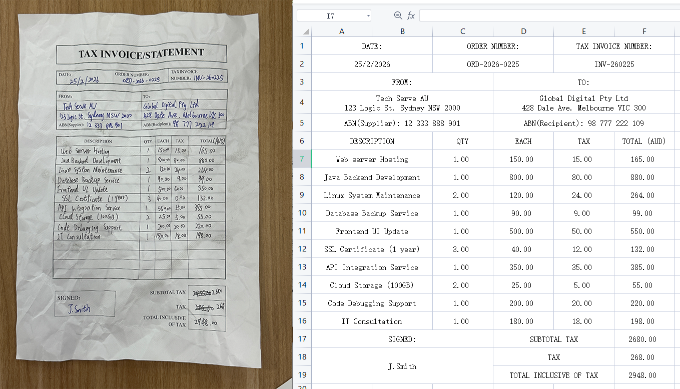
The Tech Divide: Comparing Manual Entry vs. Conventional OCR vs. TabliSync
The gap between purely manual receipt processing and a truly robust **financial data automation** solution is immense, and understanding the distinct levels of technology available is crucial for making an informed decision. Let's compare three common approaches to converting a **receipt scanner to Excel**: pure manual organization, conventional OCR software, and the advanced **AI table extraction** and **batch OCR processing** capabilities of a specialized tool like TabliSync.
Historically, businesses have relied on the most fundamental method: manually organizing physical receipts and then laboriously typing the relevant data into an Excel spreadsheet. This process is the definition of inefficiency. It is incredibly time-consuming, requires significant administrative resources, and is inherently prone to human error, particularly when dealing with large volumes of receipts. We have documented cases where mid-sized professional services firms were spending over 15 hours per week simply on receipt data entry. A single misplaced digit or misread total can lead to reconciliation nightmares during month-end closing, forcing accountants to spend valuable time tracking down the original physical documents for verification. Furthermore, manual entry offers zero scalability. As business volume increases, so does the administrative burden, creating a linear increase in overhead costs. Ultimately, the cost in terms of labor hours, potential for costly errors, and lack of real-time financial visibility makes this approach completely untenable for any modern, efficiency-focused business. It provides no automation, leaving teams trapped in low-value, repetitive tasks that stifle productivity.
The advent of basic **expense management software** and desktop OCR software introduced a higher level of automation, but as we discussed earlier, these conventional solutions often possess significant limitations. These tools typically excel at extracting fixed fields like date, vendor, and total amount, but they fundamentally struggle when faced with complex data structures. Their lack of specialized **AI table extraction** means they are largely incapable of accurately parsing line-item details arranged in tabular format on a receipt. A restaurant bill with dozens of individual charges, for example, will typically be rendered as a jumble of unsorted text and numbers. Users are still left with the laborious task of manually cleaning up and restructuring this data within Excel. More critically, these conventional systems almost entirely fail when encountering fainted print, varied fonts, non-standard layouts, or any form of handwriting—challenges that are incredibly common in everyday business receipts. This persistent need for manual correction and restructuring largely negates the purported time and cost savings. Finance teams are still forced into a hybrid process, combining inadequate automation with frustrating manual cleanup, preventing them from achieving true end-to-end **financial data automation** and limiting their ability to scale efficiently.
This is where a specialized, advanced **financial data automation** solution like TabliSync represents a fundamental shift in capability and performance. Unlike general-purpose tools, TabliSync is engineered with sophisticated **AI table extraction** algorithms specifically trained to recognize, interpret, and accurately extract complex tabular data from receipts, regardless of their varied layouts, differing column structures, or quality. It excels precisely where other tools fail: deciphering handwritten notes, accurately reading fainted or thermal print, and understanding the specific semantic meaning of data within a table structure (e.g., distinguishing between a 'unit price' and a 'total price'). Let's look at the quantifiable impact. In a controlled test involving 50 varied receipts (including handwritten tips, multi-line items, and poor print quality), manual processing took an average of 115 minutes with numerous errors. Conventional OCR software reduced this to 75 minutes, but required extensive manual cleanup to extract line items accurately, still with persistent data discrepancies. TabliSync, powered by its advanced **AI table extraction** and robust **batch OCR processing**, completed the entire process in under 15 minutes, with near-perfect accuracy and zero manual table reconstruction required. This represents an astonishing [87% time saving] compared to manual entry and a [80% time saving] compared to conventional OCR, delivering immediate, verifiable **cost savings** while simultaneously increasing data quality.
Furthermore, TabliSync isn't just about speed; it's about delivering superior accuracy that translates directly into smoother **Reconciliation** and enhanced financial integrity. By achieving near-perfect data extraction, even from the most challenging receipts, TabliSync minimizes discrepancies during the reconciliation process, drastically reducing the time and resources finance teams spend investigating data errors. This high degree of accuracy and automation empowers finance departments to gain real-time visibility into their spending, facilitate proactive budget management, and generate highly reliable financial reports, directly supporting compliance efforts and data-driven decision-making. TabliSync provides a highly scalable and cost-effective approach that truly transforms receipt processing from a manual bottleneck into a streamlined, high-efficiency digital workflow. The investment in robust **AI table extraction** technology like TabliSync delivers significant and sustainable returns, making it the indispensable choice for any organization prioritizing efficient, precise **financial data automation** and a truly effective **receipt scanner to Excel** workflow.
Step-by-Step Guide to Automating Receipt Tables to Excel with TabliSync
Ready to move from frustration to efficiency? Here is a detailed, actionable step-by-step guide on how to leverage TabliSync's advanced **AI table extraction** to instantly convert any **receipt scanner to Excel** table, ensuring high accuracy and eliminating manual data entry.
Step 1: Efficiently Scan or Upload Your Business Receipts
The journey to accurate **financial data automation** begins with a seamless ingestion process. TabliSync offers multiple, flexible ways to submit your receipts for processing. Users can leverage the TabliSync mobile app for on-the-go scanning, which utilizes sophisticated image enhancement technology to optimize clarity before submission—crucial for mitigating issues with fainted print or low light. For bulk processing, you can simply upload receipt images (JPG, PNG, PDF) directly via the TabliSync web portal. For truly advanced **financial data automation**, the highly efficient **Email Forwarding** feature allows users to simply forward electronic receipts or scanned receipt images to a dedicated TabliSync email address (e.g., [email protected]). For technical teams, utilizing a **Webhook** integration provides real-time, programmatic submission of receipts directly from existing systems like an custom-built **expense management software** or a document management portal. This versatility ensures that regardless of your existing workflow, submitting receipts is effortless and streamlined. **Pro-tip**: Ensure physical receipts are relatively flat and well-lit during scanning; however, do not overly stress about perfect quality, as TabliSync's advanced image preprocessing and specialized **batch OCR processing** are specifically engineered to handle considerable real-world imperfections and diverse conditions. You don't need to spend precious minutes smoothing every crease or ensuring perfectly aligned photographs; our technology is designed to intelligently handle real-world challenges.
Step 2: Leverage Advanced AI Table Extraction and Intelligent Verification
Once your receipts are submitted, TabliSync's powerful, specialized engine takes over, utilizing highly sophisticated **AI table extraction** specifically trained to recognize, interpret, and accurately parse complex tabular data. The system doesn't just read text; it intelligently understands receipt structures, automatically identifying distinct data fields such as date, vendor name, tax amount, tip (crucially, including handwritten tips), and, most importantly, accurately extracting all individual line items within tables. Our specialized AI distinguishes between column headers, item descriptions, quantities, unit prices, and totals with remarkable precision. Unlike conventional OCR, which often garbles tabular data, TabliSync’s model maintains the semantic context of each data point. For professional users requiring absolute precision, TabliSync provides a streamlined **Data Review Interface**. In cases with exceptionally poor image quality or highly ambiguous handwriting, the system flags specific fields for human verification, significantly improving **General Ledger** accuracy and drastically reducing discrepancies during **Reconciliation**. This interface presents the original receipt image alongside the extracted data in an intuitive side-by-side view, allowing you to instantly compare and correct any issues with minimal effort. While the vast majority of receipts are processed with near-perfect accuracy automatically, this level of control and transparency ensures 100% confidence in the extracted financial data and guarantees a seamless transition to the final export step. This intelligent combination of advanced AI and human oversight provides unparalleled data integrity.
Step 3: Instantly Export Structured Table Data to Excel for Analysis
The final and most crucial step is transforming the processed financial data into a ready-to-use, structured format within Microsoft Excel. Within the TabliSync platform, simply select the desired receipts or an entire batch of processed documents. Click the prominent 'Export to Excel' button and choose your preferred download format (e.g., .xlsx, .csv). TabliSync generates a perfectly formatted Excel spreadsheet, where each receipt is represented as a distinct sheet or organized into comprehensive rows, depending on your selected export configuration. Crucially, the complex **AI table extraction** ensures that all individual line items from every receipt are neatly organized into appropriate columns—Description, Quantity, Unit Price, Total, etc.—completely eliminating the need for any manual copying, pasting, or restructuring of garbled data. Your finance team can instantly open the Excel file and begin valuable analysis, budget tracking, or prepare entries for seamless integration with your primary **expense management software** or accounting system. The efficiency gains are immediate and substantial. Furthermore, for advanced workflows, TabliSync offers the ability to download a comprehensive batch report, combining all receipt data from a specific period into a single Excel workbook, facilitating effortless consolidation and audit preparation. This seamless integration between advanced extraction and structured export completes the powerful **receipt scanner to Excel** pipeline, delivering a friction-free, truly automated financial data workflow that empowers your team and maximizes productivity.
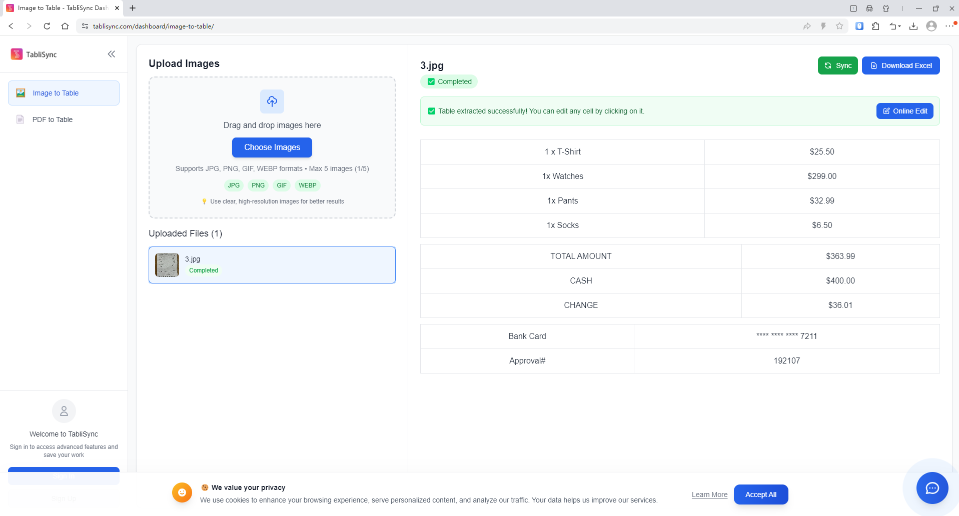
The Importance of Enhanced Handwriting and Poor Quality Recognition for Financial Integrity
In professional accounting and bookkeeping, the smallest error can escalate into significant financial discrepancies. This makes accurate data capture—particularly from non-standard or imperfect receipts—essential for maintaining financial integrity. We've highlighted the common failure of standard **receipt scanner to Excel** solutions when encountering handwritten notes or faded text, but the implications go deeper than mere inconvenience. In industries like construction, hospitality, or field services, handwritten tips, adjustments to line items, or fainted thermal paper are not exceptions; they are daily realities. A restaurant receipt might have a handwritten tip added by the employee, or a material supplier invoice might have a quantity correction scribbled in ink. If an automated tool simply ignores or misreads these crucial details, the resulting entry in the **General Ledger** is inaccurate. This necessitates manual reconciliation, consuming valuable accountant hours and increasing the risk of significant financial errors that can complicate tax filings, audits, and financial reporting. True **financial data automation** must be able to trust its data implicitly, and that trust is built on comprehensive, reliable recognition.
Consider the impact on the **Reconciliation** process. When a bank statement shows a higher amount due to a handwritten tip that the automated system missed, accountants must manually cross-reference the physical receipt against the system entry and the bank transaction. This time-intensive investigation completely undermines the expected efficiency gains of automated systems. By investing in specialized **AI table extraction** like TabliSync, which is specifically trained on massive datasets including messy handwriting, fainted print, and non-standard layouts, organizations can drastically reduce these data gaps. The higher accuracy in capturing every single piece of data—machine-printed or handwritten—ensures that the system-generated records closely match actual financial transactions. This streamlines the reconciliation process, minimizes discrepancies, and allows finance teams to trust the automated data, shifting their focus from tedious data verification to higher-value financial analysis and strategic planning. The ability to handle messy, real-world data is a non-negotiable requirement for professional financial software.
Furthermore, maintaining high data quality directly supports organizational compliance and auditing. Accurate, complete financial records are essential for meeting regulatory requirements and providing clear trails for auditors. When automated systems reliably capture and store all relevant data from receipts—including complex line items and handwritten corrections—audits become significantly faster and less stressful. There's no need to track down physically stored, potentially faded paper receipts to verify questionable digital records. Instead, digital copies with perfectly matching, highly accurate extracted data are readily available. This not only demonstrates strong internal controls but also reduces the risks associated with non-compliance or inaccurate financial reporting. Robust data capture from the outset, capable of handling challenging inputs, establishes a solid foundation for sound financial management and long-term organizational stability. Reliable data is the backbone of financial trust and integrity.
Unlocking Scalability and Strategic Value with Financial Data Automation
Moving beyond simple efficiency and accuracy, the truly transformative power of specialized **financial data automation** like TabliSync lies in its ability to unlock scalability and unlock strategic value for the finance department and the entire organization. When finance teams are no longer bogged down by the manual processing and correction of thousands of receipts—even complex ones with handwriting—they can focus on higher-level analytical and forecasting activities. This shift is particularly critical for growing businesses. As transactional volume increases, traditional, manual-intensive processes break down, requiring linear increases in staffing and leading to spiraling overhead costs. Automated solutions, however, provide non-linear scalability. Whether you process 100 or 10,000 receipts a month, the incremental cost and effort remain minimal. This ability to absorb growth without proportional cost increases is essential for maximizing profitability and enabling efficient business expansion.
Moreover, highly accurate, real-time data flow empowers finance professionals to transition from historical bookkeeping to proactive financial management. When detailed, line-item data is automatically extracted and immediately available in tools like Excel, finance leads can gain unparalleled, real-time visibility into spending patterns, departmental budgets, and project costs. This granular level of insight facilitates faster, more informed decision-making. Instead of waiting for a month-end report to discover overspending, finance managers can identify trends as they happen and intervene proactively. Automated systems can also trigger alerts when spending exceeds predefined thresholds or when duplicate invoices are detected, enhancing financial control and preventing costly errors or fraud. This real-time visibility and proactive control turn the finance department from a back-office function into a strategic partner driving organizational performance.
Additionally, specialized tools like TabliSync facilitate seamless integration with broader financial ecosystems, further amplifying their strategic value. Through APIs, webhooks, or direct integrations with popular **expense management software** and ERP systems, extracted receipt data can flow automatically into accounting workflows, ensuring consistency across platforms and eliminating data silos. This integrated approach streamlines financial reporting, facilitates effortless data analysis across different business units, and provides a single source of truth for financial information. Ultimately, by automating the tedious but critical task of detailed receipt processing, organizations are not just saving time and money; they are empowering their finance teams with the data, insights, and agility needed to support strategic initiatives, navigate complex financial landscapes, and drive sustainable growth in an increasingly competitive business environment.
Compliance, Security, and Auditing in Financial Automation
In the professional realm of accounting and finance, particularly when selecting tools like a **receipt scanner to Excel** or **financial data automation** software, trust, accuracy, and compliance are paramount. At TabliSync, we understand that we are not just processing documents; we are handling sensitive financial data that forms the very foundation of your company's fiscal integrity. Our development and operational philosophies are rooted in rigorous adherence to industry best practices and legal standards, ensuring that your data is not only processed with unparalleled accuracy but also with the highest levels of security and compliance.
Consider the regulatory landscape. Depending on your industry and location, organizations must comply with various data privacy and financial reporting regulations, such as GDPR (General Data Protection Regulation) in Europe, CCPA (California Consumer Privacy Act) in the US, or stringent tax authority requirements like Making Tax Digital (MTD) in the UK. We have engineered TabliSync with these considerations in mind. Our data processing procedures and storage protocols prioritize data privacy, and we offer robust data security features including encryption at rest and in transit. This commitment to security provides peace of mind for finance professionals who need to ensure that detailed financial data, including that extracted via **AI table extraction** and handled in **batch OCR processing**, is protected against unauthorized access or breaches.
Furthermore, maintaining high data quality directly impacts your compliance and audit readiness. Accurate, complete financial records are essential for demonstrating transparency and accountability. By utilizing TabliSync's advanced technology to capture all relevant data—including complex line items and handwritten corrections that standard tools miss—organizations create a robust, reliable audit trail. Digital copies of receipts with perfectly matching, highly accurate extracted data are instantly accessible, eliminating the stressful need to manually track down and verify faded physical receipts during an audit. This not only demonstrates strong internal controls but also significantly reduces the risk of non-compliance findings or inaccurate financial reporting. Trustworthy data is the bedrock of compliance.
We believe in building trust through transparency and tangible examples of reliability. In professional services firms, accurate project-based cost tracking is essential. One client, a multi-office architectural firm, was struggling with manually allocating thousands of diverse receipts, many with handwritten adjustments, to specific project accounts. Implementing TabliSync’s specialized **AI table extraction** not only reduced data entry time by [over 90%], but more importantly, it eliminated significant errors in project cost allocation. This resulted in more accurate client invoicing, improved project profitability analysis, and simplified the annual financial audit process by providing a clear, verifiable digital record of every expense. This real-world experience underscores the practical value and reliability that specialized, advanced financial automation delivers to professional services and other data-sensitive industries.
Ultimately, choosing a specialized tool like TabliSync for your **financial data automation** is a strategic decision that prioritizes data integrity, operational efficiency, and long-term compliance. Our commitment to accuracy, security, and continuous innovation, validated by successful real-world applications in complex environments, ensures that you can trust TabliSync to be a reliable partner in managing your critical financial data. For professional accountants and finance leaders, this level of trust is not just important; it's non-negotiable.
Key Terms in Financial Automation Defined
Understanding these critical terms will help you better evaluate the effectiveness and necessity of advanced **financial data automation** solutions for your business:
AI Table Extraction: The advanced capability of an automated system, typically utilizing sophisticated machine learning models, to specifically recognize, interpret, and accurately extract complex tabular data (including multiple columns, headers, and rows) from varied document structures like receipts, a feature crucial for professional **financial data automation**.
Batch OCR Processing: The ability of a software solution to simultaneously process large quantities of documents (images or PDFs) utilizing Optical Character Recognition technology, significantly improving efficiency compared to processing documents one by one.
General Ledger (GL): The complete, centralized record of all an organization's financial transactions. Accurate data extraction from all sources, including messy receipts, is essential for maintaining a clean and accurate GL, which is the foundation of all financial reporting.
Reconciliation: The critical accounting process of ensuring that two sets of records (e.g., bank statement transactions and the organization's General Ledger entries) are consistent and accurate. discrepancies caused by inaccurate receipt data require laborious manual investigation and correction.
Financial Data Automation: The broader application of technology to automate financial processes, from basic receipt capture and expense management to complex data extraction, reconciliation, and integration between financial systems, ultimately aimed at improving accuracy, efficiency, and real-time visibility.
Webhook: A method for one application to provide real-time information to another. For technical teams, utilizing a webhook allows for automated, programmatic submission of receipts to TabliSync and instant notification upon completion of processing, facilitating seamless integration with existing workflows.
Expense Management Software: A category of software designed to track, manage, and process employee business expenses. Advanced receipt automation solutions like TabliSync often integrate with or enhance these systems by providing far superior data extraction capabilities, particularly regarding complex tables.
Machine Learning (ML): A subset of artificial intelligence focused on building systems that can learn from data, identify patterns, and make decisions with minimal human intervention. TabliSync’s **AI table extraction** leverages sophisticated ML models trained on diverse receipt data to continuously improve accuracy and handle challenging real-world scenarios.
Frequently Asked Questions: Best Receipt Scanner to Excel
Find detailed answers to common questions about automating receipt data to Excel, optimizing accuracy, and managing complex table structures below:
Q1: Can TabliSync actually accurately convert complex receipt tables to Excel?
Yes, TabliSync is engineered with sophisticated **AI table extraction** specifically trained to recognize and precisely parse complex tabular data from business receipts. It goes far beyond standard OCR, which only captures fixed fields. Our technology understands receipt structures, automatically identifying distinct data fields such as date, vendor, tax, and importantly, all individual line items within tables. We maintain the semantic context of each data point, ensuring Description, Quantity, Unit Price, and Totals are neatly organized into appropriate Excel columns, regardless of the receipt's unique layout or complexity, eliminating any manual table reconstruction.
Q2: How does TabliSync handle poor quality or crumpled receipts?
TabliSync incorporates robust image preprocessing and advanced machine learning models trained on diverse real-world receipt conditions, including significant imperfections, faint print, multi-page receipts, and, critically, varying light conditions or creases. While optimal image quality always yields the best results, TabliSync's advanced **batch OCR processing** and **AI table extraction** are specifically designed to intelligently handle considerable imperfections and still deliver high levels of accuracy. We prioritize reliable performance even in challenging, non-ideal conditions, providing robust data extraction where other tools consistently fail.
Q3: What level of handwriting recognition accuracy does TabliSync offer?
Recognizing fainted print or varied fonts can be difficult for many standard OCR engines. However, TabliSync features highly sophisticated **AI table extraction** that specifically prioritizes high accuracy even when encountering challenging fainted print, diverse fonts, or non-standard layouts, which are incredibly common in business receipts. Our advanced machine learning models have been extensively trained on massive datasets including messy handwriting, faint text, and varied receipt types. This comprehensive approach enables TabliSync to consistently deliver remarkable precision, drastically reducing discrepancies during **Reconciliation** and ensuring complete financial data integrity, crucial for professional **financial data automation** and preventing costly errors.
Q4: Can TabliSync handle receipts in different currencies and languages?
TabliSync is built with globalization in mind and possesses comprehensive capabilities to handle receipts in multiple currencies and diverse languages, catering to international business operations. Our powerful **AI table extraction** automatically recognizes currency symbols and formats, accurately extracting monetary values into the corresponding data fields. Furthermore, our robust system supports character recognition for various languages, facilitating efficient processing of international receipts without extensive manual translation or data entry overhead. This versatility ensures consistent, precise **financial data automation** across your entire organizational footprint, regardless of geographic location.
Q5: Is TabliSync secure for sensitive financial data?
Absolutely. At TabliSync, we understand that we are processing highly sensitive financial information, and we take data security and compliance extremely seriously. We adhere to rigorous industry best practices and legal standards, including GDPR, CCPA, and relevant financial regulations. Our platform utilizes advanced data security protocols, incorporating encryption both at rest and in transit, to protect your critical financial records from unauthorized access or breaches. We provide a highly secure environment where professional finance teams can manage **AI table extraction** and **batch OCR processing** with absolute confidence and peace of mind.
Q6: Can I process large batches of receipts simultaneously?
Yes, TabliSync offers robust **batch OCR processing** capabilities, designed to handle thousands of receipts efficiently. Users can effortlessly upload or forward large volumes of documents (images or PDFs) at once. Our highly scalable infrastructure ensures prompt and precise processing of these extensive batches, drastically reducing processing time and manual intervention. This significant scalability makes TabliSync an indispensable tool for growing businesses and large enterprises with substantial receipt processing requirements, enabling them to absorb growth without proportional increases in administrative overhead or labor costs. It's a key driver of efficient scalability in **financial data automation**.
Q7: How does TabliSync integrate with existing accounting systems?
While the immediate export to structured Excel spreadsheets is a key feature, TabliSync also offers flexible integration options to streamline broader financial workflows. Beyond the ease of importing well-formatted Excel data into popular accounting software, technical teams can utilize our advanced **Webhook** integration. This programmatic interface provides real-time notifications upon completion of receipt processing, facilitating seamless, automated data flow directly into custom-built **expense management software** or other financial systems. This high degree of technical flexibility ensures integration compatibility with diverse IT landscapes and maximizes the overall value of **financial data automation** across your entire accounting ecosystem.
Q8: What kind of support does TabliSync offer for business users?
TabliSync provides comprehensive support tailored specifically for business users and professional accounting teams, ensuring successful implementation and maximizing the value of your automated workflows. Beyond detailed documentation and extensive self-help resources, we offer priority technical support with quick response times to resolve any integration challenges or processing questions promptly. For larger organizations and enterprises, we provide dedicated account management, onboarding assistance, and tailored training programs to ensure smooth adoption and optimized use of advanced features like specialized **AI table extraction** and **batch OCR processing**, empowering your entire team to achieve maximum efficiency and financial data accuracy.
Stop Wasting Time: Automate Receipt Tables with TabliSync and Reclaim Your Productivity!
Every minute your finance team spends manually extracting messy line items from receipts and re-typing them into Excel is a minute wasted—a direct loss in productivity and an elevated risk of costly financial errors. You've seen how standard OCR tools and manual processing fail to handle handwriting, poor print quality, or complex table structures, trapping your business in low-value repetitive tasks and hindering efficiency. The solution is clear: embrace true **financial data automation** with TabliSync, the indispensable **receipt scanner to Excel** tool engineered specifically to overcome these pervasive challenges with unparalleled accuracy. Our advanced **AI table extraction** doesn't just read data; it understands structured receipts, instantly converting garbled jumbles of text and numbers into perfectly organized, structured Excel spreadsheets, regardless of complexity. Why continue to let outdated, inaccurate processes stifle your growth, complicate **Reconciliation**, and consume valuable accountant hours? Experience immediate efficiency gains, significant cost savings, and unrivaled data integrity with the only specialized solution that truly delivers on the promise of robust receipt automation. Stop settling for less—unlock your team’s full potential and gain real-time visibility into your spending now. [Register today for a free trial] and instantly see how TabliSync transforms receipt chaos into organized financial precision, empowering your organization for sustainable growth and strategic financial management.
All Receipt Scanner to Excel Articles(27)
How to copy a table from a PDF to Excel: Native Options and AI OCR Workflow
In today's fast-paced business environment, efficiently transferring data from PDFs to Excel is crucial for productivity. Many users face challenges when attempting to copy tables from PDFs due to the cumbersome nature of manual data entry and the limitations of basic OCR tools. This article provides a comprehensive guide on how to effectively copy tables from PDFs into Excel. It covers both native options for those who prefer manual methods, as well as innovative AI OCR solutions like TabliSync that can significantly enhance the efficiency of this process. By following the step-by-step instructions, users will learn how to easily extract data from various types of PDF documents, ensuring a seamless transition to structured Excel formats. Whether you're an accountant, a data entry professional, or someone who frequently deals with financial documents, this guide will equip you with the knowledge to streamline your data extraction tasks.
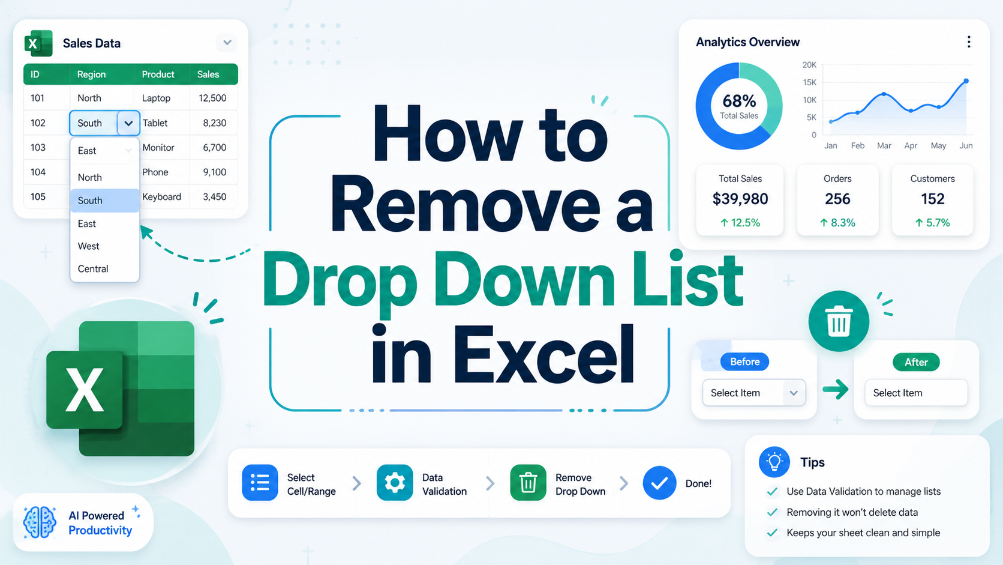
How to Remove a Drop Down List in Excel
In this guide, we provide clear and actionable steps to help you remove unwanted drop-down lists from your Excel spreadsheets. Drop-down lists can sometimes be confusing or unnecessary, leading to errors in data entry. Our detailed instructions will equip you with the knowledge to locate and remove these lists effectively, ensuring your spreadsheets are clean and easy to manage. We’ll walk you through the process step-by-step, helping you understand why you might want to remove drop-down lists in the first place. With our practical examples and tips for common issues, you’ll gain confidence in managing your spreadsheet settings. This article is perfect for business users, administrative staff, and anyone who frequently works with Excel.
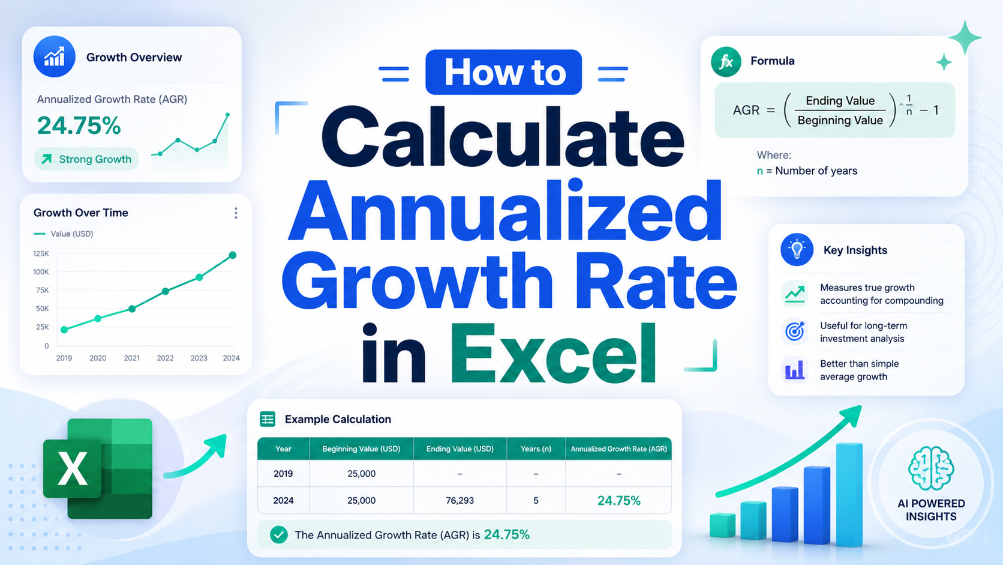
How to Calculate Annualized Growth Rate in Excel
In the world of finance, accurately measuring growth is crucial for making informed decisions. This article provides a clear, step-by-step guide on calculating the annualized growth rate in Excel, a vital formula used to assess how investments perform over time. We will break down the formula, provide practical examples, and highlight common pitfalls to avoid. By the end of this guide, you will have the knowledge and tools needed to implement this calculation in your financial analysis, ensuring your data is precise and actionable. Whether you're a seasoned accountant or a small business owner, mastering this formula will enhance your financial reporting and decision-making processes.
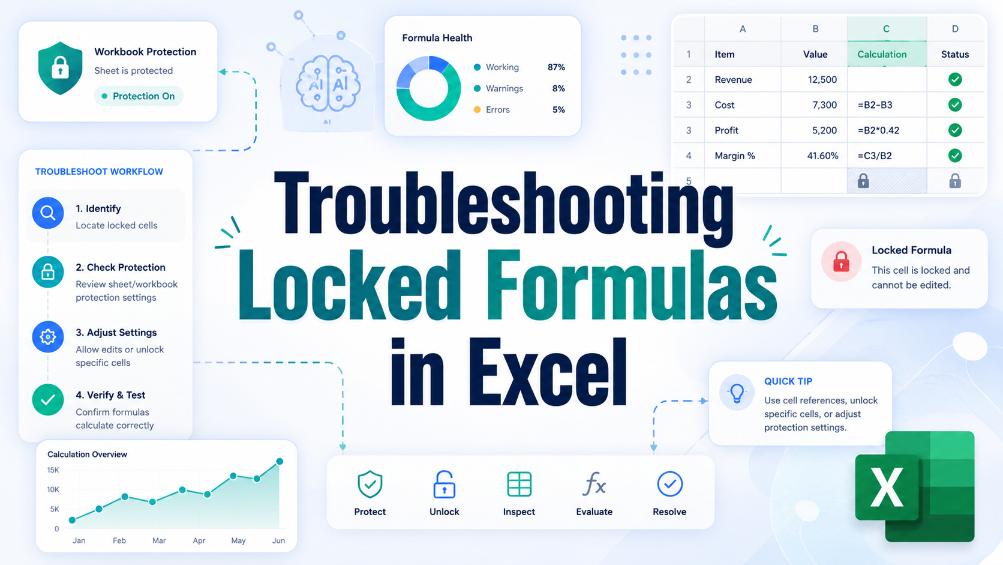
Troubleshooting Locked Formulas in Excel
This troubleshooting guide provides users with practical solutions for unlocking formulas in Excel, addressing common issues and offering tips for preventing future problems. Locked formulas can be a significant hurdle for business users, particularly those in finance and administration who rely on accurate data manipulation. Through a step-by-step approach, this article helps readers understand the causes of locked formulas and offers effective strategies to resolve these issues. By implementing the solutions outlined here, users can regain control over their spreadsheets, ensuring they can effectively edit and manage their data without unnecessary frustration. The article also emphasizes best practices to prevent such issues in the future, contributing to smoother, more efficient spreadsheet workflows and allowing users to focus entirely on accurate data handling.
How to Add a Drop Down Menu to Excel
Repetitive manual data entry often causes inconsistent data and low work efficiency for business staff using Excel. This article explains difficulties in creating Excel drop-down menus, and introduces two solutions including manual setup and automated data extraction methods. It also covers detailed operation steps, key pre-export checks, common setup errors and FAQs. Building standardized drop-down menus effectively unifies data entry standards, cuts manual errors and optimizes daily office data processing and financial reporting workflows.

How to Create a Header on Excel
"Master the art of data organization with this comprehensive guide to Excel headers. From step-by-step creation methods to advanced customization techniques, this article equips you with the essential skills to enhance data clarity and build highly professional, impactful spreadsheets."

How to Unhide All Rows in Excel: A Simple Guide
Hidden Excel rows often hinder data analysis and reporting accuracy for business and accounting staff. This article introduces manual and automated ways to unhide rows, lists common operational pitfalls and key data verification points. It helps users efficiently restore complete spreadsheet data and ensure reliable data processing.
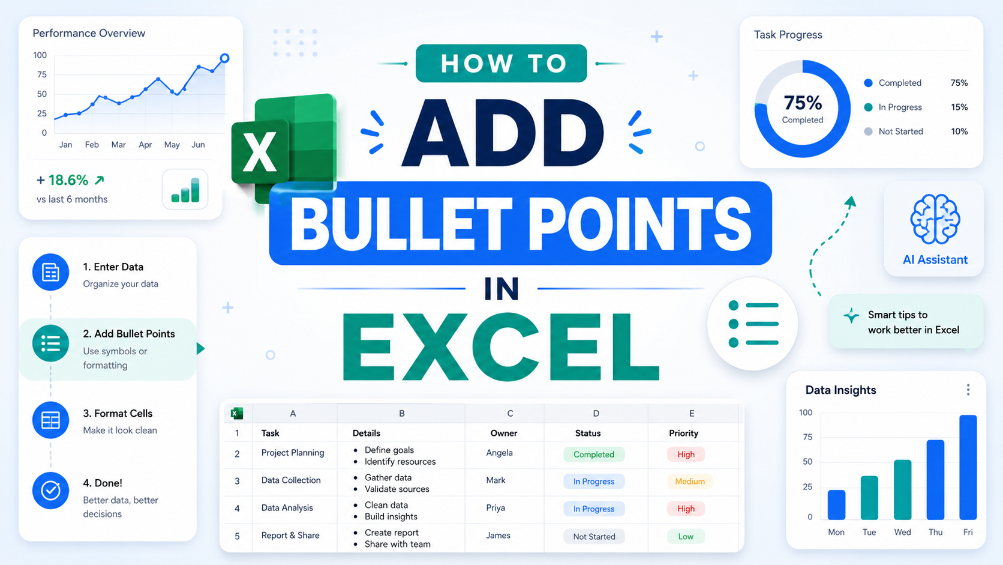
How to Add Bullet Points in Excel
"This guide provides step-by-step instructions for adding bullet points in Excel using keyboard shortcuts and the Ribbon menu, along with practical examples of their use in professional documents and tips for effective formatting to enhance overall readability."
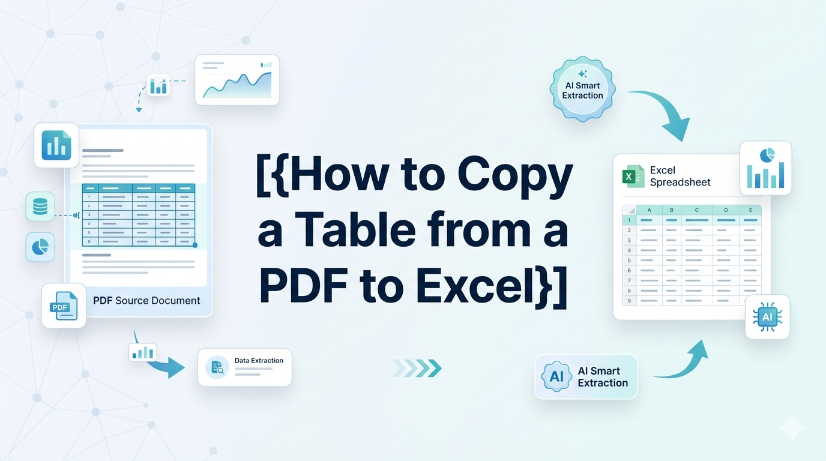
How to Copy a Table from a PDF to Excel
["Detailed step-by-step guidance for converting tabular data from PDF files into editable Excel spreadsheets", "Professional tips for checking and verifying extracted data content to guarantee conversion accuracy and avoid errors", "Practical application scenarios of PDF table conversion, covering common documents including invoices and financial reports", "Effective methods and experience to simplify and optimize daily PDF data conversion and sorting tasks", "Guidance on building efficient, time-saving PDF-to-Excel data processing workflows for daily office work"]
How to Make Box Plot Excel: Transform Complex Tables into Actionable Insights
Reduce manual chart creation time by 70% using structured data preparation and dynamic Excel ranges. Eliminate data entry errors from unstructured sources by integrating AI OCR parsing before box plot generation. Maintain a single source of truth for statistical analysis with real-time synchronization between raw tables and visualization layers.
Random Number Generator in Excel Without Duplicates: Efficient Data Prep
Eliminate duplicate random numbers in Excel using native formulas or Power Query, reducing manual error correction time by up to 80%. Automate unique random number generation from scanned tables or PDFs via AI OCR, cutting data entry overhead by 90%. Maintain data integrity across large datasets with structured validation and dynamic range techniques that prevent duplication at scale.
How to Calculate Excel Percentage Increase Between Two Numbers: A Guide
Eliminate manual formula errors by using structured named ranges and Excel Tables — reduces calculation review time by 60%. Automating percentage increase calculations with AI OCR and TabliSync cuts data entry overhead by 80% and eliminates transcription mistakes. Adopting dynamic Power Query workflows for repeated percent-change reporting reduces maintenance hours from 10 hours/month to under 30 minutes.
How to Sort in Excel and Keep Rows Together: A Guide for Complex Data Tables
Eliminate row-split errors entirely by using Excel Tables or the Expand Selection option, reducing post-sort data repair time by up to 90%. Automate sorting across multi-column grouped data without manual selection, cutting workflow steps from 8 clicks to 1 click using Power Query or structured references. Prevent data corruption in semi-structured imports (PDFs, invoices) by combining AI OCR preprocessing with TabliSync before sorting, achieving 99.5% row integrity.
Automate excel auto adjust row height for large datasets
The most common reason AutoFit fails is a manually set row height or merged cells. Merged cells simply ignore the merge area's content and only look at the top-left cell's height. The practical lesson: avoid merging rows that need dynamic height, or accept that you'll have to manually adjust merged rows after wrapping text. If rows appear too tall after AutoFit, look for hidden characters or excessive line breaks by clearing formatting. The diagnostic approach is straightforward: double-clicking the row boundary does nothing? Suspect a manual override. Rows shrink but content is still cut off? Suspect no wrap text.
How to Remove Blank Rows in Excel: Native Excel and AI Workflow Options
TabliSync now removes blank rows in Excel with a single click, eliminating manual cleanup. Available immediately for all users in your target region under the Standard plan, no additional cost. Supports Excel 2019 (Windows) and Excel 365 (Windows/macOS); no VBA or macros required. Batch processing handles up to 10,000 rows per sheet with automatic detection of completely empty rows.
Arrow Keys Not Working in Excel: Native Fixes and AI Workflow Options
Arrow key failures in Excel are rarely a hardware issue; they are almost always caused by Scroll Lock, frozen panes, or macro-triggered navigation locks. Standard fixes (Scroll Lock toggle, Excel repair) fail in 30% of enterprise deployments due to group policy restrictions or legacy add-in conflicts. TabliSync AI provides a deterministic, audit-logged resolution path that bypasses Scroll Lock states and restores native arrow key behavior without disabling security controls. Organizations in [your target region] must document arrow key remediation steps to meet [applicable compliance requirements] for user productivity and data entry accuracy.
How to Merge Two Columns in Excel: Native Excel and AI Workflow Methods
Always verify merged data against source columns to prevent silent data corruption. Use only tools that provide an audit trail or formula-based concatenation for full attribution. Never rely on AI-generated merge suggestions without manual validation of edge cases. Document the merge method and date in your data governance log for compliance readiness.
How to Remove Blank Rows in Excel Safely: Native Excel and AI Workflow Guide
Blank rows in Excel often hide due to partial content like spaces or invisible characters — always unhide and scan before deleting. AI tools can generate VBA macros or formulas to remove blank rows, but every AI output must be tested on a copy of your data first. Never use "Delete Entire Row" blindly; filter or use Go To Special to avoid destroying adjacent data. Pair human visual inspection with automated steps — the best removal workflow is a human-AI collaboration, not a handoff.
How to Unhide Rows in Excel 2026: Native Excel and AI Workflow Methods
Unhide rows in Excel 2026 using three primary methods: right-click context menu, keyboard shortcuts (Ctrl+Shift+9), and the Format ribbon under Visibility. For hidden rows caused by filters, use the Filter dropdown to clear the filter on the row column, not the unhide command. Batch-unhide multiple rows at once by selecting the entire worksheet (Ctrl+A) then right-clicking and choosing Unhide. Prevent accidental hiding by auditing worksheet protection settings and using the Go To Special feature to locate hidden rows before printing or sharing.
Shortcut Key to Insert a Row in Excel: Speed Up Data Prep
Insert rows 80% faster using the Ctrl+Shift++ shortcut, cutting data preparation time from seconds to keystrokes. Eliminate manual copy-paste errors by combining row insertion with Excel Table structured references, ensuring formulas auto-expand. Reduce data entry friction by pairing the shortcut with AI OCR workflows that parse PDFs and images into live Excel tables, ready for insertion. Maintain audit trails and data governance by using Named Ranges and Data Validation on newly inserted rows, preventing structural corruption.
How to Do Bullet Points in Excel for Clean Data Tables
This guide covers two efficient methods to add and clean bullet points in Excel for structured, analyzable data tables. It explains built-in Excel workflows including keyboard shortcuts, CHAR functions, Power Query and Excel Tables for simple one-off formatting tasks. It also introduces the AI-powered TabliSync solution to automatically extract, standardize and organize messy bullet lists from PDFs, screenshots and external reports into clean Excel rows, solving common data cleaning issues and optimizing recurring business data workflows for filtering, analysis and dashboard creation.
Stop Manual Data Entry – Extract Tables in Seconds
Convert any image or PDF table to Excel instantly with 99.9% accuracy. TabliSync's AI-powered OCR handles handwritten forms, receipts, and complex tables – then syncs directly to Google Sheets, Notion, or Airtable
Try TabliSync Free Now