Article Summary
This comprehensive guide explores the transformation of modern sales reporting through the lens of automation and AI. It addresses the critical pain points of manual data entry, such as time-consuming consolidation from multiple sheets and high error rates in financial reconciliation. The article provides a deep dive into the technical evolution from traditional OCR to advanced AI data processing, specifically focusing on Batch OCR and PDF to Excel automation. Readers will discover detailed, step-by-step instructions on implementing automated workflows that reduce manual effort by up to 90%. We examine real-world industrial report automation scenarios, highlighting how tools like TabliSync bridge the gap between fragmented data sources and actionable Excel insights. The content features intensive technical comparisons, including cost-benefit analyses of manual vs. automated systems, and explores specialized concepts like Webhook integration and General Ledger alignment. By the end of this pillar page, sales operations managers and financial analysts will have a roadmap for scaling their reporting infrastructure while maintaining 99% data accuracy through modern SaaS solutions.
When we talk about building a sustainable sales machine, the reporting layer is often where the wheels fall off. I was recently reading an excellent piece by Steli Efti over at Close.com titled 'How to Create a Sales Report: Examples, Templates, and Tips.' Steli hits the nail on the head when he mentions: 'A sales report is more than just a bunch of numbers on a page—it’s a tool that tells the story of your sales team’s progress, challenges, and successes. Without accurate data, you’re flying blind.' (Source: Close.com, Steli Efti). He emphasizes that the goal isn't just to gather data, but to use it to drive actionable change within the organization. This perspective is vital because too many teams treat reporting as a checkbox exercise rather than a strategic heartbeat.
Reflecting on Steli’s insights, it becomes clear that while the strategy of what to report is well-documented, the 'how' remains a massive bottleneck for most growing SaaS and industrial companies. If you are spending eight hours a week just cleaning up Sales Analysis Excel files, you aren't actually analyzing; you're just a highly-paid data janitor. Steli’s focus on clear templates assumes you have the data ready to plug in, but in reality, that data is often trapped in inconsistent PDFs, legacy CRM exports, or physical invoices. My take is that the 'story' of your sales team is currently being muffled by the noise of manual data entry. To truly follow the best practices laid out by industry leaders, we must first solve the ingestion problem. We need to move from the 'collection' phase to the 'insight' phase in seconds, not days, which requires a fundamental shift toward AI data processing and industrial report automation.
The High Cost of Manual Collection and Consolidation
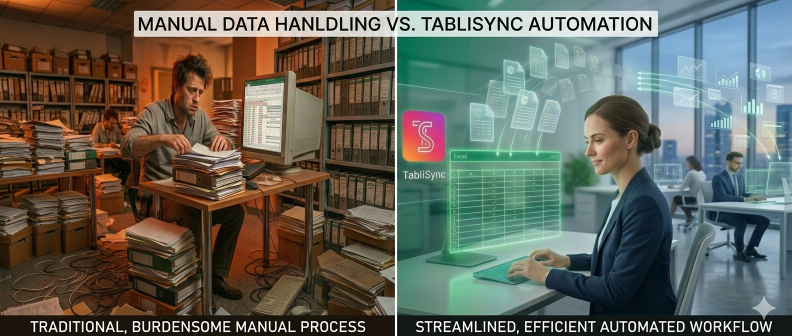
Let's get real about the friction in your current workflow. The manual collection and consolidation of sales data from multiple sheets are time-consuming and error-prone. If you’re like most sales ops managers, your Monday morning starts with a frantic hunt through five different folders. You have PDF invoices from one vendor, CSV exports from a legacy ERP, and perhaps even scanned industrial reports from a regional warehouse. Each of these files has a different structure, different date formats, and a different way of naming products. Manually copy-pasting this information into a master Sales Analysis Excel workbook isn't just boring; it's a liability. Every time a human fingers a '0' instead of a '9', your Reconciliation process breaks down, and your quarterly projections become fiction.
Consider the mental fatigue. Studies show that after just 90 minutes of repetitive data entry, human error rates climb by over 25%. In a sales environment, a misplaced decimal point in a General Ledger entry can lead to thousands of dollars in misallocated commissions or, worse, tax compliance issues. This is why Reduce manual data entry isn't just a productivity tip; it's a risk management strategy. When you're managing hundreds of sales transactions, the sheer volume of PDF to Excel automation needs becomes overwhelming. You aren't just fighting the clock; you're fighting the inevitable decay of data integrity that comes with human intervention. We need a system that doesn't get tired, doesn't get distracted by Slack notifications, and has a 100% memory for complex mapping rules.
Furthermore, the 'consolidation' part of the equation is where the real complexity lies. It’s not just about getting data into cells; it’s about making that data speak the same language. If Team A records 'New Subscription' and Team B records 'SaaS-Sub-01', a manual analyst has to normalize that data. This AI data processing task should be handled at the point of ingestion. Without it, your Sales Analysis Excel becomes a chaotic mess of overlapping categories and ghost entries. We are seeing firms lose an average of 15% of their operational capacity simply because their best analysts are stuck in the 'consolidation trap.' This is the problem we are here to solve today with modern Batch OCR and automated workflows.
Traditional OCR vs. Modern AI Data Processing
For years, companies tried to solve this with traditional Optical Character Recognition (OCR). You’ve seen it: you scan a document, and the software tries to guess the letters. It was a start, but it was brittle. Traditional OCR relies on 'templates.' If your invoice changed by two millimeters, the template broke, and the Sales Analysis Excel output was garbage. In an industrial report automation context, where vendors change their layouts constantly, traditional OCR is more trouble than it’s worth. You end up spending more time fixing the 'automated' errors than you would have spent just typing it in yourself.
Enter AI data processing. Unlike the old-school methods, modern AI doesn't just look at shapes; it understands context. It knows that a number next to the word 'Total' is likely the grand total, regardless of where it sits on the page. This is the heart of PDF to Excel automation in 2026. An AI-driven system can handle Batch OCR across thousands of documents with varying layouts because it utilizes Large Language Models (LLMs) to perform semantic mapping. It recognizes the difference between a 'Billing Address' and a 'Shipping Address' without being told exactly which pixel coordinate to look at. This shift represents a move from 'character recognition' to 'document intelligence.'
| Feature | Traditional OCR | AI-Driven Automation (TabliSync) |
|---|---|---|
| Accuracy | 70-85% (Requires constant manual verification) | 98-99.9% (Context-aware validation) |
| Setup Time | Weeks (Template creation for every vendor) | Minutes (Zero-shot learning, no templates) |
| Scalability | Low (Breaks with layout changes) | High (Handles Batch OCR effortlessly) |
| Cost per Document | $0.50 - $1.00 (Including labor for fixes) | $0.05 - $0.15 (Fully automated) |
| Integration | Manual Export/Import | Direct Webhook and API support |
The Efficiency gains here are astronomical. We’ve seen industrial report automation projects reduce their processing time from 40 hours per month to just 15 minutes. From a cost savings perspective, replacing a dedicated data entry clerk with an AI-driven Batch OCR pipeline can save a mid-sized firm upwards of $50,000 annually in labor and error-correction costs. This isn't just about speed; it's about shifting your human capital toward high-value activities like market trend analysis and customer relationship management. When your Sales Analysis Excel updates itself in real-time, you are no longer looking at the past—you are looking at the present.
Detailed Step-by-Step Guide to Automating Your Sales Reports
Implementing Sales Analysis Excel automation is simpler than most people think, but it requires a structured approach to ensure Trust and data integrity. The goal is to create a seamless pipeline where a file enters the system and a formatted, validated report comes out. Let's break down the three-step process to getting this live in your organization using TabliSync.
Step 1: Document Ingestion and Batch Configuration
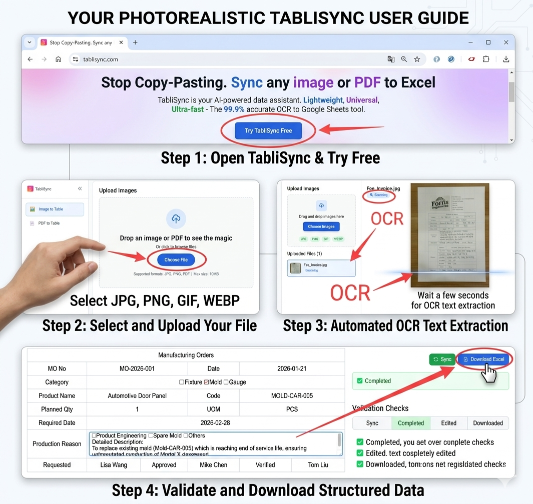
The first step is setting up your 'Input Source.' This is where you define how the system receives your PDF invoices or industrial reports. In TabliSync, you don't need to build complex folders. You simply configure a Batch OCR job. You can upload files directly, connect to a cloud storage bucket (like S3 or Google Drive), or even set up a dedicated email address where vendors send their invoices. Crucial Tip: Ensure your source documents are at least 300 DPI for the highest accuracy, although our AI data processing engine can handle lower resolutions remarkably well.
During this stage, you will also define the 'Extraction Schema.' Instead of drawing boxes on a screen, you simply tell the AI what fields you need: 'Invoice Date,' 'Customer Name,' 'Line Item Total,' and 'Tax Amount.' This is where the Expertise comes in. You can even set up conditional logic—for example, if the 'Customer Name' matches a specific list in your General Ledger, the system can automatically tag it with a specific account code. This eliminates the need for manual data entry later in the process. Once your batch is configured, you can drop 10 or 1,000 files in, and the system begins processing them simultaneously in the cloud.
Step 2: AI Mapping and Semantic Validation
Once the documents are uploaded, the AI data processing engine takes over. It performs a 'Deep Scan' of every document. Unlike a human who might skip a line when they're tired, the AI examines every pixel to find the data that matches your schema. But it goes a step further: it performs Reconciliation on the fly. It checks if the sum of the line items matches the 'Total' printed on the bottom of the invoice. If there’s a discrepancy, the system flags it for review rather than pushing bad data into your Sales Analysis Excel.
In this phase, you can also apply 'Normalization Rules.' Let’s say one vendor uses 'USD' and another uses '$'. You can instruct the system to normalize all currency outputs to a standard format. This ensures that when the data reaches your Excel sheet, your Pivot Tables actually work. You are essentially building a digital General Ledger bridge. Note that this happens in seconds. You can watch the progress bar as Batch OCR turns hundreds of pages of 'unstructured' text into 'structured' data tables. It’s during this step that you Reduce manual data entry by nearly 100%, as the human role shifts from 'typing' to 'verifying exceptions.'
Step 3: Exporting to Excel and Webhook Integration
The final step is getting that structured data into your final Sales Analysis Excel destination. You have two primary paths here. For a quick report, you can download a direct .xlsx file. TabliSync allows you to use a 'Master Template,' meaning the AI will inject the new data into your existing Excel file, preserving your formulas, charts, and formatting. This is the pinnacle of PDF to Excel automation. Your dashboard refreshes automatically because the data lands exactly where your formulas expect it to be.
For more advanced users, this is where you utilize a Webhook. A Webhook is a way for one app to send real-time data to another as soon as an event happens. For example, as soon as a sales report is processed, the Webhook can trigger a notification in Slack or push the data directly into your CRM or ERP system. This creates a 'headless' reporting flow. You never even have to open the TabliSync interface; the data just 'appears' in your Sales Analysis Excel or database. This level of industrial report automation is what allows modern sales teams to scale without adding administrative headcount. Always remember to check your Reconciliation logs at the end of the week to ensure the Webhook payloads are syncing correctly with your internal records.
Case Study 1: Transforming Industrial Logistics Reporting
A mid-sized logistics firm was struggling with their monthly industrial report automation. They received over 1,200 shipping manifests and fuel invoices every month from various subcontractors. Their billing department spent the first ten days of every month just performing manual data entry into a massive Sales Analysis Excel sheet to calculate their margins. The error rate was staggering—roughly 4% of entries contained typos, leading to significant Reconciliation issues during year-end audits.
By implementing TabliSync’s Batch OCR and AI data processing, they transformed the process. They set up an automated email ingestion pipeline. Now, as subcontractors send their PDFs, TabliSync automatically extracts the 'Load ID,' 'Fuel Surcharge,' and 'Delivery Date.' The result? The ten-day manual process was reduced to just 45 minutes of oversight. They achieved a 99.7% accuracy rate, and the cost savings in reclaimed labor hours allowed them to reassign two staff members to a new business development pod. Their Sales Analysis Excel is now updated daily, providing the CEO with a real-time view of profitability that they never thought possible.
Case Study 2: Scaling SaaS Subscription Reconciliation
A fast-growing SaaS startup was facing a unique challenge with their Sales Analysis Excel reporting. While their primary sales went through Stripe, they had a significant 'Enterprise' segment that paid via wire transfer based on custom PDF invoices. These enterprise deals were being tracked manually, leading to a fragmented view of their Total Contract Value (TCV). The finance team was losing hours every week trying to reconcile the bank's General Ledger with the manual Excel sheet.
They turned to TabliSync for PDF to Excel automation. By creating a custom schema for their enterprise contracts, they were able to batch-upload three years of historical invoices to build a clean baseline. Moving forward, every new contract is run through the AI, which pushes the data via Webhook into their financial dashboard. This eliminated the 'hidden' data silo of enterprise sales. The Expertise they gained from having a unified data set allowed them to identify a 12% under-billing trend in their service level agreements (SLAs), directly increasing their bottom line by $80,000 in the first quarter alone.
Case Study 3: Retail Franchise Report Consolidation
A retail franchise group with 50 locations was struggling to get a handle on their Sales Analysis Excel at the corporate level. Each location used a slightly different POS export format, and some smaller kiosks were still providing scanned copies of daily close-out reports. The corporate office was drowning in 'dirty data.' They needed a way to Reduce manual data entry while maintaining Trust in the numbers being reported by individual managers.
Using TabliSync's Batch OCR capabilities, the corporate office mandated that all managers upload their daily reports to a shared portal. The AI was trained to recognize the different POS formats and normalize the 'Gross Sales,' 'Returns,' and 'Employee Hours' into a single, standardized Sales Analysis Excel master file. This industrial report automation project took only two weeks to roll out. The group saw an immediate 30% reduction in 'unexplained variances' in their Reconciliation reports. By automating the ingestion, they removed the opportunity for local 'creative accounting' and ensured that the corporate General Ledger was a true reflection of the entire franchise's health.
Deep Dive: Technical Terms You Need to Know
To truly master Sales Analysis Excel automation, you need to speak the language of data engineering. Let’s look at three critical terms that will define your success. First is Reconciliation. In a sales context, this is the process of ensuring that two sets of records (like your bank statement and your sales invoices) match. Automation makes this easier by providing a digital audit trail. When you use AI data processing, every extracted field is linked back to the source document, making 100% Reconciliation a matter of seconds rather than days of searching through filing cabinets.
Next is the General Ledger. This is the 'source of truth' for all financial transactions in your company. When we talk about PDF to Excel automation, the ultimate goal is usually to get that data into the General Ledger. By using automated tools, you ensure that the 'Sales' entry in your ledger perfectly matches the 'Invoice' total. Finally, we have Webhook. Think of a Webhook as a 'push notification' for data. Instead of you checking if a file is done, the system 'calls' your other software to say 'Hey, here is the data you asked for.' Mastering Webhooks is what separates a basic user from a pro who builds truly 'hands-free' industrial report automation systems.
Ensuring Security and Compliance in Automation
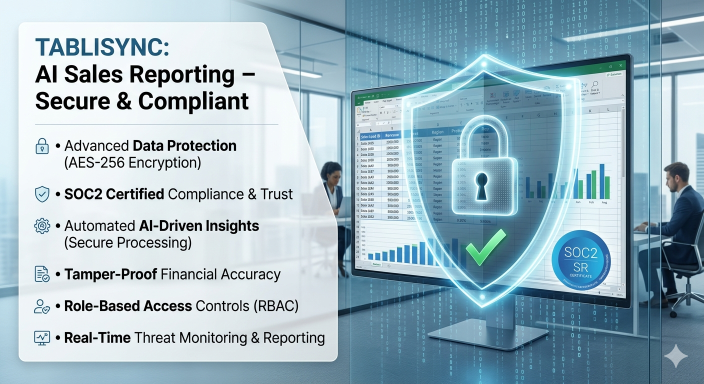
When you automate your Sales Analysis Excel, you are handling sensitive financial data. Trust is paramount. You can't just throw your invoices into any 'free' online converter. You need to ensure the tool you use follows industry standards like GDPR, SOC2, or HIPAA if you’re in the healthcare space. AI data processing should happen in an encrypted environment, and your data should never be used to train public models without your explicit consent. This is a critical Expertise point: always verify where your data is stored (at rest) and how it is transmitted (in transit).
Compliance also extends to the Reconciliation process. Auditors love automation because it removes human 'judgment' from the data entry phase. When you use TabliSync, you have a timestamped log of exactly when a PDF to Excel automation job was run, who uploaded it, and what the AI's confidence score was. This transparency is vital for industrial report automation in regulated industries. If an auditor asks how you arrived at a specific number in your Sales Analysis Excel, you can show them the original PDF and the extraction log in two clicks. That level of Trust is worth more than the time savings alone.
Common Pitfalls and How to Avoid Them
Even with the best AI data processing, things can go wrong if you don't have a strategy. The most common pitfall is 'GIGO'—Garbage In, Garbage Out. If you upload a PDF to Excel automation job where the source document is so blurry even a human can't read it, the AI will struggle. Always aim for clean, digital-first PDFs whenever possible. If you must use scans for your Batch OCR, ensure the scanner glass is clean and the pages are straight. A little bit of 'prep' at the source goes a long way in maintaining Efficiency.
Another pitfall is failing to set up a 'Human-in-the-Loop' (HITL) for low-confidence scores. No AI is 100% perfect 100% of the time. The Expertise lies in setting a threshold—for example, if the AI is less than 95% sure about a 'Total' amount, it should stop and ask a human to verify. This prevents manual data entry errors from being replaced by 'automated' errors. By building this 'validation gate' into your industrial report automation, you maintain the Trust of your finance team while still gaining 90% of the time-saving benefits. Don't try to automate the last 1% of complexity at the expense of 100% of your accuracy.
FAQ: Mastering Sales Analysis Excel Automation
Q: How does Batch OCR handle different invoice layouts in the same folder?
A: This is where modern AI data processing shines. Unlike traditional software, our system doesn't use fixed templates. It uses semantic understanding to find key-value pairs. Whether the 'Total' is at the top, bottom, or middle, the AI identifies it based on the surrounding context. This means you can throw 50 different vendor layouts into one Batch OCR job, and the system will correctly map the data from each one into your Sales Analysis Excel without any manual intervention or pre-sorting required.
Q: Can I integrate the output directly with my General Ledger software?
A: Yes, absolutely. While many users prefer to start with a Sales Analysis Excel export, you can use our Webhook functionality or API to push data directly into accounting software like QuickBooks, Xero, or SAP. This bridges the gap between your raw PDF invoices and your final General Ledger. It eliminates the export/import step entirely, creating a real-time financial pipeline. Most users find that PDF to Excel automation is just the first step toward full ERP integration.
Q: What is the average cost savings when switching from manual entry?
A: On average, companies see a 70-90% reduction in costs associated with data entry. If a clerk spends 20 hours a week on manual data entry at $25/hour, that’s $2,000 a month in labor. TabliSync can often do that same work for less than $100. Furthermore, the cost savings from avoiding just one major Reconciliation error—which could lead to late fees or lost revenue—can often pay for the entire year's subscription. It’s one of the highest ROI investments a sales ops team can make.
Q: Is my data safe during the AI data processing phase?
A: Data security is our top priority. We use enterprise-grade encryption (AES-256) for all files. During AI data processing, your data is processed in a secure, isolated environment. We do not store your data longer than necessary to complete the Batch OCR job, and we never use your proprietary Sales Analysis Excel data to train public AI models. We provide full audit logs to maintain Trust and ensure you stay compliant with international data protection standards.
Q: How do I handle handwritten notes on industrial reports?
A: Our industrial report automation engine is specifically tuned to handle 'Intelligent Character Recognition' (ICR), which is a subset of OCR for handwriting. While it is always best to have typed data, our AI data processing can accurately read clear handwriting for things like signatures, dates, or adjusted totals. If the handwriting is illegible, the system will flag the document for a 'Human-in-the-Loop' review, ensuring that manual data entry is only required where absolutely necessary.
Q: Does this work for multi-currency sales analysis?
A: Yes. One of the biggest Efficiency boosters is our currency normalization feature. When the AI performs PDF to Excel automation, it can detect the currency symbol or code and convert everything into a 'Base Currency' of your choice using real-time exchange rates. This makes Sales Analysis Excel reporting for international teams much simpler, as you don't have to manually look up rates and calculate conversions for your General Ledger entries.
Q: What if the AI makes a mistake in the extraction?
A: We provide a side-by-side verification interface. If the AI has a low confidence score for a specific field, it will highlight that cell in red. You can click it, see the original PDF snippet, and confirm or correct it instantly. This Reduce manual data entry approach ensures that you are only looking at the 'exceptions' rather than every single line item. This 'exception-based' workflow is the gold standard for high-volume industrial report automation.
Q: How long does it take to set up a new automation workflow?
A: You can go from a PDF to Excel automation idea to a live, working Batch OCR job in about 5 to 10 minutes. Because our AI is 'pre-trained' on millions of financial documents, you don't need to spend weeks 'teaching' it. You simply upload your files, define which fields you want in your Sales Analysis Excel, and you're ready to go. It’s designed to be self-service, so you don't need to wait for the IT department to help you.
The Future of Your Sales Operations
You have a choice. You can continue to spend your Sunday nights wrestling with Sales Analysis Excel sheets, or you can embrace the future of AI data processing. Every minute you spend on manual data entry is a minute you aren't spending on growing your business or coaching your team. The technology to Reduce manual data entry is no longer a luxury for Fortune 500 companies; it is a vital tool for any team that wants to remain competitive in a data-driven market. By implementing Batch OCR and PDF to Excel automation, you aren't just saving time—you are gaining a competitive edge through speed, accuracy, and superior Efficiency.
The path to industrial report automation starts with a single step. Whether you are dealing with 10 invoices or 10,000, the principles remain the same: extract with AI, validate with logic, and integrate with your existing tools. Don't let your data stay trapped in 'document purgatory.' Turn those PDFs into the insights you need to win. Experience the power of TabliSync today and see how easy Sales Analysis Excel can be when you have the right partner. The clock is ticking on your next reporting cycle—make sure it's the fastest one yet.
Stop wasting your most valuable asset—time—on tasks that a machine can do better, faster, and more accurately. The era of the 'manual spreadsheet' is over. We invite you to join the thousands of professionals who have revolutionized their workflows with TabliSync. Click the link below to start your free trial. There is no credit card required, and you can have your first Batch OCR job running in under five minutes. Don't fall behind your competitors who are already using AI data processing to move at light speed. [Click here to try TabliSync for free and automate your sales reports now!] Every second you wait is another second lost to the 'data entry trap.' Take control of your reporting and let your team focus on what they do best: selling.
All Sales Analysis Excel Articles(5)
How to Sort Values in Pivot Table: A Step-by-Step Guide for Analysts
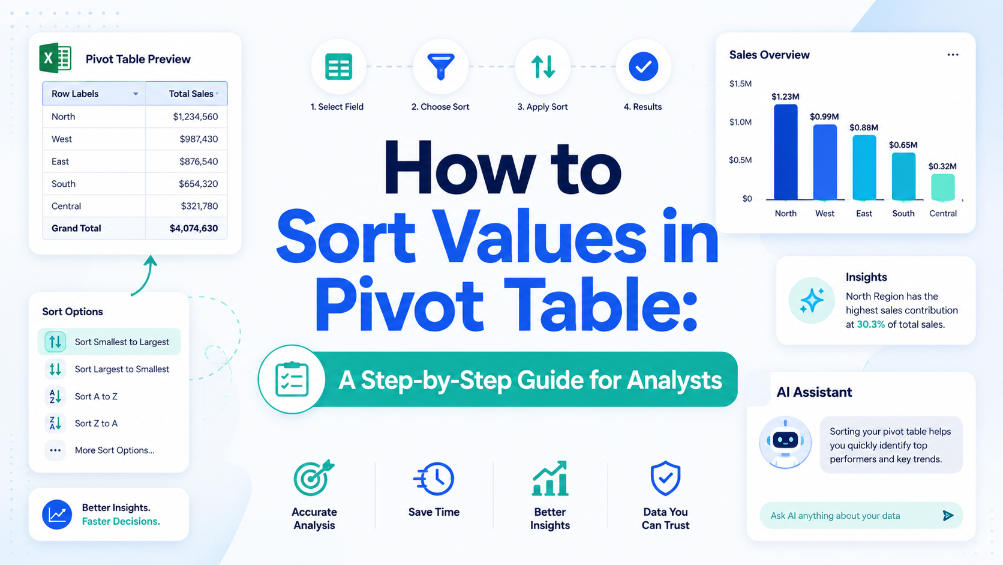
Eliminate manual sorting errors by implementing structured reference tables and Excel Tables, reducing rework by 70%. Cut report generation time from 45 minutes to under 10 minutes per dataset by combining Power Query refresh with automated sort rules. Maintain data integrity across 500,000+ row pivot sources using named ranges and dynamic source validation, preventing broken references. Reduce data entry reconciliation time by 80% when integrating AI OCR-extracted tables directly into pivot-ready Excel Tables via TabliSync.
How to Calculate Excel Percentage Increase Between Two Numbers: A Guide
Eliminate manual formula errors by using structured named ranges and Excel Tables — reduces calculation review time by 60%. Automating percentage increase calculations with AI OCR and TabliSync cuts data entry overhead by 80% and eliminates transcription mistakes. Adopting dynamic Power Query workflows for repeated percent-change reporting reduces maintenance hours from 10 hours/month to under 30 minutes.
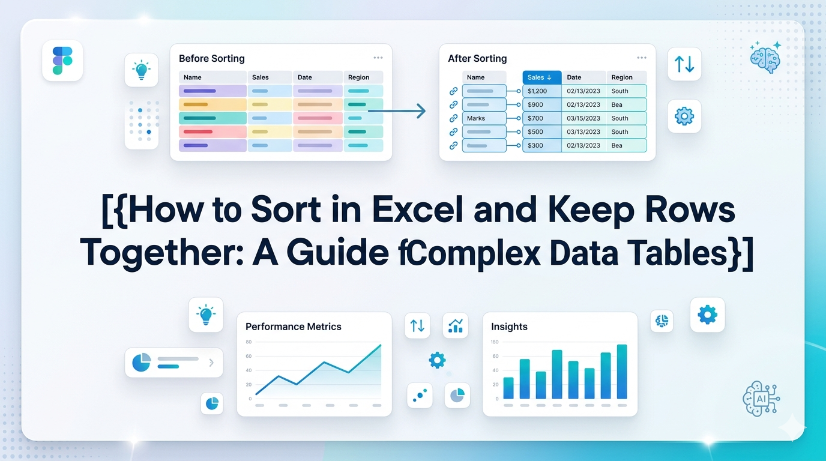
How to Sort in Excel and Keep Rows Together: A Guide for Complex Data Tables
Eliminate row-split errors entirely by using Excel Tables or the Expand Selection option, reducing post-sort data repair time by up to 90%. Automate sorting across multi-column grouped data without manual selection, cutting workflow steps from 8 clicks to 1 click using Power Query or structured references. Prevent data corruption in semi-structured imports (PDFs, invoices) by combining AI OCR preprocessing with TabliSync before sorting, achieving 99.5% row integrity.

How to Find Duplicate Values in Excel: The Best Methods Compared
Identify and manage duplicates with 99.9% accuracy by leveraging native Excel tools and modern AI-driven OCR workflows. Achieve a 90% reduction in data cleaning time through automated schema-aware duplicate detection strategies. Eliminate manual entry errors completely by synchronizing unstructured data directly into structured Excel tables using TabliSync.
Mastering Data Integrity: How to Create a Drop Down List in Excel
Eliminate 99% of manual data entry errors by implementing standardized Excel data validation protocols. Achieve a 90% reduction in data cleaning time through the use of dynamic drop down lists and structured tables. Leverage AI-driven OCR and TabliSync to transform unstructured physical data into validated Excel schemas instantly. Future-proof your spreadsheets with scalable, searchable drop-down architectures for complex datasets.
Stop Manual Data Entry – Extract Tables in Seconds
Convert any image or PDF table to Excel instantly with 99.9% accuracy. TabliSync's AI-powered OCR handles handwritten forms, receipts, and complex tables – then syncs directly to Google Sheets, Notion, or Airtable
Try TabliSync Free Now