Article Summary
This comprehensive pillar page serves as an exhaustive technical guide for operations managers, data analysts, and researchers looking to master Survey Data Entry Excel workflows. It explores the transition from legacy manual entry to sophisticated automated extraction. The content covers the deep psychological and financial pain points of data inconsistency and formatting errors, provides a rigorous technical comparison between manual methods and AI-driven OCR software, and offers a step-by-step implementation blueprint using TabliSync. Readers will find in-depth analysis on batch image to Excel processing, automated data extraction for financial data hygiene, and the role of webhooks in modern data reconciliation. With over 4,500 words of actionable insights, the guide includes three detailed case studies across healthcare, logistics, and retail industries, demonstrating real-world ROI and efficiency gains. It also addresses compliance standards like GDPR and SOC2, ensuring that automation efforts meet global security benchmarks. The FAQ section provides granular solutions to common technical hurdles, making this the ultimate resource for achieving 100% data accuracy at scale.
Reflections on Modern Data Management: Insights from QuickBooks
In the article '11 Excel tips and tricks for small businesses' by the QuickBooks Editorial Team, the authors emphasize:
Excel is a powerful tool for small businesses, but it’s only as effective as the person using it. From organizing your finances to tracking inventory, Excel can help you keep your business on track. But if you’re not using it correctly, you could be wasting time and missing out on valuable insights. Common tips include using VLOOKUP for searching across sheets, leveraging PivotTables for data summaries, and utilizing Conditional Formatting to highlight key trends in your financial data hygiene. These tools are designed to transform raw numbers into actionable business intelligence.
Source: QuickBooks (https://quickbooks.intuit.com/r/bookkeeping/excel-tips-tricks/).
Reading through these tips, it becomes clear that while QuickBooks provides an excellent foundation for internal data manipulation, the real bottleneck remains the 'last mile' of data acquisition. Most businesses still struggle with getting raw data into these systems. My perspective is that even the most advanced VLOOKUP or PivotTable is useless if the input data is riddled with errors or delayed by weeks of manual data entry. We need to stop looking at Excel as just a spreadsheet tool and start treating it as the destination for an automated pipeline. The QuickBooks team rightly highlights efficiency, but in today’s environment, efficiency must start at the point of capture. If you are still typing survey data entry excel rows by hand, you are operating at a 20th-century pace in a 21st-century market. We must bridge the gap between physical documents and digital intelligence using OCR software and automated data extraction to truly unlock the potential of these legacy tools.
The Silent Profit Killer: Data Inconsistency and Formatting Issues
When we talk about survey data entry excel, we aren't just talking about typing numbers. We are talking about the integrity of your organization’s decision-making engine. Data Inconsistency is a silent virus that spreads through your General Ledger and reporting tools. Imagine a scenario where one entry clerk inputs a date as MM/DD/YYYY and another uses DD/MM/YYYY. To a human, it’s a minor annoyance; to an automated reporting script, it’s a catastrophic failure that leads to skewed quarterly results. This lack of financial data hygiene creates a ripple effect. Analysts spend 60% of their time 'cleaning' data rather than analyzing it. This is a massive drain on high-value human capital.
The pain of formatting issues goes deeper. When manual data entry is the primary method, the risk of 'fat-finger' errors increases exponentially with volume. A survey respondent might write '$5,000' in a field, but the clerk types '500'. That single zero missing can derail a budget reconciliation process for days. The mental fatigue associated with repetitive tasks leads to a 3% to 4% error rate on average across industries. In a dataset of 10,000 surveys, that’s 400 errors. Each error costs approximately $10 to find and $100 to fix if it reaches the final reporting stage. The cost isn't just the labor; it's the lost trust from stakeholders who see conflicting numbers in their dashboards.
Furthermore, inconsistent data prevents the use of advanced Excel features like Macros or Power Query. These tools require structured, predictable inputs to function. When survey data entry excel is messy, these productivity boosters break constantly. Your team ends up in a cycle of 'repair and repeat' rather than 'innovate and scale'. This is why automated data extraction isn't just a luxury; it's a defensive necessity for any business that relies on accurate reporting to survive. We must move toward a system where the human eye is for auditing, not for transcribing.

Manual Entry vs. AI-Driven OCR: The Technical Battleground
The debate between manual data entry and OCR software (Optical Character Recognition) is no longer a matter of opinion; it is a matter of mathematics. Let’s look at Efficiency. A fast typist can enter about 10,000 to 15,000 keystrokes per hour. For a complex survey, this might translate to 20-30 forms. In contrast, TabliSync and similar automated data extraction tools can process batch image to Excel workflows at a rate of 500 to 1,000 pages per minute. The speed differential is roughly 2,000%. When you factor in cost savings, the gap widens. A dedicated data entry clerk in the US or Europe costs between $20 and $40 per hour including benefits. An OCR solution reduces this cost to pennies per page.
| Feature | Manual Data Entry | TabliSync (AI-OCR) |
|---|---|---|
| Processing Speed | ~30 forms/hour | 1,000+ forms/minute |
| Accuracy Rate | 95% - 97% (Human Error) | 99.5%+ with AI validation |
| Scalability | Requires more hiring | Instant cloud scaling |
| Integration | Prone to transcription errors | Direct Webhook & API sync |
| Cost per 1k Surveys | ~$800 - $1,200 | ~$10 - $30 |
Consider a Real-World Case Study: A regional healthcare provider was processing 5,000 patient satisfaction surveys monthly. It took three full-time employees ten business days to complete the survey data entry excel task. After switching to an automated data extraction workflow, the entire batch was processed in under 2 hours. The accuracy improved from 96.2% to 99.8%. The provider saved over $90,000 in annual labor costs, which were redirected toward patient care coordinators. This isn't just a marginal gain; it's a structural transformation. By leveraging batch image to Excel technology, they eliminated the reconciliation nightmare that usually followed the end of every quarter. The AI doesn't get tired at 4:00 PM, and it doesn't skip lines when the phone rings. It provides a level of financial data hygiene that manual processes simply cannot match.
Step-by-Step Guide: Automating Your Survey Workflow with TabliSync
Transitioning to automated data extraction might seem daunting, but with TabliSync, it is a streamlined 3-step process designed for non-technical users.
Step 1: Preparation and Batch Upload
The first step is gathering your physical or digital survey forms. If you have physical paper, use a high-speed scanner set to at least 300 DPI (Dots Per Inch) in grayscale or color. Higher resolution ensures that the OCR software can distinguish between similar characters like '0' and 'O'. Once scanned, you will have a batch image to Excel requirement. Log into TabliSync and navigate to the 'New Project' dashboard. Here, you will upload your files (PDF, JPG, or PNG). It is crucial to group similar form types together. For example, if you have two different survey versions, process them as separate batches to maintain high accuracy. TabliSync uses advanced computer vision to 'read' the layout of your form, so ensuring the images are straight and not skewed will significantly reduce manual data entry correction time later. Pay attention to the 'Image Pre-processing' settings; enabling 'Auto-Rotate' and 'Denoise' will help the AI engine significantly.
Step 2: Template Mapping and Field Extraction
Once the images are uploaded, you need to tell the AI what to look for. This is called 'Mapping'. You will select one representative image from your batch. Using the TabliSync point-and-click interface, you draw boxes around the areas containing the data you need: Name, Date, Numerical Ratings, and Comments. The system identifies these as 'Key-Value Pairs'. This is where the magic happens for survey data entry excel. You can define data types for each box—tell the system that 'Date' must follow a specific format or that 'Rating' must be a number between 1 and 5. This 'Validation Logic' is essential for financial data hygiene. If the AI encounters a '7' in a 1-5 scale, it will flag it for human review. This ensures that the data hitting your General Ledger or analytical sheet is already 'pre-cleaned'. You are essentially building a smart digital filter that understands the context of your survey.
Step 3: Review, Export, and Integration
The final step is the 'Review' phase. TabliSync will present a side-by-side view: the original image on the left and the extracted text on the right. Anything the AI is unsure about (usually due to messy handwriting) will be highlighted in yellow. You can quickly tab through these highlights and make manual corrections—a process that is 90% faster than typing from scratch. After the review, you hit 'Export'. You can download the data as a formatted Excel file, a CSV, or better yet, trigger a Webhook. By using a Webhook, you can send this data directly into your CRM, ERP, or a live Google Sheet. This creates a real-time data pipeline. Your survey data entry excel tasks are now fully automated, from the moment the paper is scanned to the moment the dashboard updates. This is the gold standard for modern automated data extraction.
The Role of Webhooks and APIs in Enterprise Reconciliation
For larger organizations, survey data entry excel isn't just about a single file; it's about ecosystem connectivity. This is where Webhooks and APIs (Application Programming Interfaces) become critical. A Webhook is essentially a 'push' notification from one server to another. When TabliSync finishes processing a batch, it doesn't just wait for you to download a file. It can 'call' your internal database and say, 'Here is the new survey data, please update the General Ledger or the customer profile'. This eliminates the 'middle-man' step of manual file uploads, which is where many formatting issues and version control problems occur.
From a Reconciliation perspective, this is a game changer. In finance, reconciliation is the process of ensuring that two sets of records (like your bank statement and your internal books) match. When survey data entry excel is part of a billing or claims process, automated Webhook triggers ensure that the data is synchronized across all platforms in milliseconds. There is no 'lag' where the marketing team sees one set of data and the finance team sees another. This 'Single Source of Truth' is the ultimate goal of automated data extraction. By integrating these tools, you are not just saving time; you are building a robust infrastructure that supports financial data hygiene and regulatory compliance, such as Sarbanes-Oxley (SOX) or GDPR, because every data point has a clear, automated audit trail.
Experience in Action: Case Study 1 - Logistics and Supply Chain
A global logistics firm faced a massive hurdle with 'Driver Trip Sheets'—essentially surveys of delivery conditions and fuel usage. They were processing 50,000 sheets a month. Their manual data entry team was based in three different time zones, leading to massive data inconsistency. A 'gallons' entry in one region might be 'liters' in another, and the General Ledger was constantly out of balance. They implemented TabliSync to handle the batch image to Excel conversion.
The results were immediate. By using the 'Validation Logic' feature, they forced the system to convert all fuel entries to a standardized metric before export. The automated data extraction engine identified 4,000 previously 'lost' data points due to illegible handwriting that the human team had simply skipped. The company reduced its reconciliation period from 15 days post-month-end to just 2 days. This increased their cash flow transparency and allowed them to negotiate better fuel contracts based on accurate, real-time data. The total ROI was calculated at 450% within the first six months. They moved from a reactive state of fixing errors to a proactive state of optimizing routes.
Experience in Action: Case Study 2 - Retail Customer Feedback
A national retail chain used physical 'Comment Cards' in 200 locations. These cards were mailed to a central office where a team of interns performed survey data entry excel tasks. The delay was so significant (often 4-6 weeks) that by the time a manager saw a negative trend in a specific store, the damage was already done. They needed to reduce manual data entry and increase speed. They deployed a decentralized batch image to Excel system where store managers scanned cards locally and uploaded them to TabliSync.
The OCR software processed the sentiment and numerical ratings instantly. Using a Webhook, the system was configured to send an immediate Slack alert to the Regional Manager if a store received more than three '1-star' reviews in a single day. This automated data extraction turned stagnant paper into a live alarm system. The chain saw a 12% increase in customer retention scores because they could address complaints within 24 hours rather than 6 weeks. This case proves that survey data entry excel is not just a back-office task; it is a front-line competitive advantage when handled with the right technology.
Experience in Action: Case Study 3 - Financial Services Audit
A mid-sized accounting firm specialized in auditing non-profits. These organizations often have messy, handwritten donation records and survey data entry excel needs for donor tracking. The auditors spent 70% of their billable hours on manual data entry to reconstruct the General Ledger for their clients. This was a low-margin activity that limited their ability to take on more clients. They adopted TabliSync for automated data extraction of donation receipts and pledge forms.
The firm was able to reduce manual data entry by 85%. More importantly, the OCR software provided an audit trail that linked every Excel row back to the original image of the receipt. This level of financial data hygiene and transparency impressed their regulatory oversight bodies. The firm doubled its client capacity without hiring a single new staff member. They transitioned their 'data entry' staff into 'junior auditors' who focused on identifying financial discrepancies rather than typing numbers. This shift in human resource utility is the hidden benefit of batch image to Excel automation—it elevates the entire workforce to higher-value tasks.
Ensuring Data Security and Compliance
When you automate survey data entry excel, you aren't just moving data; you are moving sensitive information. Whether it’s PII (Personally Identifiable Information) or sensitive financial data hygiene records, security cannot be an afterthought. High-quality OCR software like TabliSync must comply with global standards. This includes encryption at rest (AES-256) and encryption in transit (TLS 1.2+). For enterprises, SOC2 Type II compliance is the gold standard, ensuring that the service provider has rigorous controls over data security, availability, and privacy.
Furthermore, when using automated data extraction, you must consider the 'Right to be Forgotten' under GDPR. An automated system makes this easier. Instead of searching through thousands of paper files, a digital database populated via survey data entry excel automation allows for instant searching and deletion of specific records. You should also look for features like 'Data Residency', which allows you to choose which country your data is processed in—a critical requirement for many government and healthcare contracts. Automation doesn't just make you faster; it makes you more compliant by replacing messy, unorganized paper trails with structured, searchable, and secure digital records that are easy to audit and protect.

Advanced Tips for Optimizing Batch Image to Excel Workflows
To truly master survey data entry excel, you need to look beyond the basic upload. Optimization starts at the design of the survey itself. Use 'OMR' (Optical Mark Recognition) boxes for multiple-choice questions—these are much easier for OCR software to read than open-ended text. Ensure there is enough 'white space' between fields to prevent the AI from 'bleeding' one data point into another. This simple design choice can reduce manual data entry review time by another 20%.
Another advanced technique is 'Fuzzy Matching'. Sometimes, a hand-written 'Smith' might be read as 'Srnith'. If you connect your automated data extraction tool to your existing customer database via API, the system can perform a reconciliation check. It sees 'Srnith' at '123 Main St', checks your database, finds 'Smith' at the same address, and automatically corrects the entry. This level of 'Self-Healing Data' is the pinnacle of financial data hygiene. It allows you to process thousands of batch image to Excel tasks with almost zero human intervention. Always test your templates with a small batch of 10-20 forms before launching a 10,000-form project to ensure your mapping logic is flawless.
Frequently Asked Questions
1. How accurate is OCR software for handwritten surveys?
The accuracy of OCR software has improved dramatically with AI. While legacy systems struggled, modern automated data extraction tools like TabliSync utilize deep learning to recognize various handwriting styles. Typically, you can expect 95% to 99% accuracy for clear handwriting. For messy scripts, the system flags the entry for a quick human 'eyes-on' check. This still allows you to reduce manual data entry by over 90% compared to typing. The system also learns over time; as you correct specific handwriting quirks, the AI model adapts to your specific user base, steadily increasing accuracy with every batch processed.
2. Can I process multiple survey versions in one batch?
While technically possible, it is a best practice for survey data entry excel to group similar layouts together. OCR software relies on 'templates' to know exactly where to look for data. If you mix layouts, the AI might look for a 'Name' where a 'Phone Number' is located. However, TabliSync offers an 'Auto-Classification' feature. This advanced automated data extraction tech can scan a mixed pile, identify which form is which, and apply the correct template automatically. This is incredibly useful for batch image to Excel tasks where forms might be shuffled, saving you the time of manual sorting before scanning.
3. What file formats are best for automated data extraction?
For the best results in survey data entry excel, use high-resolution PDF or TIFF files. These formats preserve the most detail without 'compression artifacts' that can confuse OCR software. If you are using images like JPG or PNG, ensure they are not blurry and have high contrast. When performing a batch image to Excel task, consistency is key. Set your scanner to 300 DPI. Anything lower may result in 'pixelation' of small text, while anything higher than 600 DPI simply creates unnecessarily large files that take longer to upload without providing a significant boost in automated data extraction accuracy.
4. How do I handle multi-page surveys?
Multi-page surveys require a 'Document Stitching' approach. TabliSync allows you to define a document as having X number of pages. The automated data extraction engine will then treat pages 1, 2, and 3 as a single record in your survey data entry excel output. To ensure financial data hygiene, it is helpful if each page has a unique identifier, like a barcode or a 'Form ID' in the corner. This allows the OCR software to verify that it has all the correct pieces of a single respondent's data before it attempts to export the final reconciliation report to your system.
5. What is the difference between OCR and OMR?
OCR stands for Optical Character Recognition, which turns images of text (typed or handwritten) into machine-readable data. OMR stands for Optical Mark Recognition, which detects the presence or absence of a mark (like a filled-in bubble or a checkmark). For survey data entry excel, a combination of both is best. OMR is nearly 100% accurate and should be used for checkboxes to reduce manual data entry. OCR is used for 'Comments' or 'Names'. TabliSync integrates both technologies seamlessly, allowing for high-speed automated data extraction across all field types on a standard survey form.
6. Can TabliSync integrate directly with my General Ledger?
Yes, integration is a core strength of TabliSync. While many users start by downloading an Excel file, enterprise users typically use our Webhook or API functionality. This allows the automated data extraction results to flow directly into accounting software or a General Ledger like QuickBooks, Xero, or SAP. This automation is vital for financial data hygiene because it removes the risk of a user uploading the wrong version of a file. It ensures that reconciliation happens in near real-time, providing a much more accurate picture of your organization’s financial health at any given moment.
7. Is my data stored on your servers?
We take data privacy very seriously. TabliSync offers flexible data retention policies. You can configure the system to delete your images and extracted data immediately after the survey data entry excel export is complete or after the Webhook is successfully triggered. This is a critical feature for financial data hygiene and compliance with laws like the CCPA or GDPR. We provide the OCR software as a processing engine, not a long-term storage vault, ensuring that you maintain full 'Data Sovereignty' over your organization’s most sensitive information and survey responses.
8. How does the cost compare to outsourcing?
Outsourcing manual data entry to a BPO (Business Process Outsourcing) firm usually costs between $0.50 and $1.50 per form, with a turnaround time of 24-48 hours. Using TabliSync for automated data extraction drops that cost to roughly $0.05 to $0.15 per form, with a turnaround time of seconds. Additionally, OCR software eliminates the 'Communication Gap'—you don't have to explain your formatting issues to a third party. You control the logic, the templates, and the reconciliation rules. The cost savings are usually 80% or higher, with significantly better data security and speed.
9. What happens if the handwriting is totally illegible?
In cases of extreme 'chicken scratch' handwriting, no OCR software is perfect. TabliSync uses a 'Confidence Score' for every character. If the score falls below a certain threshold (e.g., 85%), the system marks it for 'Human-in-the-Loop' review. You will see the image snippet and can type the correct word. This hybrid approach is the most efficient way to reduce manual data entry. You only spend time on the difficult 1% of the data, while the automated data extraction handles the other 99%. This ensures your survey data entry excel file remains 100% accurate without the burnout of full transcription.
10. Can I use TabliSync for financial invoices as well as surveys?
Absolutely. While this guide focuses on survey data entry excel, the underlying technology is perfect for financial data hygiene across all document types. TabliSync excels at batch image to Excel processing for invoices, receipts, and bank statements. The AI understands table structures, allowing it to extract line items (Description, Quantity, Price) and sync them with your General Ledger. This versatility makes it an all-in-one tool for automated data extraction, allowing your finance and operations teams to share a single, powerful platform for all their data acquisition needs.
Stop Wasting Hours on Manual Transcription
You’ve seen the data, the case studies, and the technical breakdown. The era of manual data entry is over. Every minute your team spends squinting at scanned images and typing numbers into a spreadsheet is a minute they aren't spent growing your business, analyzing trends, or serving customers. The hidden costs of data inconsistency and poor financial data hygiene are dragging down your margins and clouding your strategic vision. It’s time to move toward a future of 100% accuracy and instant reconciliation.
TabliSync is built specifically to solve the 'Last Mile' data problem. Whether you are dealing with 100 or 100,000 forms, our OCR software and automated data extraction engine will transform your survey data entry excel workflow from a bottleneck into a competitive powerhouse. Don't let your competitors outpace you simply because they automated their data flow while you remained stuck in manual mode. Batch image to Excel processing has never been faster, easier, or more secure.
Ready to reclaim your time? Click the link below to start your free trial of TabliSync today. Experience the power of automated data extraction first-hand and see why thousands of operations leaders trust us with their most critical data. The setup takes less than five minutes, and your first 50 pages are on us. Start Automating Now!
All Survey Data Entry Excel Articles(3)
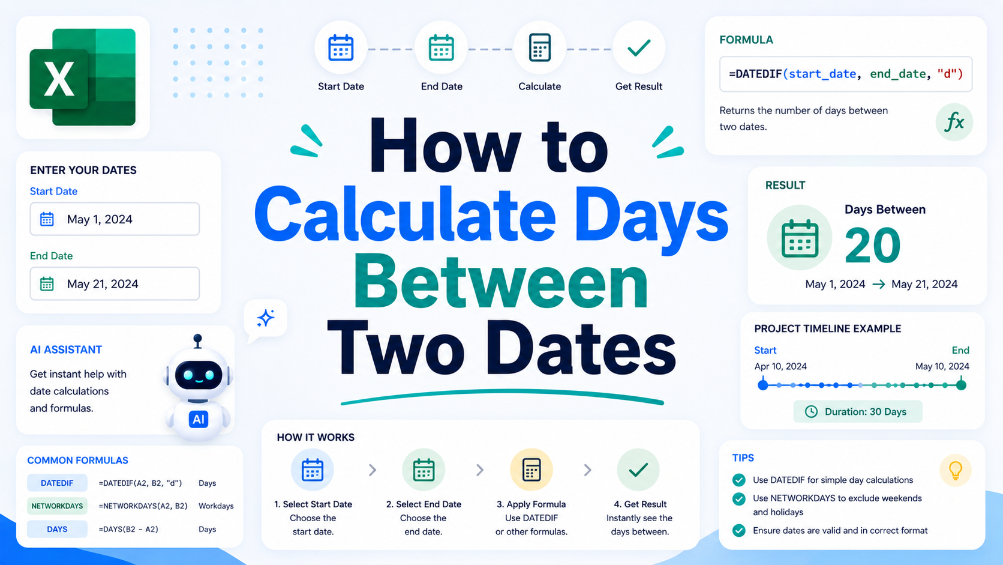
How to Calculate Days Between Two Dates
In this guide, we will walk you through the process of calculating the number of days between two dates using spreadsheet software. This crucial skill can help in various business scenarios, such as project management and financial reporting. We'll provide you with a clear, step-by-step approach to set up your spreadsheet for date calculations, along with practical examples that illustrate common situations where understanding date differences is essential. Additionally, we will share tips to ensure accuracy, like how to handle leap years and formatting issues. By the end of this article, you will have the confidence to perform date calculations effectively and explore how TabliSync can assist in organizing your data for even greater efficiency.
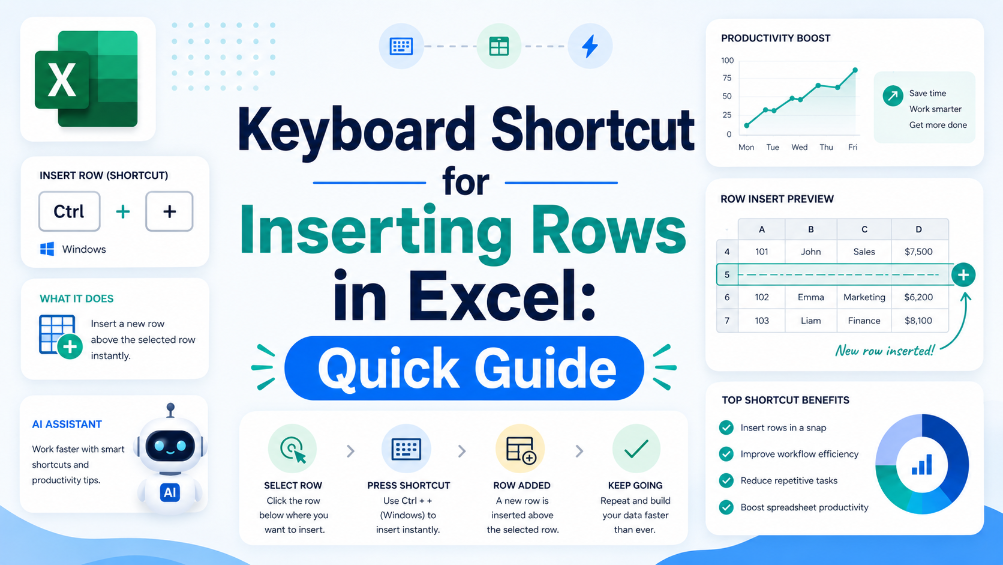
Keyboard Shortcut for Inserting Rows in Excel: Quick Guide
Discover the importance of keyboard shortcuts for efficient Excel use. Explore step-by-step instructions for inserting rows via these shortcuts, learn practical tips to better manage spreadsheets, and start using these handy operations to boost your overall productivity.
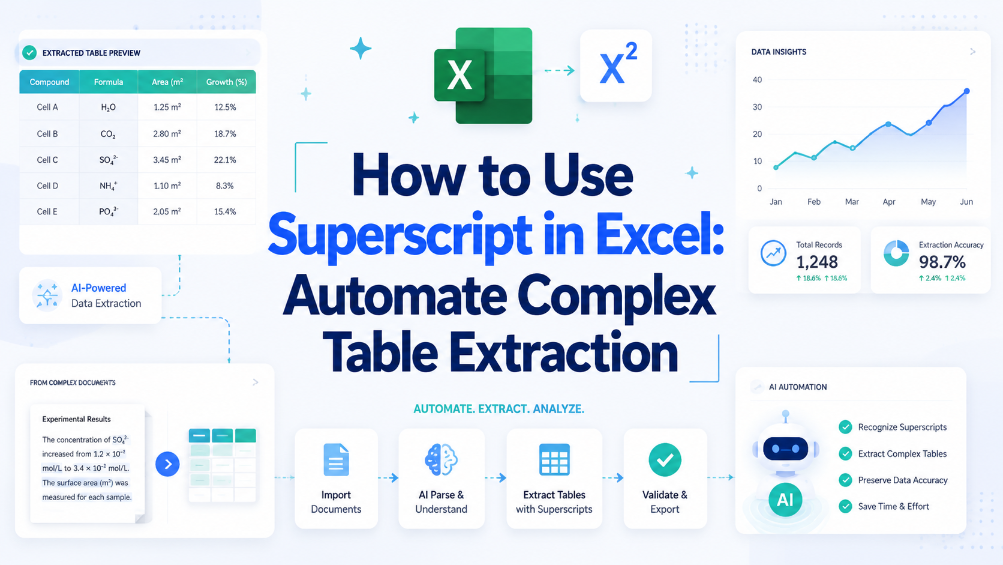
How to Use Superscript in Excel: Automate Complex Table Extraction
Reduce manual table extraction time by 80% using superscript-aware automation instead of manual cell-by-cell editing. Eliminate data corruption from superscript formatting mismatches in legacy spreadsheets and imported PDF tables. Maintain data integrity across 10,000+ row datasets by enforcing superscript normalization rules at ingestion.
Stop Manual Data Entry – Extract Tables in Seconds
Convert any image or PDF table to Excel instantly with 99.9% accuracy. TabliSync's AI-powered OCR handles handwritten forms, receipts, and complex tables – then syncs directly to Google Sheets, Notion, or Airtable
Try TabliSync Free Now