AI 圖片轉文字 OCR:螢幕截圖、掃描文件、收據與照片
使用 AI OCR,將螢幕截圖、掃描文件、收據、筆記與照片中的文字擷取成可編輯內容
將 JPG、PNG、WEBP 與掃描圖片快速轉成乾淨純文字。保留自然換行,即時檢視辨識結果,並可在幾秒內複製或下載文字,適用於研究、營運、文件整理與日常效率工作。
What is AI 圖片轉文字 OCR:螢幕截圖、掃描文件、收據與照片?
將 JPG、PNG、WEBP 與掃描圖片快速轉成乾淨純文字。保留自然換行,即時檢視辨識結果,並可在幾秒內複製或下載文字,適用於研究、營運、文件整理與日常效率工作。
從截圖手動重打文字,拖慢日常工作
手動重新輸入螢幕截圖文字、OCR 結果還要花時間整理,以及掃描圖片中的文字難以直接使用,仍然拖慢了需要乾淨可編輯文字的團隊效率。
從截圖手動重打文字,拖慢日常工作
團隊仍常常手動抄錄截圖、聊天畫面、後台面板與產品圖片中的文字。這種圖片轉文字流程不只浪費時間,也會打斷專注,還容易產生可避免的輸入錯誤。
This workflow bottleneck impacts team productivity, increases operational costs, and creates data quality issues that affect business decisions.
掃描文件與照片把重要文字鎖在圖片裡
紙本頁面、掃描檔、收據、發票與拍攝的筆記,常常把可用資訊儲存在像素中,而不是可編輯文字。若沒有可靠的圖片轉文字 OCR,團隊就很難快速搜尋、重用或整理內容。
Manual processes lead to inconsistent results, higher error rates, and frustrated team members who spend time on repetitive low-value tasks.
低品質 OCR 會破壞行文結構與準確度
很多基礎 OCR 工具會輸出混亂文字、壓平換行,或漏掉手寫內容、截圖與低對比掃描中的重要字句。這種結果會增加清理工作,也讓使用者難以信任擷取結果。
Without automation, scaling operations becomes difficult, team efficiency suffers, and valuable time is lost on tasks that could be automated.
適用於截圖、掃描檔、收據、筆記與文件照片的圖片 OCR 工作流
使用 AI OCR 從真實世界的圖片來源中擷取文字,即時檢查結果,並將乾淨可編輯的文字導入研究、營運、客服與文件工作流。
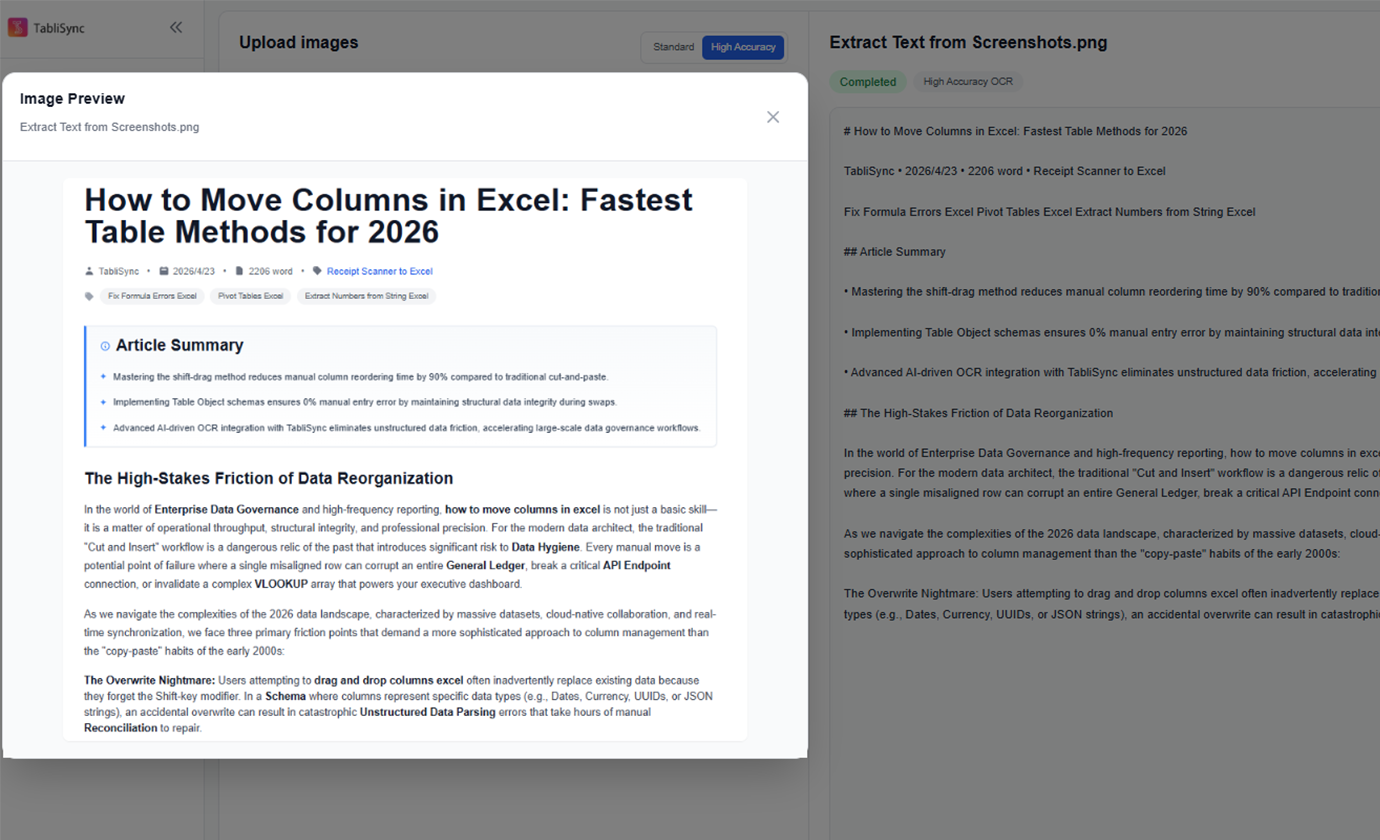
從螢幕截圖擷取文字
將網站畫面、後台截圖、聊天截圖與產品介面文字轉成可編輯純文字,免去重新輸入。
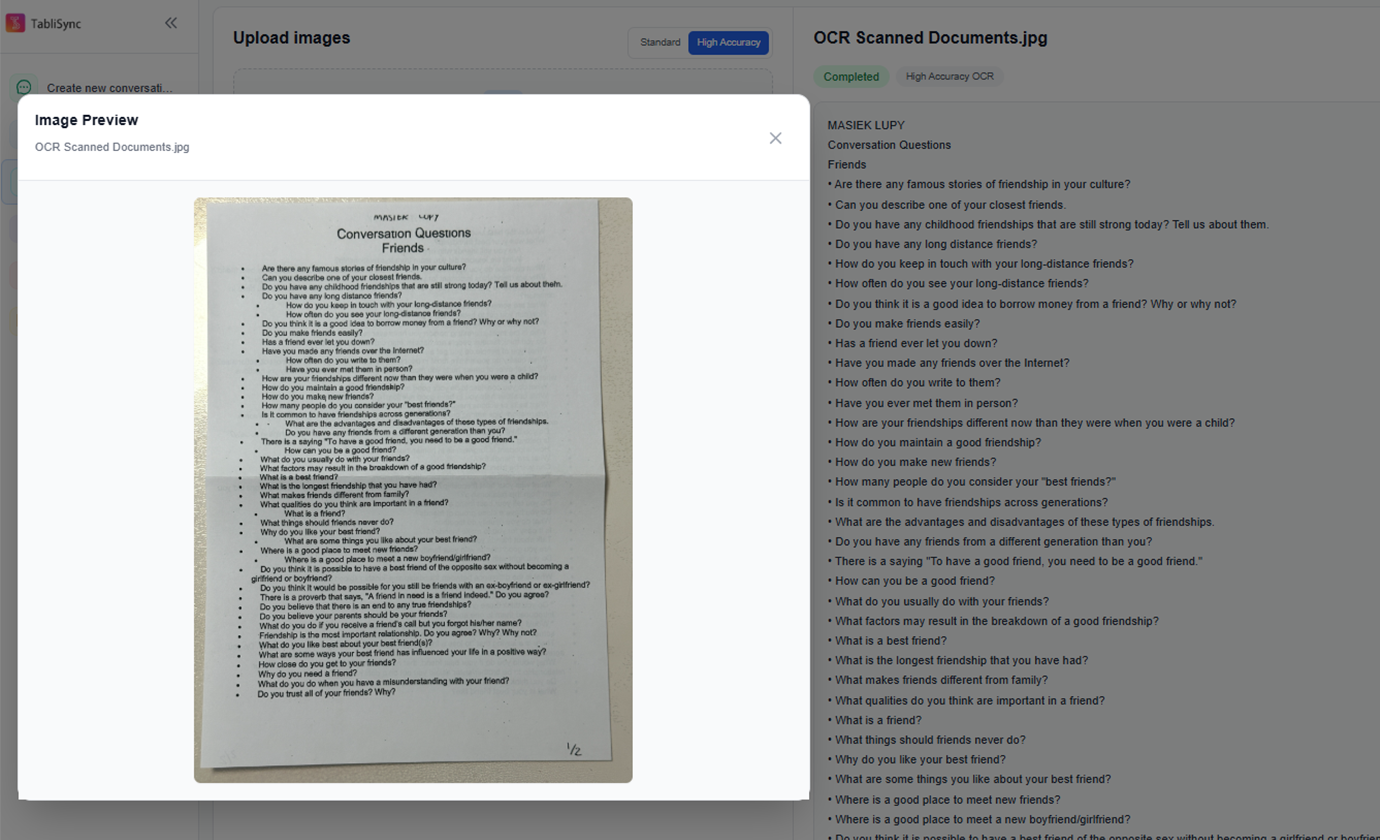
OCR 掃描文件
將掃描頁面、合約、表單、紙本文件與拍攝的文件圖片轉成可搜尋文字,方便編輯與歸檔。
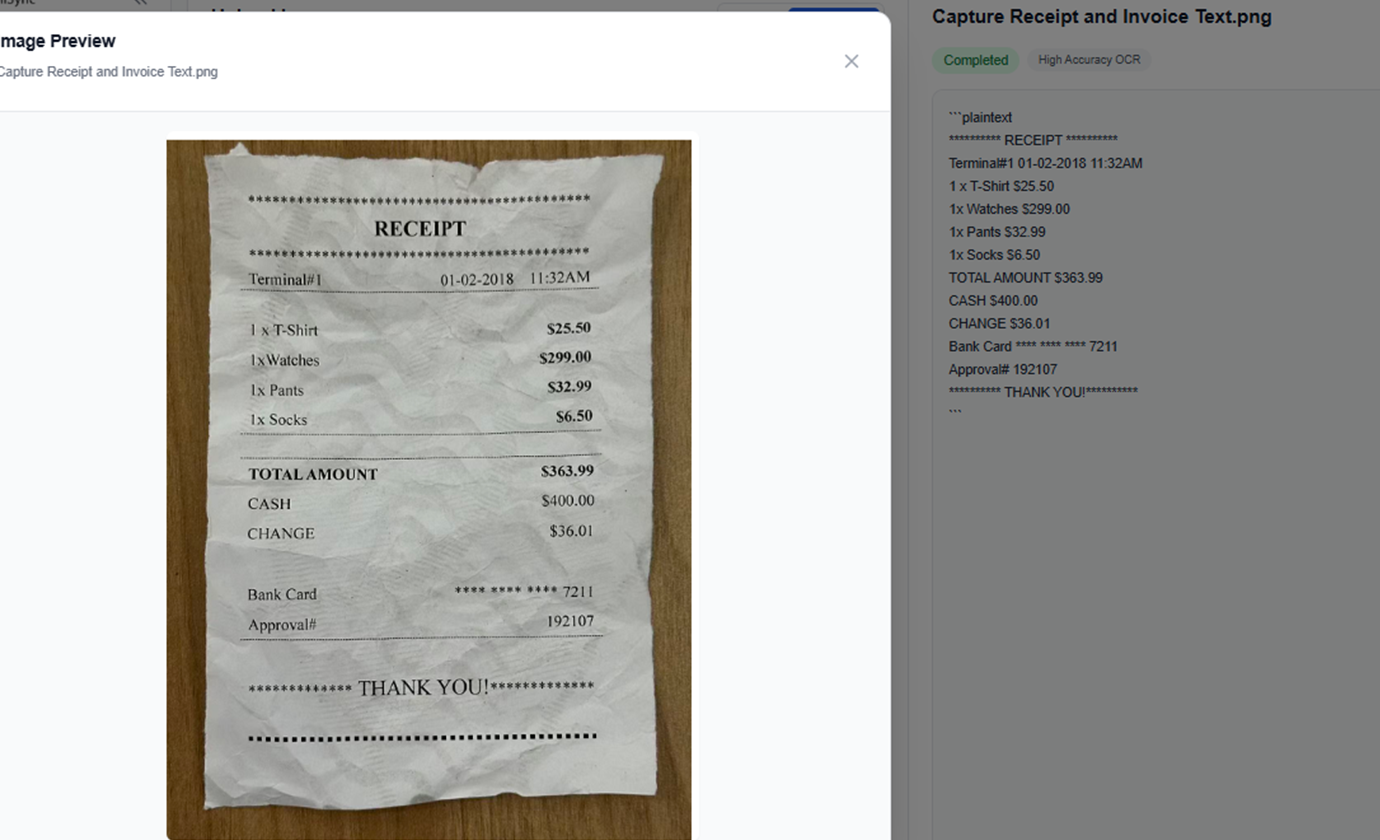
擷取收據與發票文字
從收據、發票、採購單與物流文件中擷取文字,讓財務與營運團隊更快重複使用內容。
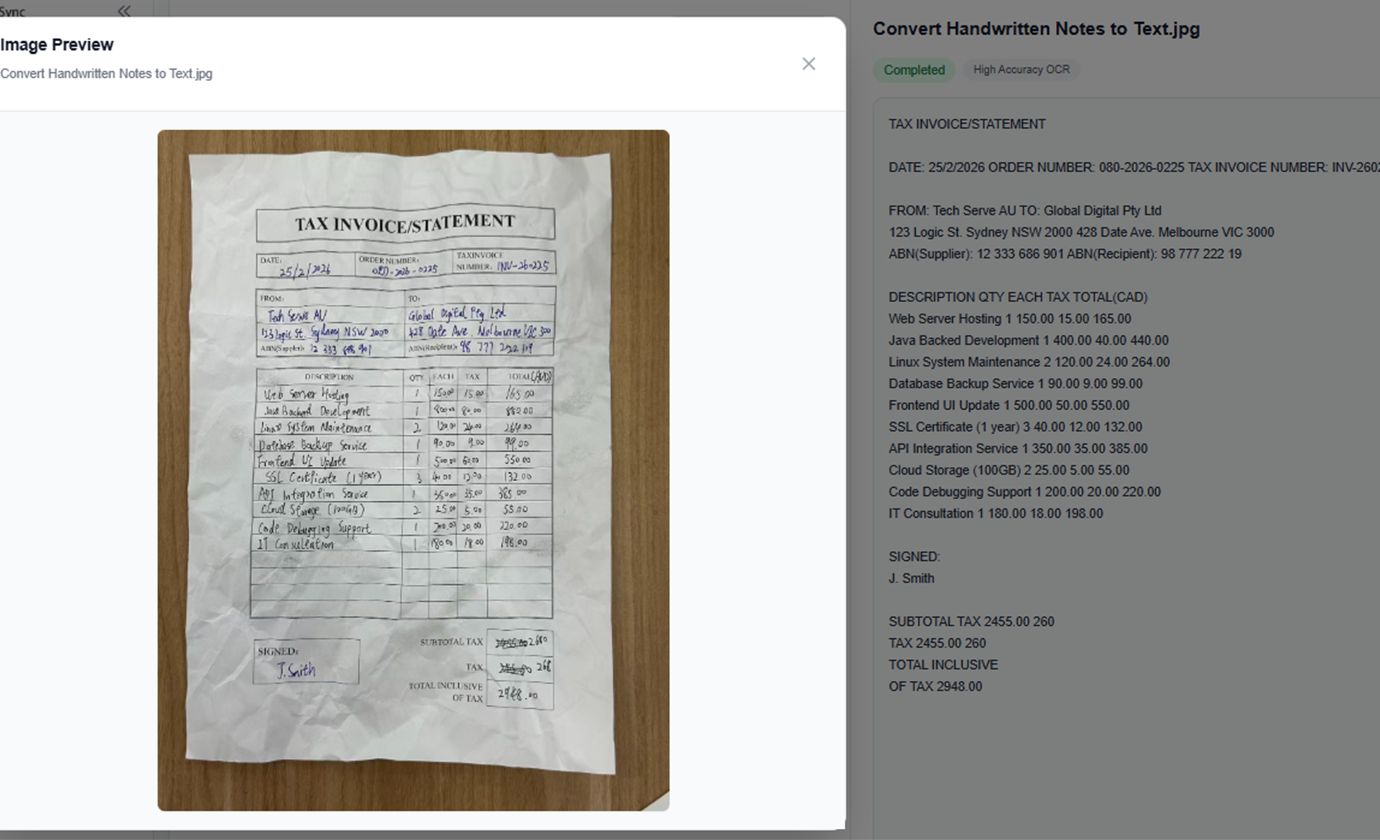
將手寫筆記轉成文字
把會議筆記、白板照片、課堂筆記與手寫提醒數位化成可編輯文字,方便整理與分享。
從研究圖片擷取文字
從書頁、文章截圖、海報、宣傳冊與參考圖片中收集文字,用於研究、編輯或內容撰寫。
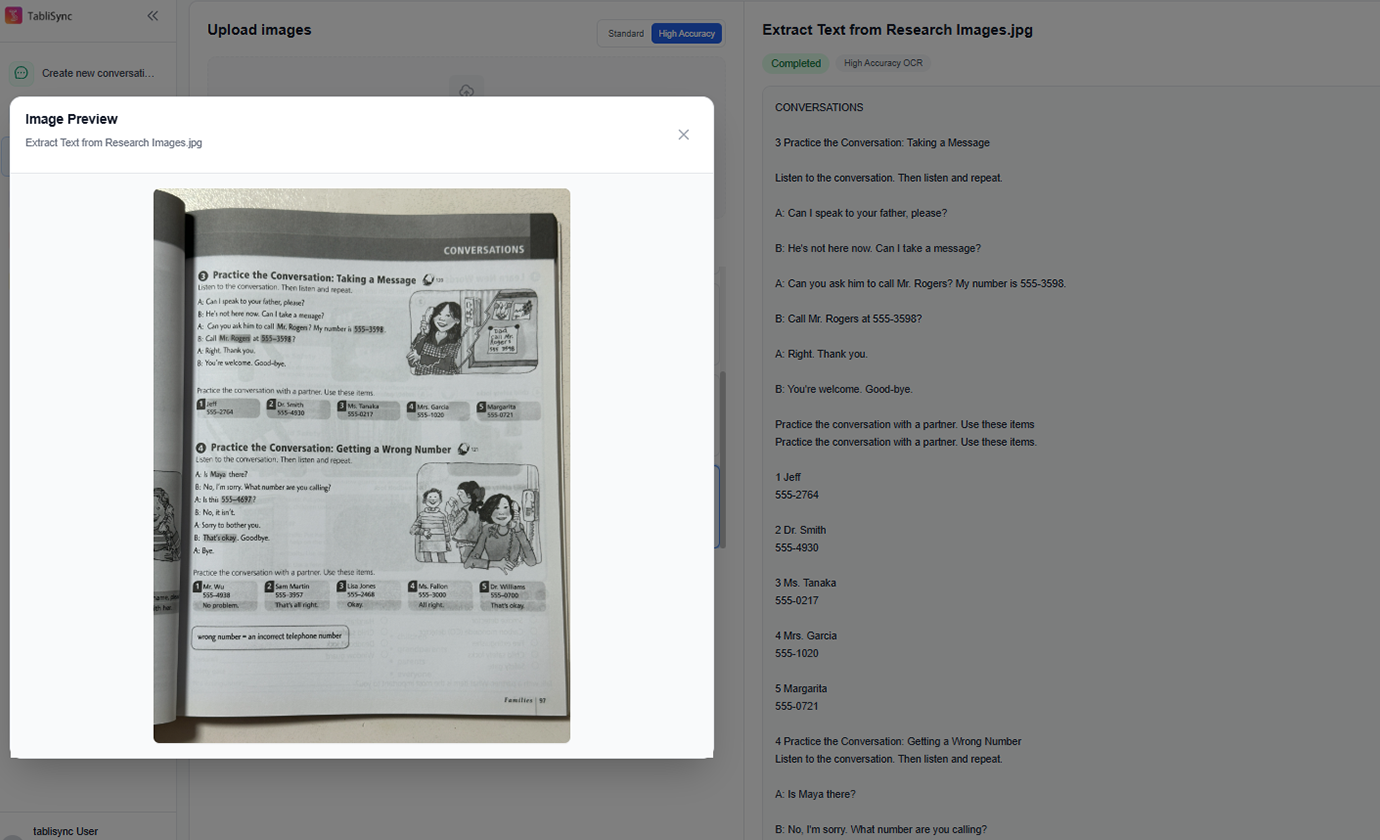
批次 OCR 多張圖片
一次處理多張截圖或掃描頁面,在同一個工作區檢視 OCR 結果,不必逐檔操作。
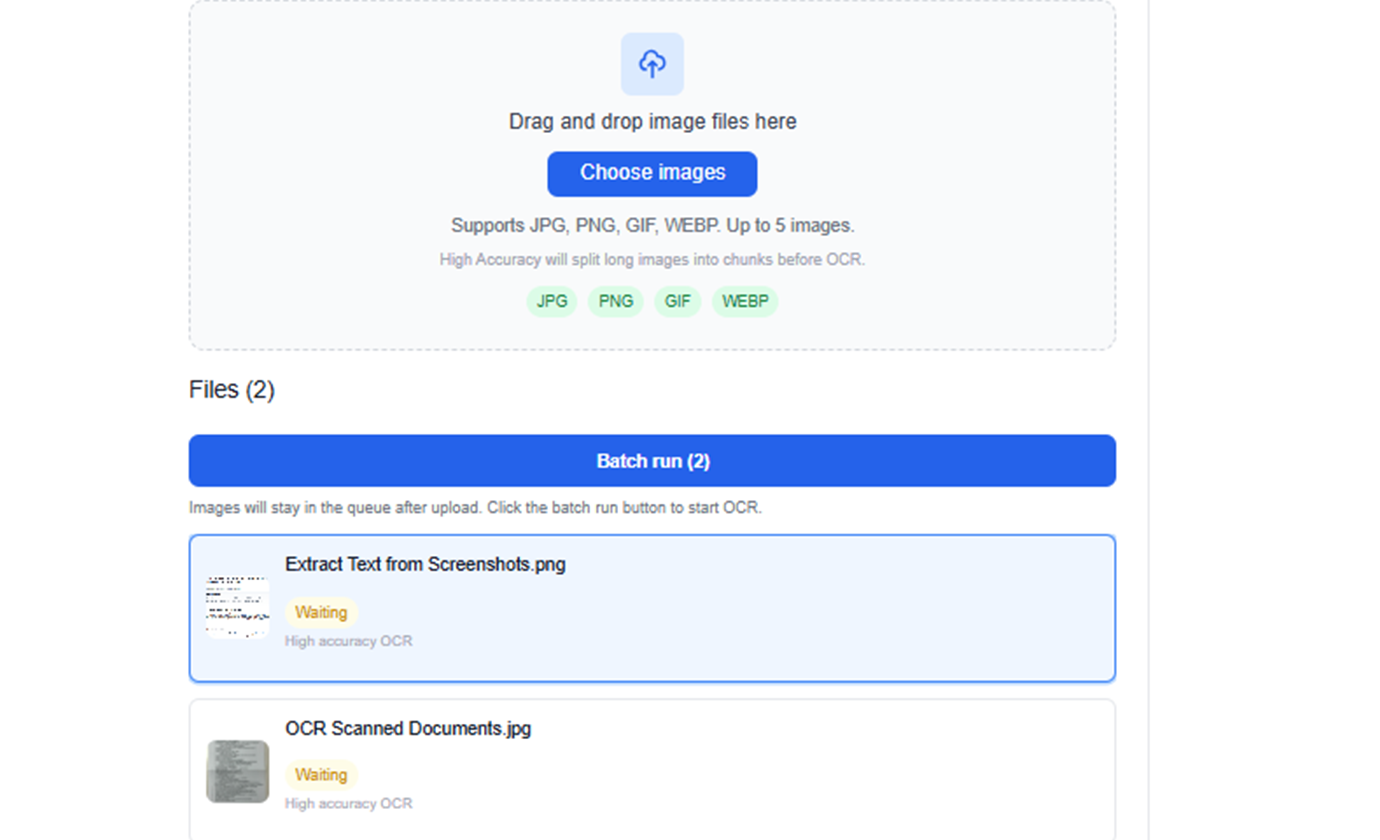
從螢幕截圖擷取文字
將網站畫面、後台截圖、聊天截圖與產品介面文字轉成可編輯純文字,免去重新輸入。
OCR 掃描文件
將掃描頁面、合約、表單、紙本文件與拍攝的文件圖片轉成可搜尋文字,方便編輯與歸檔。
擷取收據與發票文字
從收據、發票、採購單與物流文件中擷取文字,讓財務與營運團隊更快重複使用內容。
將手寫筆記轉成文字
把會議筆記、白板照片、課堂筆記與手寫提醒數位化成可編輯文字,方便整理與分享。
從研究圖片擷取文字
從書頁、文章截圖、海報、宣傳冊與參考圖片中收集文字,用於研究、編輯或內容撰寫。
批次 OCR 多張圖片
一次處理多張截圖或掃描頁面,在同一個工作區檢視 OCR 結果,不必逐檔操作。
實際看看 TabliSync:產品示範
看看 TabliSync 如何在幾分鐘內把複雜的試算表流程變成簡單自動化。透過真實案例了解資料擷取、工作流自動化與智慧處理如何每週節省數小時。
快速 OCR 擷取
上傳螢幕截圖、掃描頁面、收據或文件照片,即可在幾秒內取得可讀文字,無需手動輸入。
保留原始文字表達
專為逐字擷取設計,方便你在重複使用前檢查原始措辭、間距與行文結構。
簡單匯出流程
可直接複製擷取出的文字,或下載為 TXT 檔,用於報告、文件、聊天工作流與後續分析。
使用前 vs 使用後:TabliSync 帶來的轉變
比較傳統手動流程與 TabliSync 的智慧自動化。看看團隊如何減少重複工作、降低錯誤,並用真正能落地的 AI 試算表工具加速資料處理。
傳統方式
傳統做法
- 大量手動操作,流程耗時
- 跨人員執行標準不一致
- 容易出現資料錯誤與遺漏
- 更新維護需要反覆重工
- 很難隨業務成長擴展
運作方式 - 簡單上手四步驟
開始並轉型您的資料工作流程的簡單步驟
上傳圖片檔案
拖曳上傳螢幕截圖、掃描圖或照片,或從裝置中選取檔案。
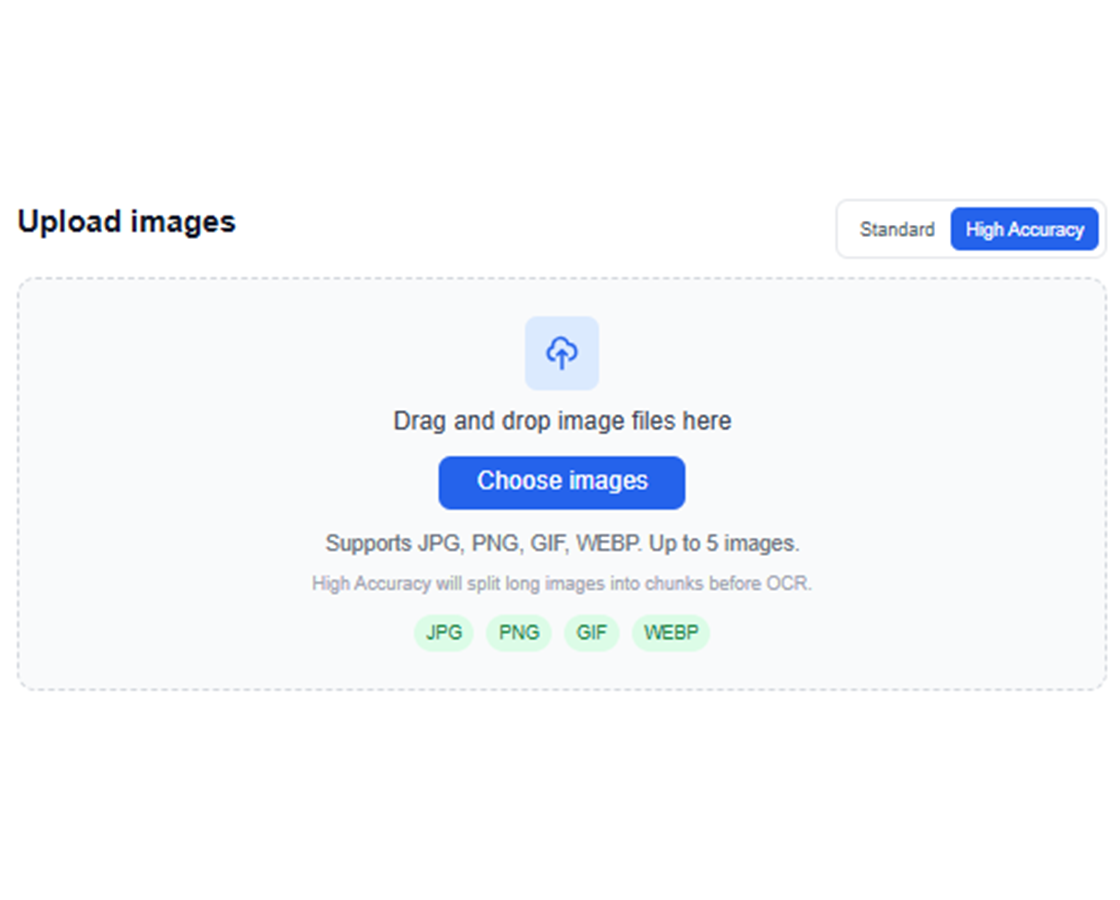
執行 AI OCR
TabliSync 會分析圖片,並使用針對文件內容優化的 OCR 擷取可見文字。
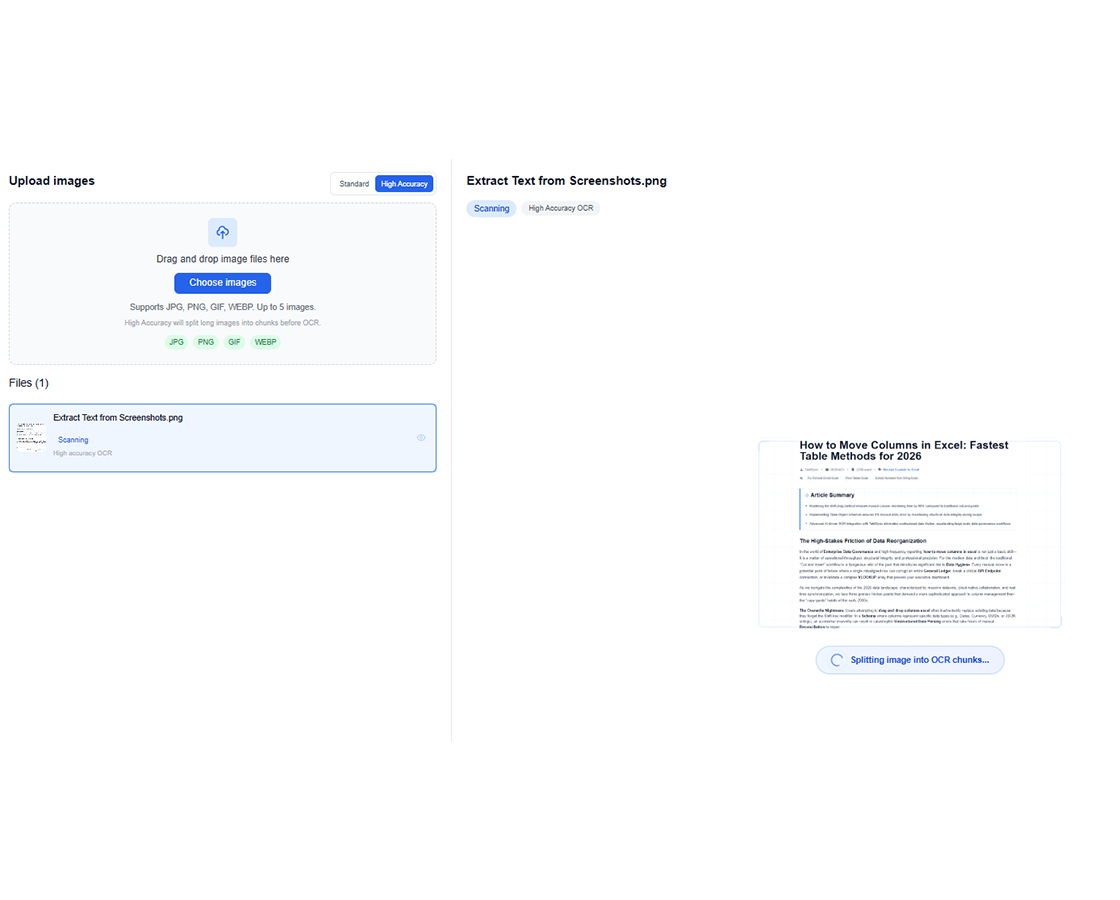
檢查擷取出的文字
在工作區中檢查辨識結果,確認文字內容無誤後再匯出。
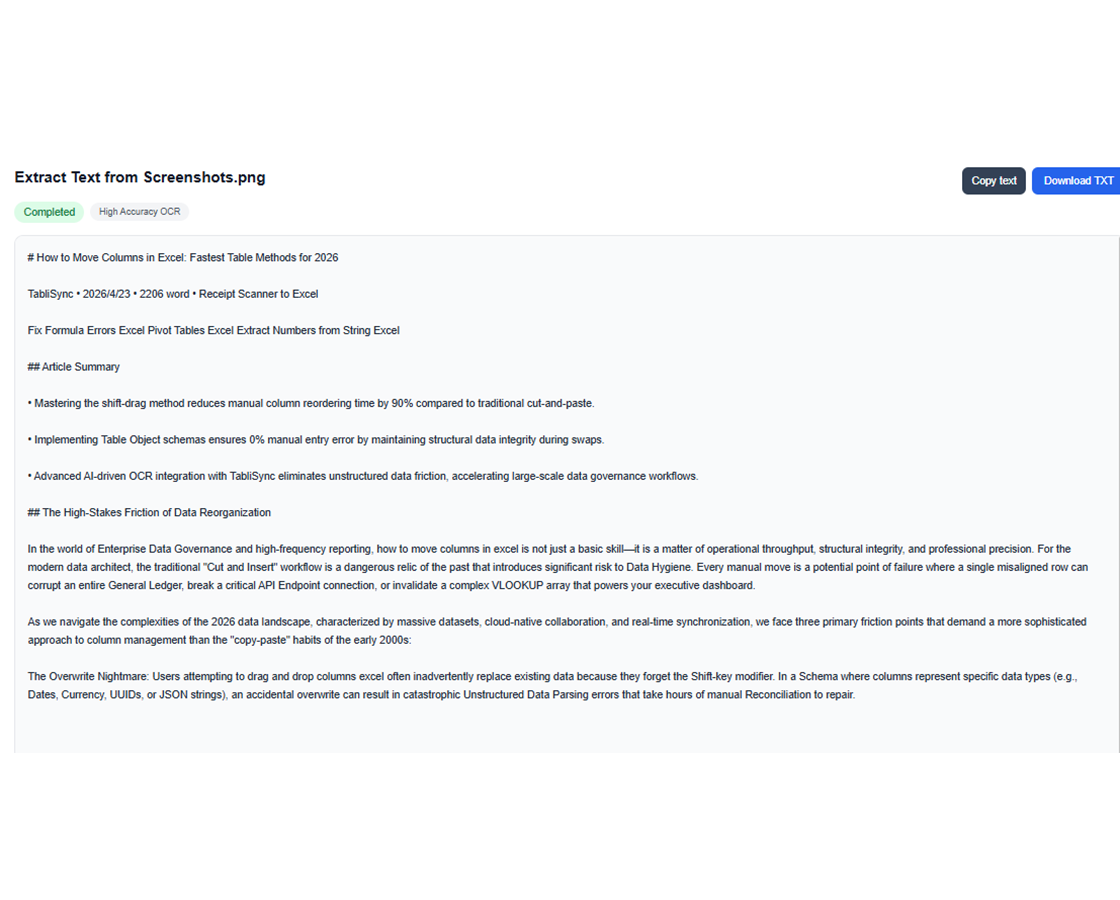
複製或下載 TXT
可立即複製文字使用,或下載 TXT 檔以延續後續工作流程。
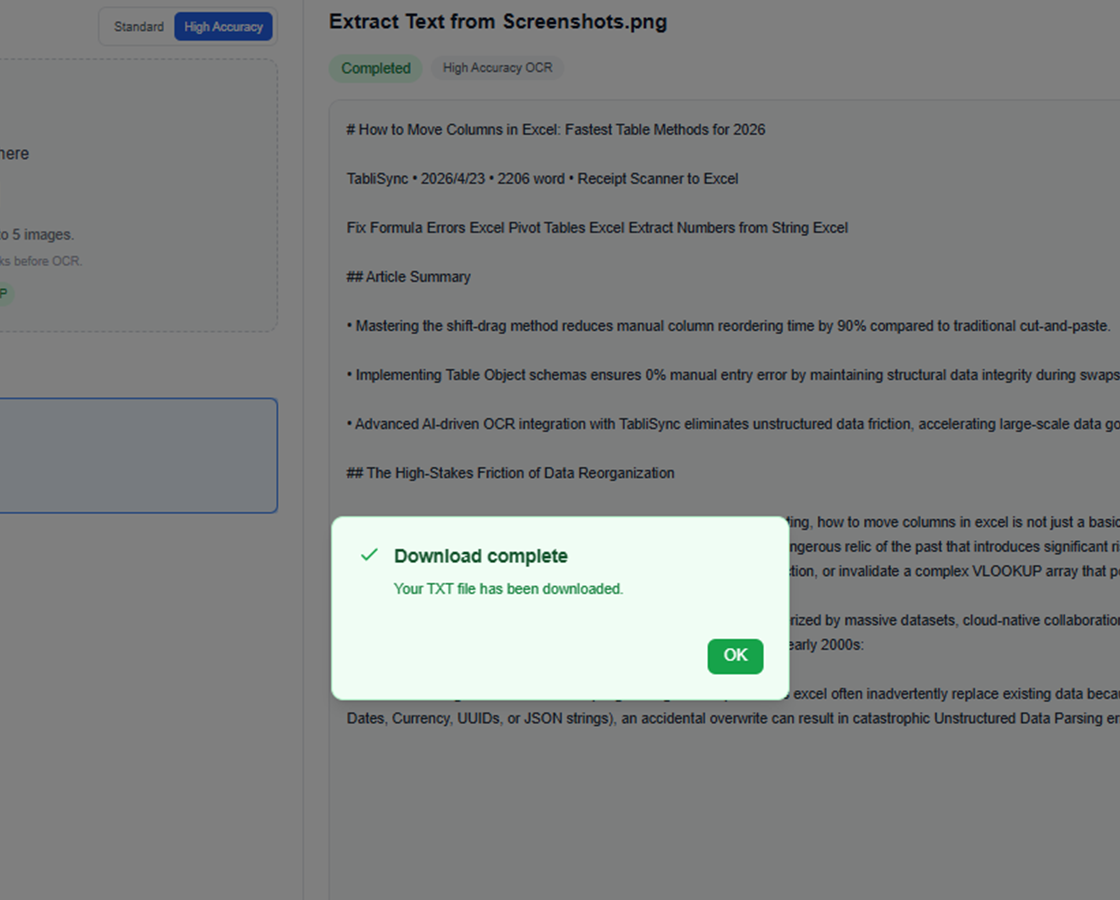
上傳圖片檔案
拖曳上傳螢幕截圖、掃描圖或照片,或從裝置中選取檔案。
執行 AI OCR
TabliSync 會分析圖片,並使用針對文件內容優化的 OCR 擷取可見文字。
檢查擷取出的文字
在工作區中檢查辨識結果,確認文字內容無誤後再匯出。
複製或下載 TXT
可立即複製文字使用,或下載 TXT 檔以延續後續工作流程。
團隊如何在真實工作中使用圖片轉文字 OCR
從大量截圖的客服流程,到掃描文件的行政工作,再到研究筆記擷取,這些團隊都使用 AI 圖片轉文字 OCR 更快取得文字,並保留原始表達。
"我們的客服團隊每天都在用 AI 圖片轉文字處理截圖證據。現在可以直接擷取工單與產品畫面中的原句,不需要逐行重打。"

Olivia Carter
客服營運主管
"對收據、掃描表單與拍照文件來說,OCR 輸出的乾淨程度已經足夠讓我的團隊直接貼進行政流程裡使用。"

Daniel Kim
行政服務經理
"我需要用圖片轉文字 OCR 處理研究截圖與手寫筆記。現在我能取得真正可編輯、可搜尋、可保存的文字,不必再全部重打一次。"

Maya Patel
研究協調員
圖片轉文字 OCR 應用場景:螢幕截圖、掃描檔、收據與筆記
看看團隊如何使用 AI 圖片轉文字流程,從螢幕截圖、掃描文件、文件照片、手寫筆記與批次圖片中提取文字,無需再手動重新輸入。
營運團隊
將內部工具、審批流程與工作系統中的截圖轉成可重用文字。
從訂單截圖擷取文字
擷取出貨或配送備註
在報告中重用掃描指示內容
學生與研究人員
將掃描筆記、片段內容與圖片型參考資料轉成可編輯文字,用於學習與撰稿。
從課堂截圖擷取文字
將掃描段落整理成筆記
從文件圖片中收集引用內容
客服與行政人員
無需手動重打,也不用反覆切換視窗,即可從截圖與掃描件中複製細節。
從客服截圖擷取客戶資訊
重用掃描表單中的文字
擷取圖片附件中的內容
內容與行銷團隊
從視覺素材、活動截圖與紙本宣傳品中提取文字,用於內容草稿與編修。
從廣告截圖擷取文案
重用印刷型錄內容
將活動標示轉成可編輯文字
常見問題:你需要知道的一切
取得關於這項 TabliSync 功能的常見問題解答,包括如何有效使用、可以期待的成果,以及如何整合到既有工作流程。
如何線上從圖片擷取文字,免去手動重打?
上傳你的圖片,讓 OCR 自動偵測文字內容,然後複製或匯出結果。此流程能避免重打,並加快視覺文件的數位化。
螢幕截圖與掃描文件的 OCR 準確度如何?
準確度取決於解析度、對比度與文字清晰度。清晰的截圖與對比良好的掃描通常能取得最佳結果。
從螢幕截圖擷取文字時能否保留換行?
可以。OCR 引擎在版面允許時會保留段落結構與換行。你可以在匯出前先調整結果。
TabliSync 能否從掃描收據與發票擷取文字?
可以。它支援收據或發票格式的掃描文件。你可以在最終匯出前先核對金額、日期與明細行。
手寫筆記能否以 OCR 擷取?
可以,在字跡可讀的前提下。品質取決於圖片清晰度與書寫規整度。建議針對關鍵欄位做一次快速校驗。
多張圖片的批次 OCR 匯出如何做?
在同一個工作流程中上傳多張圖片、執行批次 OCR,再將結果匯出為結構化文字或 CSV 檔。適合處理大量文件。
為什麼 TabliSync 不僅僅是轉換器
透過我們完整的 AI 驅動工具生態系統轉型您的資料工作流程,實現跨平台資料管理、協作和自動化。
跨平台同步
您轉換的資料自動同步到 Google Sheets、Notion、Airtable 和其他平台。無需手動匯入或匯出。
即時協作
即時分享和協作您擷取的資料。團隊成員可以同時跨不同平台存取、編輯和分析資料。
自動化更新
設定自動資料重新整理排程。您的試算表保持最新狀態,無需手動介入,節省數小時的重複工作。
加入完整的資料生態系統
透過我們整合的 AI 工具套件釋放資料的全部潛力