AI 試算表助理:更聰明的 Excel 自然語言資料操作

Overview

把複雜 Excel 任務變成簡單對話——以自然語言完成編輯、清理與自動化

不必再卡在複雜公式。AI 試算表助理可理解自然語言指令,立即執行進階資料操作。從資料清理、公式產生到流程自動化,只要描述需求即可完成,特別適合希望提升效率、但不想深究 Excel 技巧的團隊。

免費試用 TabliSync
無需信用卡——加入 10,000+ 位每天同步資料的使用者
🚀 SOLUTION

Meet TabliSync: Your AI-Powered Excel Automation Solution

An intelligent spreadsheet automation layer built on top of Microsoft Excel — designed for real-world business workflows, data processing tasks, and team collaboration. Transform manual Excel operations into automated, AI-driven processes that save time and reduce errors.

icon

單一條件資料查找

用指定 ID、關鍵字或欄位值快速找出符合的資料列,無需撰寫公式。
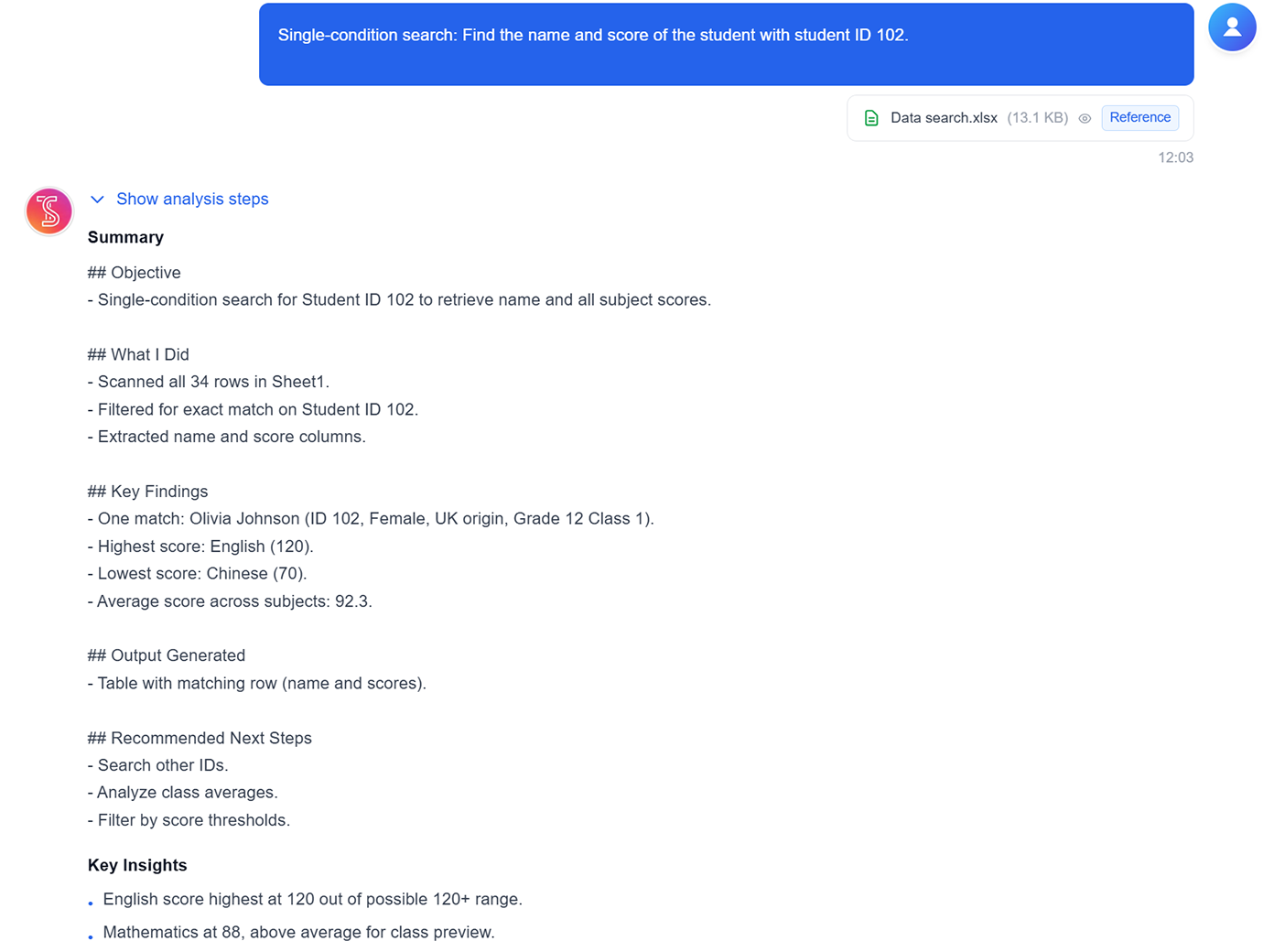
Single-condition data search screenshot
icon

區間資料統計

快速統計選定區間的列數與數值,適用於輕量探索與 QA 檢查。
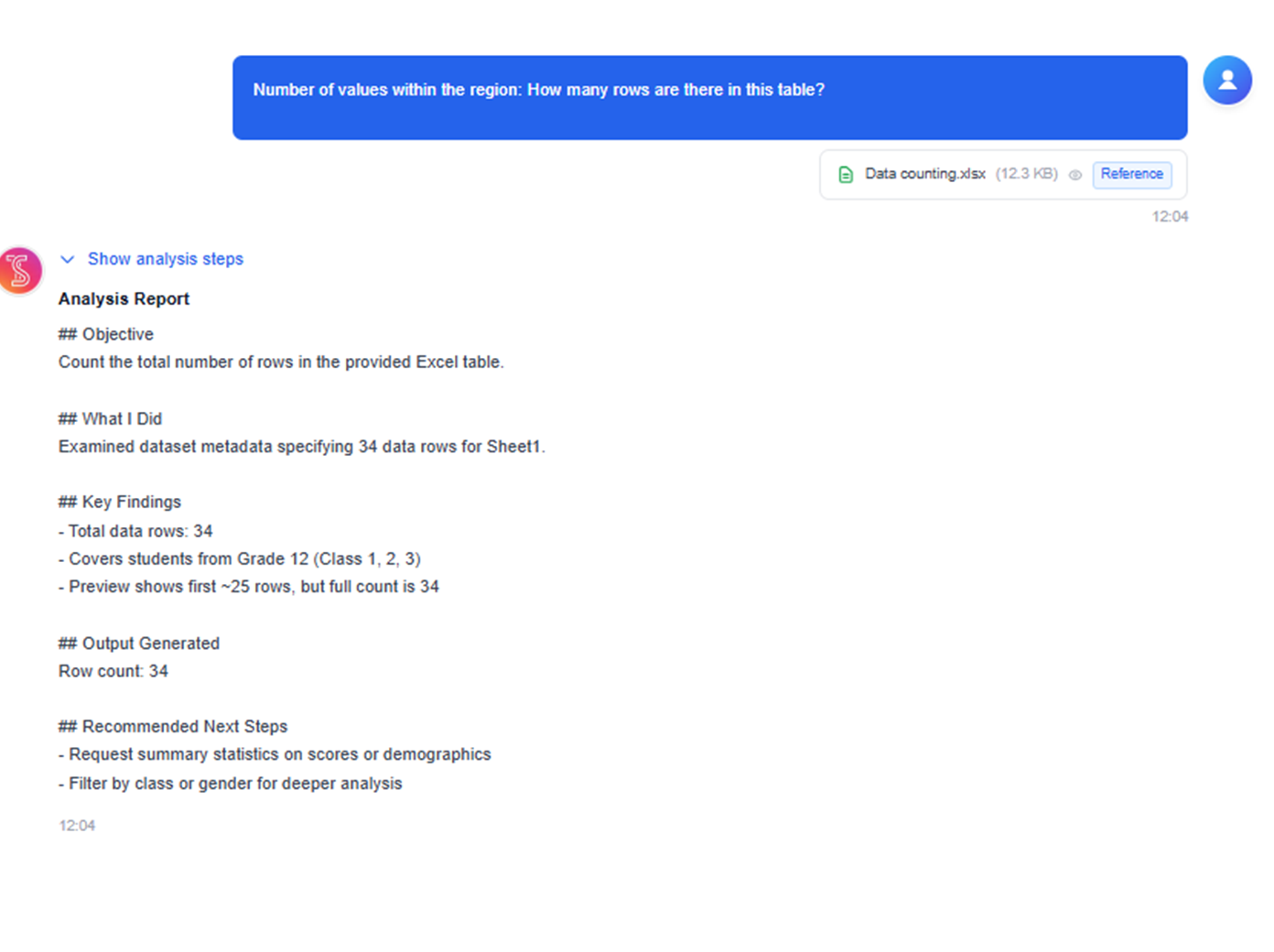
Range data counting screenshot
icon

依規則分割工作表

依類別、分類或任意分組欄位,將單一工作表拆分為多個結果表。
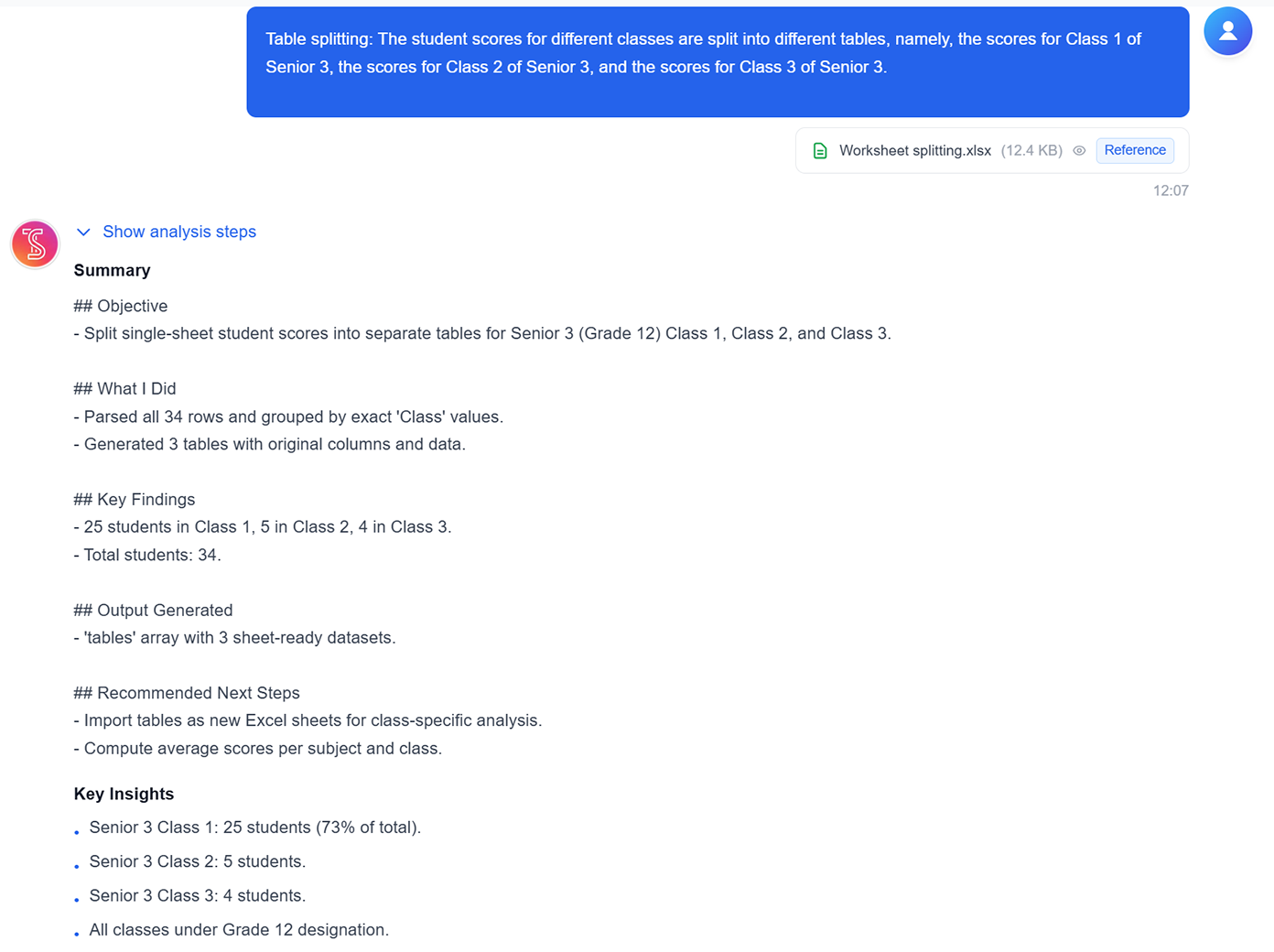
Worksheet splitting by rule screenshot
icon

條件加總

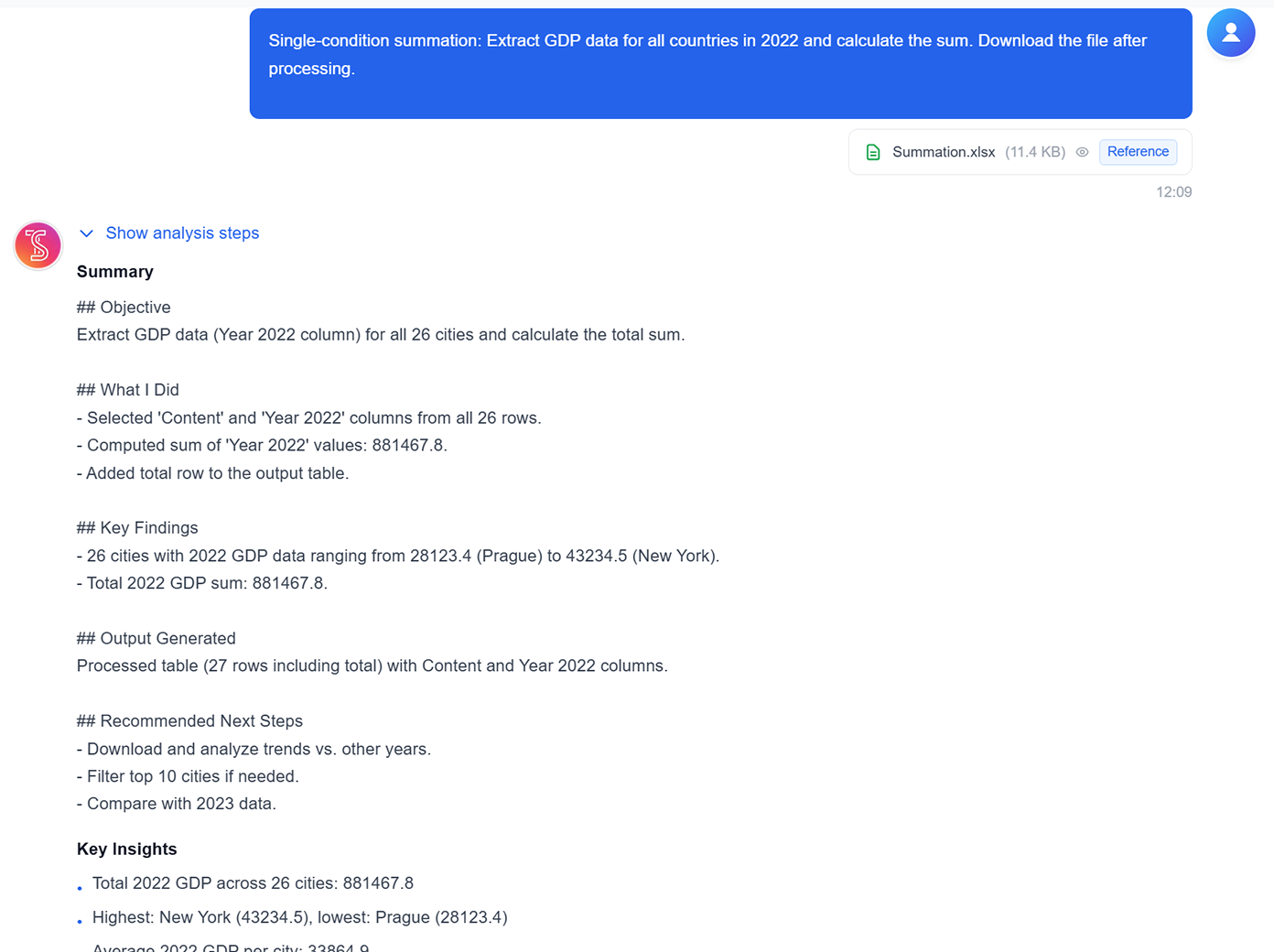
針對篩選後的子集合(例如年份、地區或產品線)一鍵彙總合計。

Conditional summation screenshot
icon

平均值與極值分析

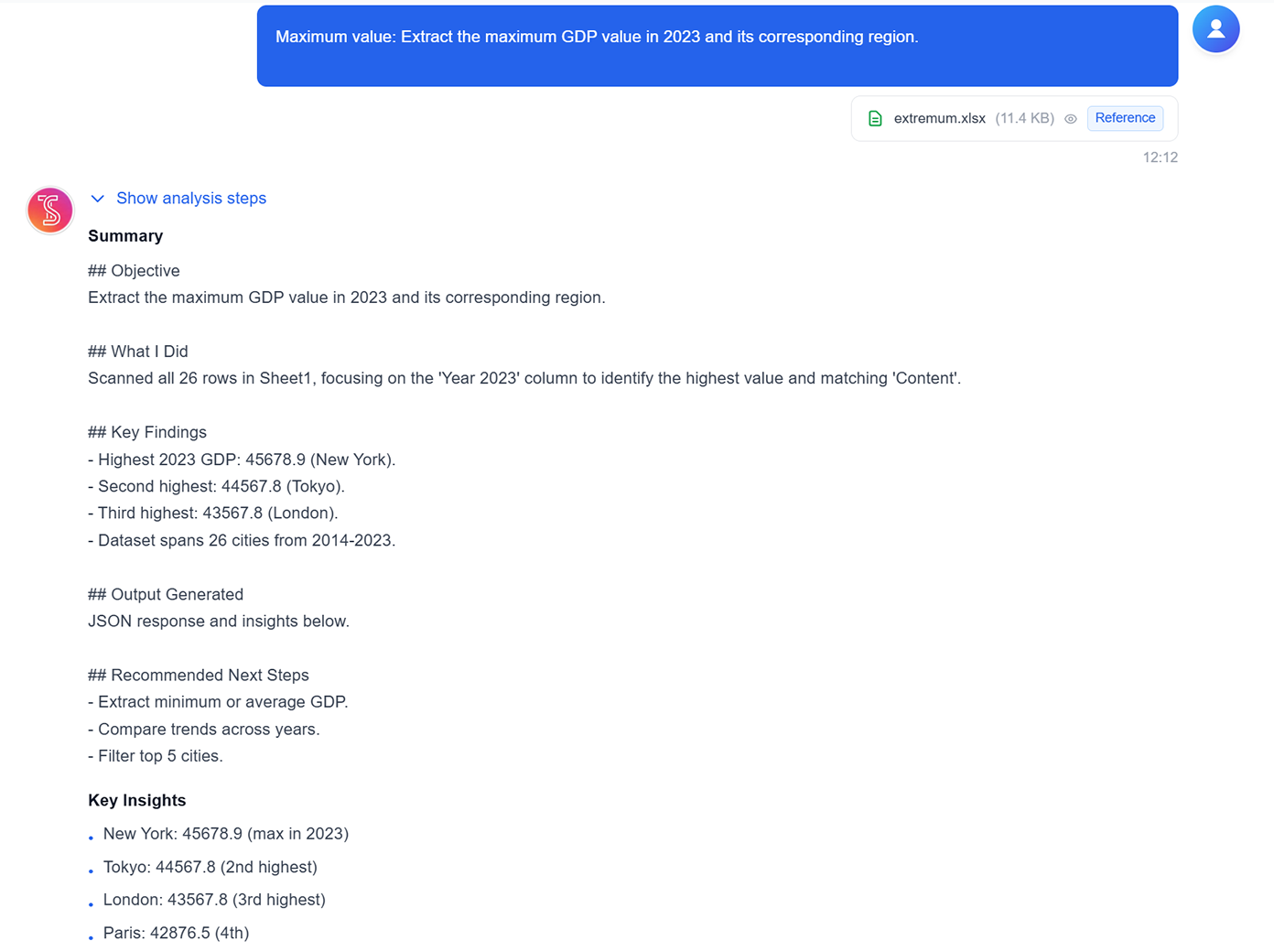
直接從選定資料集計算平均值、最高/最低值與其他關鍵摘要。
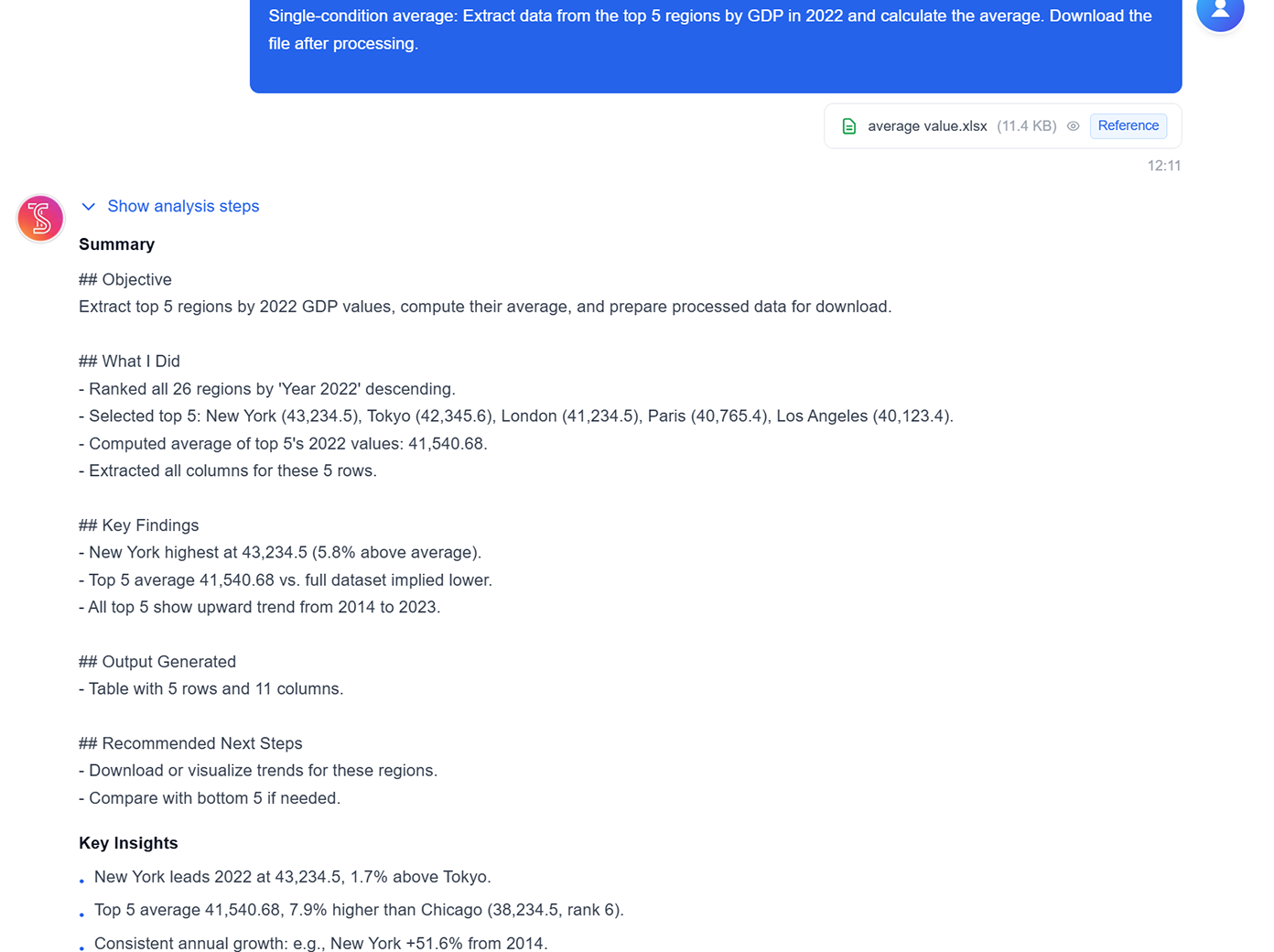
Average and extremum analysis screenshot
icon

邏輯與組合計算

執行分類邏輯與多步驟計算,產出可下載的分析表格。

Logical and combined calculations screenshot

See TabliSync In Action: Live Product Demo

Watch how TabliSync transforms complex spreadsheet workflows into simple, automated processes in just minutes. See real-world examples of data extraction, automation, and intelligent processing that save teams hours every week.

即時獲得任何任務的協助

無論您需要協助撰寫複雜公式、分析資料集、建立範本或更多——只需詢問您的 AI 助理。在幾秒內獲得專家指導,就在您的試算表中。

提升您的效率

停止浪費時間搜尋試算表函數或自己製作試算表。您的 AI 試算表助理幫助您更聰明、更快速地工作,讓您在更短時間內完成更多工作。

解鎖您的資料

您的 AI 助理不僅回答簡單問題——它還分析您的資料、發掘洞見,並建議使用試算表的最佳方式。建立圖表、範本等等。

See The Difference

Before vs After: The TabliSync Transformation

Compare traditional manual workflows with TabliSync's intelligent automation. See how teams eliminate hours of repetitive work, reduce errors, and accelerate their data processing with AI-powered spreadsheet tools that actually work.

Traditional Way

The old way of working

  • Google complex Excel formulas
  • Repeat same tasks manually
  • Inconsistent team workflows
  • Hours debugging broken formulas
  • Steep learning curve
Slow, manual, error-prone

With TabliSync

The smart way forward

  • Natural language commands
  • Automated repetitive tasks
  • Standardized workflows
  • No formula knowledge needed
  • Instant results
Fast, automated, accurate
免費試用 TabliSync

How It Works - Simple Steps to Get Started

Simple steps to get started and transform your data workflow

上傳您的資料

只需將您的資料上傳到我們的安全平台。我們支援各種檔案格式和資料類型,確保與您現有系統無縫整合。
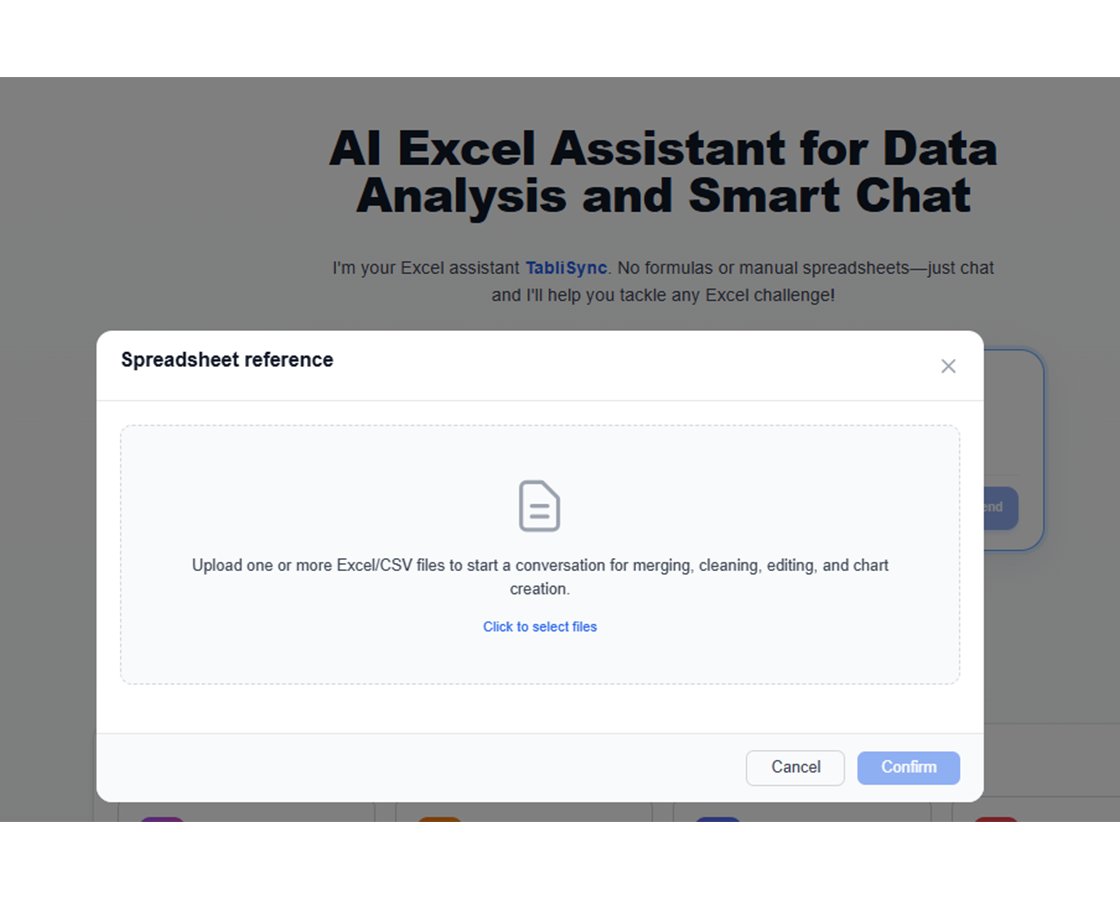
上傳您的資料: 只需將您的資料上傳到我們的安全平台。我們支援各種檔案格式和資料類型,確保與您現有系統無縫整合。

提出您的問題

輸入像「新增利潤率欄位」或「將全名分割為名字和姓氏」這樣的指令,讓 AI 助理完成其餘工作。
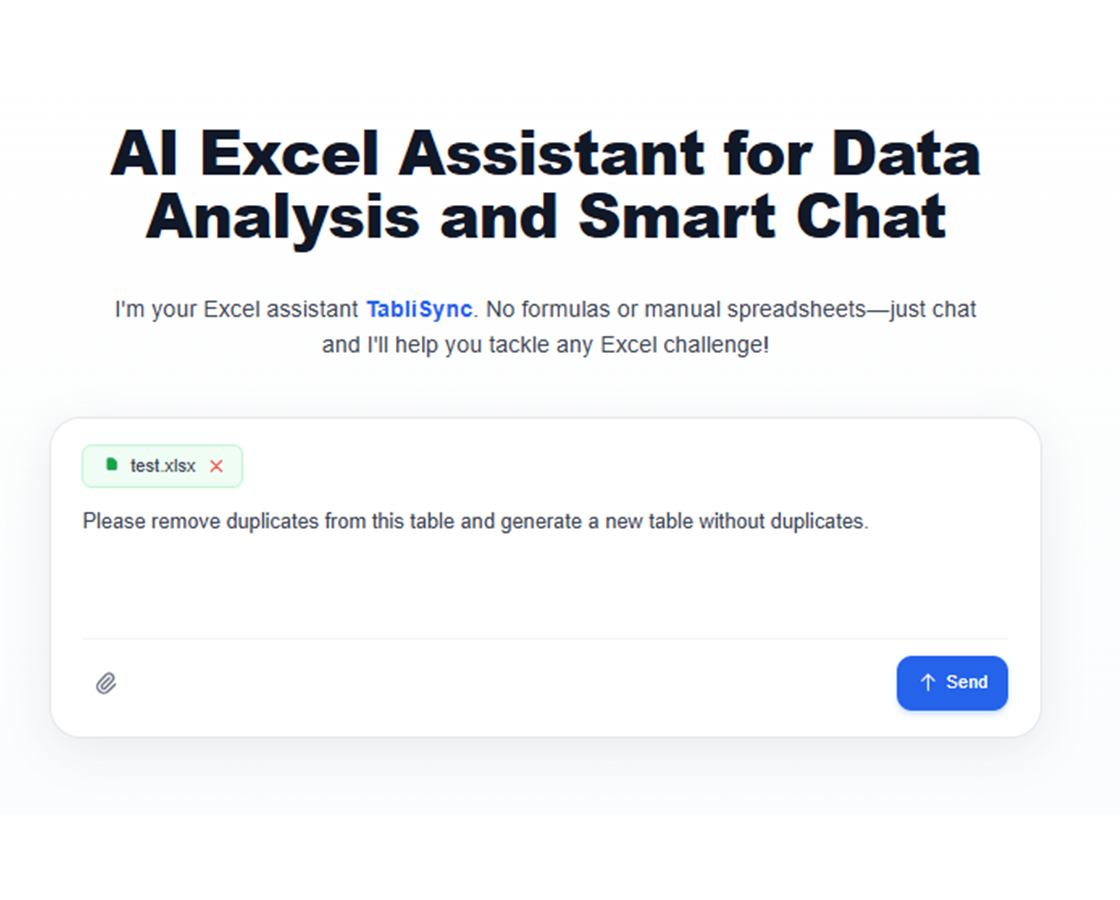
提出您的問題: 輸入像「新增利潤率欄位」或「將全名分割為名字和姓氏」這樣的指令,讓 AI 助理完成其餘工作。

檢視洞見並下載

即時預覽 AI 的變更,並透過後續請求進行調整。當您對結果滿意時,立即匯出您精緻的試算表。
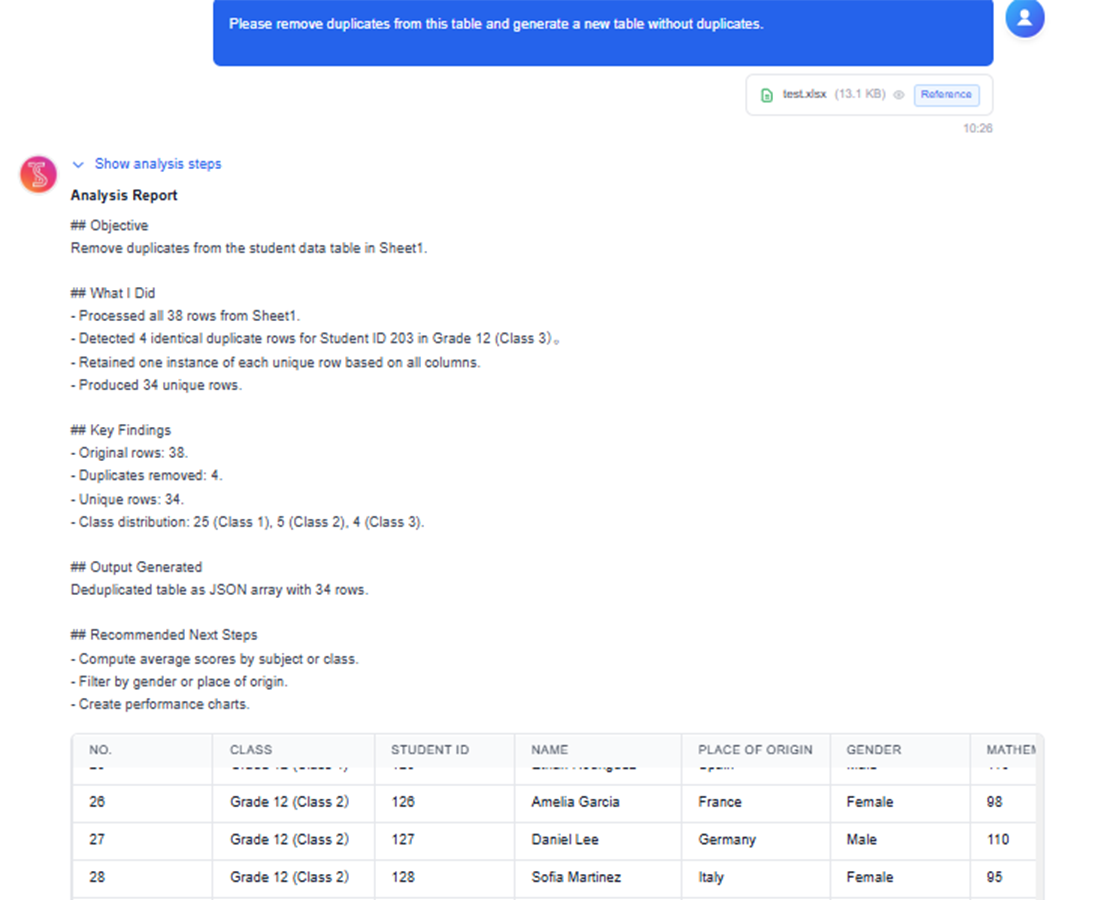
檢視洞見並下載: 即時預覽 AI 的變更,並透過後續請求進行調整。當您對結果滿意時,立即匯出您精緻的試算表。

分享與協作

下載 Excel 檔案,或直接同步到 Google Sheets、Notion 或 Airtable。與團隊分享成果,並在不同平台上持續協作。
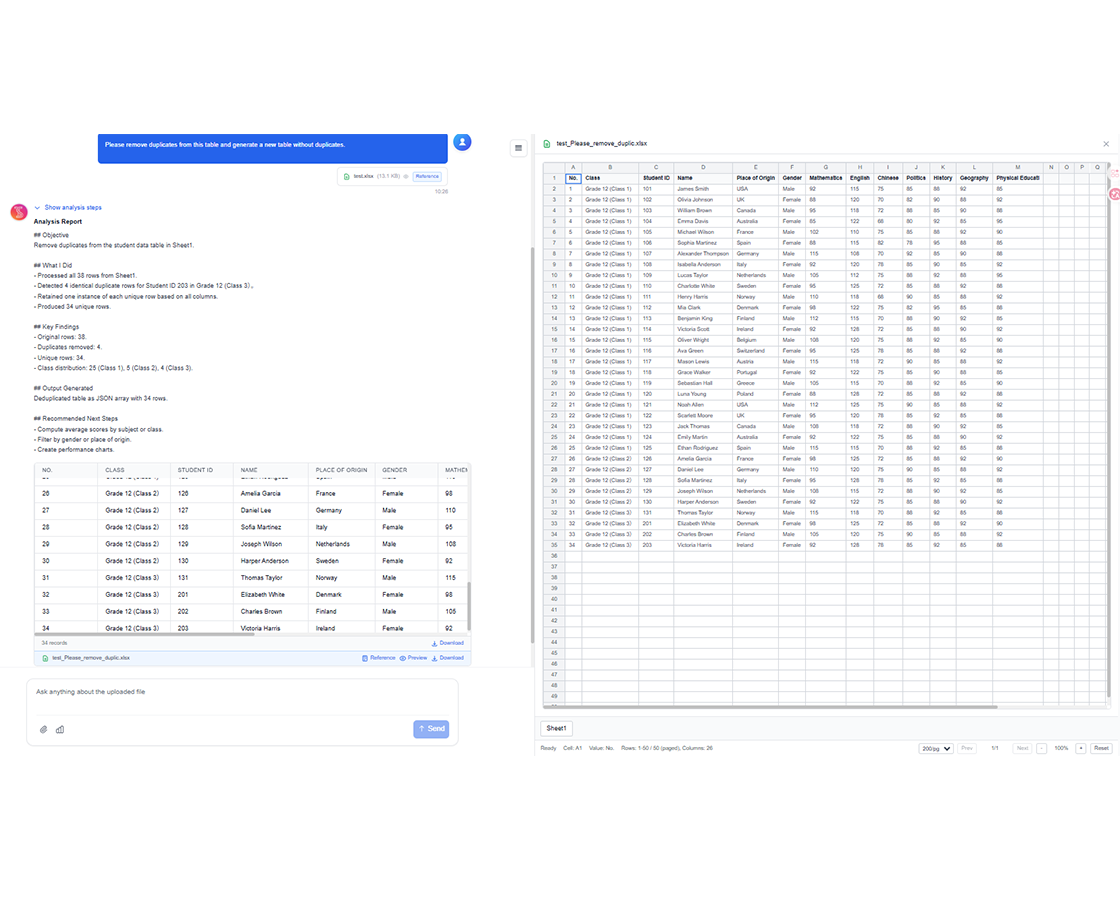
分享與協作: 下載 Excel 檔案,或直接同步到 Google Sheets、Notion 或 Airtable。與團隊分享成果,並在不同平台上持續協作。

Real Results from Real Teams: Customer Success Stories

Don't just take our word for it. Hear from teams and professionals who are already saving hours every week with TabliSync. Real feedback from users who've transformed their spreadsheet workflows and reclaimed valuable time.

"我以前每週都要修壞掉的下拉選單,現在再也不用。"

Amanda Rodriguez

Amanda Rodriguez

營運經理

"比起硬湊公式,這方法簡單太多。"

James Wilson

James Wilson

銷售協調員

"這才是 Excel 一開始就該有的使用方式。"

Emily Davis

Emily Davis

財務分析師

Real-World Industry Solutions

Spreadsheet Operations by Team

How operations, finance, and support teams automate daily spreadsheet tasks.

Client Background

商業分析師

從複雜資料集快速獲得洞見,無需撰寫複雜公式或 SQL 查詢。將原始資料轉換為可執行的商業智慧。

Core Highlights

每月預算對帳與差異分析

客戶細分與行為分析

財務趨勢分析與預測

KPI 儀表板建立與維護

Client Background

行銷團隊

用簡單的英文問題分析活動績效和客戶行為資料。建立推動策略決策的引人注目報表。

Core Highlights

活動 ROI 分析與優化

客戶終身價值計算

A/B 測試結果分析

潛在客戶評分與資格審查

Client Background

銷售團隊

組織客戶資料、追蹤銷售績效,並輕鬆生成佣金報表。專注於銷售,讓 AI 處理資料工作。

Core Highlights

銷售管道分析與預測

佣金計算自動化

客戶關係追蹤

區域績效分析

Client Background

營運經理

透過即時存取關鍵指標和趨勢做出資料驅動的決策。簡化報告並專注於策略計畫。

Core Highlights

庫存管理與優化

專案時間軸追蹤與分析

資源配置優化

績效指標儀表板

4+
Industry Solutions
16+
Real Use Cases
100%
Practical Solutions

Frequently Asked Questions: Everything You Need to Know

Get answers to common questions about this TabliSync feature, including how to use it effectively, what results to expect, and how it integrates with your existing workflows. Find the information you need to get started with confidence.

How do I automate Excel tasks with natural language instead of formulas?

Describe the task in plain language, select the target sheet range, and let the assistant generate operations. You can review output before applying it broadly.

Can the assistant clean messy spreadsheets with missing values and duplicates?

Yes. It can help with normalization, deduplication, and structured cleanup steps. You can apply transformations incrementally to keep changes auditable.

What is the best way to troubleshoot broken formulas in large workbooks?

Use the assistant to explain formula logic, isolate error-prone ranges, and suggest corrected expressions. This shortens debugging time for complex workbook dependencies.

Can AI split worksheets and aggregate conditional metrics automatically?

Yes. You can define grouping rules for sheet splits and run conditional sums, counts, and averages in one guided workflow.

Does the assistant support repeatable workflows for operations teams?

Yes. Teams can reuse prompt patterns for recurring tasks like weekly cleanup, KPI rollups, and structured exports to improve consistency.

Is data in the AI Spreadsheet Assistant kept private and secure?

Yes. Spreadsheet interactions are processed under encrypted transport with controlled workspace access. Teams can manage permissions so only approved users can view or edit results.

Why TabliSync is More Than Just a Converter

Transform your data workflow with our complete ecosystem of AI-powered tools for cross-platform data management, collaboration, and automation.

Cross-Platform Sync

Your converted data automatically syncs across Google Sheets, Notion, Airtable, and other platforms. No manual importing or exporting needed.

Real-Time Collaboration

Share and collaborate on your extracted data instantly. Team members can access, edit, and analyze data across different platforms simultaneously.

Automated Updates

Set up automatic data refresh schedules. Your spreadsheets stay up-to-date without manual intervention, saving hours of repetitive work.

Join the Complete Data Ecosystem

Unlock the full potential of your data with our integrated suite of AI tools

Natural Language ProcessingExcel AutomationFormula GenerationData CleaningTeam ProductivityNo-Code Operations

Ready to Transform Your Data Workflow?

Join thousands of professionals who trust TabliSync for their data needs

無需信用卡——加入 10,000+ 位每天同步資料的使用者