AI画像文字起こしOCR: スクリーンショット、スキャン文書、レシート、写真
スクリーンショット、スキャン文書、レシート、メモ、写真からAI OCRで文字を抽出し、編集可能なテキストに変換します
JPG、PNG、WEBP、スキャン画像をAI OCRできれいなプレーンテキストに変換します。自然な改行を保ち、認識結果をすぐに確認し、数秒でコピーまたはダウンロードできます。
What is AI画像文字起こしOCR: スクリーンショット、スキャン文書、レシート、写真?
JPG、PNG、WEBP、スキャン画像をAI OCRできれいなプレーンテキストに変換します。自然な改行を保ち、認識結果をすぐに確認し、数秒でコピーまたはダウンロードできます。
スクリーンショットの文字を手で打ち直すと日常業務が遅くなる
スクリーンショットの手入力、OCR 結果の後処理、画像ファイルに閉じ込められたスキャン文字は、整った編集可能なテキストを必要とするチームの足をまだ引っ張っています。
スクリーンショットの文字を手で打ち直すと日常業務が遅くなる
チームは今でもスクリーンショット、チャット画面、管理パネル、製品画像から文字を手作業で写しています。この画像文字起こしの流れは時間を奪い、集中を妨げ、不要な入力ミスを生みます。
This workflow bottleneck impacts team productivity, increases operational costs, and creates data quality issues that affect business decisions.
スキャン文書や写真に重要な文字が閉じ込められる
印刷ページ、スキャンファイル、レシート、請求書、撮影したメモには有用な情報がピクセルのまま残ることが多く、編集可能な文字になっていません。信頼できるOCRがないと検索や再利用、記録化が難しくなります。
Manual processes lead to inconsistent results, higher error rates, and frustrated team members who spend time on repetitive low-value tasks.
弱いOCR結果は構造と精度を崩す
多くの基本OCRツールは文字が乱れたり、改行が失われたり、手書きや低コントラスト画像の重要な表現を取りこぼします。その結果、後処理が増え、抽出結果を信頼しづらくなります。
Without automation, scaling operations becomes difficult, team efficiency suffers, and valuable time is lost on tasks that could be automated.
スクリーンショット、スキャン、レシート、メモ、文書写真向けの画像OCRワークフロー
AI OCRで実際の画像ソースから文字を取り出し、その場で確認し、きれいで編集可能な文字を調査、運用、サポート、文書化の業務に流し込めます。
スクリーンショットから文字を抽出
Web画面、管理画面、チャット画面、製品UIの文字を、打ち直しなしで編集可能なテキストに変換します。
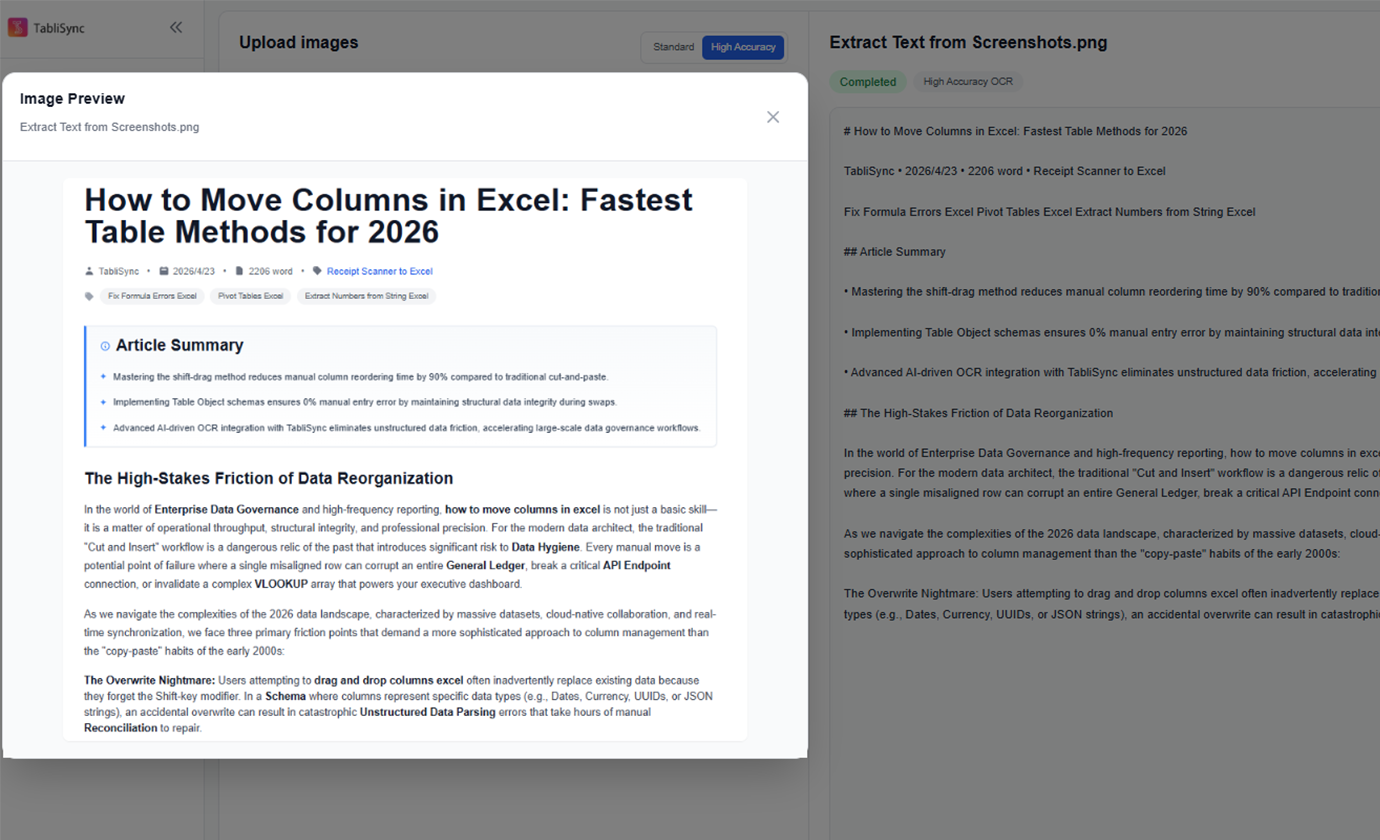
スキャン文書OCR
スキャンページ、契約書、フォーム、印刷文書、撮影した書類を検索可能なテキストに変換し、編集や保管をしやすくします。
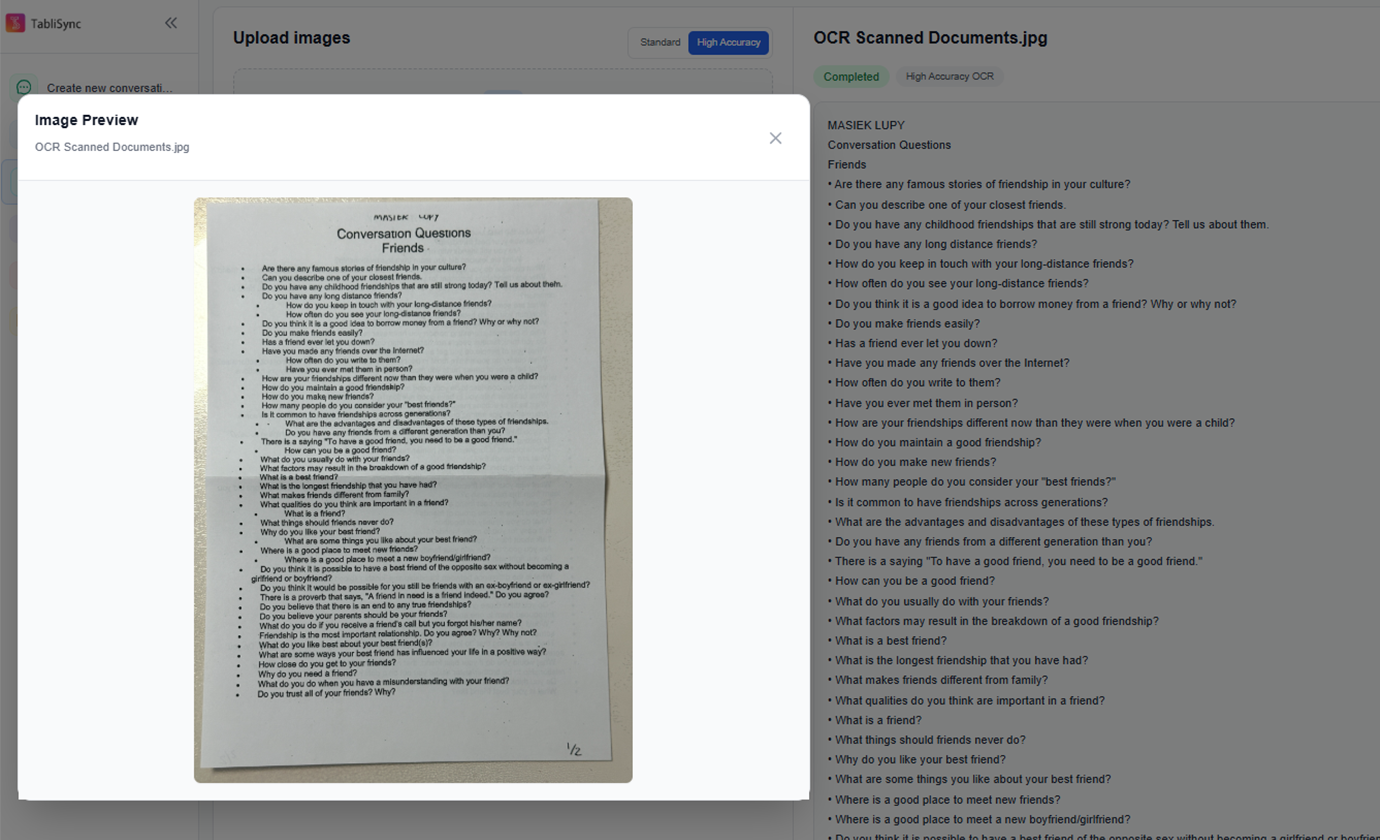
レシートと請求書の文字を抽出
レシート、請求書、購買伝票、物流文書から文字を抽出し、経理や運用チームが内容を素早く再利用できるようにします。
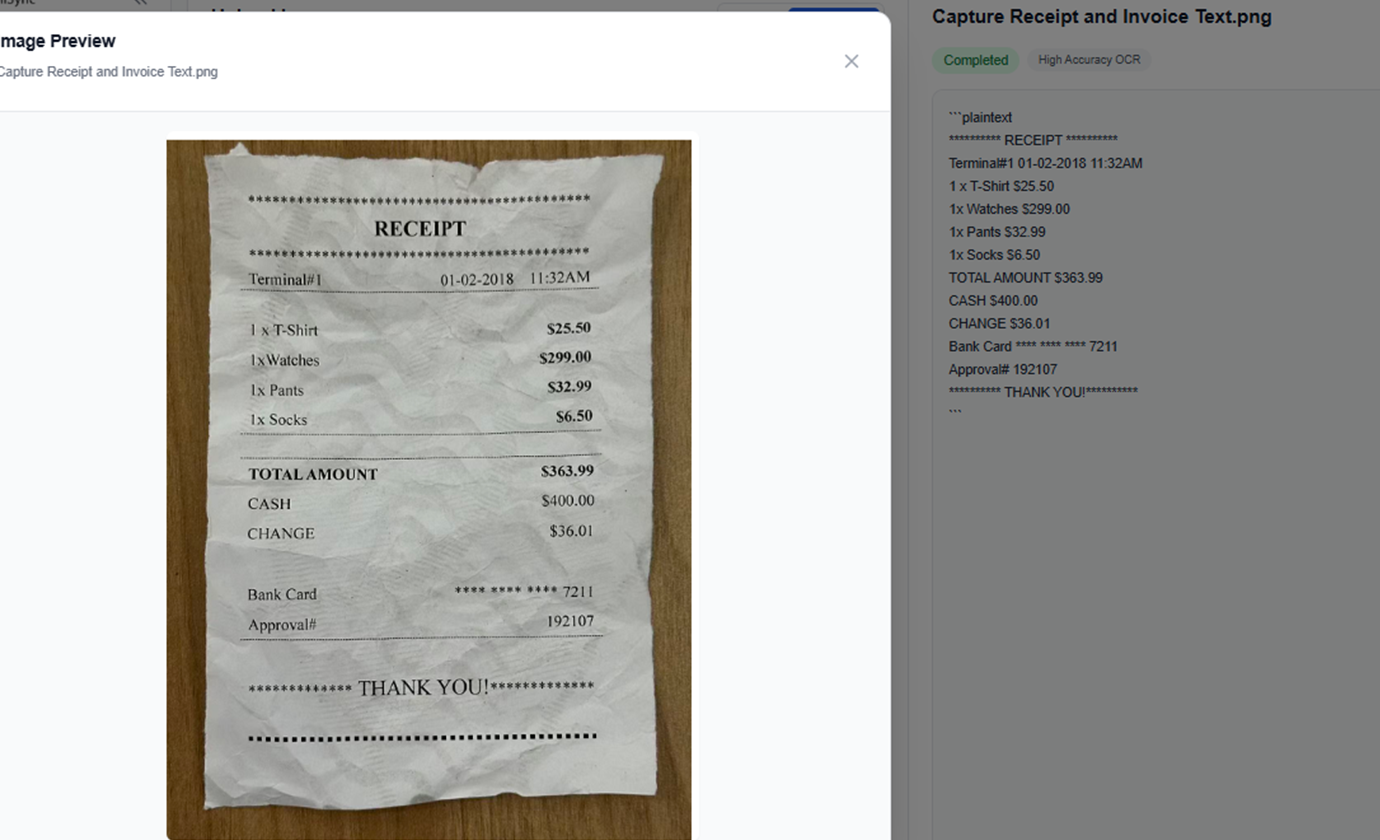
手書きメモをテキスト化
会議メモ、ホワイトボード写真、授業ノート、手書きの備忘録を整理しやすい編集可能なテキストに変換します。
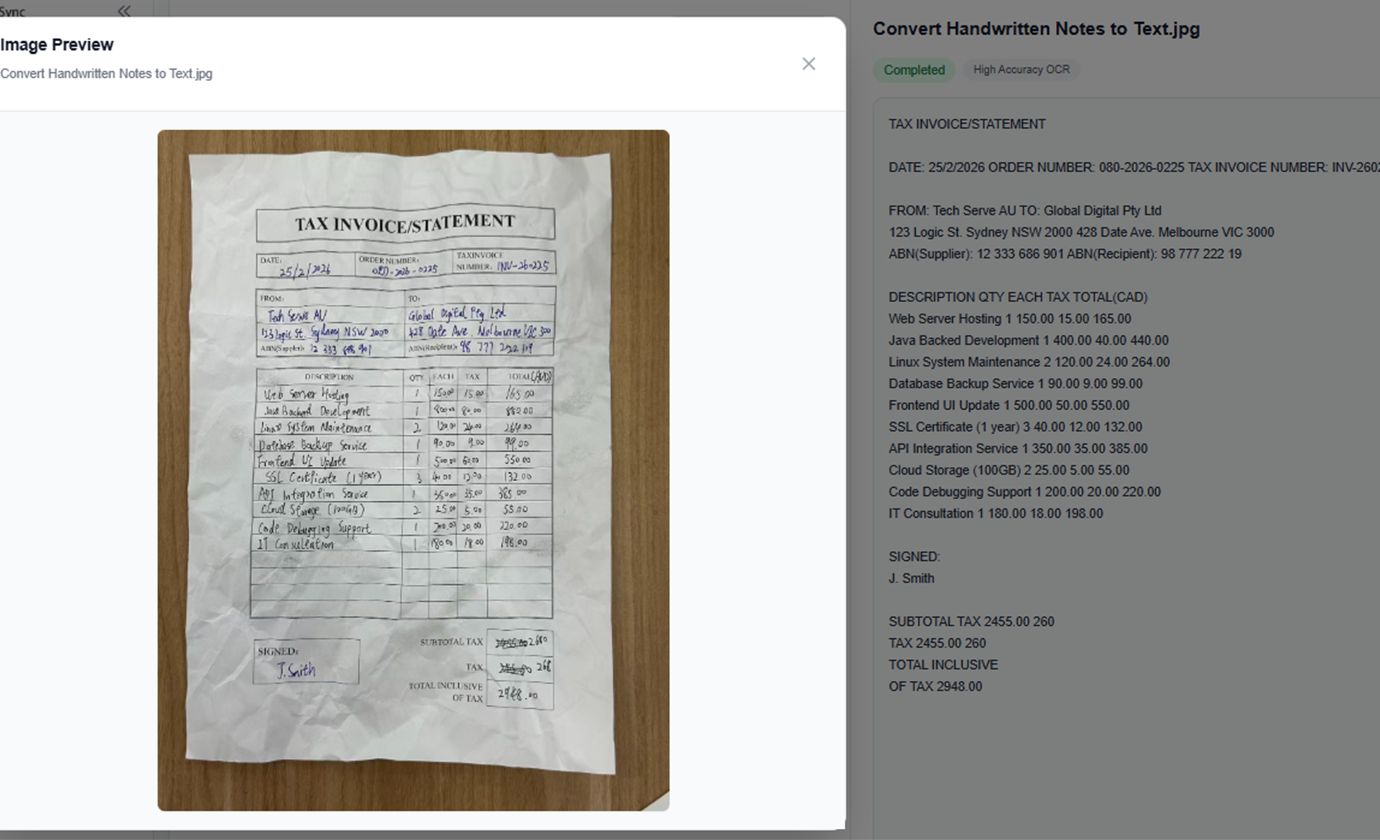
研究用画像から文字を抽出
書籍ページ、論文のスクリーンショット、ポスター、パンフレット、参照画像から文字を収集し、調査や執筆に活用できます。
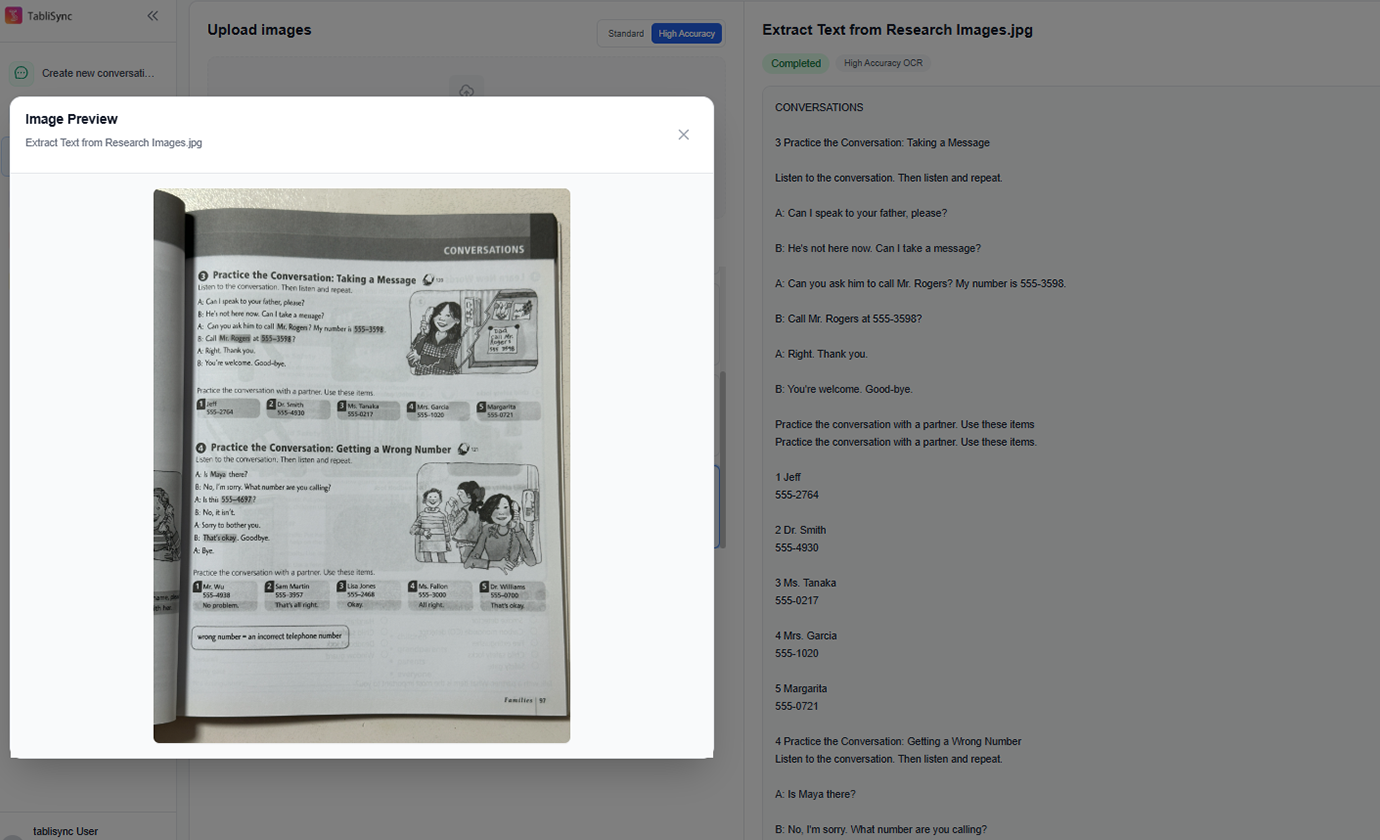
複数画像を一括OCR
複数のスクリーンショットやスキャンページをまとめて処理し、OCR結果を1つの作業画面で確認できます。
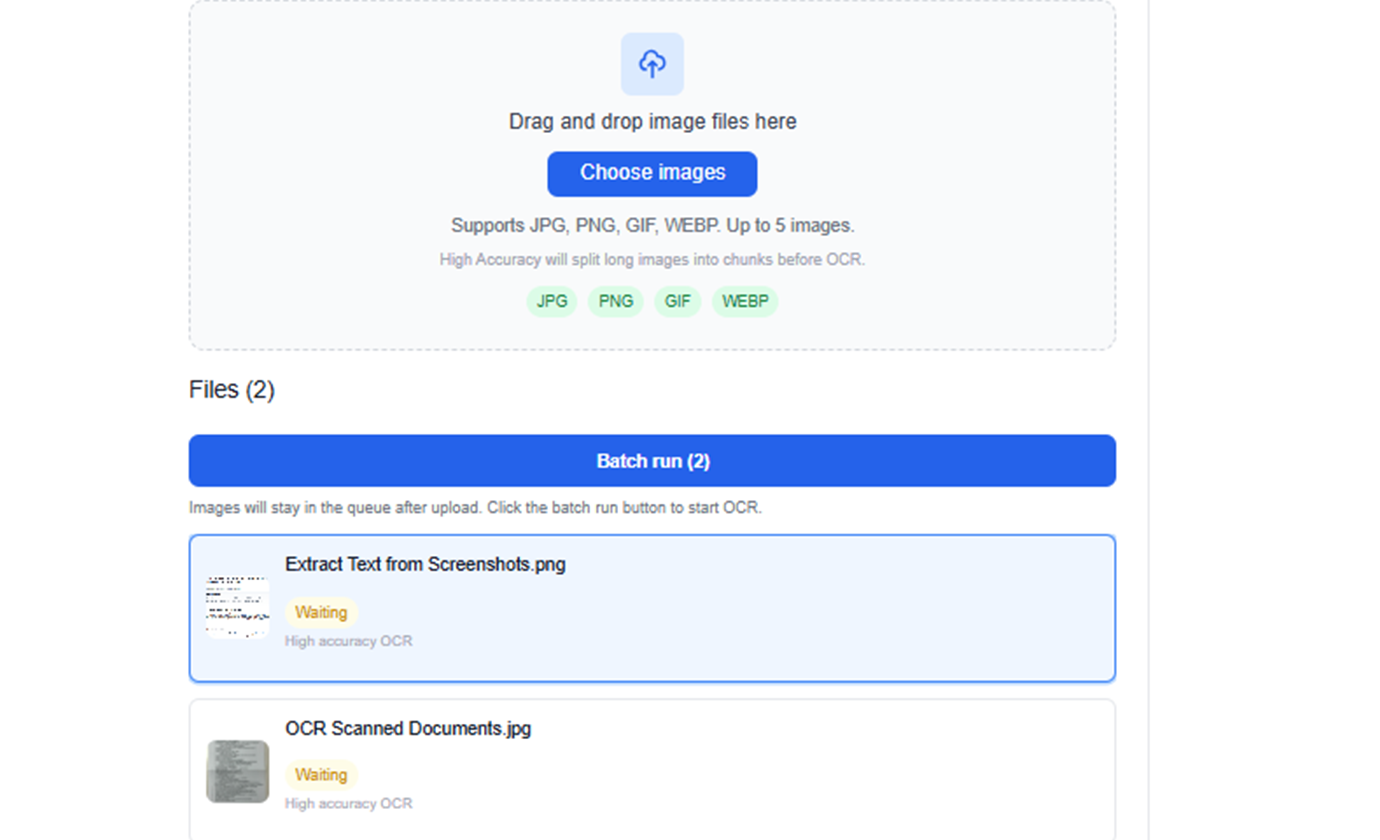
スクリーンショットから文字を抽出
Web画面、管理画面、チャット画面、製品UIの文字を、打ち直しなしで編集可能なテキストに変換します。
スキャン文書OCR
スキャンページ、契約書、フォーム、印刷文書、撮影した書類を検索可能なテキストに変換し、編集や保管をしやすくします。
レシートと請求書の文字を抽出
レシート、請求書、購買伝票、物流文書から文字を抽出し、経理や運用チームが内容を素早く再利用できるようにします。
手書きメモをテキスト化
会議メモ、ホワイトボード写真、授業ノート、手書きの備忘録を整理しやすい編集可能なテキストに変換します。
研究用画像から文字を抽出
書籍ページ、論文のスクリーンショット、ポスター、パンフレット、参照画像から文字を収集し、調査や執筆に活用できます。
複数画像を一括OCR
複数のスクリーンショットやスキャンページをまとめて処理し、OCR結果を1つの作業画面で確認できます。
TabliSyncの動作を見る:製品デモ
複雑なワークフローが数分でシンプルな自動化プロセスに変わる様子をご覧ください。
高速OCR抽出
スクリーンショット、スキャンページ、レシート、文書写真をアップロードするだけで、手入力なしで数秒以内に読みやすい文字を取得できます。
元の表現を保持
原文に忠実な抽出を前提としており、再利用前に表現、間隔、行構造を確認できます。
シンプルな書き出し
抽出した文字をそのままコピーするか、TXTとしてダウンロードしてレポート、文書、チャット業務、後続分析に使えます。
Before / After:TabliSyncによる変化
手作業のフローと自動化を比較し、時間短縮とミス削減を確認できます。
従来のやり方
従来のやり方
- 手作業が多く時間がかかる
- 担当者ごとに運用がばらつく
- 入力ミスや抜け漏れが起きやすい
- 更新や保守で手戻りが発生する
- 業務拡大時にスケールしにくい
TabliSync を使う場合
スマートなやり方
- AI が繰り返し作業を自動化
- 運用を標準化し結果が安定
- 人的ミスと手戻りを削減
- 変更をすばやく反映可能
- 大規模運用にも対応しやすい
仕組み - 簡単な開始ステップ
開始してデータワークフローを変革するためのシンプルなステップ
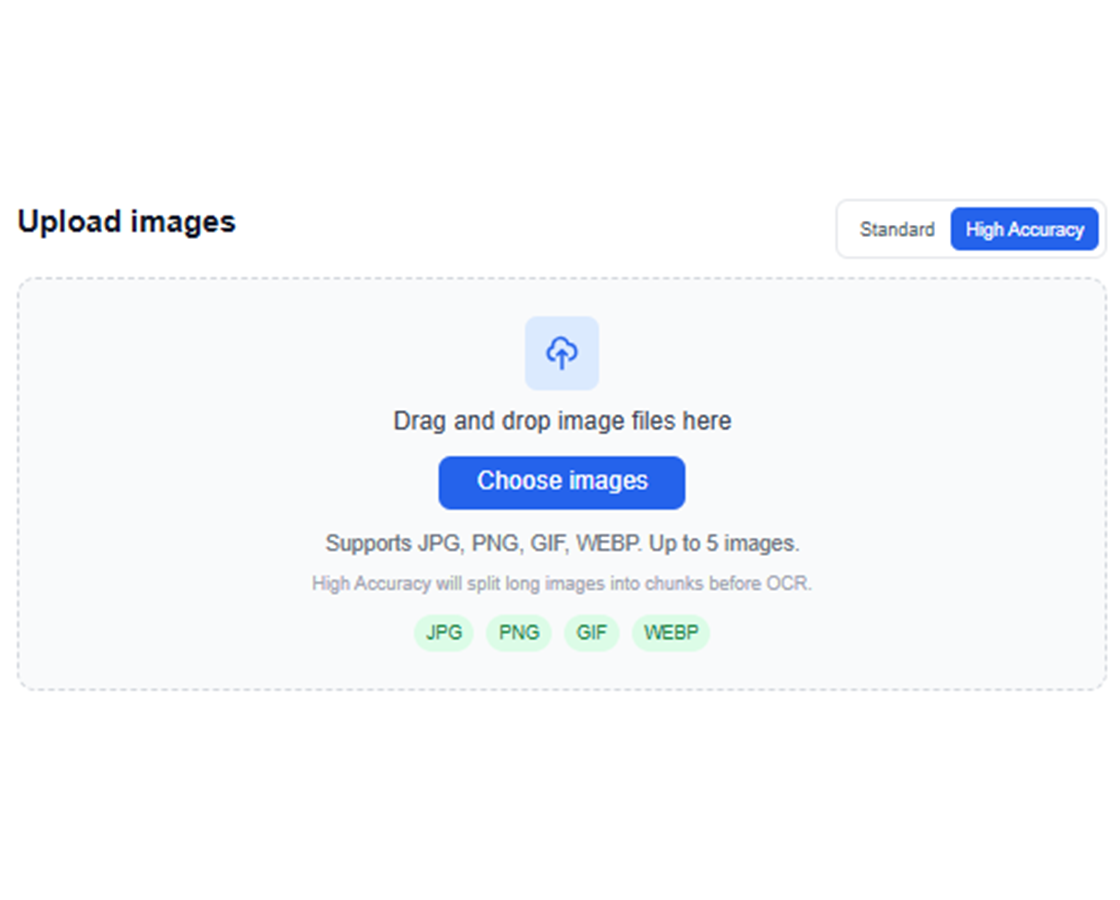
画像ファイルをアップロード
スクリーンショット、スキャン画像、写真をドラッグ&ドロップするか、端末から選択します。
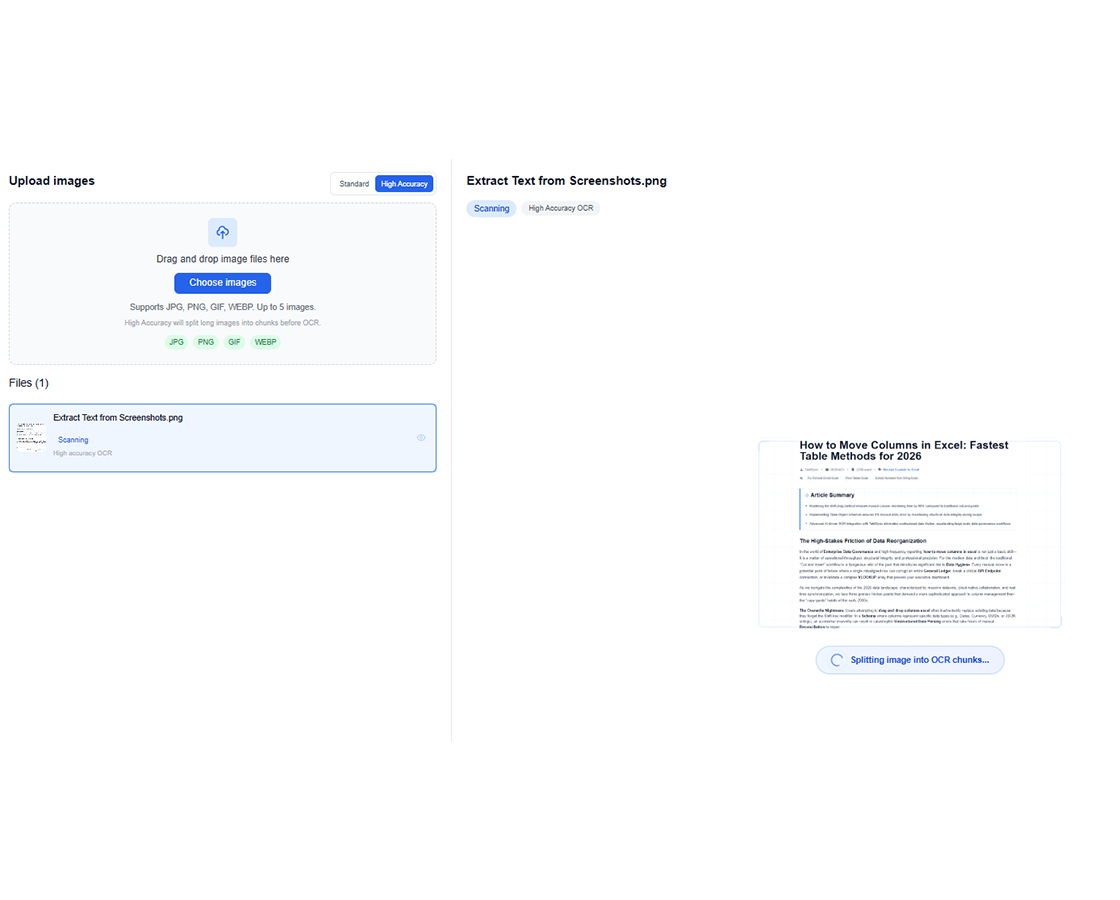
AI OCRを実行
TabliSyncが画像を解析し、文書向けに最適化されたOCRで見えている文字を抽出します。
抽出テキストを確認
ワークスペース上で認識結果を確認し、書き出し前に文字内容を検証します。
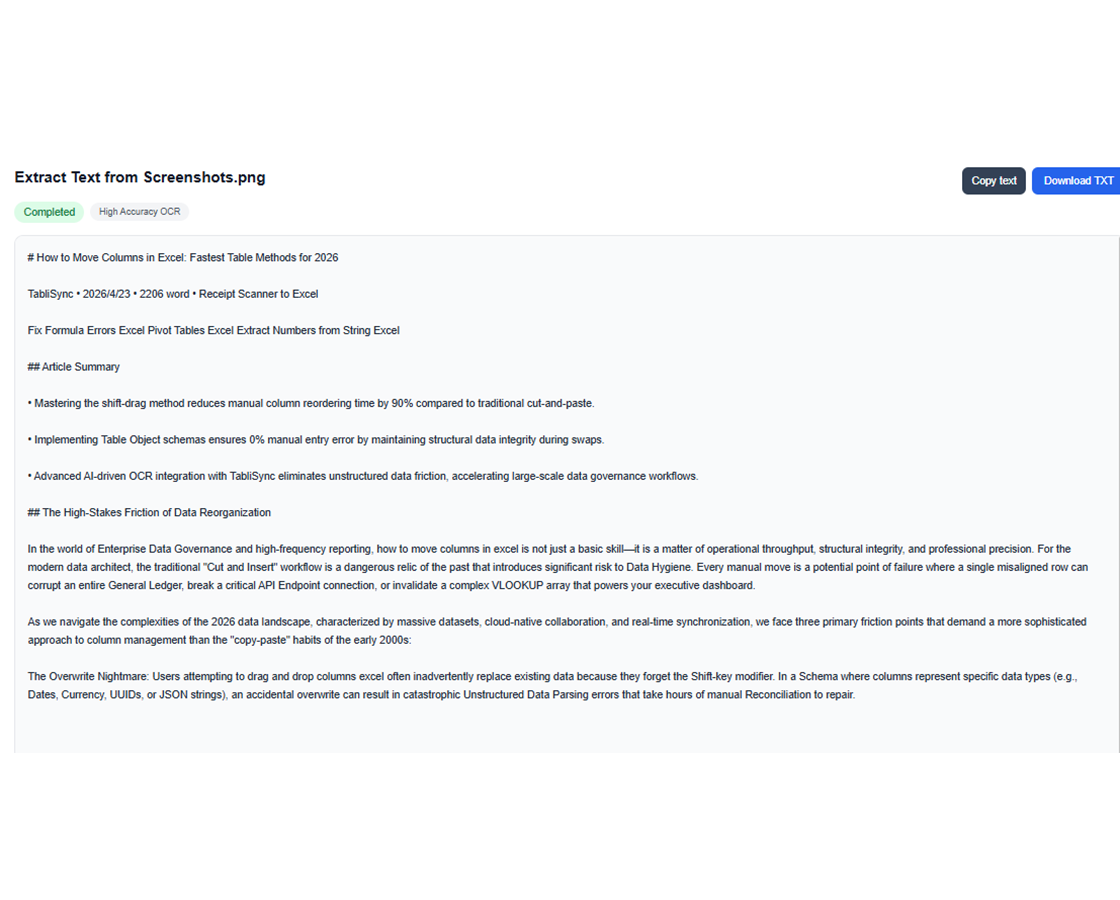
TXTをコピーまたはダウンロード
その場でテキストをコピーするか、TXTとしてダウンロードして次の作業に進めます。
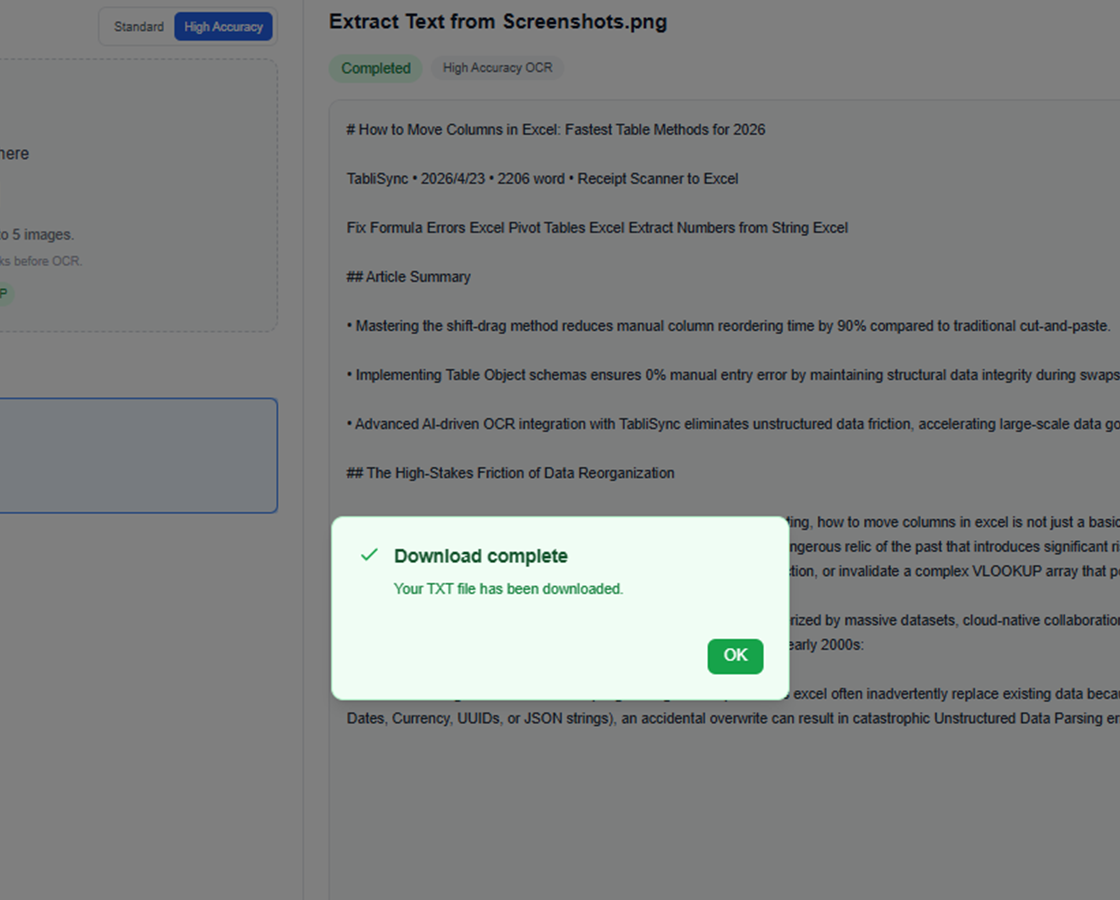
画像ファイルをアップロード
スクリーンショット、スキャン画像、写真をドラッグ&ドロップするか、端末から選択します。
AI OCRを実行
TabliSyncが画像を解析し、文書向けに最適化されたOCRで見えている文字を抽出します。
抽出テキストを確認
ワークスペース上で認識結果を確認し、書き出し前に文字内容を検証します。
TXTをコピーまたはダウンロード
その場でテキストをコピーするか、TXTとしてダウンロードして次の作業に進めます。
実務で画像文字起こしOCRを活用するチームの声
大量のスクリーンショットを扱うサポート業務から、スキャン書類の事務処理、研究ノートの取り込みまで、これらのチームはAI画像文字起こしOCRで文字抽出を高速化し、元の表現も保っています。
"私たちのサポートチームは、毎日スクリーンショット証跡にAI画像文字起こしを使っています。チケットや製品画面の正確な文言を、1行ずつ打ち直さずにそのまま取り込めます。"

Olivia Carter
サポートオペレーション責任者
"レシート、スキャンフォーム、撮影書類では、OCR結果が十分きれいなので、私のチームはそのまま事務ワークフローに貼り付けて使えます。"

Daniel Kim
管理サービスマネージャー
"研究用のスクリーンショットと手書きメモのために画像文字起こしOCRが必要でした。今では、引用、検索、保存ができる編集可能な文字が得られ、もう全部打ち直す必要はありません。"

Maya Patel
研究コーディネーター
画像から文字への OCR 活用ケース:スクリーンショット、スキャン、領収書、メモ
チームが AI 画像から文字へのワークフローを使って、スクリーンショット、スキャン文書、書類写真、手書きメモ、複数画像から手入力なしで文字を抽出する方法をご覧ください。
運用チーム
社内ツール、承認フロー、業務システムのスクリーンショットを再利用可能なテキストに変換します。
注文画面のスクリーンショットから文字を抽出
配送メモや出荷メモを抽出
スキャン指示書をレポートで再利用
学生と研究者
スキャンノート、抜粋、画像ベースの参考資料を編集可能なテキストにして学習や執筆に活用します。
講義スクリーンショットから文字を抽出
スキャンした文章をノート化
文書画像から引用を集める
サポート・事務スタッフ
手入力や画面の行き来を減らしながら、スクリーンショットやスキャン文書から詳細を取り出します。
サポート画面から顧客情報を抽出
スキャンフォームの文字を再利用
画像添付の内容を取り込む
コンテンツ・マーケティングチーム
ビジュアル素材、キャンペーン画面、印刷物から文字を取り出し、下書きや編集に再利用できます。
広告画像からコピーを抽出
印刷パンフレットの内容を再利用
イベント表示を編集可能な文字へ変換
よくある質問
この機能の使い方や期待できる結果、連携方法などのよくある質問にお答えします。
手入力なしでオンラインから画像のテキストを抽出するには?
画像をアップロードし、OCR にテキスト内容を検出させ、結果をコピーまたはエクスポートします。このフローは再入力を避け、視覚ドキュメントのデジタル化を加速します。
スクリーンショットとスキャン文書の OCR 精度はどの程度ですか?
精度は解像度、コントラスト、文字の鮮明さに依存します。鮮明なスクリーンショットとコントラストの良いスキャンが一般的に最良の結果を出します。
スクリーンショットからのテキスト抽出で改行を保持できますか?
はい。OCR エンジンはレイアウトが許す場合、段落構造と改行を保持します。エクスポート前に結果を調整できます。
TabliSync はスキャンしたレシートや請求書からテキストを抽出できますか?
はい。レシート・請求書形式のスキャン文書をサポートします。最終エクスポート前に金額、日付、明細行を確認できます。
手書きメモも OCR で抽出できますか?
はい、読み取り可能な筆記であれば可能です。品質は画像の鮮明さと字の規則性に依存します。重要フィールドは素早い検証を推奨します。
複数画像の OCR テキストを一括エクスポートするには?
同一ワークフローに複数画像をアップロードし、一括 OCR を実行して、構造化テキストまたは CSV ファイルとしてエクスポートします。大量ドキュメント処理に最適です。
TabliSync が単なるコンバーター以上である理由
クロスプラットフォームデータ管理、コラボレーション、自動化のための AI 搭載ツールの完全なエコシステムでデータワークフローを変革します。
クロスプラットフォーム同期
変換されたデータは Google Sheets、Notion、Airtable、その他のプラットフォーム間で自動的に同期されます。手動でのインポートやエクスポートは不要です。
リアルタイムコラボレーション
抽出されたデータを即座に共有してコラボレーションします。チームメンバーは異なるプラットフォーム間でデータにアクセス、編集、分析できます。
自動更新
自動データ更新スケジュールを設定します。スプレッドシートは手動介入なしに最新の状態を保ち、何時間もの反復作業を節約します。
完全なデータエコシステムに参加
統合された AI ツールスイートでデータの可能性を最大限に引き出す
データワークフローを変革する準備はできましたか?
データニーズに TabliSync を信頼する何千ものプロフェッショナルに参加しましょう
画像をアップロードして、数秒で編集可能な文字に変換します。