手動入力を停止。AI PDF から Excel コンバーター
複雑な PDF ドキュメントを構造化された Excel スプレッドシートに変換
複数ページの PDF から表、財務データ、レポートを 99.8% の精度で抽出するエンタープライズグレードの AI 技術。信頼性の高い自動 PDF 処理が必要な会計士、アナリスト、データ専門家に最適。
What is 手動入力を停止。AI PDF から Excel コンバーター?
複数ページの PDF から表、財務データ、レポートを 99.8% の精度で抽出するエンタープライズグレードの AI 技術。信頼性の高い自動 PDF 処理が必要な会計士、アナリスト、データ専門家に最適。
TabliSync:AIでExcel作業を自動化
実務のワークフロー、データ処理、チーム協業のために設計されたインテリジェントな自動化レイヤーです。
高度な PDF 構造インテリジェンス
当社の AI エンジンは、複数列のレポート、ネストされたテーブル、階層データを含む複雑な PDF レイアウトを理解します。ページをまたぐテーブル関係を賢く再構築し、結合セルを処理し、財務ドキュメントの意味的意味を保持します。
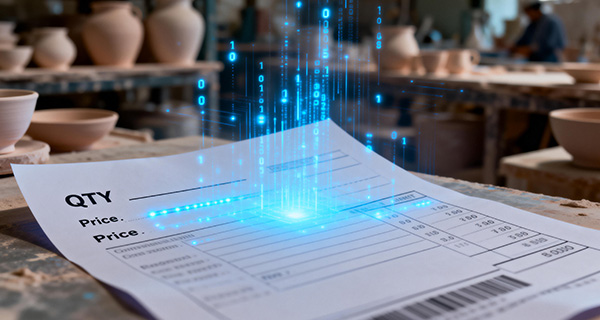
財務データタイプ認識
専門的なアルゴリズムが通貨、パーセンテージ、日付、会計数値を自動的に識別してフォーマットします。小数精度を維持し、括弧内の負の値を認識し、正確な財務分析のための数式関係を保持します。
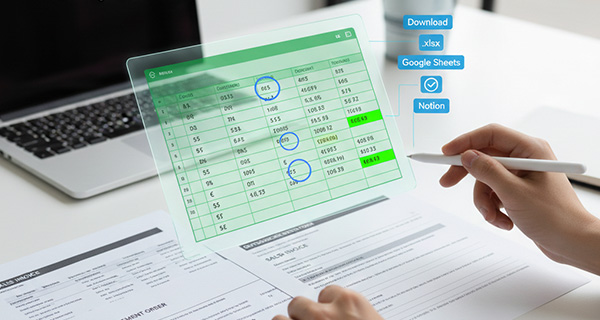
複数テーブル検出と抽出
単一の PDF ページ内の複数のテーブルを賢く識別して分離します。ヘッダー、フッター、混合コンテンツを含む複雑なレイアウトを処理します。包括的な財務レポートと分析ドキュメントからのデータ抽出に最適です。

リアルタイムクラウド同期
抽出されたデータを Google Sheets、Notion、Airtable、または Excel Online に即座に同期します。自動更新でチームコラボレーションを有効にします。新しい PDF が処理されたときにトリガーされるワークフローを設定し、データパイプラインを合理化します。
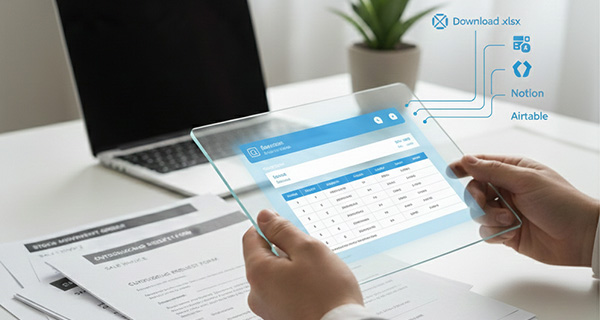
エンタープライズバッチ処理
PDF のフォルダ全体を同時にアップロードして処理します。それぞれ 100 ページ以上のドキュメントを処理します。月末決算、監査準備、大規模データ移行プロジェクトに最適です。処理ステータスをリアルタイムで追跡します。

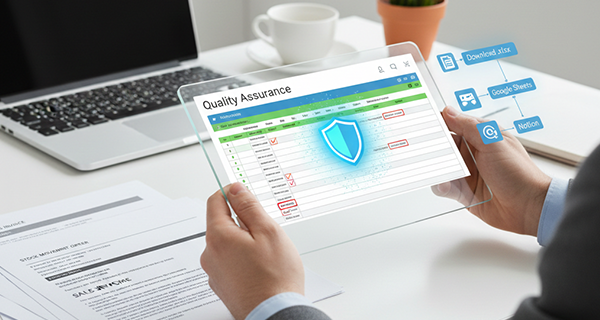
品質保証と検証
組み込みの検証エンジンがデータの整合性をチェックし、潜在的な抽出エラーにフラグを立てます。各テーブルの信頼度スコアを提供します。最終エクスポート前に手動レビューと修正を許可します。コンプライアンス要件のための監査対応の精度を保証します。
高度な PDF 構造インテリジェンス
当社の AI エンジンは、複数列のレポート、ネストされたテーブル、階層データを含む複雑な PDF レイアウトを理解します。ページをまたぐテーブル関係を賢く再構築し、結合セルを処理し、財務ドキュメントの意味的意味を保持します。
財務データタイプ認識
専門的なアルゴリズムが通貨、パーセンテージ、日付、会計数値を自動的に識別してフォーマットします。小数精度を維持し、括弧内の負の値を認識し、正確な財務分析のための数式関係を保持します。
複数テーブル検出と抽出
単一の PDF ページ内の複数のテーブルを賢く識別して分離します。ヘッダー、フッター、混合コンテンツを含む複雑なレイアウトを処理します。包括的な財務レポートと分析ドキュメントからのデータ抽出に最適です。
リアルタイムクラウド同期
抽出されたデータを Google Sheets、Notion、Airtable、または Excel Online に即座に同期します。自動更新でチームコラボレーションを有効にします。新しい PDF が処理されたときにトリガーされるワークフローを設定し、データパイプラインを合理化します。
エンタープライズバッチ処理
PDF のフォルダ全体を同時にアップロードして処理します。それぞれ 100 ページ以上のドキュメントを処理します。月末決算、監査準備、大規模データ移行プロジェクトに最適です。処理ステータスをリアルタイムで追跡します。
品質保証と検証
組み込みの検証エンジンがデータの整合性をチェックし、潜在的な抽出エラーにフラグを立てます。各テーブルの信頼度スコアを提供します。最終エクスポート前に手動レビューと修正を許可します。コンプライアンス要件のための監査対応の精度を保証します。
TabliSyncの動作を見る:製品デモ
複雑なワークフローが数分でシンプルな自動化プロセスに変わる様子をご覧ください。
エンタープライズグレードの精度
任意の PDF ドキュメントから複雑な財務表、複数ページのレポート、ネストされたデータ構造を 99.8% の精度で抽出します。
バッチ処理能力
数百の PDF ページを同時に変換。財務諸表、請求書、レポートのフォルダ全体を数分で処理します。
スマートデータ認識
通貨、日付、数式、会計フォーマットを自動検出。財務計算のための数値精度を保持します。
仕組み - 簡単な開始ステップ
開始してデータワークフローを変革するためのシンプルなステップ
PDF ドキュメントをアップロード
PDF ファイルをドラッグ&ドロップするか、フォルダ全体をアップロードします。デジタル PDF とスキャンされたドキュメントの両方をサポート。パスワード保護されたファイルでも動作します。単一ページまたは数百ページのレポートを同じ容易さで処理します。
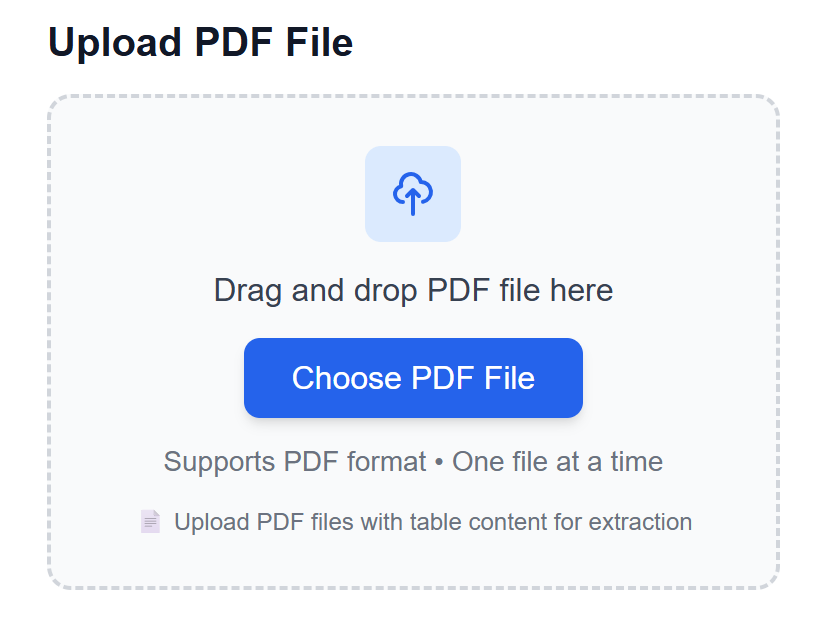
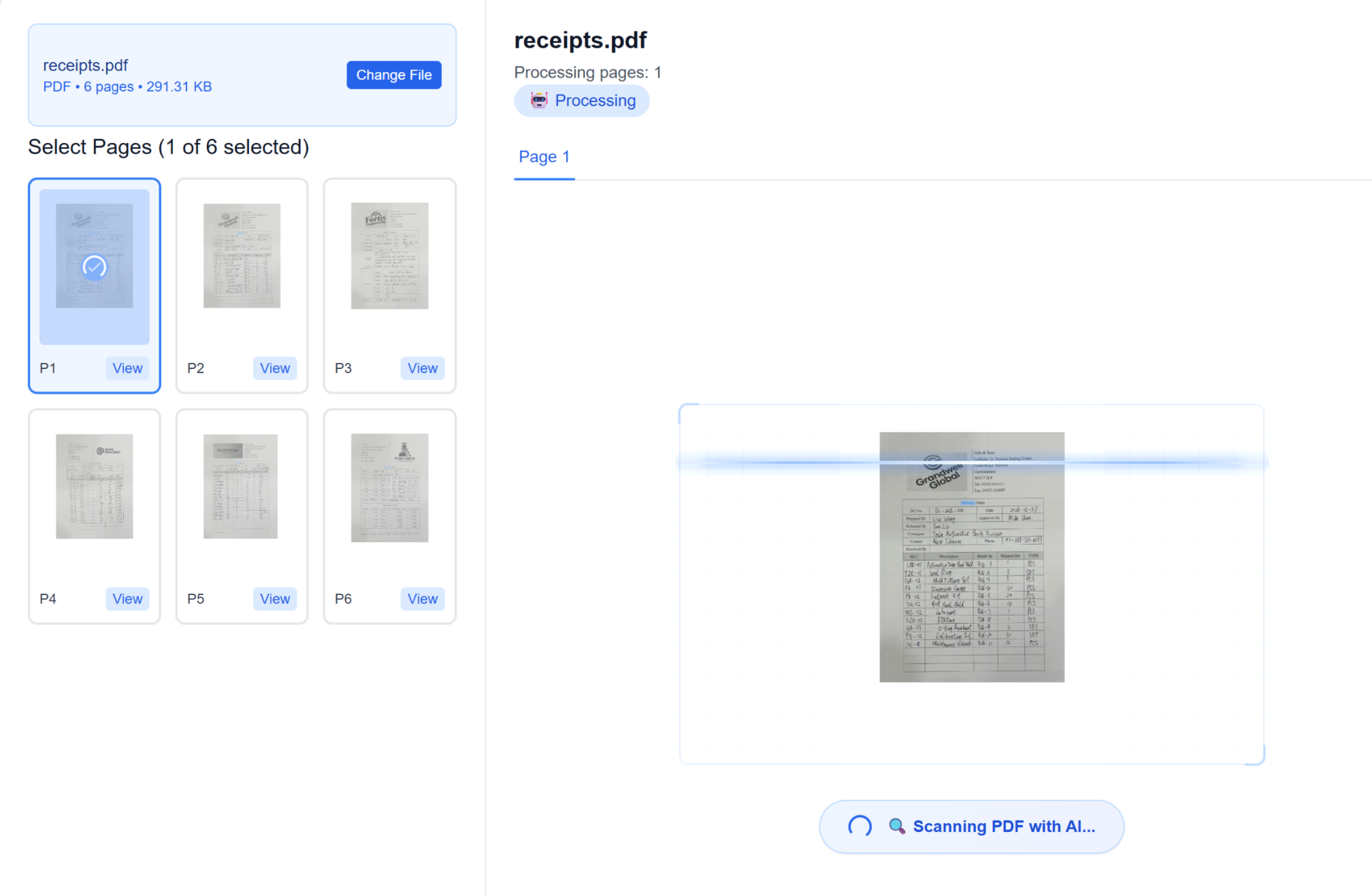
AI がドキュメント構造を分析
当社の高度な AI エンジンが PDF をスキャンし、テーブル、ヘッダー、データ関係を識別します。複雑なレイアウト、結合セル、複数ページのテーブルを理解します。システムは自動的にデータタイプとフォーマットを検出します。
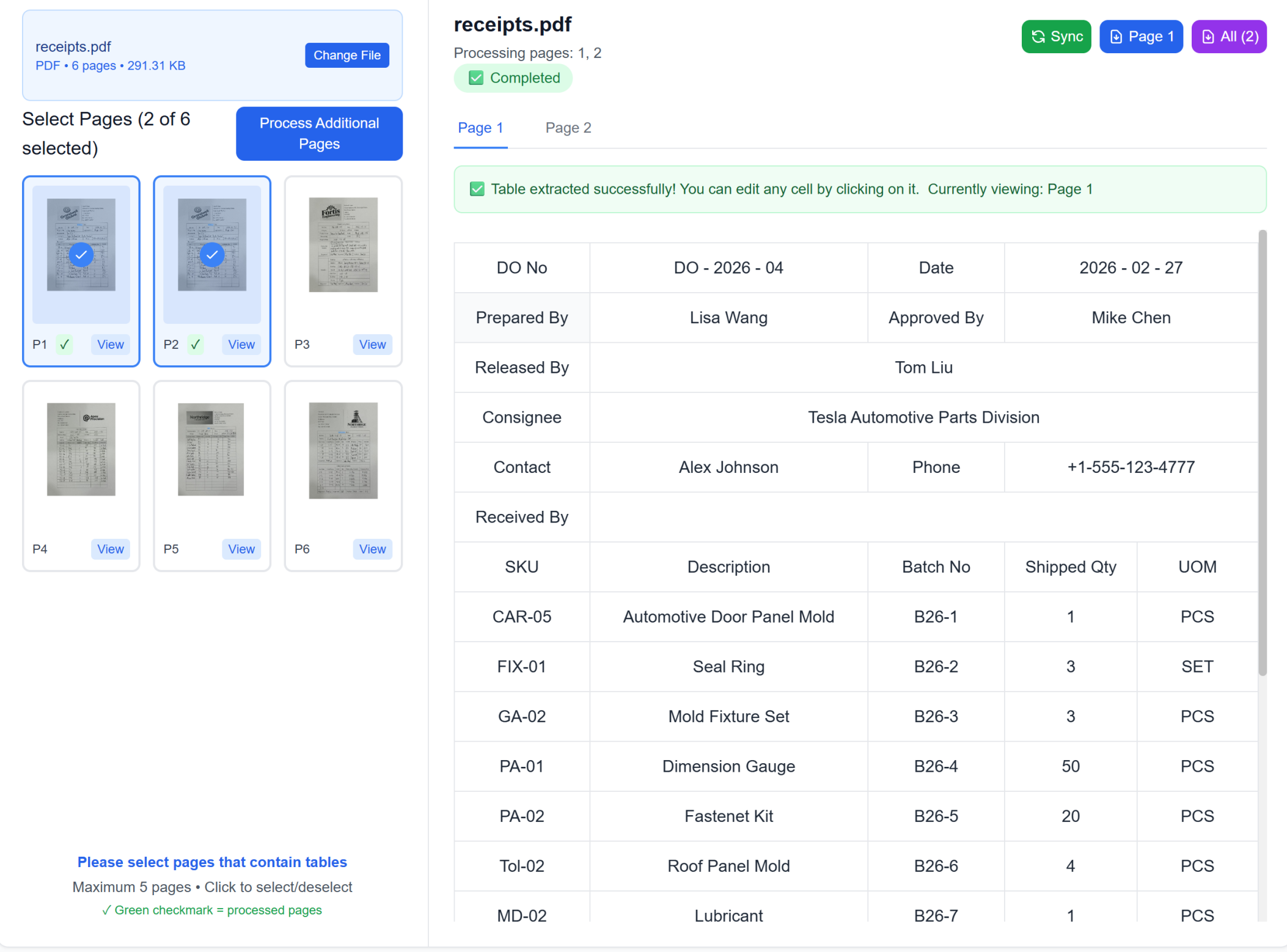
結果をレビューして改善
インタラクティブなエディタで抽出されたテーブルをプレビューします。必要に応じて調整を行います。並べて比較してデータの正確性を検証します。当社の品質保証システムは、レビューのために潜在的な問題を強調表示します。
ツールにエクスポートして同期
Excel、CSV としてダウンロードするか、Google Sheets、Notion、または Airtable に直接同期します。繰り返しの PDF 処理のための自動化されたワークフローを設定します。クラウド統合を通じてチームと即座に結果を共有します。
PDF ドキュメントをアップロード
PDF ファイルをドラッグ&ドロップするか、フォルダ全体をアップロードします。デジタル PDF とスキャンされたドキュメントの両方をサポート。パスワード保護されたファイルでも動作します。単一ページまたは数百ページのレポートを同じ容易さで処理します。
AI がドキュメント構造を分析
当社の高度な AI エンジンが PDF をスキャンし、テーブル、ヘッダー、データ関係を識別します。複雑なレイアウト、結合セル、複数ページのテーブルを理解します。システムは自動的にデータタイプとフォーマットを検出します。
結果をレビューして改善
インタラクティブなエディタで抽出されたテーブルをプレビューします。必要に応じて調整を行います。並べて比較してデータの正確性を検証します。当社の品質保証システムは、レビューのために潜在的な問題を強調表示します。
ツールにエクスポートして同期
Excel、CSV としてダウンロードするか、Google Sheets、Notion、または Airtable に直接同期します。繰り返しの PDF 処理のための自動化されたワークフローを設定します。クラウド統合を通じてチームと即座に結果を共有します。
実際の成果:成功事例
TabliSyncで毎週時間を節約しているチームや専門家の声をご紹介します。
"以前はテンプレート作成に1時間かかっていました。今は2分でできます。"

Sarah Mitchell
人事担当マネージャー
"私たちのチームは、ようやくすべてに一貫したプロフェッショナルなテンプレートを使えるようになりました。"

Michael Chen
オペレーションディレクター
"Excelの専門家でなくても、複雑なトラッキングシートを作れます。"

Emily Rodriguez
プロジェクトコーディネーター
業界別PDFワークフロー
PDF抽出で毎週時間を節約できるドキュメント中心のシナリオ。
製造と生産
工場の文書をデジタル化し、生産データ収集を自動化
生産レポートと品質検査シートのデジタル化
設備保守記録とダウンタイム分析
在庫追跡と材料消費レポート
サプライヤー納品書と発注書処理
会計事務所
財務諸表、税務書類、監査レポートを PDF 形式から完璧なフォーマット保持とデータ検証で編集可能な Excel スプレッドシートに変換します。
数式保持付き財務諸表変換
コンプライアンス検証付き税務書類処理
相互参照検証付き監査レポートデータ抽出
研究機関
PDF 出版物から研究データ、調査結果、統計テーブルをデータ関係を維持した分析可能な Excel 形式に抽出します。
統計検証付き研究論文データ抽出
テーブルリンク付き複数ページレポート変換
回答分類付き調査結果処理
法律専門家
法的文書、契約書、訴訟データを PDF 形式からドキュメント構造を保持した整理された Excel データベースに変換します。
条項分類付き契約データ抽出
タイムライン分析付き訴訟情報処理
判例追跡付き法的文書分析
よくある質問
この機能の使い方や期待できる結果、連携方法などのよくある質問にお答えします。
TabliSync は PDF 変換中、機密 PDF をどのように保護しますか?
PDF アップロードは転送・処理中に暗号化され、出力には統制されたアクセスが適用されます。workspace レベルの権限を設定し、不要になった変換ファイルを削除できます。
複数ページ PDF の表を書式を保ったまま Excel に変換するには?
PDF をアップロードし、AI に各ページの表領域を識別させ、構造化シートにエクスポートします。行・列および主要な書式パターンの保持に役立ちます。
TabliSync はスキャン PDF から請求書や財務表を抽出できますか?
はい。スキャンおよびデジタル生成 PDF、請求書型レイアウトをサポートします。最終エクスポート前に合計、税額、明細行など抽出フィールドを確認できます。
数百件の PDF 表を一括処理する最速の方法は?
一貫した命名で一括アップロードし、単一キューで抽出を実行し、例外ルールで検証します。複数文書間の手動コピー&ペーストより一般的に効率的です。
複雑なレイアウトや脚注がある PDF 表の抽出精度は?
表構造が明確な場合に精度が最も高く、複雑な脚注は素早い手動確認が必要な場合があります。財務ワークフローでは主要指標の検証ステップを推奨します。
抽出した PDF データを BI やレポートツールに統合できますか?
はい。Excel/CSV でエクスポートし、ダッシュボードやレポートワークフローに接続できます。手動抽出ステップを再構築せず反復分析を継続できます。
TabliSync が単なるコンバーター以上である理由
クロスプラットフォームデータ管理、コラボレーション、自動化のための AI 搭載ツールの完全なエコシステムでデータワークフローを変革します。
クロスプラットフォーム同期
変換されたデータは Google Sheets、Notion、Airtable、その他のプラットフォーム間で自動的に同期されます。手動でのインポートやエクスポートは不要です。
リアルタイムコラボレーション
抽出されたデータを即座に共有してコラボレーションします。チームメンバーは異なるプラットフォーム間でデータにアクセス、編集、分析できます。
自動更新
自動データ更新スケジュールを設定します。スプレッドシートは手動介入なしに最新の状態を保ち、何時間もの反復作業を節約します。
完全なデータエコシステムに参加
統合された AI ツールスイートでデータの可能性を最大限に引き出す
データワークフローを変革する準備はできましたか?
データニーズに TabliSync を信頼する何千ものプロフェッショナルに参加しましょう
クレジットカード不要 • 100 ページ無料処理 • エンタープライズプランあり