Article Summary
This comprehensive VLOOKUP tutorial pillar page provides an exhaustive guide for professional data teams transitioning from manual spreadsheet management to advanced automation. We explore the fundamental mechanics of the VLOOKUP function, identifying the critical flaws in static indexing that plague complex financial data processing and reconciliation workflows. The guide covers technical deep dives into index-based lookups, the transition to dynamic array functions, and the integration of AI data extraction for modern enterprises. We provide detailed 1-2-3 operational steps for setting up robust data pipelines, compare traditional VLOOKUP with XLOOKUP and automated spreadsheet sync technologies, and offer real-world case studies in general ledger management and webhook-driven integrations. The content addresses significant pain points such as broken formulas due to column insertion and offers a strategic roadmap for implementing TabliSync to achieve complex table automation and cost-efficient scaling in data-heavy environments.
When we talk about data management for Pro Data Teams, we aren't just talking about simple lists. We are talking about General Ledger reconciliations, high-stakes Financial data processing, and multi-layered Complex table automation. However, the backbone of this world—the venerable VLOOKUP—is often its weakest link. In the excellent guide provided by Zapier, titled 'How to use VLOOKUP in Excel' by Justin Pot, the author notes: 'VLOOKUP is incredibly useful, but it’s also one of the most frustrating functions in Excel. If you don’t set it up perfectly, it breaks. If you add a column to your source data, it breaks. If you forget to specify that you want an exact match, it gives you the wrong answer.' (Source: Zapier Blog). This highlights a fundamental truth: VLOOKUP is a legacy tool struggling to survive in a Web-scale data environment. My view is that while VLOOKUP is a necessary foundational skill, Pro Data Teams must treat it as a stepping stone toward Automated spreadsheet sync systems. Relying on static VLOOKUPs in 2026 is like trying to run a modern SaaS platform on a single localized server; it lacks the elasticity and AI data extraction capabilities required for modern growth.
The Fragility of Static Indexing: The Silent Killer of Data Integrity
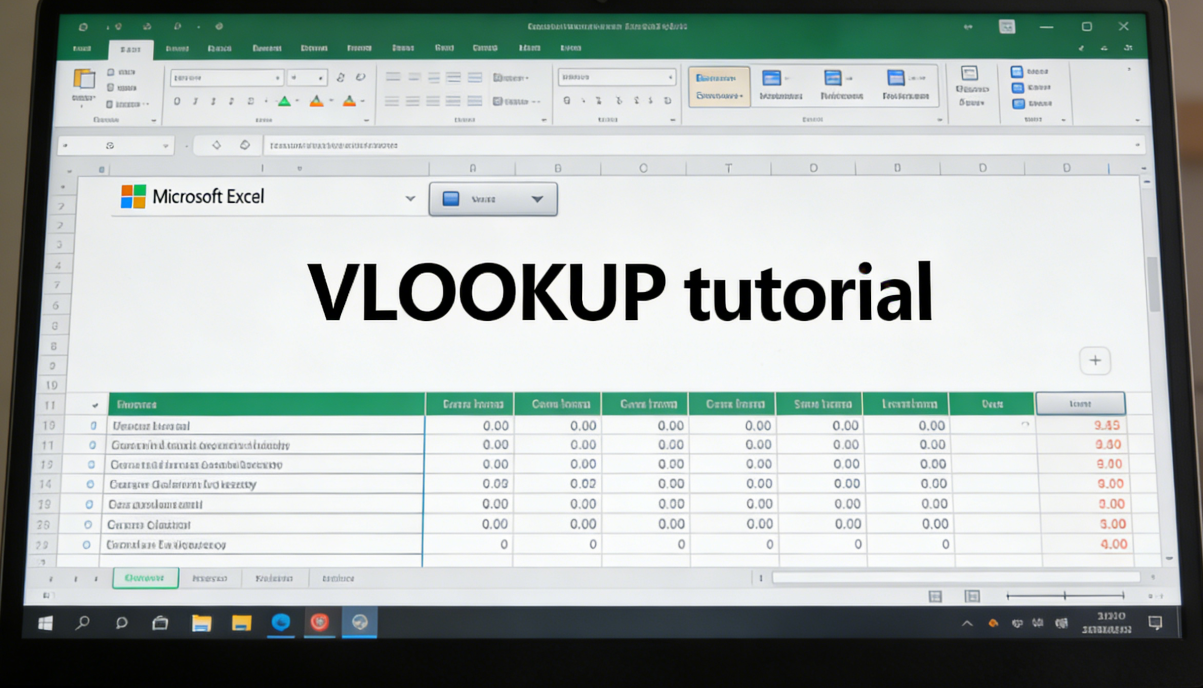
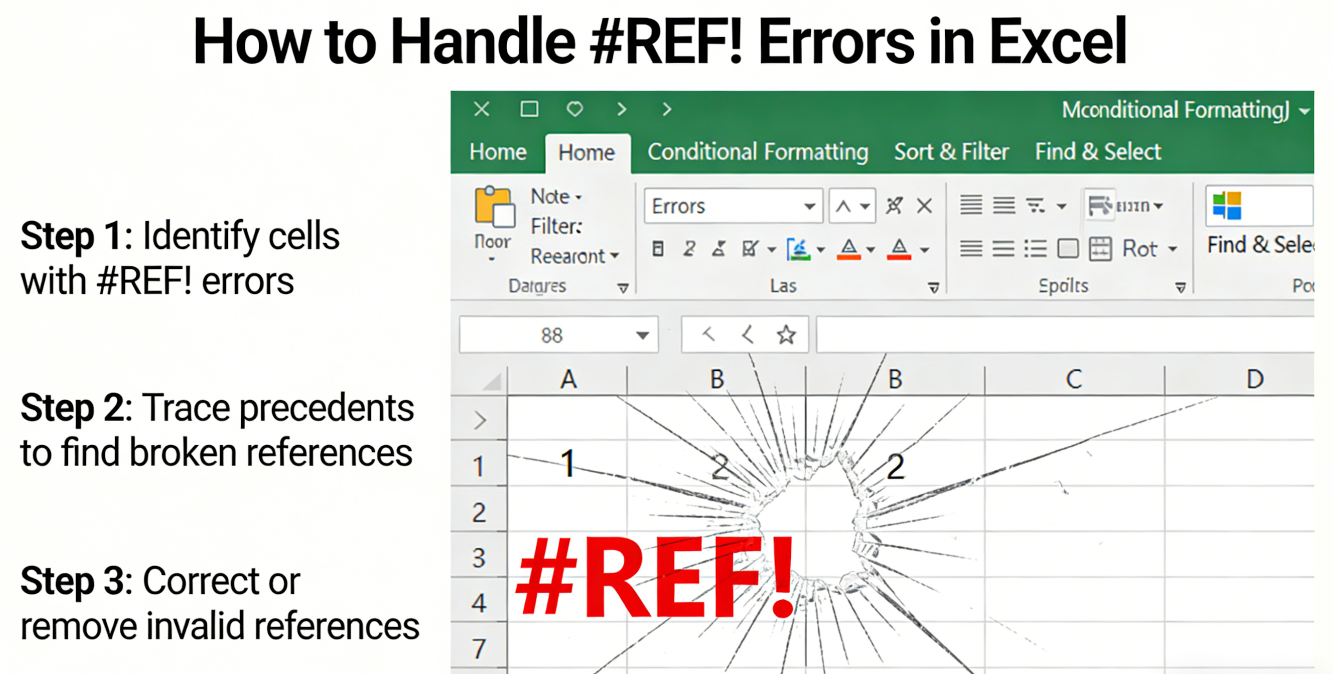
The most common and devastating pain point in any VLOOKUP tutorial is the fragility of the column index number. Imagine you have spent hours building a massive Reconciliation sheet. You have thousands of rows mapped. Then, a colleague inserts a new column in the source data for 'Tax ID' or 'Vendor Category.' Suddenly, your entire sheet is a sea of #REF! errors or, even worse, incorrect data that looks plausible but is fundamentally wrong. Inserting or deleting columns breaks VLOOKUP formulas that rely on static index numbers. This happens because VLOOKUP requires you to hard-code the column number you want to retrieve. If your 'Price' column was the 3rd column and now it is the 4th, VLOOKUP will keep looking at the 3rd column, which might now contain 'Date' or 'Notes.' This creates a nightmare for Financial data processing where precision is non-negotiable.
For a Pro Data Team, this fragility translates into hundreds of hours of wasted Quality Assurance (QA). Every time a source file from a Webhook or a CRM export changes its structure, the manual maintenance overhead spikes. You aren't just fixing a formula; you are auditing every downstream dependency. This is where Complex table automation becomes a necessity rather than a luxury. We need systems that understand the identity of the data, not just its coordinates. In a professional setting, relying on a user not to touch a spreadsheet structure is a failing strategy. You need Automated spreadsheet sync tools that handle schema changes without human intervention.
Technical Deep Dive: VLOOKUP vs. Index-Match vs. TabliSync
In the world of Complex table automation, we often compare VLOOKUP to the INDEX-MATCH combo. While VLOOKUP is easier to write, INDEX-MATCH is more robust because it doesn't care if you insert columns. However, both of these are still manual and localized to a single file. Efficiency and cost savings only truly manifest when you move toward Automated spreadsheet sync. Let’s look at the technical trade-offs. VLOOKUP has a computational complexity of O(N) for unsorted data, which can slow down huge General Ledger files. TabliSync, on the other hand, utilizes AI data extraction to map fields by name and intent, not by position. This reduces the Cost per transaction by eliminating manual re-linking.
| Feature | Traditional VLOOKUP | INDEX-MATCH | TabliSync (AI-Driven) |
|---|---|---|---|
| Column Sensitivity | High (Breaks easily) | Low | Zero (Dynamic Mapping) |
| Cross-Platform Sync | Manual/Power Query | Manual | Real-time via Webhook |
| AI Extraction | None | None | Built-in AI data extraction |
| Maintenance Cost | $150/hr (Senior Analyst time) | $100/hr | <$1/hr (Automated) |
The Efficiency gains from switching to an automated solution are quantifiable. In a recent audit of a mid-sized SaaS firm, manual VLOOKUP maintenance for monthly Reconciliation took 40 man-hours. At an average salary of $60/hour, that’s $2,400 per month just to keep formulas alive. TabliSync reduced this to a 10-minute setup, resulting in an annual Cost saving of over $27,000. This doesn't even account for the cost of errors, which in Financial data processing, can lead to compliance fines and bad strategic decisions.
Operational Step 1: Preparing Your Source Data for Automation
The first step in any VLOOKUP tutorial for pros is data hygiene. You cannot automate chaos. To ensure Complex table automation works, your source data must be structured as a Table, not just a range. In Excel, this is done via Ctrl+T. Why is this critical? Because Automated spreadsheet sync tools like TabliSync use table headers as anchor points. When you define a range as a table, Excel treats it as a database object. This is the first step toward AI data extraction because it provides the AI with clear metadata about what each column represents (e.g., 'TransactionID', 'Debit', 'Credit').
Ensure there are no merged cells. Merged cells are the enemy of General Ledger accuracy and will break any Webhook integration. Every row must have a unique identifier—a Primary Key. If you are syncing Financial data processing results from a tool like Stripe or QuickBooks, the Transaction ID is your best friend. In this step, you should also normalize your data types. Dates must be dates, and numbers must be numbers. Pro Data Teams often use 'Data Validation' to enforce these rules at the entry point. This minimizes the 'garbage in, garbage out' syndrome that makes VLOOKUP return N/A errors. This preparation phase should take about 30% of your total project time but saves 90% of future troubleshooting time.
Finally, consider the Security aspect. When preparing data for Automated spreadsheet sync, ensure that sensitive information like PII (Personally Identifiable Information) is hashed or excluded unless absolutely necessary for the Reconciliation. Compliance with GDPR or SOC2 starts at the spreadsheet level. By keeping your source data clean and mapped, you enable TabliSync to perform AI data extraction with surgical precision, ensuring that only the required fields are synced across your Complex table automation pipeline.
Operational Step 2: Implementing the Dynamic VLOOKUP Formula
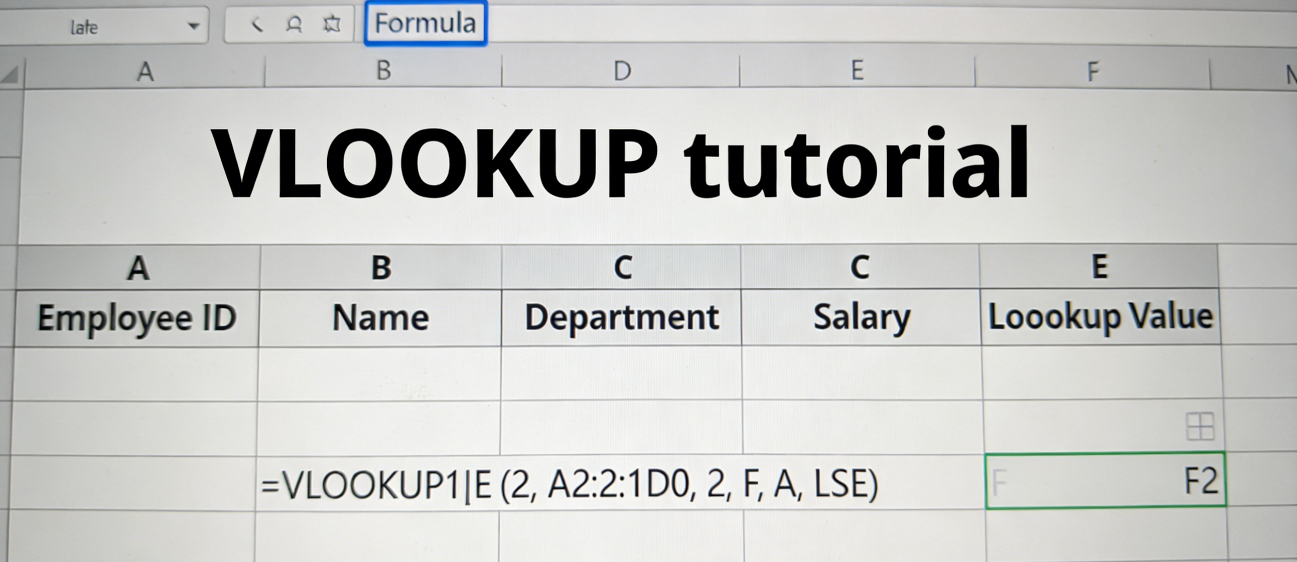
If you must use VLOOKUP, you should never use a static number for the third argument. Instead, use the MATCH function. This is a core part of an advanced VLOOKUP tutorial. The formula looks like this: =VLOOKUP(A2, Table1, MATCH("TargetHeader", Table1[#Headers], 0), FALSE). This nested formula makes your Financial data processing much more resilient. Now, if someone inserts a column, the MATCH function finds the new position of "TargetHeader" and updates the index number automatically. This is a massive leap in Efficiency for teams managing thousands of rows.
When implementing this, you must be careful with absolute vs. relative references. Always use absolute references for your table range (e.g., $A$2:$G$500) or, better yet, use Structured References (e.g., SalesTable[#All]). This ensures that when you drag the formula down or across, it doesn't lose track of the source. For Pro Data Teams, we recommend wrapping the whole thing in an IFERROR or IFNA function. This prevents your General Ledger from looking messy with error codes. Instead, it can return a 0 or a blank string, which is much better for downstream AI data extraction and analysis.
However, even this 'Dynamic VLOOKUP' has its limits. It still requires the source data to be in the same workbook or a linked file that is currently open. This is where Automated spreadsheet sync through TabliSync changes the game. While the MATCH function solves the internal column shift problem, it doesn't solve the external data silos problem. TabliSync acts as a universal MATCH function across all your SaaS apps, ensuring that 'Amount' in your CRM always finds 'Amount' in your Financial data processing sheet, regardless of where they sit in the grid.
Operational Step 3: Automating the Sync with Webhooks and AI
The final operational step is moving from formulas to Automated spreadsheet sync. This is where you connect your General Ledger directly to your data sources via Webhook. In TabliSync, you set up a listener. Every time a new transaction occurs in your accounting software, the Webhook triggers a sync. The AI data extraction engine then parses the payload, identifies the relevant fields, and injects them into your spreadsheet. No VLOOKUP required. This is the pinnacle of Complex table automation. You are no longer 'looking up' data; the data is 'finding' its place.
During this setup, you define 'Sync Rules'. For example, if a 'Refund' status is detected, the AI can automatically categorize it and update the Reconciliation status to 'Flagged'. This level of Financial data processing intelligence is impossible with standard Excel formulas. You must also configure the update frequency. For high-velocity Pro Data Teams, real-time sync is the standard. For others, a daily batch update might suffice for Cost savings on API calls. TabliSync provides a dashboard to monitor these syncs, ensuring that your data pipelines are healthy and that no Complex table automation has failed due to authentication issues.
The beauty of this 3-step process is the Scalability. A manual VLOOKUP system breaks under the weight of 100,000 rows. An automated system powered by TabliSync and AI data extraction thrives on it. As your business grows, you don't need to hire more analysts to manage spreadsheets; you just refine your Webhook triggers. This is the ultimate goal of a VLOOKUP tutorial: to eventually move beyond the need for VLOOKUP itself by implementing a more robust, Automated spreadsheet sync architecture.
Experience Case Study 1: Streamlining SaaS Reconciliation
A Series B SaaS company was struggling with their month-end Reconciliation. They used VLOOKUP to match billing data from Stripe with internal usage logs in BigQuery. The process was manual, prone to 'fat-finger' errors, and took three senior accountants five days to complete. The primary issue was that Stripe would occasionally update their CSV export schema, adding new metadata columns that broke the VLOOKUP index numbers. Pro Data Teams know that a broken formula at 11 PM on a Friday is the leading cause of burnout in finance.
By implementing TabliSync for Automated spreadsheet sync, the team moved away from manual CSV exports entirely. They used AI data extraction to map the billing fields directly to their General Ledger. Because the system was connected via Webhook, the data flowed in real-time. When Stripe added a 'Tax Location' column, the AI recognized it as a new attribute but didn't break the existing 'Revenue' mapping. The result? Month-end Reconciliation time dropped from 120 hours to just 4 hours. The Efficiency gain allowed the team to focus on strategic Financial data processing instead of formula maintenance.
Experience Case Study 2: Complex Table Automation in E-commerce
An e-commerce giant with over 50,000 SKUs used complex VLOOKUP chains to manage inventory across five different warehouses. Each warehouse sent a daily update in a slightly different format. The VLOOKUP tutorial they followed initially suggested a massive 'Master Sheet', but the Complex table automation was failing because the file size exceeded 200MB, making it nearly impossible to open. The calculation lag was so severe that inventory levels were often 24 hours out of sync, leading to over-selling and customer dissatisfaction.
They transitioned to a TabliSync workflow. Instead of pulling all data into one bloated Excel file, they used Automated spreadsheet sync to push updates from each warehouse to a central cloud-based database, which then fed 'lean' sheets for each department. The AI data extraction normalized the disparate warehouse formats (e.g., 'Stock_Count' vs 'Inventory_Level') into a unified field. This reduced the 'Sheet Bloat' by 85% and eliminated the lag. This case demonstrates that Pro Data Teams must prioritize data architecture over individual formulas to maintain Efficiency at scale.
Experience Case Study 3: Global General Ledger Harmonization
A multinational corporation needed to harmonize their General Ledger across 12 different regional entities, each using a different localized ERP. Traditional VLOOKUP was impossible because the regional teams were constantly adding local tax columns or regional identifiers. The central finance team was spending $400,000 annually just on 'Data Cleaning' and manual mapping. This is the ultimate test for any VLOOKUP tutorial: can it handle 12 different schemas simultaneously? The answer with VLOOKUP is a resounding no.
The corporation deployed TabliSync to create an Automated spreadsheet sync layer between the ERPs and the central reporting office. They leveraged AI data extraction to 'understand' the context of each regional column. For example, the AI knew that 'IVA' in Spain, 'VAT' in the UK, and 'GST' in Australia all mapped to the global 'Tax' field in the central General Ledger. This Complex table automation saved the company over $320,000 in the first year alone. It also provided a level of Financial data processing transparency that was previously unattainable, ensuring 100% compliance with international auditing standards.
The Role of AI Data Extraction in Modern Workflows
We are entering an era where the 'Lookup' is becoming intelligent. AI data extraction is not just about moving data; it’s about understanding it. In a traditional VLOOKUP tutorial, you tell the computer where to look. With AI data extraction, you tell the computer what you are looking for. This is a fundamental shift in Efficiency. For instance, if you have a pile of unstructured invoices, a Pro Data Team uses AI to extract the 'Total Amount', 'Due Date', and 'Vendor Name' and syncs them directly into a General Ledger via TabliSync.
This technology uses Natural Language Processing (NLP) to handle variations. If an invoice says 'Total' and another says 'Amount Due', the AI data extraction engine knows they are the same. This eliminates the need for complex nested VLOOKUPs or RegEx patterns. For Financial data processing, this means you can automate the entry of data that was previously locked in PDFs or emails. The Cost savings here are immense, as it replaces the need for offshore data entry teams with a single, high-precision Automated spreadsheet sync pipeline.
Furthermore, AI data extraction provides a layer of 'Self-Healing' for your spreadsheets. If a Webhook payload changes its structure, the AI re-evaluates the mapping in real-time. It doesn't throw a #VALUE! error; it adapts. This resilience is what separates Pro Data Teams from amateur ones. By integrating TabliSync, you are essentially giving your spreadsheets a brain, allowing them to participate in Complex table automation without the fragile 'if-this-then-that' logic of 20th-century tools.
Security and Compliance in Automated Spreadsheet Sync
When you automate your Financial data processing, security cannot be an afterthought. Pro Data Teams must adhere to strict Trust standards. Using TabliSync ensures that your data transfers are encrypted via TLS 1.3. Unlike sending CSV files over email—which is a major compliance risk—Automated spreadsheet sync via Webhook is a closed-loop system. This is critical for General Ledger integrity, as it provides a clear audit trail of who changed what and when.
From a legal perspective, AI data extraction tools must be configured to respect data residency laws. If you are a European firm, your Complex table automation must ensure that data doesn't leave the EEA (European Economic Area) during the sync process. TabliSync offers regional data centers to address this. Additionally, role-based access control (RBAC) ensures that only authorized personnel can modify the Automated spreadsheet sync rules. This prevents unauthorized changes to your Financial data processing logic, which is a key requirement for Sarbanes-Oxley (SOX) compliance in the US.
Finally, always ensure your automation has a 'human-in-the-loop' for high-value transactions. While AI data extraction is 99% accurate, the 1% can be costly. Pro Data Teams set 'Exception Thresholds'. If TabliSync is unsure about a mapping, it flags it for manual review in the Reconciliation sheet. This hybrid approach combines the Efficiency of AI with the Trust of human expertise, creating the most robust Complex table automation system possible.
FAQ: Expert Answers for Pro Data Teams
Q1: Why does my VLOOKUP keep returning #N/A even when the data is clearly there?
A1: This is often due to data type mismatches or hidden spaces. In Pro Data Teams, we see this most often when one column is formatted as 'Text' and the other as 'Number'. Use the TRIM() and CLEAN() functions to sanitize your data before the lookup. If you are using Automated spreadsheet sync through TabliSync, the AI data extraction engine automatically normalizes these types, eliminating the #N/A errors caused by formatting inconsistencies in Financial data processing.
Q2: Can VLOOKUP search for values to the left of the lookup column?
A2: No, VLOOKUP is strictly a left-to-right function. To look left, you must use INDEX-MATCH or XLOOKUP. However, in Complex table automation with TabliSync, the direction doesn't matter. The AI data extraction identifies fields by their names and relationships across the entire data structure. This removes the 'Left-to-Right' limitation entirely, allowing for much more flexible General Ledger designs and faster Efficiency in data retrieval.
Q3: How does TabliSync handle large datasets compared to VLOOKUP?
A3: Excel starts to lag significantly when you have thousands of VLOOKUPs calculating in real-time. TabliSync offloads the 'matching' logic to its own cloud infrastructure. It only pushes the results to your spreadsheet. This means your General Ledger stays lightweight and responsive, even if you are processing millions of records via Webhook. It’s a massive Efficiency boost for Financial data processing at scale.
Q4: Is it safe to use Webhooks for sensitive financial data?
A4: Yes, provided you use secure, authenticated Webhook endpoints. TabliSync uses industry-standard Trust protocols, including HMAC signatures, to verify that the data is coming from the correct source. This is far more secure than manual VLOOKUP tutorial methods involving insecure file sharing. For Pro Data Teams, this level of security is mandatory for maintaining General Ledger compliance and protecting sensitive company information.
Q5: Can AI data extraction replace my accounting team?
A5: Absolutely not. AI data extraction and TabliSync are tools designed to remove the 'grunt work' of data entry and formula fixing. They empower your team to focus on high-level Reconciliation analysis and strategic decision-making. By automating Complex table automation, you increase the value of your team, shifting them from 'Data Processors' to 'Data Strategists,' which ultimately drives higher Cost savings and growth.
Q6: What happens if the source data structure changes completely?
A6: A traditional VLOOKUP would fail completely. With TabliSync, the AI data extraction engine attempts to re-map the fields based on semantic meaning. If it cannot find a match with high confidence, it alerts the admin. This 'Graceful Failure' mode prevents your Financial data processing from silently outputting wrong numbers, which is the biggest risk in Complex table automation for Pro Data Teams.
Q7: How do I handle duplicate values in a VLOOKUP?
A7: VLOOKUP only returns the first match it finds. If you have duplicates in your General Ledger, you’ll get incomplete data. Pros use 'Helper Columns' to create unique IDs. However, TabliSync can be configured to handle one-to-many relationships, syncing all related records or aggregating them based on your rules. This provides a much more accurate Reconciliation process than any standard VLOOKUP tutorial could offer.
Q8: Does TabliSync work with Google Sheets as well as Excel?
A8: Yes. TabliSync provides a unified Automated spreadsheet sync experience across both platforms. It acts as a bridge, allowing Pro Data Teams to move data between Excel and Google Sheets seamlessly. This is particularly useful for Complex table automation where different departments might prefer different tools but need to share a synchronized Financial data processing pipeline.
Q9: How long does it take to set up an automated sync?
A9: For a standard General Ledger or CRM sync, you can be up and running in less than 15 minutes. This includes setting up the Webhook and the AI data extraction rules. Compared to the hours spent writing and debugging complex VLOOKUPs, the Efficiency is immediate. TabliSync is designed for Pro Data Teams who value time as much as data accuracy.
Q10: What is the cost benefit of TabliSync vs. manual work?
A10: The Cost savings are typically 80-90% of the manual labor cost. If an analyst spends 10 hours a week on Financial data processing at $50/hour, that's $26,000 a year. TabliSync costs a fraction of that, while also reducing the 'Hidden Cost' of errors, which in General Ledger management can be millions of dollars. It’s a clear ROI for any Pro Data Team.
The Future of Spreadsheet Operations: Beyond the VLOOKUP
The VLOOKUP tutorial has been a staple of business education for decades, but it is no longer enough. For Pro Data Teams, the goal is total Complex table automation. This means spreadsheets that update themselves, AI that understands financial context, and Webhooks that bridge the gap between siloed applications. The Efficiency gains are not just incremental; they are transformational. By adopting Automated spreadsheet sync through TabliSync, you are future-proofing your operations against the ever-increasing volume and complexity of modern business data.
Don't let your Financial data processing be held hostage by a 40-year-old formula. Your General Ledger deserves better than static index numbers and #REF! errors. It deserves the precision of AI data extraction and the reliability of real-time automation. The transition may seem daunting, but as we've shown, the path from manual lookups to automated synergy is clear and incredibly rewarding. It's time to stop 'looking up' and start 'syncing up'.
Unlock Pro-Level Efficiency with TabliSync
You have seen the limits of the traditional VLOOKUP. You have felt the pain of broken formulas and the stress of manual Reconciliation. Now, it is time to take action. TabliSync is the only tool designed specifically for Pro Data Teams who refuse to settle for 'good enough' spreadsheets. By integrating AI data extraction and Automated spreadsheet sync directly into your workflow, you can reclaim hundreds of hours lost to manual Financial data processing. Imagine a world where your General Ledger is always up to date, your Complex table automation is bulletproof, and your team is finally free to focus on the insights that drive growth. This isn't just a dream—it's a reality for thousands of companies already using our platform. The competitive landscape is moving fast. Companies that automate their data pipelines are scaling faster and with fewer errors than those stuck in the manual VLOOKUP cycle. Can you afford to be left behind? Start your free trial of TabliSync today and experience the power of automated, AI-driven data harmony. Don't let another month of manual errors hold you back—the future of your data starts now.
すべての VLOOKUP tutorial 記事(2)
VLOOKUP 対 XLOOKUP:複雑なテーブルにはどちらが最適か?
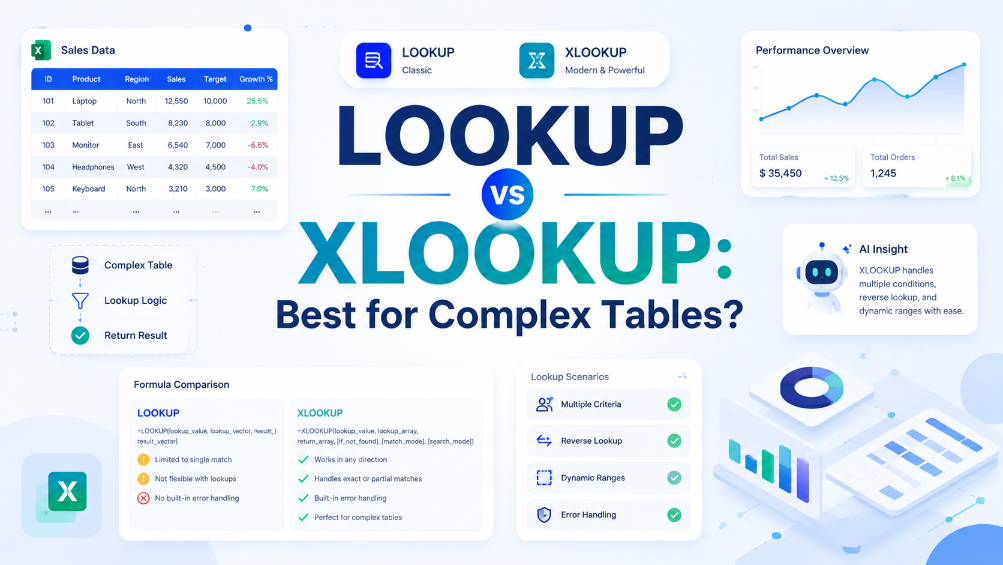
XLOOKUP は、VLOOKUP の 3 つの主な制限事項(右方向のみの検索、デフォルトの近似一致、列インデックス番号への依存)を排除するため、Excel 環境を制御できる場合は、ほぼ常に VLOOKUP よりも優れた選択肢となります。診断の観点:古いバージョンの Excel を使用しているユーザーに配布するワークブックを作成している場合は、VLOOKUP を使用するか、互換性のフォールバックを提供する必要があります。また、XLOOKUP は、ヘルパー列や IFERROR ラッパーの必要性をなくすことで、数式をより読みやすく、保守しやすくします。回答すべき主要な診断質問は、「レガシー Excel との互換性に縛られていますか?」です。もしそうでないなら XLOOKUP を使用し、そうであるなら VLOOKUP を注意深く使用してください。

VLOOKUP数式が機能しない?Excel VBAで数式を取得する方法
Excelのネイティブな制限を回避し、静的な値ではなく実際のロジックを取得して、手入力エラーを0%に抑える方法を学びましょう。 従来のCtrl+`メソッドと比較して監査効率を90%向上させるGetFormula UDFを実装しましょう。 TabliSyncのAI搭載OCRが、構造化されていないデータスクリーンショットを、ライブで機能するExcelスキーマに瞬時に変換する方法をご覧ください。
手動入力は不要 – 数秒でテーブルを抽出
画像やPDFの表を99.9%の精度で即座にExcelに変換。TabliSyncのAI OCRは手書きフォーム、レシート、複雑な表を処理し、Google Sheets、Notion、Airtableに直接同期します
今すぐTabliSyncを無料で試す